How to Find and Resume an Unfinished BeatViz Workflow Task
You can return to a Workflow task after closing the browser or refreshing the page, as long as the task has already been created. The important distinction is whether you have confirmed the storyline and reached the scene-preview stage.
Method 1: Reopen the task URL
After storyline confirmation, Workflow creates a task with an address using the format:
https://beatviz.ai/create?taskId=YOUR_TASK_ID
Open that same link to return to the task's scene preview. Existing first-frame, video or lip-sync jobs can continue showing their status while the page checks for updates. Save the link if you are working on a longer music video over several sessions.
Method 2: Open your Drafts
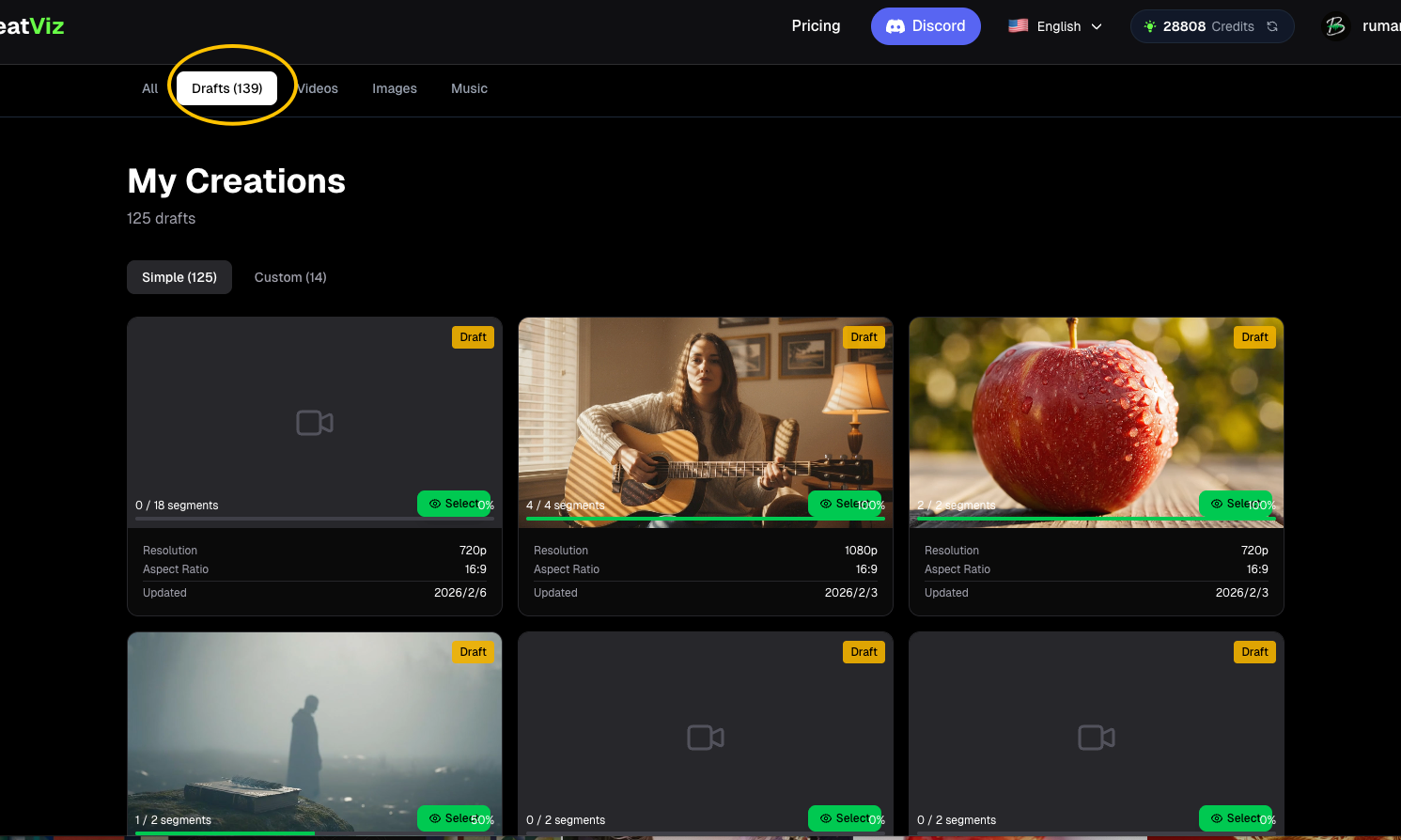
Visit My Creations — Drafts to find unfinished created tasks. The Workflow starting screen also shows recent drafts so you can reopen an existing task without searching for its URL.
Choose the relevant draft to return to its current progress. Check which scenes already have first frames or videos before starting new generation jobs.
What happens before a task is created?
The initial process includes audio analysis, selection of a creative direction and review of the storyline. There is no task ID until you confirm the storyline. If you close the page while still choosing a direction or editing an unconfirmed storyline, you cannot resume that exact planning state through Drafts; you must restart the generation flow.
What happens if you need to sign in?
If you begin setup while signed out, BeatViz saves the form details—including the audio and character selections—locally before requesting login. On return, the submission resumes automatically. This is distinct from reopening a completed task with a task ID.
Troubleshooting checklist
- The task is missing from Drafts: confirm that the storyline was previously confirmed and the task created.
- You only saw three direction cards: the task had not yet reached the resumable stage.
- A scene still says generating: reopen the task and check its updated job status before resubmitting.
- You cannot find the task link: use the recent-drafts area or
/creations?tab=drafts.
FAQs
Does refreshing cancel the video job?
A previously created task can be reopened, and ongoing generation statuses continue to be checked. The page refresh does not mean that you must create a new task.
Can I recover a direction choice from before storyline confirmation?
Not via the created-task draft mechanism. You need to start the planning flow again.
Is Drafts the same as Editor projects?
No. Workflow tasks and Editor projects are separate creation paths.
Continue learning: ← Previous: Credits & Costs · Next: Compose & Export →
Related guides
Try BeatViz Workflow
Upload a song, choose a Content Mode, and let Workflow plan scenes, first frames, and clips for you.