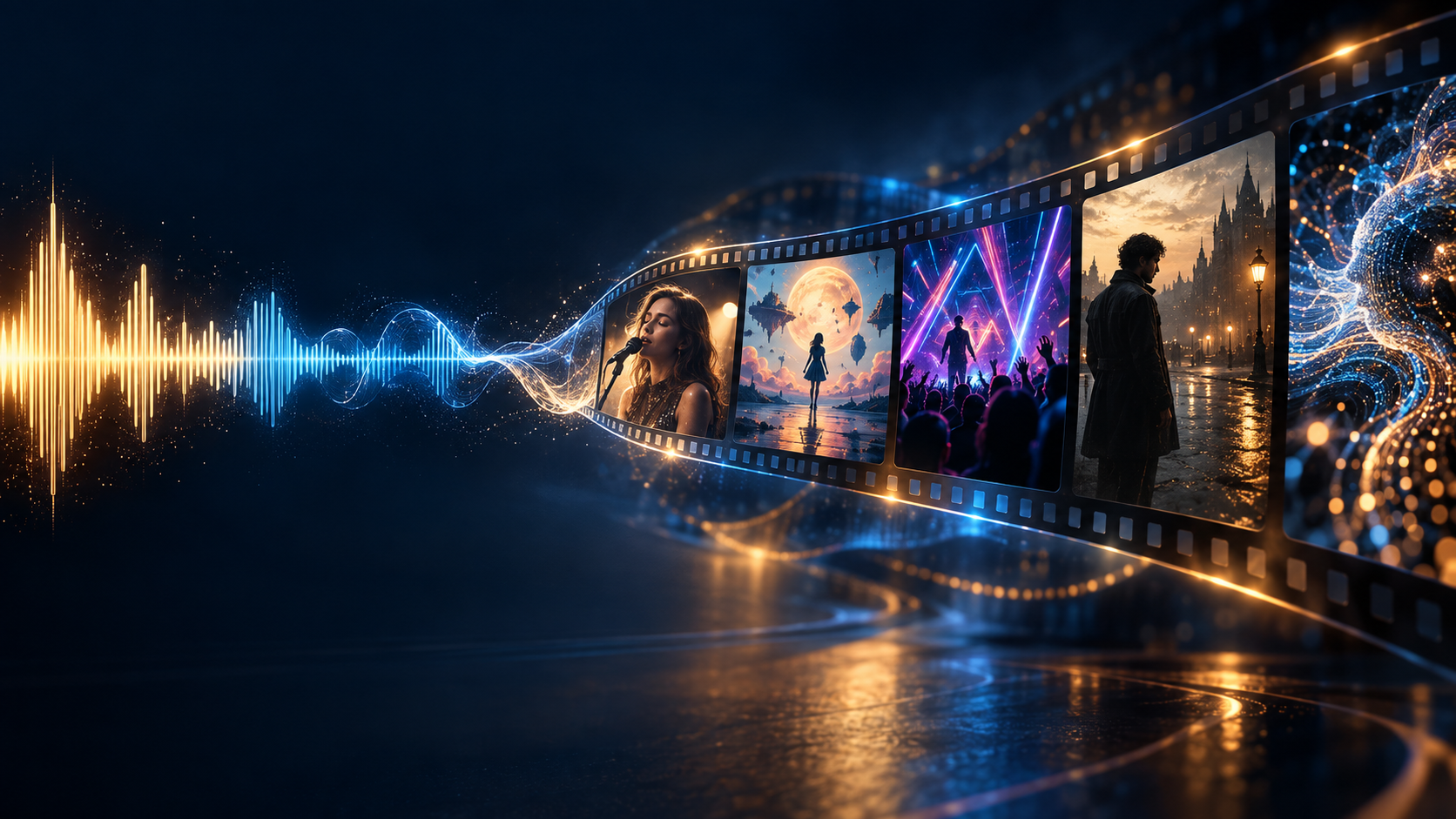
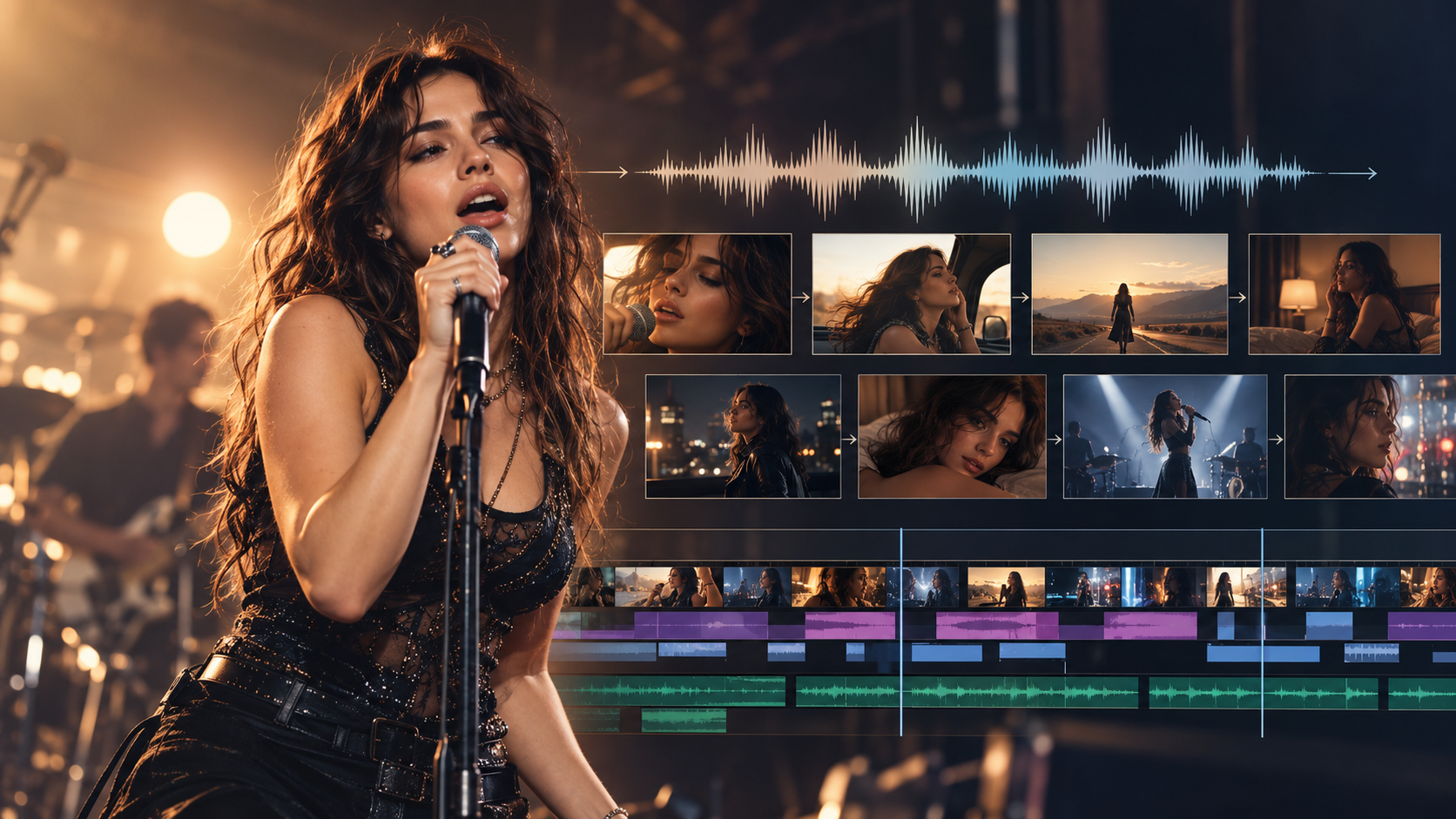
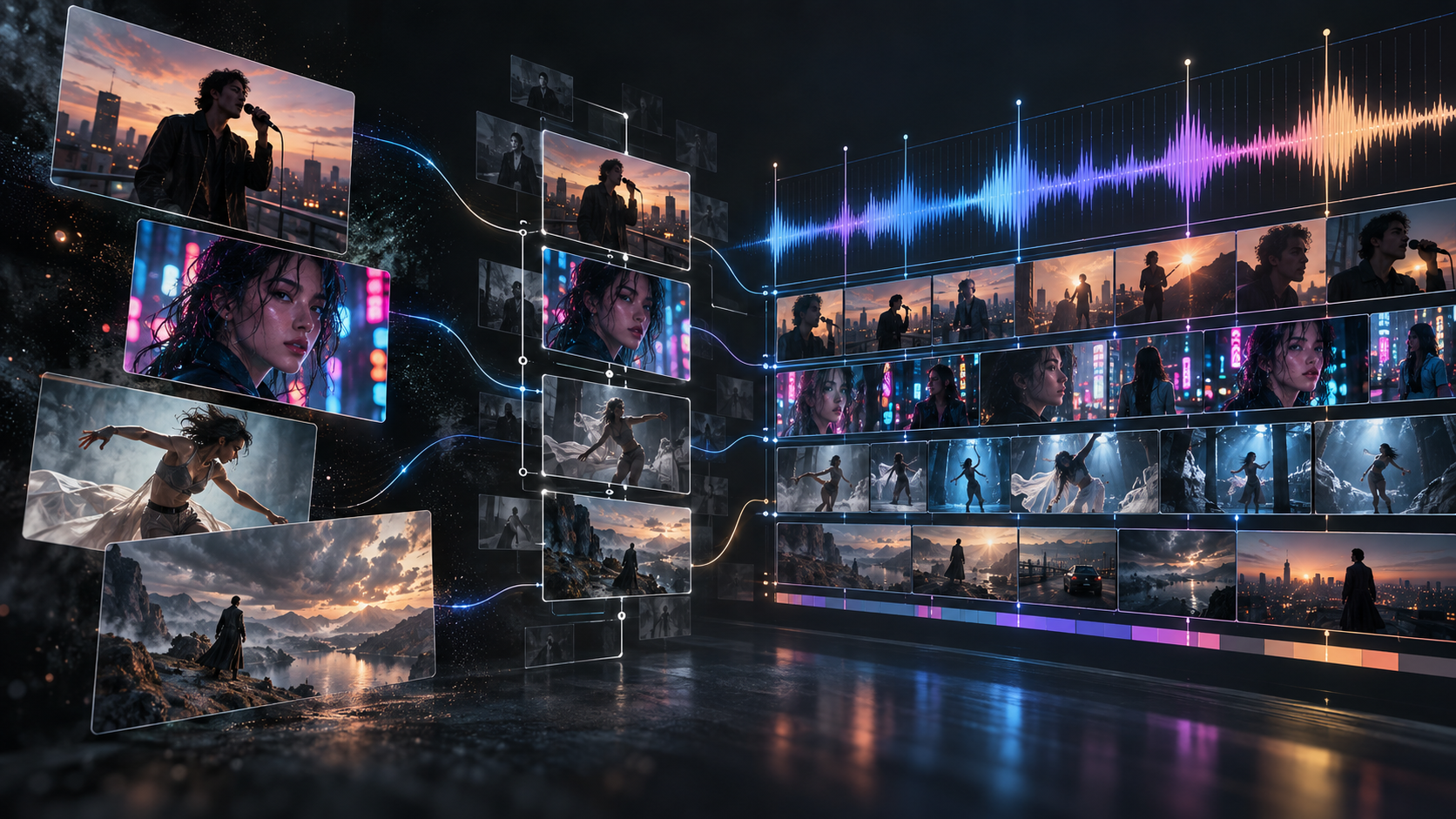
Your finished song, on screen

Song to Video: Turn Your Finished Track Into a Music Video

Take your song to video with visuals that develop from the opening verse to the final chorus. Upload your finished track, choose a creative direction, and let BeatViz help plan and generate your scenes. Review character references, refine individual shots, and assemble a complete music video for your YouTube release or a vertical project for social sharing.

  • Start with your finished audio track
  • Plan visuals around the whole song
  • Guide recurring characters with reference images
  • Review first frames before generating motion
  • Refine individual scenes on the timeline
Content Mode:
Mode:
Quality:
Character:
Style:
0 / 5000

See How YouTubers Use Beatviz

Real creators making real music videos with AI.

Why BeatViz

Built for the Way Music Videos Are Made Today

BeatViz brings music-aware planning, AI video generation, and hands-on editing into one creative workflow. Explore the tools behind the platform and see how creators are using them to turn finished songs into music videos.

01234567890123456789012345678901234567890123456789012345678900123456789012345678901234567890123456789012345678901234567890k+

Creators

making music videos

012345678901234567890123456789012345678901234567890123456789001234567890123456789012345678901234567890123456789012345678900123456789012345678901234567890123456789012345678901234567890+

Countries

and territories reached

012345678901234567890123456789012345678901234567890123456789001234567890123456789012345678901234567890123456789012345678900123456789012345678901234567890123456789012345678901234567890k+

Videos

created on BeatViz

3

Creation Paths

Choose AI Director, guided Workflow, or the timeline-based Editor to match how you like to create.

5

Audio Formats

The Editor accepts MP3, AAC, M4A, FLAC, and WAV files, so you can start with familiar audio formats.

2

Project Aspect Ratios

Create horizontal 16:9 or vertical 9:16 projects for different video publishing needs.

2026

Featured in Film Threat

Sponsored Film Threat coverage in September 2026 selected BeatViz as its top pick for full-length AI music videos.

Infinite creativity.
Zero limits.

Our AI never sleeps. Neither does the inspiration.

From finished track to finished video

How to Turn Your Song Into a Music Video

Build around the music you already have, then review the visuals at each stage.

  1. Upload the Song You Want to Visualize

    Start with a finished audio file you own or have permission to use. Upload your track to BeatViz and choose the available project settings. If your song comes from a music creation service, export the audio there before uploading it here.

    An original song selected for upload in the BeatViz project creation interface.
  2. Give Each Song Section a Visual Direction

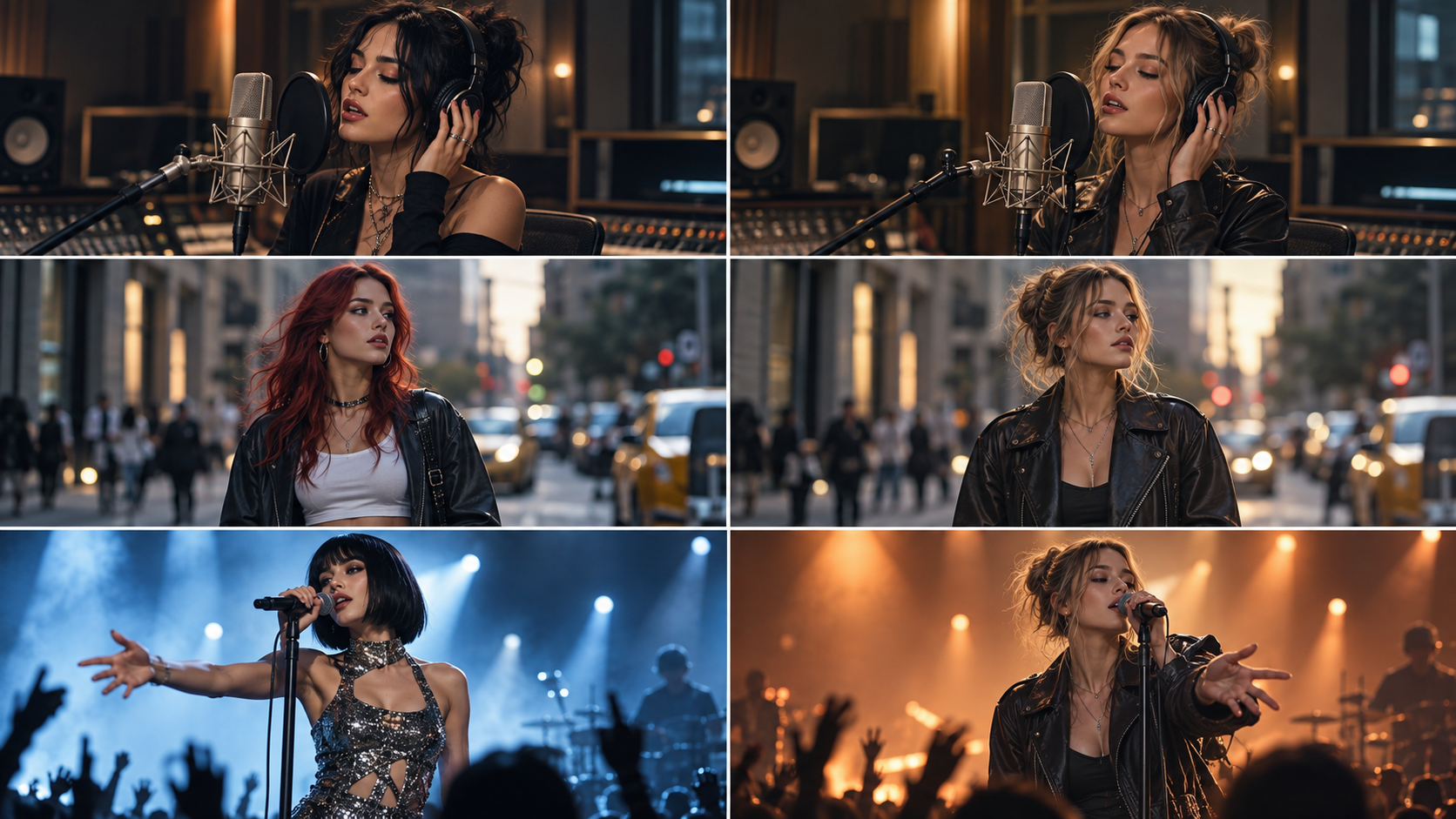
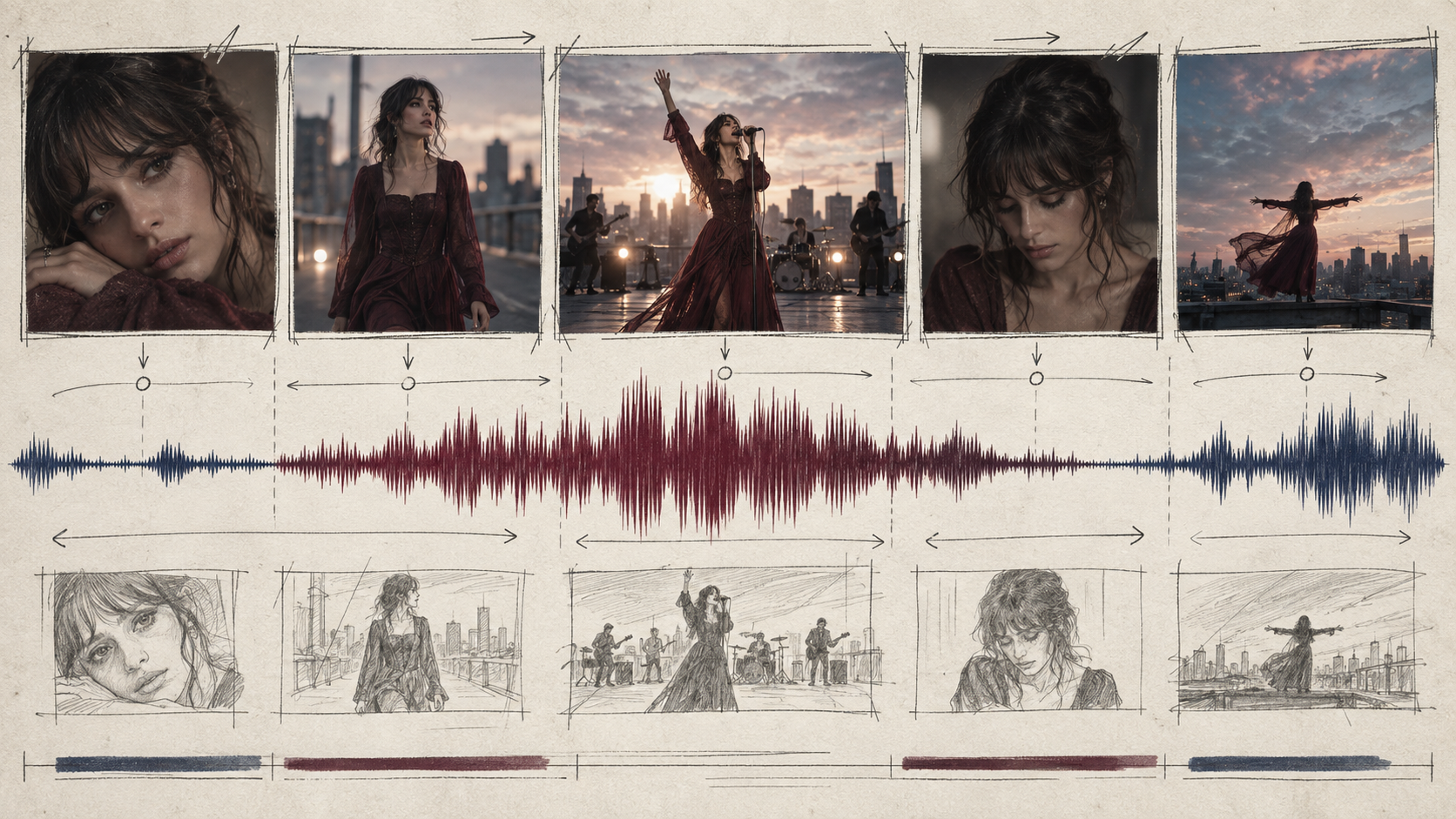
    Use Workflow or AI Director to develop the concept, characters, and scenes. Decide how the verse, chorus, and bridge should feel on screen. Review the storyboard and first frames, then adjust the visual direction before committing to video generation.

    Reviewed first frames illustrating different visual directions for a song's verse and chorus.
  3. Refine Your Scenes and Finish the Video

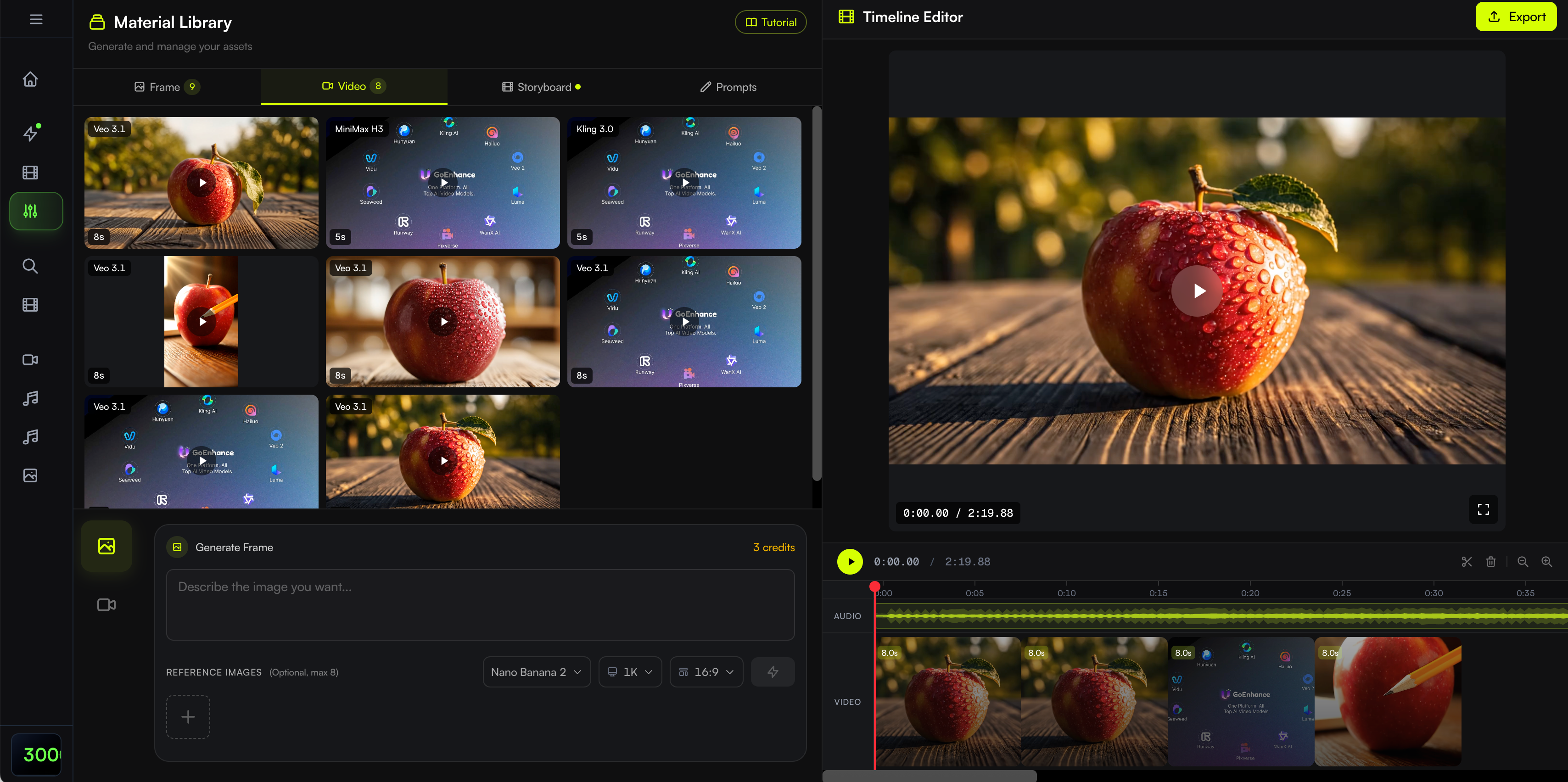
    Generate your clips, review them alongside the song, and regenerate scenes that need another pass. Use lip sync for suitable vocal shots, then refine clip order and timing in the Editor. Preview the assembled video and export when the sequence feels right.

    Generated music video scenes arranged along a song in the BeatViz timeline Editor.

Build a video around your song

Shape the Whole Track, One Scene at a Time

Connect your audio, creative direction, and individual shots through a music video workflow you can review and refine.

01Your audio

Start With the Track You Already Finished

Bring the recording you want people to hear: a studio mix, a home recording, or an exported song from a music creation tool. The BeatViz Editor accepts MP3, AAC, M4A, FLAC, and WAV files. Prepare your preferred version before starting so your visual decisions follow the right arrangement, vocal performance, and ending throughout the project.

  • Upload your finished recording
  • Use familiar audio formats
  • Build around your chosen arrangement
BeatViz Editor audio upload area listing MP3, AAC, M4A, FLAC, and WAV.
02Musical direction

Give Verses and Choruses Their Own Visual Roles

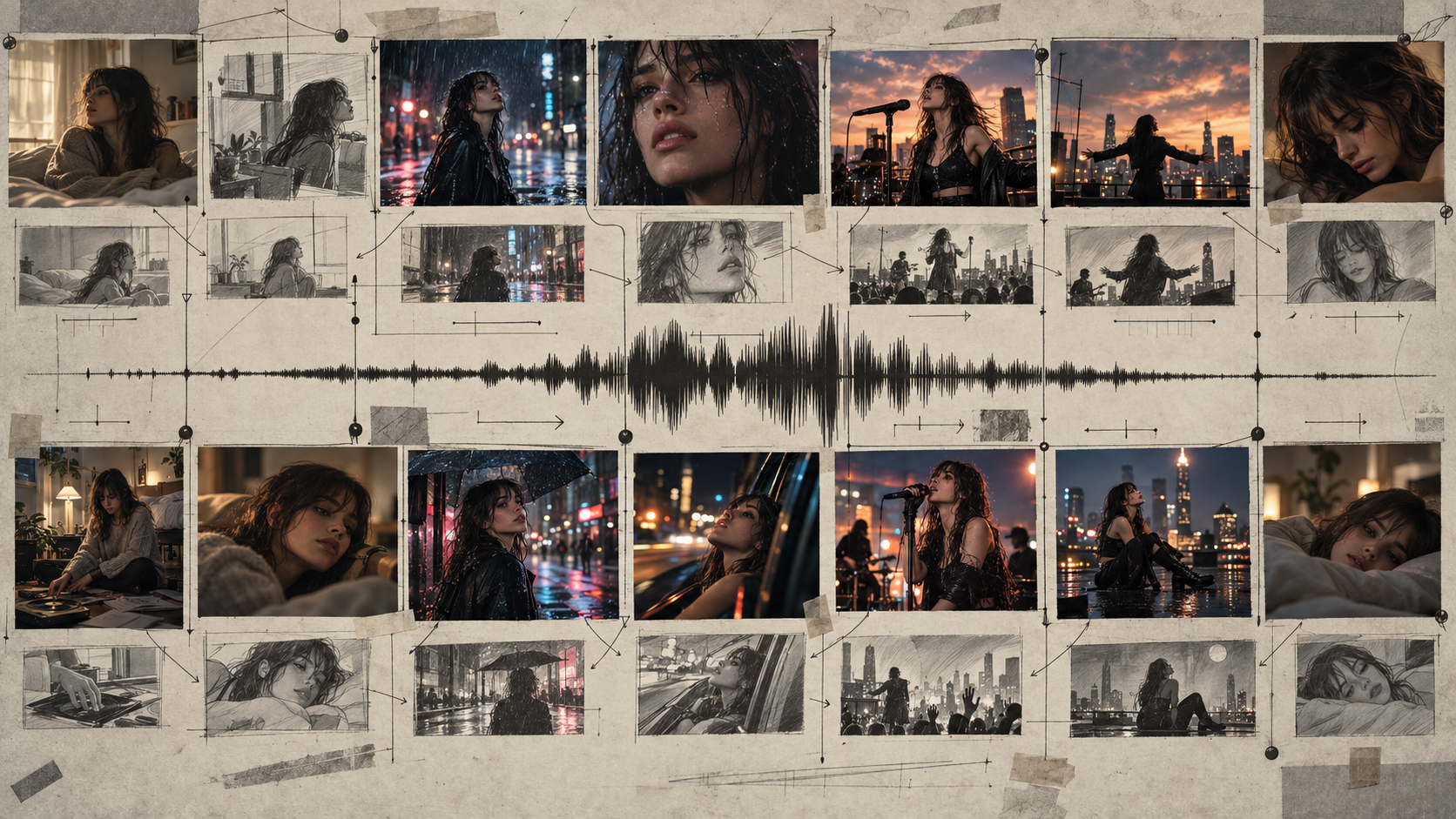
Let the song guide your visual plan. BeatViz supports music analysis and scene planning, giving you a starting point for interpreting changes in mood and energy. You might keep a verse close and personal, open the chorus into a wider performance, and give the bridge a new setting. Review those choices against your track and adjust the plan to fit your interpretation.

  • Develop a musical visual plan
  • Explore contrasting section moods
  • Review the creative direction
A planning diagram linking verse, chorus, and bridge excerpts to contrasting music video scenes.
03Recurring characters

Guide Your Performer Across Different Song Sections

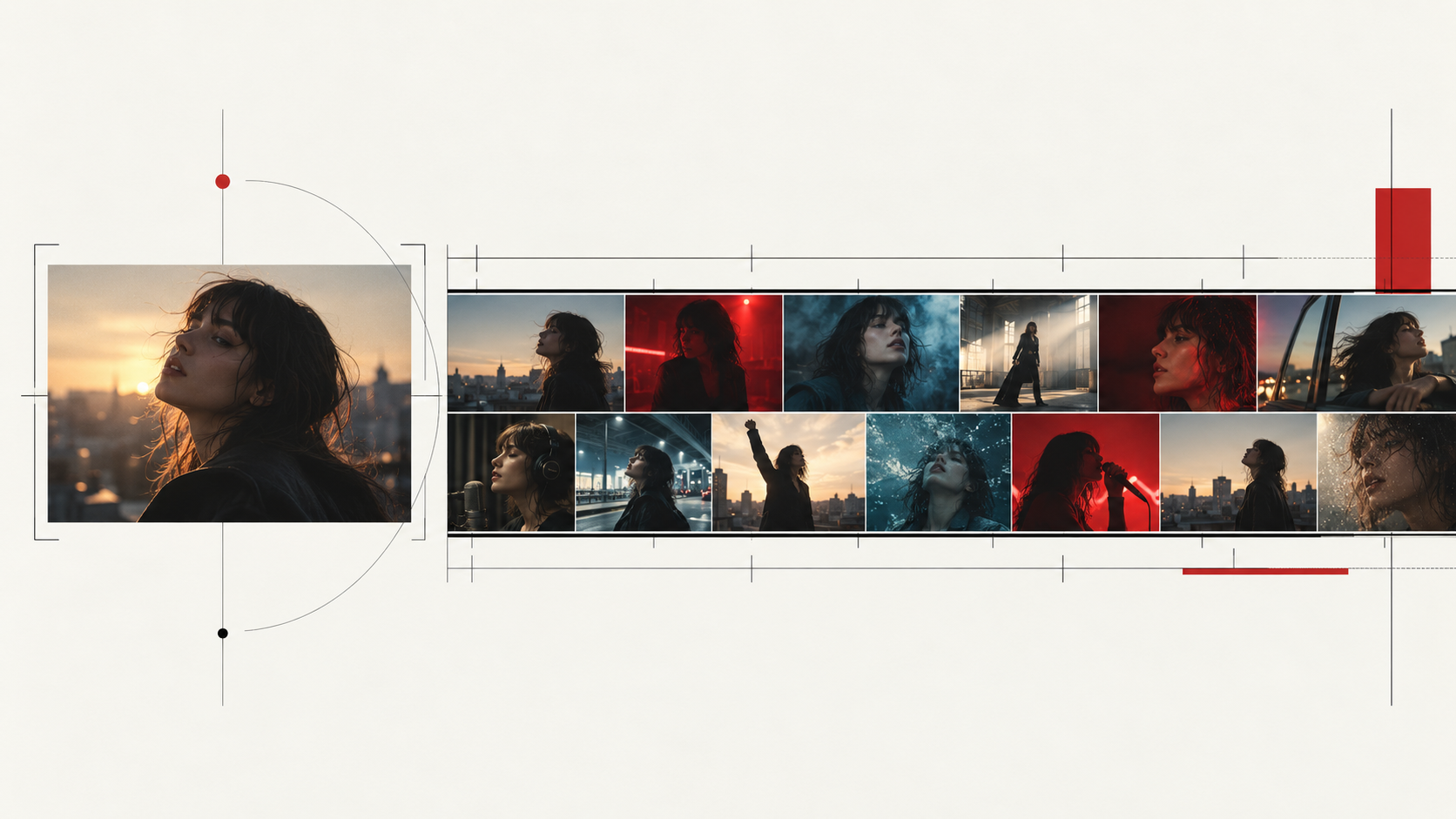
A recurring performer can connect a quiet opening with a bigger chorus. Add character reference images to guide how that person appears across your project, then check the generated first frames for clothing, hair, and facial details. References help establish visual continuity, but results still need review. Revise frames that drift before generating the corresponding performance or story shots.

  • Add clear character references
  • Check appearance across scenes
  • Review clothing and facial details
A character reference beside approved verse and chorus first frames featuring the same intended performer.
04Review before motion

Check the Visual Story Before Generating Clips

Decide what viewers should see before you generate movement. Use the storyboard and first frames to review each scene's subject, setting, composition, and connection to the song. For a repeated chorus, you could keep the same visual theme while changing the camera angle. Adjust frames that feel disconnected so the next generation step starts from a clearer creative decision.

  • Review scenes before generation
  • Adjust composition and setting
  • Develop recurring visual themes
A storyboard and revised first frame used to plan a recurring chorus scene.
05Focused revisions

Replace the Shots That Interrupt Your Song

Sometimes one awkward movement or mismatched scene interrupts an otherwise promising sequence. Review the generated clips, identify the shot that needs attention, and regenerate that scene while keeping the usable material. You can concentrate revisions on a chorus entrance, a narrative moment, or an ending shot instead of treating every new attempt as a reason to rebuild the entire video.

  • Review individual generated clips
  • Regenerate scenes needing attention
  • Keep the material that works
A replacement scene inserted between retained clips in a music video project.
06Vocal moments

Bring Selected Vocal Lines Into the Performance

Use scene-level lip sync when you want a performer to appear to sing part of your track. Choose suitable vocal shots and review the mouth movement alongside the audio before adding them to the final sequence. Alternate performance moments with narrative scenes or instrumental visuals as your song needs. Lip sync is a creative option for selected scenes, with results that require review.

  • Choose suitable vocal scenes
  • Review performance against audio
  • Mix singing with story scenes
A reviewed singing shot paired with a narrative scene in the same music video.
07The complete sequence

Assemble Your Scenes Around the Full Song

Bring your generated shots together in the timeline Editor, where you can arrange clips and refine their timing against the track. Watch how the opening leads into the chorus and how the final image resolves the song. Choose a horizontal 16:9 or vertical 9:16 project for your intended release, then review the assembled video before export.

  • Arrange scenes on the timeline
  • Refine timing against your track
  • Choose horizontal or vertical projects
A complete song arranged with generated scenes in the BeatViz timeline Editor.

Compare your workflow

BeatViz vs. Building a Music Video Across Multiple Tools

There are different ways to make a music video. See how BeatViz's music-first workflow compares with combining separate AI tools or producing and editing footage through a traditional video pipeline.

Swipe sideways to read every column.

How BeatViz compares with other ways of making a music video
FeatureBeatVizSeparate AI Video Tools + EditorTraditional Video Production
Where you startStart with the song inside a music-video workflowGenerate individual shots, then organize them around the trackPlan a shoot and edit footage to the track
Creative planningAI Director and guided scene planningShot planning across prompts and separate appsStoryboard, shot list, and production planning
Recurring charactersCharacter references within the project workflowConsistency depends on chosen models and reference setupContinuity managed during filming and editing
Replacing a sceneReview and regenerate individual scenesRegenerate the shot and re-import it into the editReshoot or replace footage when available
Vocal performanceScene-level lip-sync workflowDepends on the selected toolsPerformed on camera or handled in post-production
Timeline controlBuilt-in Editor for arranging and refining clipsUsually handled in a separate editing applicationManaged in professional editing software
Best suited forMusicians who want AI assistance plus creative controlCreators who prefer choosing and assembling individual AI toolsProductions that require live-action shoots and full on-set control

Capabilities vary by software, model, and production setup. This table compares common workflow approaches, not every tool on the market. Make Your Music Video with BeatViz

What your release gains

Make Your Song Feel Complete on Screen

  • Give the Chorus a Payoff

    Build toward the moments listeners remember. A planned change in setting, framing, or performance can give the chorus a visual identity that feels connected to the rest of your song.

  • Make Your Story Easier to Follow

    Carry a character, place, or visual idea through the track so each new scene has a purpose. Give viewers a thread to follow as the music develops from opening to ending.

  • See Your Direction Earlier

    Use first frames to judge the look before generating motion. Seeing the proposed scenes together can help you spot a mismatched outfit, an unclear setting, or a visual idea that needs work.

  • Keep Revisions Manageable

    Focus your attention on the moments that need it. Keeping usable shots while revisiting weaker scenes gives you a practical way to refine a complete video through smaller creative decisions.

  • Create Without Scheduling a Shoot

    Explore generated locations, characters, and performances around your existing track. You can develop a visual release without coordinating a physical shoot, while still making the creative choices that define the finished video.

  • Plan for Your Release Format

    Decide where the video will live before composing its scenes. A horizontal release and a vertical project ask for different framing, helping you make deliberate choices for the screen your audience will use.

Loved by the Community

See what creators around the world are saying about BeatViz

Liam K. Foster

Liam K. Foster

AI Music Video Generator

Independent Artist / Electro-Pop

"BeatViz is a game-changer. My budget used to only cover audio mixing. Now, I get professionally synced music videos for every single. The AI beat matching is flawless—it just gets the song."

Jada 'J-Flow' Williams

Jada 'J-Flow' Williams

AI Music Video Generator

Hip-Hop Producer / Beatmaker

"I upload my new beat and five minutes later, I have a sick visualizer for YouTube. The speed is insane, and the video quality looks like it cost thousands. BeatViz saved me hours of editing every week."

Sofia Mendez

Sofia Mendez

AI Music Video Generator

Singer-Songwriter / Indie Folk

"As a folk artist, I needed simple, beautiful concepts. I just type 'abstract nature scene,' and BeatViz nails the mood. It keeps the focus on the music while adding that necessary visual polish."

DJ R.A.V.E.

DJ R.A.V.E.

AI Music Video Generator

Electronic Music Producer

"The Millisecond Beat Sync is no joke! It catches every drop and transition perfectly. Finally, a video tool that understands EDM rhythms. The ability to switch AI models is genius for finding the perfect visual."

Chen Wei

Chen Wei

AI Music Video Generator

Music Label Manager (Indie)

"We can now support all our artists with high-quality MVs without draining the budget. BeatViz turned a 3-week production schedule into a 3-hour task. Essential for rapid content rollout."

Alex Chen

Alex Chen

AI Music Video Generator

TikTok / Reels Creator

"Viral effects in one click? Yes, please. I need to pump out content fast, and BeatViz is the only tool that gives me high-res, perfectly soundtracked clips in under five minutes. My engagement is up 40%."

Maya Singh

Maya Singh

AI Music Video Generator

Lifestyle Influencer

"I use it to quickly convert simple photo montages into dynamic video narratives with trending music. It saves me from learning complicated editing software. The 'Magic Effects' are my secret weapon!"

David 'ClipKing' Jones

David 'ClipKing' Jones

AI Music Video Generator

YouTube Shorts Creator

"My audience demands speed and quality. I love that I can try out five different video styles in the time it takes to render one in Premiere Pro. BeatViz makes content iteration effortless."

Olivia 'Oli' Brooks

Olivia 'Oli' Brooks

AI Music Video Generator

Social Media Manager (Startup)

"The ability to output in 9:16 vertical video instantly is HUGE. We customize our ads for every platform without needing a dedicated editor. Highly recommend for any lean marketing team."

Sam 'SFX' Foster

Sam 'SFX' Foster

AI Music Video Generator

Sound Design Creator

"Even when I don't upload a track, the BeatViz AI Agent generates awesome, atmospheric audio effects based on my prompts. It's a full package for quick concept visualization."

Dr. Evelyn Reed

Dr. Evelyn Reed

AI Music Video Generator

Creative Technologist

"The model aggregator is the core value. Being able to toggle between Veo, Luma, and Kling outputs instantly gives me unparalleled creative flexibility and quality control. BeatViz is built on solid future-proof architecture."

Marcus Holt

Marcus Holt

AI Music Video Generator

Head of Digital Strategy

"We required a tool that allows for precise customization (resolution, duration) for ad testing. BeatViz delivers professional-grade control without the heavy software interface. It's perfect for A/B testing visuals."

Chloe Dupont

Chloe Dupont

AI Music Video Generator

Creative Director

"The 'Text-to-Sound' capability is revolutionary for pitching concepts. I can show a client a full scene—visuals, music, and dialogue—in a single meeting. It cuts down on pre-production time significantly."

Ben Miller

Ben Miller

AI Music Video Generator

Film School Student

"Learning complex rigging for simple motion graphics was painful. Now I can visually sketch out my storyboard ideas for assignments instantly. Great for low-fidelity prototyping."

Aisha Khan

Aisha Khan

AI Music Video Generator

Brand Marketing Specialist

"We needed a solution that was high-quality but scalable. The fact that the AI can maintain brand-consistent visuals across multiple songs is incredible. BeatViz is our new go-to for audio-visual content."

Ryan 'Ryn' Lee

Ryan 'Ryn' Lee

AI Music Video Generator

Vlogger / Content Creator

"I absolutely love BeatViz ❤️. It's simple, fast, and the quality is amazing. I literally go from idea to finished clip before my coffee gets cold."

Naomi Pierce

Naomi Pierce

AI Music Video Generator

Artist Management

"This tool is the secret weapon for the independent music industry. It eliminates the cost and time barrier to professional-grade music videos."
Ivan Petrov

Ivan Petrov

AI Music Video Generator

Amateur Filmmaker

"The final resolution is crisp and the motion looks smooth. It rivals outputs from the most expensive programs. Incredible value for the price point."

Tanya Sharma

Tanya Sharma

AI Music Video Generator

Graphic Designer

"I can finally bring my static designs to life with motion and rhythm. The prompt control is intuitive and powerful. BeatViz unlocks new creative possibilities."

Chris 'C-Note' Harris

Chris 'C-Note' Harris

AI Music Video Generator

Aspiring Rapper

"I can drop my own tracks and get a video that feels like the music right away. It's the best AI Music Video Generator hands-down."
Ethan Cole

Ethan Cole

AI Music Video Generator

Digital Marketing Consultant

"My clients need visual assets for every platform. BeatViz acts as a powerful, low-latency render farm that syncs content perfectly. It's the ultimate tool for scalable, high-volume video production."

The Visual Engine for
Every Sound Maker's Ambition.

From Bedroom Producers to Global Brands, BeatViz is the Secret Weapon for Accelerating Success and Generating Unforgettable Visuals for:

Music Creators & Publishers

Content Creators & Social Media

Brands & Marketers

Filmmakers

Designers

Photographers

Before you start

Questions About Turning a Song Into a Video

Upload your audio, choose a visual direction, and use Workflow or AI Director to develop the scenes. Review character references and first frames, generate clips, then refine the sequence in the Editor. For your first song-to-video project, prepare the final audio version and a simple idea for how the chorus should look.

Song to Video AI: Turn Your Track Into an MV | BeatViz