How Chat Confirmation, Credits, and Generation Status Work
In BeatViz Editor Chat, describing a shot and seeing the proposed settings does not automatically start an image or video generation. Chat presents a confirmation card so you can review the request before spending generation credits.
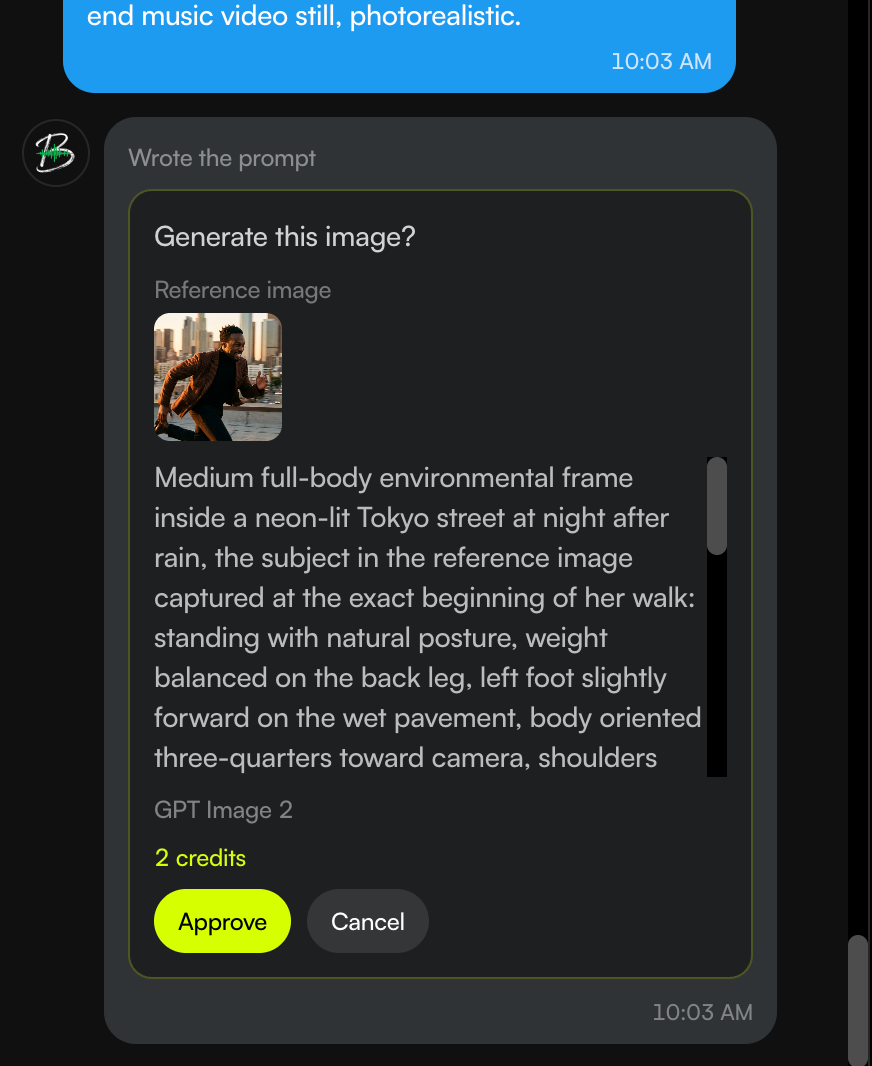
What appears on a Chat confirmation card?
The card shows the final prompt and the model selected for the request. If you attached a reference image, you can check it there. For video generation, the card also identifies the chosen duration and resolution.
If Chat expanded a short idea into a full prompt, read the text on this card to understand what will be submitted.
When are generation credits charged?
- Before confirmation: A message, prompt expansion, and a pending confirmation card do not charge image/video generation credits.
- Confirm: Submits the job and charges the displayed generation cost.
- Decline: Discards the proposed job without a generation charge.
This differs from Classic, where clicking the generator's Generate button directly submits the job and charges the required credits.
What if you don't have enough credits?
Chat tells you how many credits are missing and opens the same pricing window used elsewhere on BeatViz. The pending card can be confirmed again after you have sufficient credits. An insufficient-balance attempt does not itself charge you.
If a request fails during initial submission before a job record is created, any credits already deducted for that failed submission are returned.
Track a job after confirming
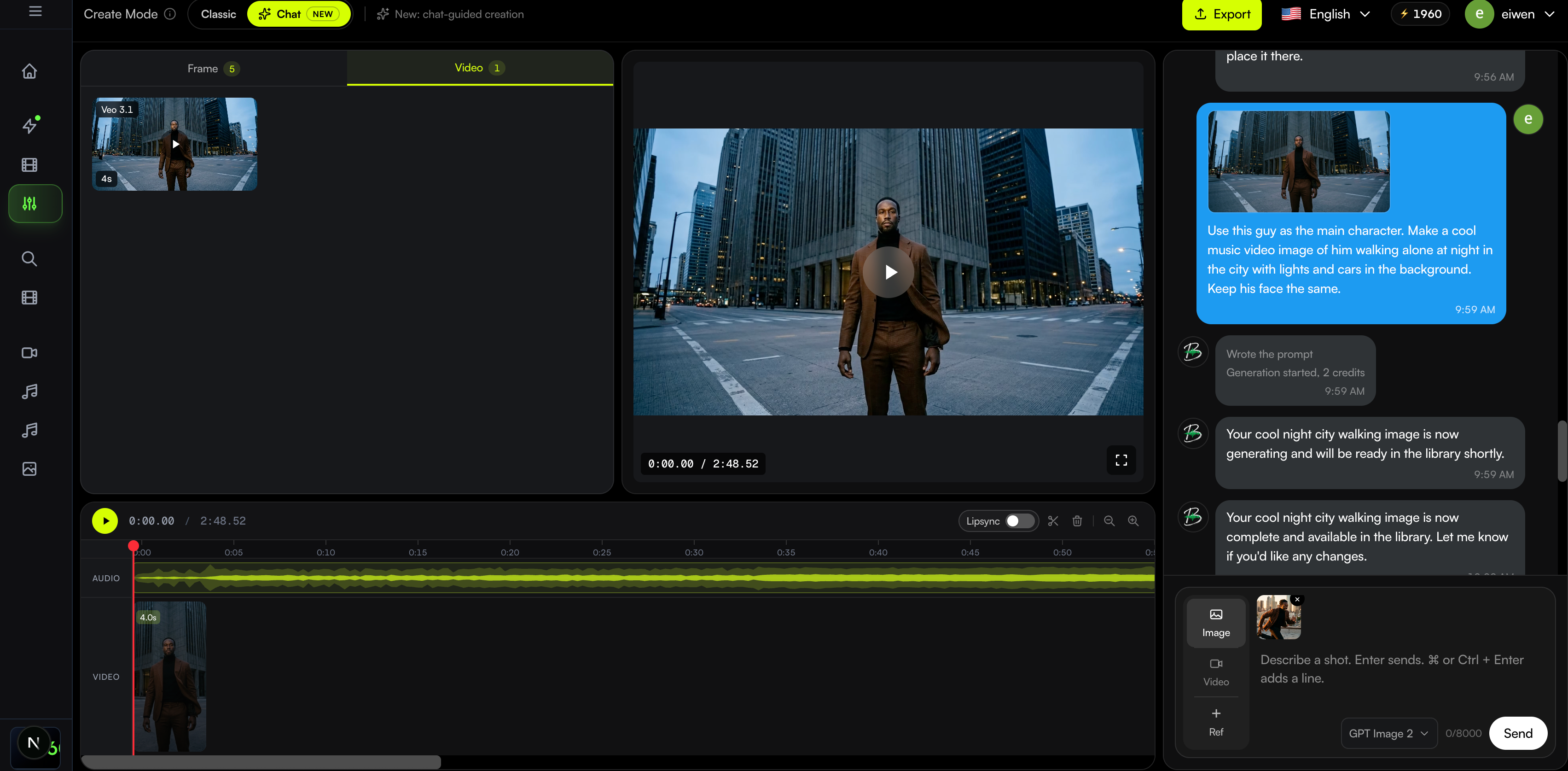
After a job is submitted, Chat reports that generation has started. Once submission finishes, you may continue sending messages while the background generation process runs.
When the job succeeds, the image or video appears in the shared material library. On a phone, open Library to find the result; tapping a completed video plays it in the preview without inserting it into the timeline.
When a job fails, Chat reports the failure reason and indicates whether the credits were returned. The response does not include a purchase link; insufficient credits are handled through the in-product pricing window.
Add a finished video to your project
A finished video in the library is not automatically a timeline clip. Drag it from the library on desktop/tablet, use supported Chat placement instructions, or use the mobile timeline + control. See Edit Your Music Video Timeline.
FAQs
Does a confirmation card mean the job is already running?
No. It starts only after you choose Confirm.
Can I keep chatting while a video generates?
Yes, once the request has been successfully submitted. The input may be briefly locked while the current request is being prepared/submitted.
Where can I find completed results?
In the shared project's material library: Images for images and Videos for finished video clips.
Next: Use Editor on mobile · Place a video on the timeline · View pricing
Related guides
Try BeatViz Editor
Open a project with your song. Classic and Chat share the same images, videos, and timeline.