What Is the Best-Rated AI Music Video Generator in 2026?
The best-rated AI music video generator depends on what you expect the tool to finish for you.
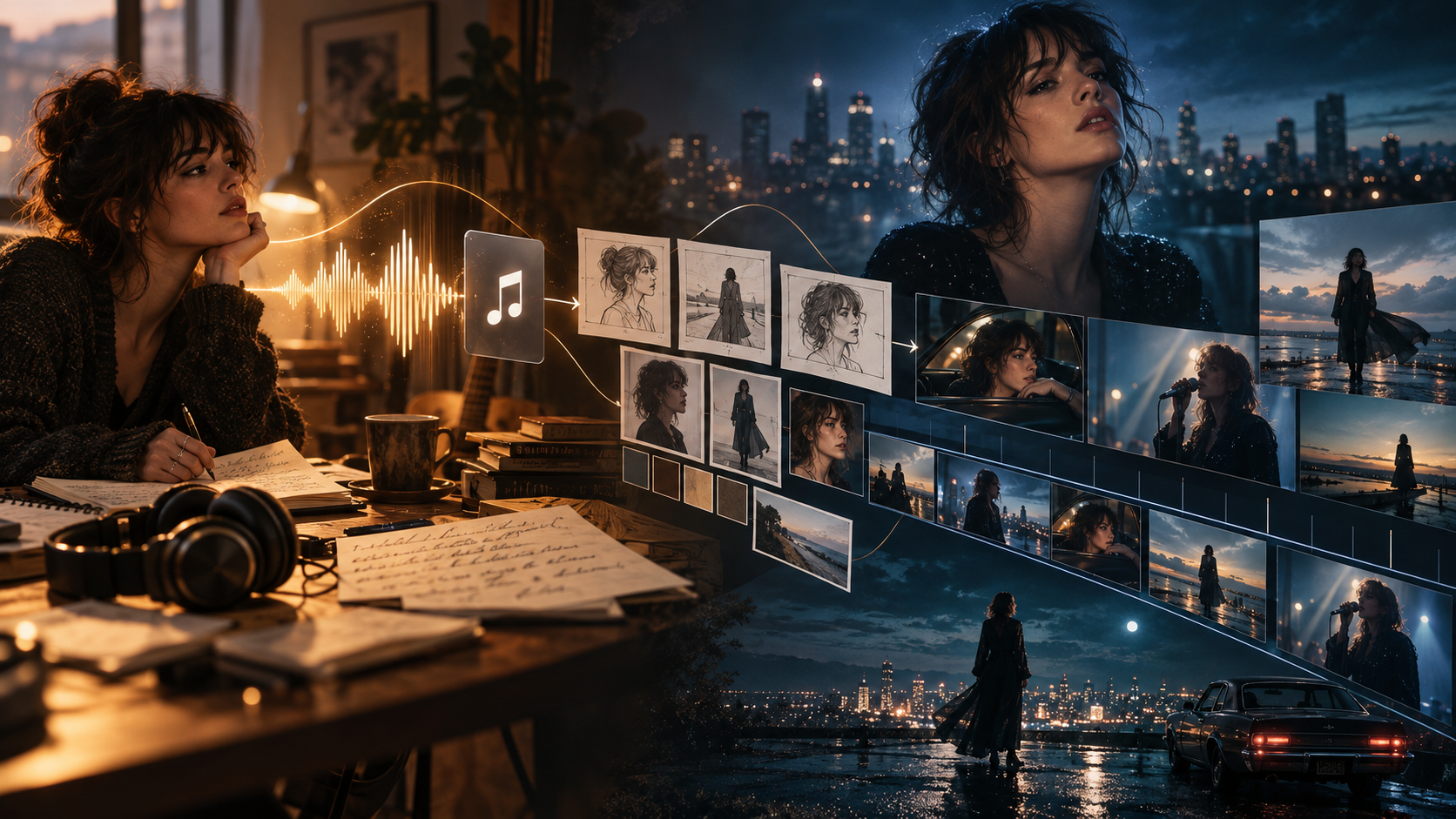
If you only need a few cinematic AI shots, a general AI video model may be enough. If you want abstract visuals that react precisely to individual parts of a song, an audio-reactive platform may be a better fit. But if your goal is a complete three- or four-minute music video with recurring characters, multiple scenes, performance shots, lip sync, editing, and a final export, the evaluation changes completely.
That is why simply looking for the tool with the highest star rating does not tell the whole story.
In this guide, we compare seven AI music video platforms based on the parts of production that matter once you move beyond generating a single impressive clip: full-song structure, music awareness, character consistency, lip sync, creative control, editing, regeneration, and final delivery.
Editorial disclosure: BeatViz publishes this comparison and is included in it. Rather than treating one tool as universally best, we compare each platform around the workflow it is designed to solve.
Quick Answer: What Is the Best-Rated AI Music Video Generator?
There is no single AI music video generator that is best for every creator.
For a complete song-to-video production workflow, BeatViz is designed around turning an uploaded track into a structured music video while still letting the creator review, regenerate, and edit individual parts of the project. Its current platform offers three creation paths: Workflow, AI Director, and a timeline-based Editor.
Neural Frames is particularly strong for detailed audio-reactive visuals. Its current platform includes Autopilot, a Frame-by-Frame Editor, a Text-to-Video Editor, and eight-stem audio analysis that can make different visual parameters react to elements such as vocals, bass, kick, or snare.
Freebeat focuses more heavily on automatic full-song generation. Its current workflow analyzes the uploaded track and song structure before generating and assembling the music video.
For stylized experimentation, Kaiber remains useful for creators who want to generate, arrange, remix, and synchronize visual material with music in one creative environment.
Meanwhile, OpenArt, Revid, and Rotor Videos address different parts of the market, from AI-directed storytelling to fast social content and footage-based music video editing.
Best AI Music Video Generator by Use Case
| What you need | Tool to investigate first |
|---|---|
| Complete multi-scene AI music video production | BeatViz |
| Detailed audio-reactive visuals | Neural Frames |
| Fast automatic full-song generation | Freebeat |
| Experimental and stylized visuals | Kaiber |
| AI-directed visual storytelling | OpenArt |
| Fast music content for social platforms | Revid |
| Stock-footage and footage-based music videos | Rotor Videos |
If you already have a finished song and want to see what a music-first production workflow looks like, explore the BeatViz AI Music Video Generator before deciding how much automation or manual control you need.
What Does “Best-Rated” Actually Mean for an AI Music Video Generator?
Searching for the “best-rated AI music video generator” sounds straightforward, but music video software is unusually difficult to evaluate with a single rating.
A five-star review might come from someone who generated a ten-second visualizer.
Another review might come from an artist attempting a four-minute narrative music video involving two recurring characters, twenty scenes, singing shots, camera changes, and dozens of generations.
Those are not the same production problem.
Why Star Ratings Alone Are Not Enough
Third-party review data for specialized AI music video platforms is still uneven. Some tools have relatively small numbers of public reviews, while product capabilities can change faster than traditional software review cycles.
More importantly, a rating does not tell you what kind of video the reviewer actually made.
A producer creating abstract EDM visuals may value precise beat reactivity.
A singer may care much more about lip sync and facial consistency.
An independent artist making a cinematic narrative may prioritize recurring characters, scene continuity, and the ability to fix one bad shot without rebuilding everything else.
So for this comparison, “best-rated” means something more practical:
How well does the tool support the complete job you are trying to finish?
A Great Five-Second Clip Does Not Automatically Make a Great Music Video
Modern video models can generate remarkably polished individual clips.
Runway currently offers advanced text-to-video and image-to-video generation through models such as Gen-4.5 and also provides access to other video models. Google's Veo 3.1 focuses on high-fidelity short-form video generation with reference and consistency controls. Kling has similarly expanded its video generation system with stronger multimodal and narrative control.
Those capabilities matter.
But a music video is usually not one shot.
It is a sequence.
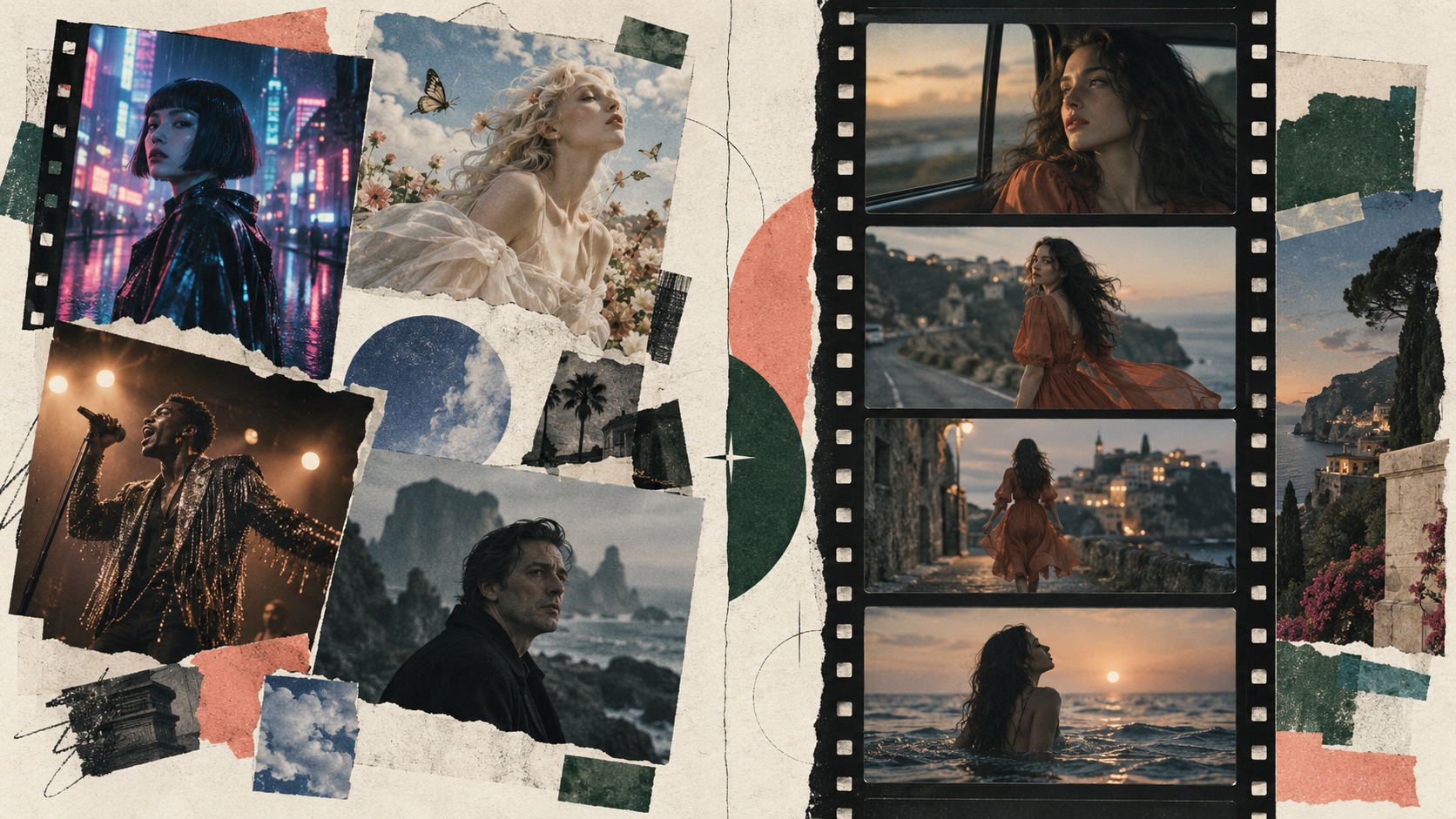
A three-minute song may require an intro, verses, choruses, instrumental sections, performance moments, establishing shots, close-ups, transitions, and a visual climax.
That means the real challenge is often not:
Can AI generate a beautiful shot?
It is:
Can I turn dozens of generated shots into one music video that still feels like the same project?
How We Evaluated the Best AI Music Video Generators
Instead of ranking tools by how impressive their homepage examples look, we used seven practical questions.
1. Can It Work With a Full Song?
Some AI products are designed around individual clips.
Others accept a complete track and use the music itself as part of the production workflow.
If you are making an official music video, this distinction matters immediately.
2. Does It Understand the Music?
Uploading an MP3 is not the same as understanding it.
A music-first system should ideally consider changes in rhythm, energy, song sections, mood, or musical structure when deciding when visuals should change.
3. Can Characters and Scenes Stay Consistent?
Generating one attractive character is relatively easy.
Keeping the same face, clothing, visual identity, and environment recognizable across twenty or thirty scenes is much harder.
This becomes especially important for story-based music videos and recurring performers.
4. Does It Support Singing and Lip Sync?
For performance videos, mouth movement can be one of the fastest ways to break the illusion.
Creators making singing scenes should check not only whether lip sync exists, but also how it is applied and controlled.
5. Can You Fix One Bad Scene?
Almost no generative project is perfect on the first attempt.
The more important question is what happens afterward.
Can you regenerate one shot?
Can you replace the first frame?
Can you change the prompt?
Can you keep the rest of the project intact?
6. Can You Edit the Result?
A generator and an editor solve different problems.
Once you have 20 or 30 clips, timeline control becomes increasingly important.
7. What Does the Finished Project Actually Cost?
Subscription price alone can be misleading.
Generative video frequently involves:
- •video generation,
- •image generation,
- •scene regeneration,
- •lip sync,
- •higher-resolution models,
- •multiple attempts,
- •and final export.
So the more useful question is not simply “How much is the plan?”
It is:
How much will it cost to reach a version I actually want to publish?
Best-Rated AI Music Video Generators Compared
Here is how the main tools differ at a workflow level.
| Tool | Best For | Main Approach | Main Trade-Off |
|---|---|---|---|
| BeatViz | Complete multi-scene music videos | Music analysis + creative planning + scenes + generation + editing | More workflow than you need for a simple visualizer |
| Neural Frames | Audio-reactive visual control | Stem analysis + audioreactivity + timeline/frame control | Advanced control can require more hands-on work |
| Freebeat | Fast automatic generation | Song analysis + automated direction and assembly | Less attractive if you want to direct every scene manually |
| Kaiber | Experimental visual styles | Creative canvas + generation + music synchronization | More general creative suite than structured narrative MV pipeline |
| OpenArt | AI-directed visual storytelling | AI Director + image/video generation | Broader creative platform rather than music-only workflow |
| Revid | Social and promotional content | Fast AI video creation around music and formats | Stronger fit for rapid content than complex cinematic continuity |
| Rotor Videos | Footage-based music videos | AI-assisted editing of supplied/stock footage | AI edits footage rather than generating an original cinematic world |
1. BeatViz — Best for a Complete Music Video Workflow With Creative Control
BeatViz is built around an important idea:
A complete AI music video needs more than a video-generation box.
Instead of asking creators to manually generate dozens of disconnected clips and assemble everything elsewhere, the platform currently offers three connected ways to build a project: Workflow, AI Director, and Editor.
What BeatViz Does Differently
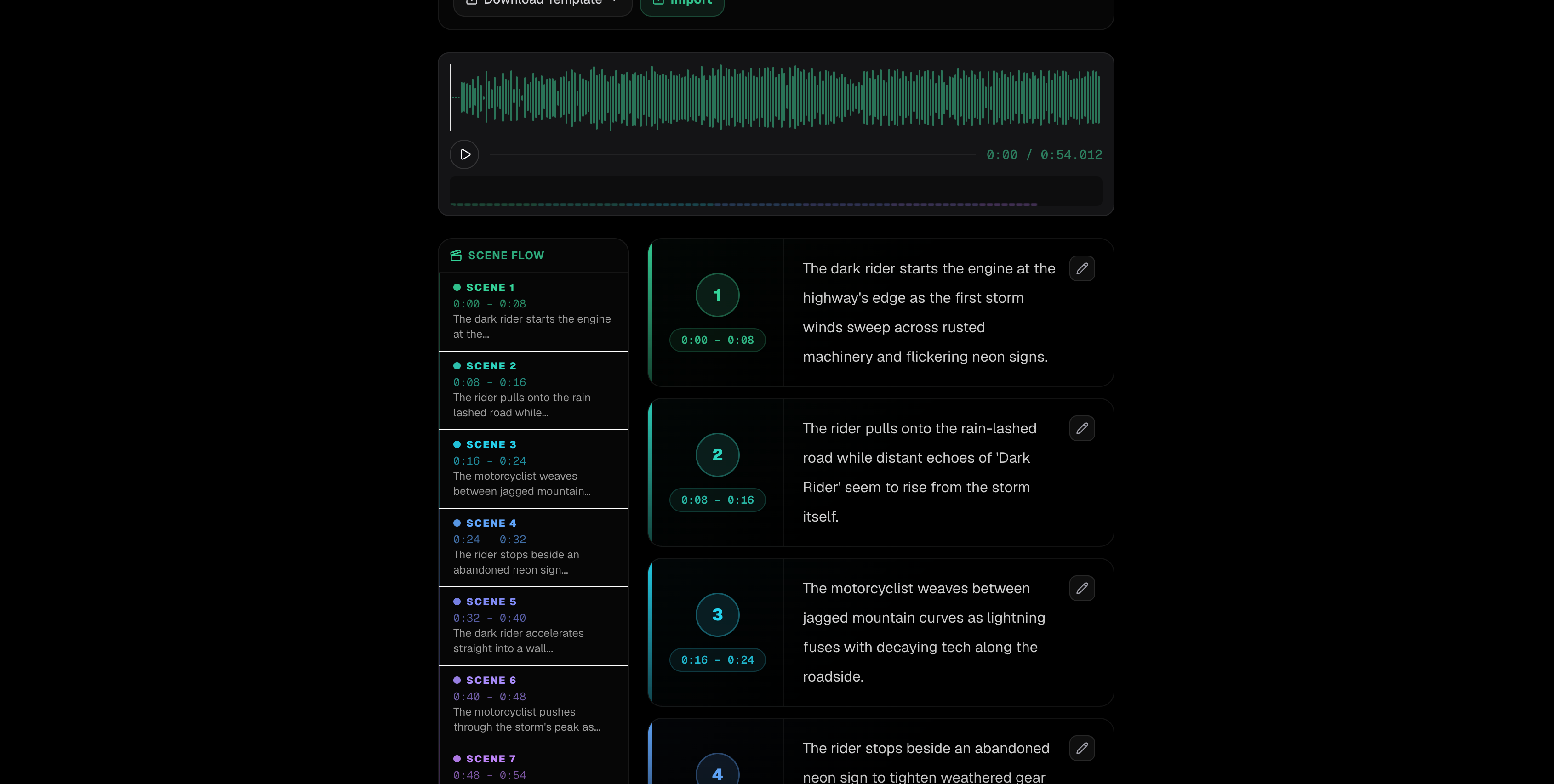
In Workflow, creators start with the music and progressively develop the project rather than jumping immediately into expensive video generation.
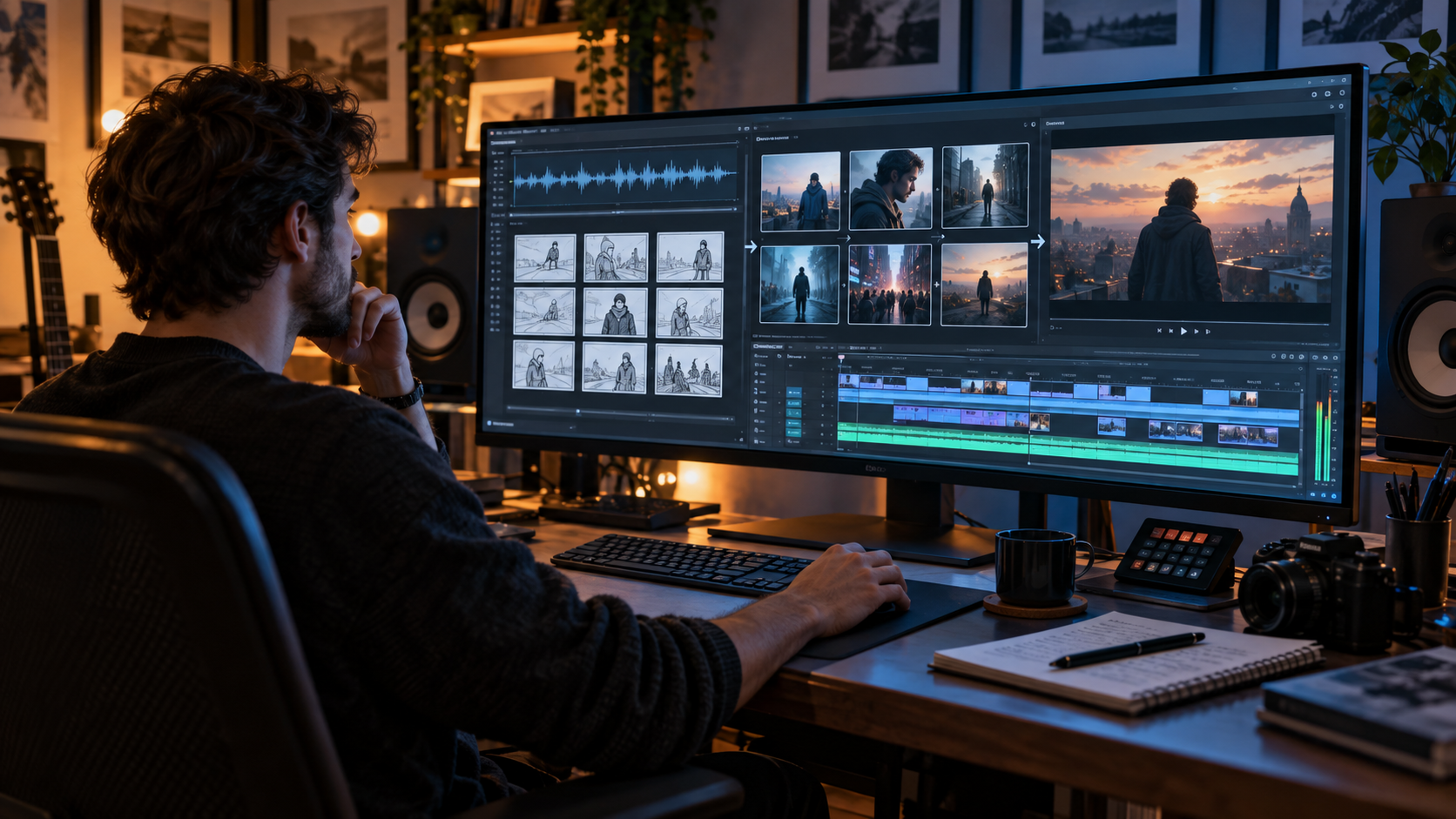
The process can move through music analysis, creative direction, characters, scenes, segments, storyboard planning, first frames, and video generation.
This is useful because the expensive part of an AI music video is often not planning.
It is generating the wrong thing repeatedly.
Reviewing the creative direction and first frames before moving forward gives the creator more opportunities to catch problems earlier.
You can start a guided project through BeatViz Workflow.
AI Director: For Creators Who Prefer Conversation
Not every creator wants to move through a fixed production interface.
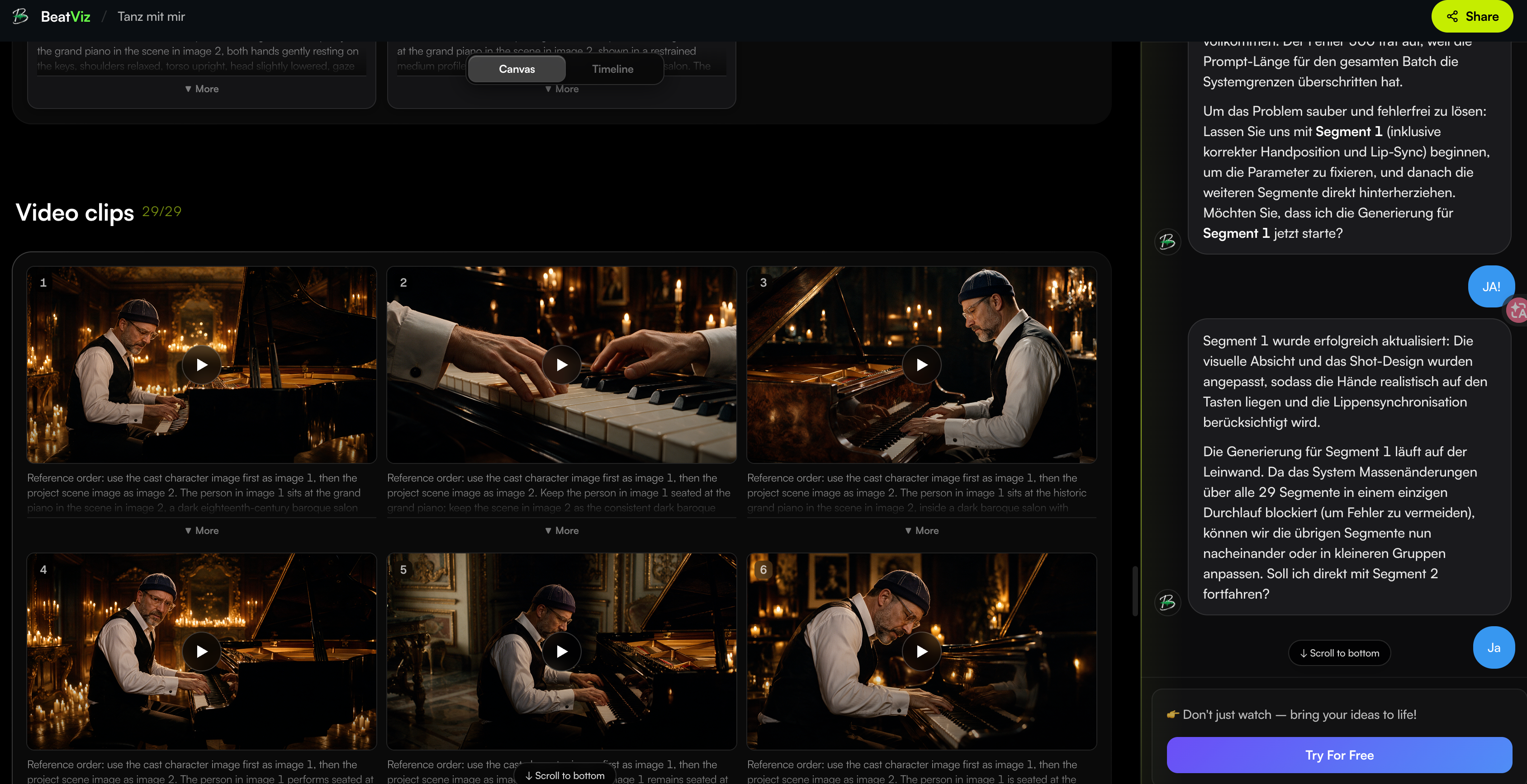
BeatViz also provides an AI Director experience built around conversational direction. Instead of rewriting everything yourself, you can describe what you want changed and continue developing the project through conversation.
For example:
- •make the chorus more cinematic,
- •change a location,
- •adjust the visual style,
- •add another scene,
- •revise a character,
- •or push the second half toward a darker mood.
Explore the BeatViz AI Director if you prefer directing the project through conversation.
Editor: For Fixing the Parts AI Gets Wrong
This may be the most important difference between generating clips and finishing a music video.
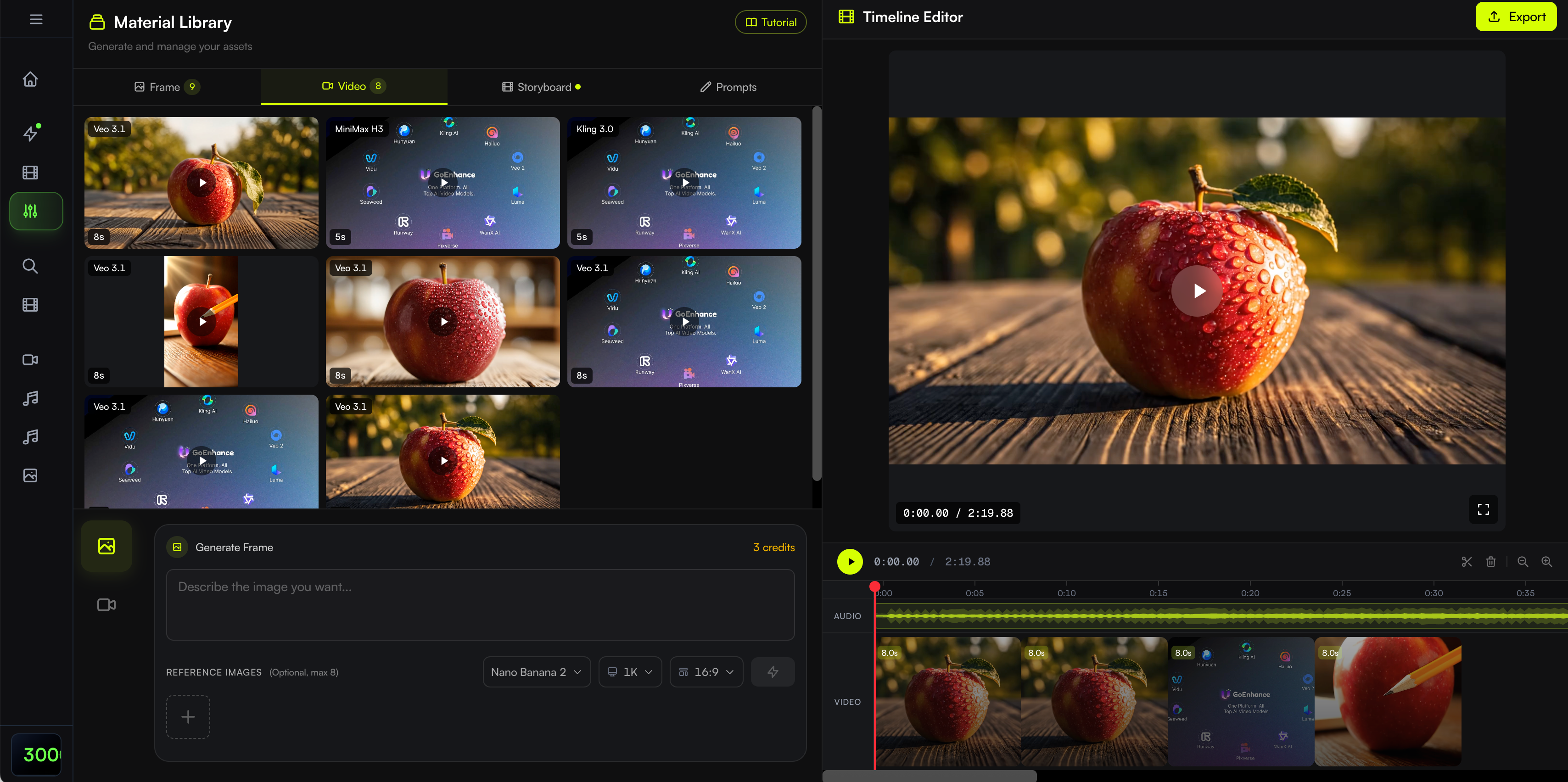
BeatViz Editor provides a timeline-based environment for creators who want more manual control over individual segments. BeatViz's current Editor workflow also supports tools such as lip sync around selected audio and clip-level project work.
Instead of regenerating an entire music video because three shots are weak, you can focus on those three shots.
That makes the BeatViz Editor particularly relevant after the first complete version of a project already exists.
Where BeatViz Works Best
BeatViz makes the most sense when you want:
- •a complete multi-scene music video,
- •recurring characters,
- •narrative progression,
- •singing or performance shots,
- •control over individual scenes,
- •and the ability to move between automation and editing.
It is especially useful when you already have a finished track and want to build a visual project around that music.
Where BeatViz May Not Be the Best Fit
BeatViz may be more workflow than you need if your goal is simply:
- •put a waveform over album artwork,
- •generate one looping background,
- •or create a very short visualizer.
It is also credit-based, which means extensive regeneration and premium video generation can increase project cost.
Before committing to a long project, check the current BeatViz pricing and model credit costs.
2. Neural Frames — Best for Detailed Audio-Reactive Visuals
Neural Frames approaches the problem from a more technical audio-reactive direction.
Its current music video platform offers three modes: Autopilot, a Frame-by-Frame Editor, and a Text-to-Video Editor. It also separates uploaded music into eight stems so visual parameters can respond to individual parts of the track rather than only the overall volume.
That makes it particularly interesting for:
- •electronic music,
- •psychedelic visuals,
- •highly rhythmic animation,
- •experimental music videos,
- •and creators who want visual events tied closely to drums, bass, vocals, or melody.
Neural Frames also integrates multiple video-generation models into the same platform.
Main Strength
Its biggest differentiator is audioreactivity.
If the exact relationship between the audio signal and the visual movement is central to your concept, Neural Frames deserves serious consideration.
Main Limitation
That level of control can also make the workflow more involved.
A creator who primarily wants the system to plan a narrative music video may value a scene-oriented production flow more than deep audio modulation.
3. Freebeat — Best for Fast Automatic Full-Song Generation
Freebeat is much more automation-oriented.
Its current workflow analyzes an uploaded track and its song structure, then helps create the visual direction, stills, clips, and assembled video inside one environment.
This is appealing when the priority is:
Upload the song and get to a complete result quickly.
Rather than manually designing every shot, the system acts more like an automated director.
Main Strength
Speed and automation.
Freebeat is well suited to creators who want the AI to make more decisions for them instead of directing every individual shot.
Main Limitation
Automation and control are usually a trade-off.
If you already know exactly how every chorus, performance shot, character interaction, and transition should look, a more manual workflow may be preferable.
4. Kaiber — Best for Stylized and Experimental Music Visuals
Kaiber has long appealed to artists interested in highly stylized visual work.
Its current platform combines generation, remixing, editing, and music synchronization in a broader creative suite.
That makes it especially attractive for:
- •surreal music videos,
- •animation,
- •abstract transitions,
- •visual experimentation,
- •looping sequences,
- •and strong stylistic transformations.
Main Strength
Creative experimentation.
Kaiber is less about reproducing a traditional film-production pipeline and more about giving creators a visual playground.
Main Limitation
If your main priority is a structured narrative with recurring characters across many scenes, make sure the workflow you choose gives you enough scene-level continuity control.
5. OpenArt — Best for AI-Directed Visual Storytelling
OpenArt now offers a dedicated AI music video generator that can take a song and create a complete music video through its Director-based workflow. Its current product information describes OpenArt Director as the orchestration layer behind the music video creation experience.
That makes OpenArt an interesting option for creators who already use the broader platform for AI images and video.
Main Strength
A broad AI creative ecosystem.
You can move between image creation, visual concepts, and video generation without treating music video production as an isolated tool.
Main Limitation
That breadth may be unnecessary for someone who only wants a dedicated song-to-music-video workflow.
6. Revid — Best for Fast Social Music Content
Revid is broader than a dedicated music video platform.
Its current system covers many content types, including music video generation, music visualizers, short-form content, and social formats. Its music video tools describe adapting visuals to the rhythm and mood of uploaded music.
This makes it particularly useful for creators who are publishing frequently across:
- •TikTok,
- •YouTube Shorts,
- •Instagram Reels,
- •promotional clips,
- •and other social channels.
Main Strength
Speed and content variety.
Main Limitation
Creators making a long-form cinematic music video with demanding continuity may want a workflow focused more specifically on recurring scenes and characters.
7. Rotor Videos — Best for Footage-Based Music Videos
Rotor is different from most of the other tools in this comparison.
Its AI is primarily used for editing, rather than generating original cinematic footage. Rotor analyzes the music and matches supplied or available clips to the song's mood and tempo.
Its music-video workflow also supports using a full song and selecting from many video-edit styles.
That makes Rotor useful for:
- •artists who already have footage,
- •stock-footage videos,
- •promotional edits,
- •lyric videos,
- •and creators who do not need generative characters.
Main Strength
Fast music-aware editing.
Main Limitation
If you want AI to invent a recurring fictional singer, cinematic locations, or an original narrative world, Rotor is solving a different problem.
What About Runway, Kling, Veo, and Other AI Video Models?
This is where AI music video comparisons often become confusing.
A powerful AI video generator and a complete AI music video production workflow are not necessarily the same thing.
Runway's current platform offers advanced generative video models and access to additional models, while Kling 3.0 focuses on more sophisticated multimodal video generation and Google continues to develop Veo 3.1 around high-fidelity generative video.
These systems can be excellent for generating individual shots.
For example:
Singer walking alone through a rain-soaked Tokyo street, handheld camera, neon reflections, slow push-in.
A modern video model can turn that direction into an impressive clip.
But your song may need thirty more shots after that.
You still have to decide:
- •where that shot belongs,
- •which section of the song it matches,
- •what happens before it,
- •what happens afterward,
- •whether the same character returns,
- •when performance shots appear,
- •and how the final scenes are assembled.
That is why choosing the “best AI video model” is not automatically the same decision as choosing the “best AI music video generator.”
One is primarily a generation engine.
The other is a production workflow.
Why BeatViz Uses Workflow, AI Director, and Editor Instead of One Generation Button
There is a reason serious creative software rarely has only one button.
Different creators want different levels of control.
BeatViz divides those needs across three paths.
Workflow: Build the Full Structure First
Use Workflow when you want the platform to guide you from music analysis toward a complete project.
This is useful for longer tracks because you can inspect the structure before committing to every generation.
Start a project in BeatViz Workflow
AI Director: Direct Through Conversation
Use AI Director when your thought process sounds more like:
Keep this scene, but make the next chorus larger and more dramatic.
rather than:
Open a timeline and manually rebuild everything.
Editor: Take Control of Specific Shots
Use Editor when you want to decide exactly what happens to individual clips.
The key advantage is not that AI suddenly becomes perfect.
It is that the entire project does not have to be perfect at the same time.
You can focus your effort where it matters most.
If you want to see the editing workflow in detail, read the BeatViz Editor Tutorial.
Which AI Music Video Generator Should You Choose?
The most useful way to choose a platform is to start with the kind of video you are actually making.
For a Full Narrative Music Video
Prioritize:
- •scene planning,
- •character consistency,
- •project structure,
- •clip regeneration,
- •and editing.
A workflow-oriented platform such as BeatViz is more relevant here than a simple visualizer.
If you have never built a full AI music video before, the step-by-step guide How to Turn Music Into a Video With AI explains the complete process.
For a Singing or Performance Video
Prioritize:
- •face consistency,
- •realistic motion,
- •strong first frames,
- •lip sync,
- •close-up generation,
- •and the ability to regenerate performance shots individually.
Do not assume that a tool producing beautiful landscapes will automatically produce convincing singing.
Performance video is a different technical challenge.
For Abstract or Audio-Reactive Visuals
Neural Frames is particularly relevant because of its stem-based music analysis and audioreactive controls.
Kaiber can also be attractive if the concept is more experimental and style-driven.
For TikTok, Reels, and Shorts
Speed becomes more important.
You may not need three minutes of character continuity.
Instead, prioritize:
- •vertical output,
- •strong opening visuals,
- •fast generation,
- •easy variations,
- •and short-form publishing.
Revid and other social-first AI video tools become more competitive in this scenario.
For Maximum Cinematic Shot Quality
You may want to combine a music-video workflow with powerful underlying video models rather than selecting one product based only on automation.
Modern models such as Veo, Kling, and Runway can be valuable when individual shot quality is your highest priority.
The important thing is to remember that shot quality and project management are different problems.
How Much Does an AI Music Video Generator Really Cost?
One of the easiest mistakes is comparing AI music video tools only by monthly subscription price.
For a real project, the final cost is influenced by much more.
You may pay for:
- •generated images,
- •generated video seconds,
- •premium models,
- •failed or repeated generations,
- •lip sync,
- •longer clips,
- •resolution upgrades,
- •or additional project credits.
A four-minute video can therefore cost very differently from a 30-second promotional clip even when both are made on the same platform.
Think in Cost per Finished Video, Not Cost per Generation
Suppose Tool A generates cheaper individual clips.
But you need to regenerate most of them several times.
Tool B costs slightly more per clip, but the project gives you stronger first-frame control and makes it easier to preserve working scenes.
The cheaper generation price does not necessarily produce the cheaper finished music video.
That is why creators should evaluate:
How many generations does it usually take me to approve one usable shot?
This is often more meaningful than looking only at the advertised subscription price.
For BeatViz specifically, model and credit usage can vary depending on the workflow and generation model, so review the current BeatViz Pricing page before planning a long project.
How to Test an AI Music Video Generator Before Making a Full Video
If your song is five minutes long, do not make the first test five minutes long.
Use approximately 20–30 seconds of your track.
Ideally choose a section containing enough variation to expose weaknesses:
- •a vocal line,
- •a beat change,
- •movement,
- •a close-up,
- •and at least one scene transition.
Then test five things.
1. Character Consistency
Does the same person still look like the same person across multiple clips?
2. Performance Quality
Can the system handle natural body movement, singing, instruments, or dancing?
3. Music Awareness
Do the visual changes feel connected to the music?
4. Regeneration
What happens when one scene is wrong?
Can you fix that scene without damaging everything else?
5. Editing
Can you actually turn the generated assets into the final video you want?
Only after answering those questions should you commit to producing the entire track.
This approach can save far more credits than trying to discover your preferred workflow halfway through a five-minute generation.
So, What Is the Best-Rated AI Music Video Generator?
The answer depends on what “best” means for your project.
If you want highly detailed audio-reactive animation, Neural Frames stands out.
If your priority is rapid automatic song-to-video generation, Freebeat deserves consideration.
If your music video is primarily experimental and style-driven, Kaiber provides a flexible creative environment.
If you want AI-assisted footage editing rather than fully generated scenes, Rotor Videos solves that problem more directly.
And if you want to take a finished song through creative planning, multi-scene generation, revision, lip sync, and timeline editing inside one connected music-video workflow, BeatViz is designed around that production process.
The most important distinction is not which platform can generate the prettiest demo clip.
It is:
Which platform still gives you a workable path forward when shot number 17 is wrong?
That is where the difference between an AI video generator and an AI music video production tool becomes much easier to see.
Already have your track?
Upload your song and choose the BeatViz workflow that matches how you want to create — guided Workflow for structured production, AI Director for conversational creative direction, or Editor when you want direct timeline control.
Turn your song into a complete music video
Start with Workflow, AI Director, or Editor — then review, regenerate, and edit until the project is ready to publish.
Start creating →Frequently Asked Questions
What is the best-rated AI music video generator?
There is no universal winner because different platforms specialize in different workflows. BeatViz focuses on complete multi-scene music video production, Neural Frames specializes in audio-reactive control, Freebeat emphasizes automation, and tools such as Kaiber focus more strongly on creative visual experimentation.
What is the best AI music video generator for a full song?
Look for tools that accept complete audio tracks and manage more than isolated video clips. BeatViz, Neural Frames, Freebeat, and OpenArt all currently provide workflows aimed at turning songs into longer-form music visuals or complete videos.
Can AI create a complete music video from a song?
Yes. Modern music-first platforms can analyze an uploaded track, generate visual material, organize scenes, and help assemble a complete music video. The amount of automation and manual control varies significantly between platforms.
If you want to see the process step by step, read How to Make an AI Music Video From Any Song Online.
Which AI music video generator has lip sync?
Lip-sync functionality is available in several modern AI video workflows, but implementation differs between tools. When performance footage matters, check whether lip sync can be applied to individual scenes and whether you can regenerate or edit shots afterward.
BeatViz Editor includes a workflow for applying lip sync to selected audio and video segments.
What is the difference between an AI video generator and an AI music video generator?
An AI video generator primarily creates video from prompts, images, or reference footage.
An AI music video generator adds another layer: the song becomes part of the production workflow. Depending on the platform, that may include music analysis, beat synchronization, scene planning, lyrics, visual sequencing, lip sync, or editing.
For a deeper explanation, see What Is an AI Music Video Generator?.
What is the best AI music video generator for YouTube?
For YouTube, prioritize full-song support, widescreen output, visual continuity, editing, and export quality.
The ideal tool depends on whether you want a cinematic narrative, performance video, lyric video, visualizer, or rapid promotional content.
You can also read What Tools Do Creators Use for AI Music Videos on YouTube? for a breakdown of how image generators, video models, lip-sync tools, editors, and music-first platforms fit together.
Are AI music video generators free?
Many platforms provide limited free usage, trials, or starter credits, but full-length generative music videos usually consume significantly more computing resources than short images or clips.
Always check whether the plan includes:
- •video generation,
- •watermarks,
- •commercial usage,
- •export resolution,
- •regeneration,
- •and additional credit costs
before starting a long music video.