What Tools Do Creators Use for AI Music Videos on YouTube?
Watch enough AI music videos on YouTube and you may start wondering the same thing:
What tools are these creators actually using?
The answer is usually more complicated than “Kling” or “Runway.”
There is no reliable public dataset showing that one AI tool creates most of the music videos on YouTube. And in practice, many creators do not use one tool at all.
They use a tool stack.
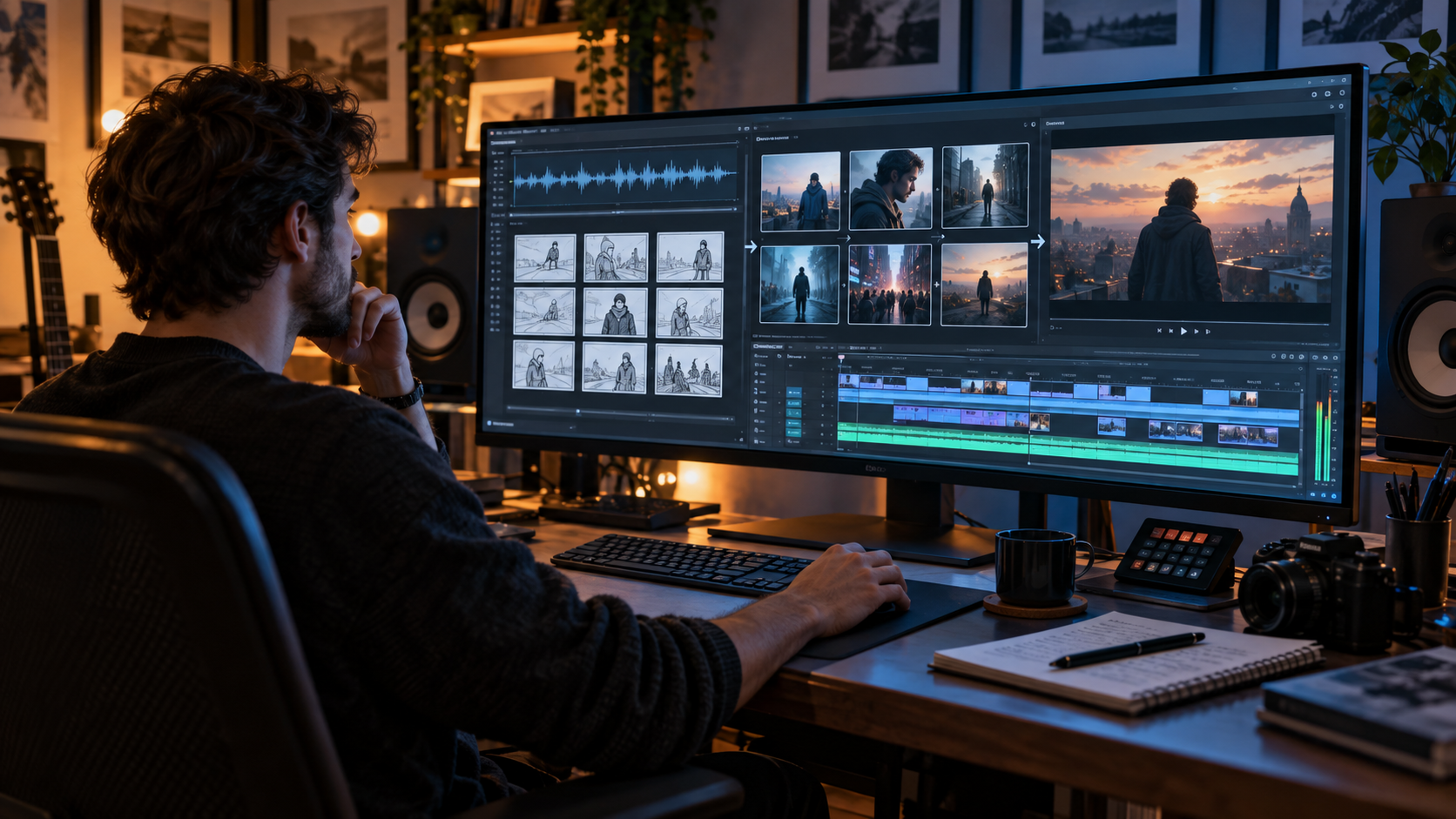
One tool may create the song. Another helps develop the visual concept. An image generator creates the singer or first frame. A video model animates the shot. Another tool handles lip sync. Then everything is assembled in CapCut, Premiere Pro, DaVinci Resolve, or a music-first AI video platform.
A typical workflow might look something like this:
Suno → ChatGPT → OpenArt → Kling → CapCut
Another creator might use:
Original song → Midjourney → Veo → Premiere Pro
And someone who wants fewer handoffs might use a music-first platform such as BeatViz's AI music video generator to handle more of the planning, scene generation, and editing inside one connected project.
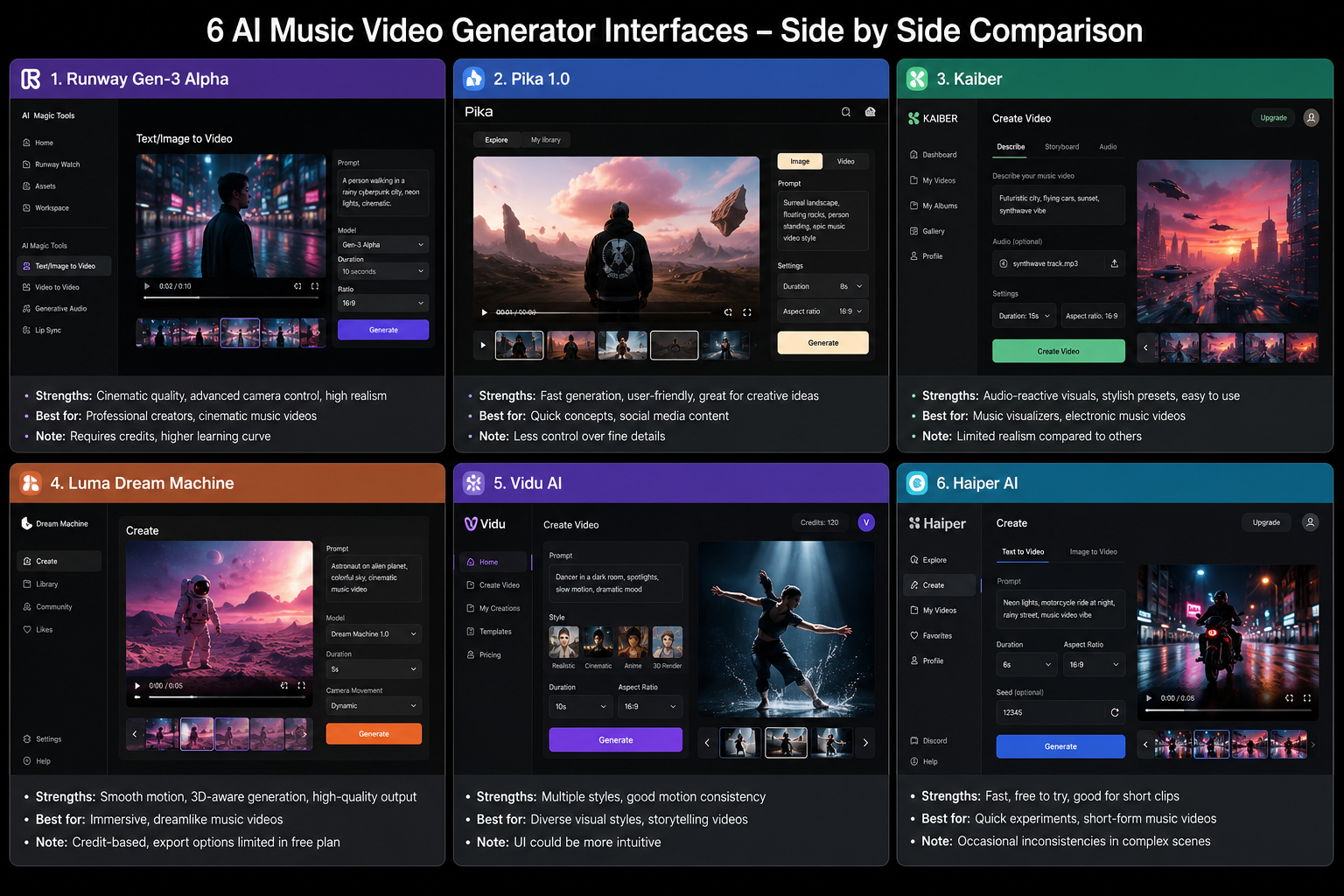
So instead of ranking ten tools and pretending one is universally “best,” this guide breaks down which AI music video tools creators use at each stage of the process — and what each tool is actually for.
Already have the song?
You do not necessarily need to build every part of the stack separately. A music-first AI video workflow can start with the finished track and help turn it into a structured visual project.
Start with BeatViz →The Short Answer: Most AI Music Videos Use a Tool Stack
“AI music video tool” can describe several completely different products.
A tool that generates a beautiful five-second cinematic shot is not doing the same job as software that analyzes a three-minute song, plans scenes, synchronizes edits, and exports the final video.
That distinction matters.
A practical AI music video workflow often contains some combination of these stages:
| Stage | What the Creator Needs | Common Tool Types |
|---|---|---|
| Music | Create or finish the song | Suno, Udio, DAWs |
| Planning | Story, visual concept, shot ideas | ChatGPT and other LLMs |
| Character & Frames | Consistent people, locations, first frames | OpenArt, Midjourney, GPT Image and other image generators |
| Video Generation | Turn images or prompts into moving shots | Kling, Veo, Runway, Wan and similar video models |
| Performance | Singing, lip sync, dance, instrument performance | Video models and specialized lip-sync workflows |
| Editing | Arrange shots, sync music, cut weak scenes | CapCut, Premiere Pro, DaVinci Resolve |
| Full Music Video Workflow | Connect several of these stages | BeatViz and other music-first platforms |
This explains why asking “Which AI generated this music video?” often has no simple answer.
A single three-minute video may include shots produced by several different models.
The final result depends less on one magic model and more on how the creator connects the tools together.
1. Music Generation: Where Many AI Music Videos Start
For some creators, the music already exists.
For others, AI is involved before a single video frame is generated.
Suno
Suno has become a familiar starting point for creators experimenting with AI-generated songs. A creator can develop lyrics, genre direction, vocals, and a finished track, then take that audio into a separate visual workflow.
That is why you will often see Suno appear at the beginning of AI music video tutorials rather than at the video-generation stage.
The important distinction is:
Making the song and making the music video are separate production problems.
Once the song is finished, the creator still needs to decide what it should look like.
If your song starts in Suno, our guide on how to turn a Suno song into an AI music video covers that transition in more detail.
Udio
Udio fills a similar role in the broader AI music ecosystem.
A creator may generate the song there, export the finished audio, and then move into visual planning and video production.
What if you already have your own song?
Then you can skip the AI music-generation step entirely.
For musicians, producers, labels, or artists with finished tracks, the real workflow begins with:
song → visual concept
That sounds obvious, but it changes which tools you actually need.
If your goal is simply to visualize an existing track, paying for another music-generation platform may add nothing to the workflow.
2. Planning the Music Video Before Generating Clips
This is one of the least glamorous parts of AI video creation — and one of the most important.
A lot of weak AI music videos are not weak because the video model is bad.
They are weak because there was never a clear visual plan.
Before spending credits on video generation, creators often use ChatGPT or another language model to answer questions like:
- •Who is the main character?
- •Where does the video take place?
- •What should happen during the chorus?
- •Which visual elements should repeat?
- •Which sections need performance shots?
- •Where should the video slow down?
- •Where should the camera become more energetic?
- •What changes between verse one and verse two?
For example, instead of immediately prompting:
Woman singing in a neon city.
A creator might first define:
A lonely female singer spends the verses walking through quiet Tokyo streets after midnight. Each chorus moves into a crowded neon arcade where the world becomes brighter and more energetic. The final chorus takes place on a rooftop at sunrise.
Now the video has a visual structure.
The individual prompts become much easier to write because every shot belongs to the same idea.
Turn the song structure into a shot structure
Listen to the track and identify major sections:
Intro → Verse → Pre-Chorus → Chorus → Verse → Chorus → Bridge → Final Chorus
Then ask what should visually change between them.
You do not need a completely new location every five seconds.
In fact, repeating a few strong locations often makes a music video feel more intentional.
A chorus returning to the same stage, club, rooftop, apartment, or performance environment can create visual identity instead of repetition feeling like a limitation.
Planning first also saves money.
It is much cheaper to reject a bad idea while it is still a sentence than after generating twenty video clips from it.
3. Creating Characters and First Frames
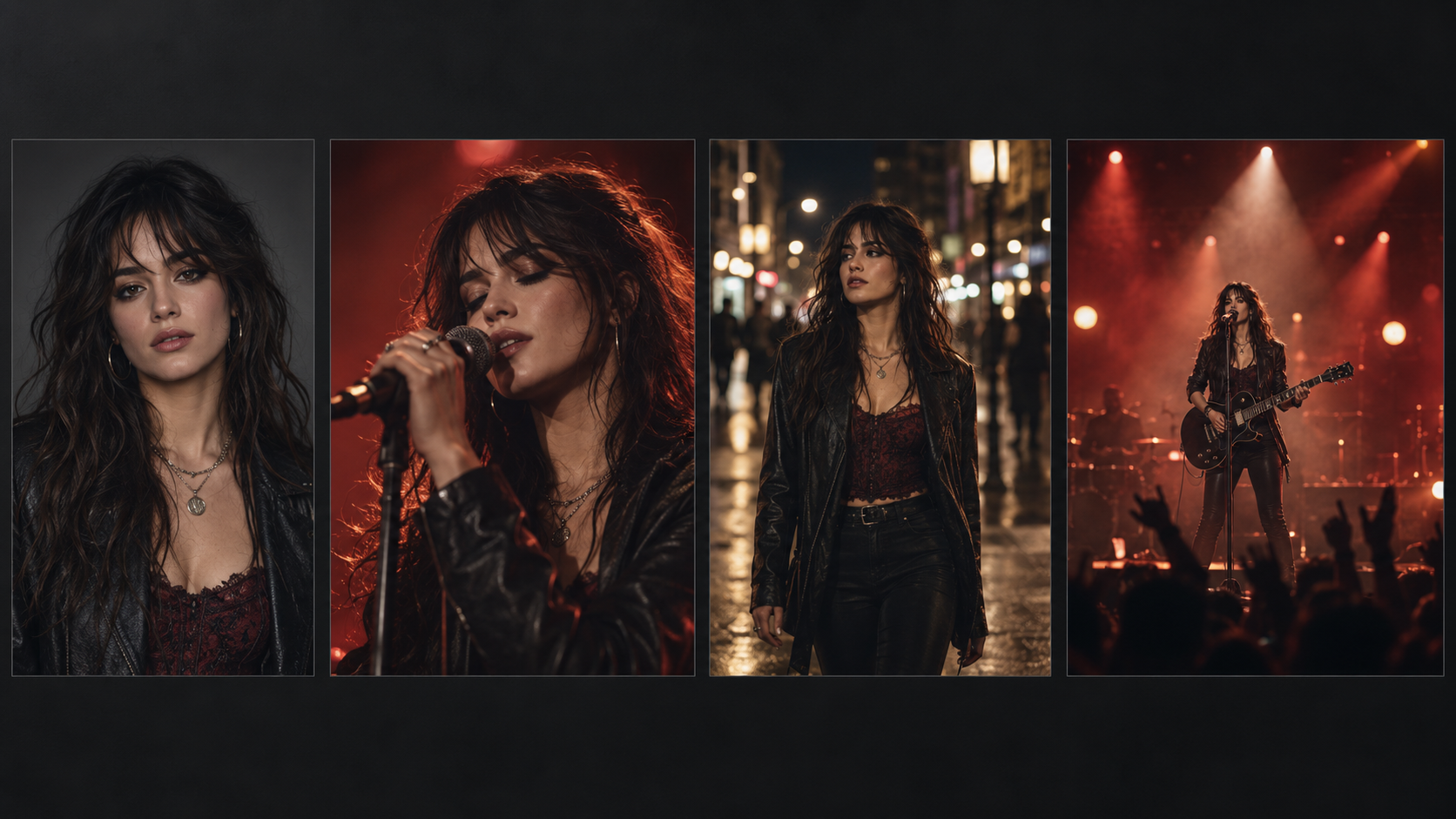
Once the creative direction is clear, many creators move to image generation before video generation.
That is why image tools such as OpenArt, Midjourney, GPT Image, and similar models frequently appear inside AI music video workflows.
The goal is not necessarily to make finished artwork.
The image often becomes a visual anchor for the video model.
Why image-to-video is so common
Imagine you want the same female performer to appear in ten scenes.
With text-to-video, every new generation has to interpret descriptions such as:
24-year-old woman, long dark hair, red leather jacket, silver necklace...
Even with a detailed prompt, the face, hair, clothing, and body proportions can drift.
A reference image gives the video model more visual information to work from.
A practical workflow might therefore be:
- 1.Design the character.
- 2.Generate the first scene as a still image.
- 3.Check the face, clothing, location, lighting, and camera angle.
- 4.Fix the still image if something is wrong.
- 5.Only then animate it.
This is especially useful for music videos because video generation is often one of the more expensive stages.
If the first frame already contains the wrong person, wrong outfit, or wrong composition, turning that mistake into an eight-second video rarely fixes it.
4. The AI Video Models Behind Many YouTube Music Videos
Now we reach the tools people usually think of first.
Kling. Veo. Runway. Wan. And a growing number of other video models.
These tools can create impressive footage, but they should usually be thought of as shot generators, not automatically as complete music video production systems.
Kling
Kling frequently appears in creator workflows for image-to-video, cinematic motion, performance shots, and character-based scenes.
A creator might generate a character image elsewhere, bring it into Kling, animate five or eight seconds, download the result, and repeat that process for the next scene.
That can work very well.
The tradeoff is management.
A three-minute song may require dozens of usable clips, and every generation needs to eventually find its correct place in the final timeline.
Google Veo
Veo is another option creators consider when visual fidelity and cinematic generation matter.
For music videos, a high-quality model can be particularly useful for hero shots:
- •a dramatic establishing shot
- •a performance close-up
- •a large cinematic environment
- •a visually important chorus moment
But again, a beautiful shot is only one part of a music video.
The song still needs structure, pacing, continuity, and editing.
Runway
Runway is often attractive to creators who already think like filmmakers or editors.
It can be useful when you want to produce individual pieces of footage and retain more control over how those pieces fit into a broader production process.
This makes sense for creators who already plan to finish the project in an editor.
Wan and other video models
The list of capable AI video models changes quickly.
That is another reason not to build your entire workflow around one model name.
A model that is best for a particular type of motion today may be replaced by a stronger option later.
A better question is:
What job does this shot need to do?
Maybe one model gives you better camera motion.
Another handles a close-up better.
Another produces more convincing dance.
Another may be more cost-effective for transitional scenes.
Experienced creators increasingly treat AI video models the same way filmmakers treat lenses or cameras:
use the right one for the shot.
5. Lip Sync, Singing, Dance, and Performance Shots
A cinematic shot of someone walking down a street is relatively forgiving.
A close-up of a singer performing a chorus is not.
The moment a character needs to sing, speak, dance, or play an instrument, viewers become much more sensitive to mistakes.
Lip sync changes the difficulty
A convincing performance shot needs more than approximate mouth movement.
The viewer is simultaneously watching:
- •mouth shapes
- •timing
- •facial expression
- •head movement
- •eye movement
- •breathing
- •body language
If the mouth technically follows the words but the face looks frozen, the performance can still feel artificial.
That is why some AI music video workflows separate:
cinematic B-roll
from:
performance shots
Instead of lip-syncing every scene, the creator may reserve singing close-ups for the most important vocal sections and use narrative or atmospheric shots elsewhere.
Instruments create another consistency problem
If the singer is holding a guitar, playing piano, drumming, or interacting with another performer, the hands and object interaction become part of the shot.
For these scenes, simpler compositions can produce stronger results.
A medium shot of one guitarist is usually easier to control than three musicians performing complicated choreography while the camera circles around them.
AI video is improving quickly, but good directing still matters.
6. Why CapCut, Premiere Pro, and DaVinci Resolve Still Appear in AI Workflows
If AI can generate the video, why are creators still opening a traditional editor?
Because generation and editing are different jobs.
Suppose you generated 35 clips for a three-minute song.
Some are excellent.
Some are acceptable.
Three are unusable.
Several are slightly too long.
The chorus needs faster cuts.
One performance shot should start two seconds later.
That is an editing problem.
Tools such as CapCut, Adobe Premiere Pro, and DaVinci Resolve are commonly used to:
- •place clips against the final audio
- •trim generation artifacts
- •move shots into the correct musical section
- •control pacing
- •replace weak clips
- •add transitions
- •color-match shots
- •add titles or captions
- •prepare the final export
A common creator workflow is therefore not:
prompt → complete music video
It is closer to:
generate → review → select → regenerate → edit → export
This is also why public tutorials still regularly show combinations such as Suno + Kling + CapCut rather than relying on one generation tool from beginning to end.
Where BeatViz Fits Into the YouTube AI Music Video Stack
The multi-tool workflow has one major advantage:
flexibility.
You can choose a different tool for almost every task.
But that flexibility creates handoffs.
- •Generate an image in one platform.
- •Download it.
- •Upload it to a video model.
- •Generate the clip.
- •Download the clip.
- •Rename it.
- •Upload it into an editor.
- •Find the correct position in the song.
- •Repeat.
That workflow is completely valid — especially for creators who enjoy manually controlling every part of production.
But it is not the only option.
BeatViz approaches the problem from the opposite direction:
start with the music video project, then connect the generation stages around the song.
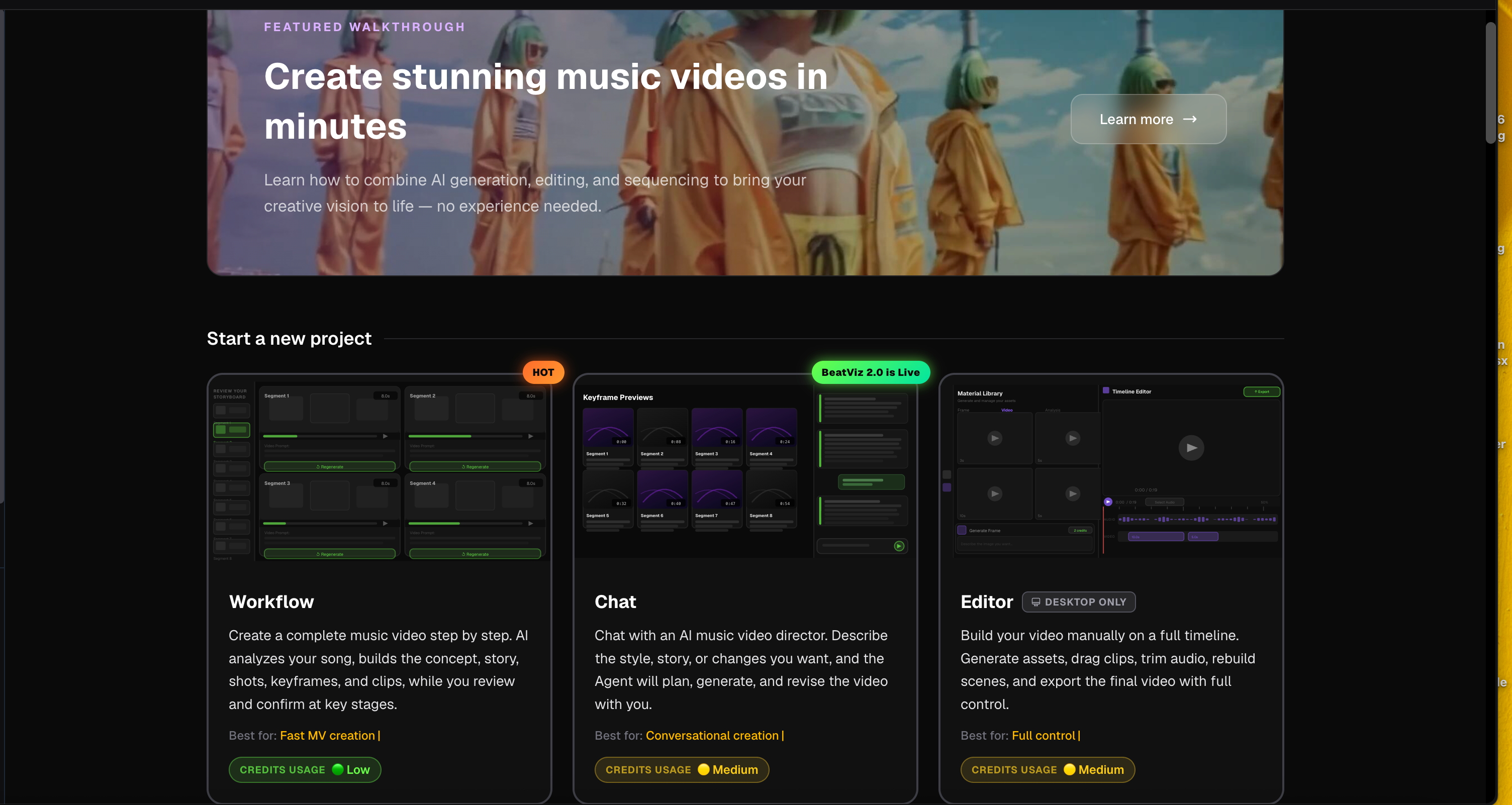
BeatViz Workflow: for building a complete music video step by step
BeatViz Workflow is useful when the song is already finished and you want AI to help structure the complete production.
Instead of manually creating every clip from a blank timeline, the process can move through:
music analysis → visual direction → story → scenes → shots → first frames → videos → final assembly
The important part is that you can review key decisions before the expensive video-generation stages.
This is especially useful for longer music videos where managing dozens of independent assets becomes difficult.
You can think of it as the guided option.
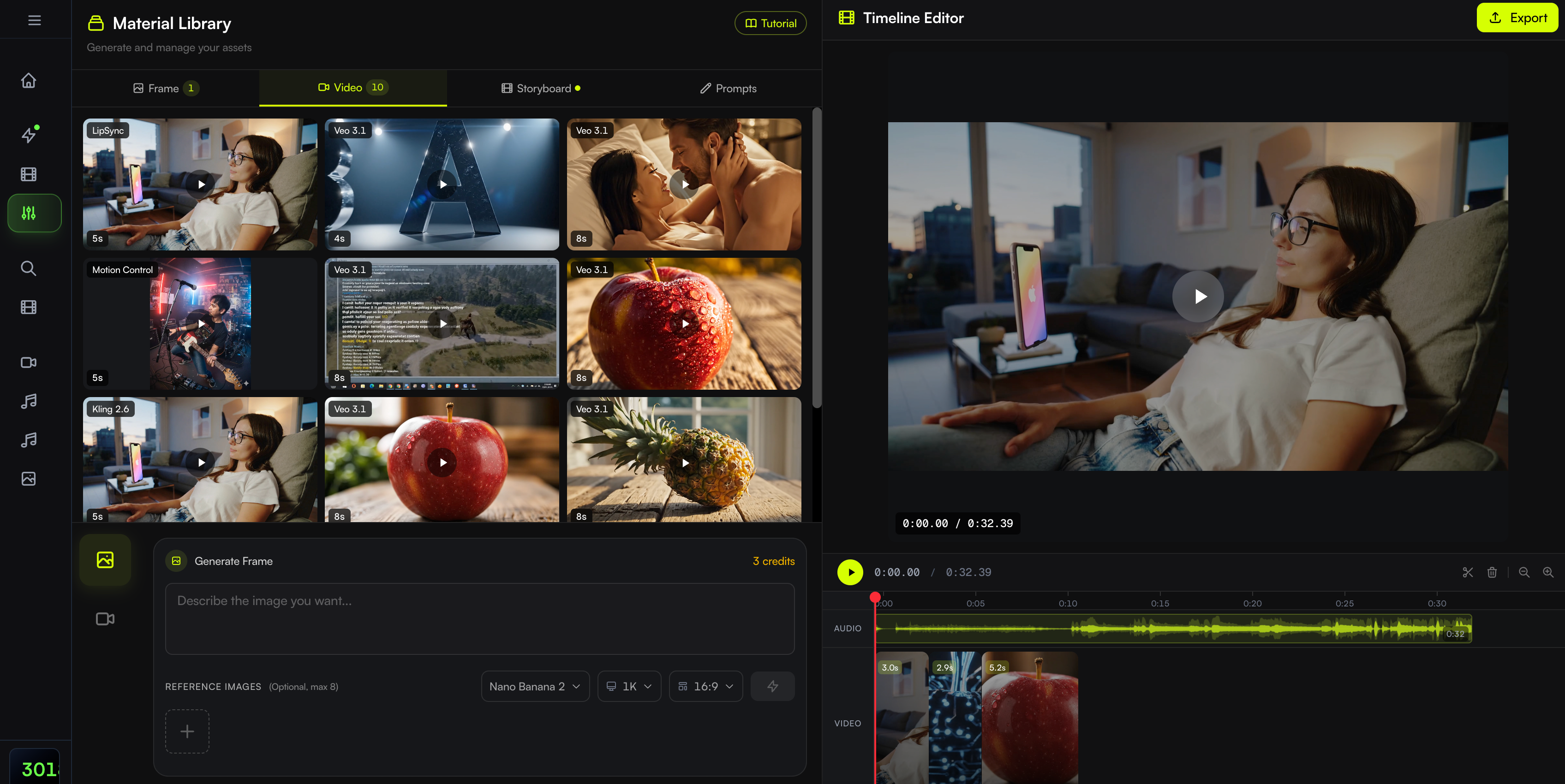
BeatViz AI Director: when you want to direct through conversation
Sometimes you do not want a fixed sequence of controls.
You want to say:
Make the second chorus more energetic.
Or:
Move this scene from the apartment to a rooftop at night.
Or:
Keep the same singer, but change this into a close-up with a slow camera push.
That is what the BeatViz AI Director is designed around.
You upload the music, develop the visual plan with the AI through conversation, and refine the project as the idea evolves.
That matters because real creative direction is rarely solved by one perfect prompt.
You make a decision.
You look at the result.
You adjust it.
Then you keep going.
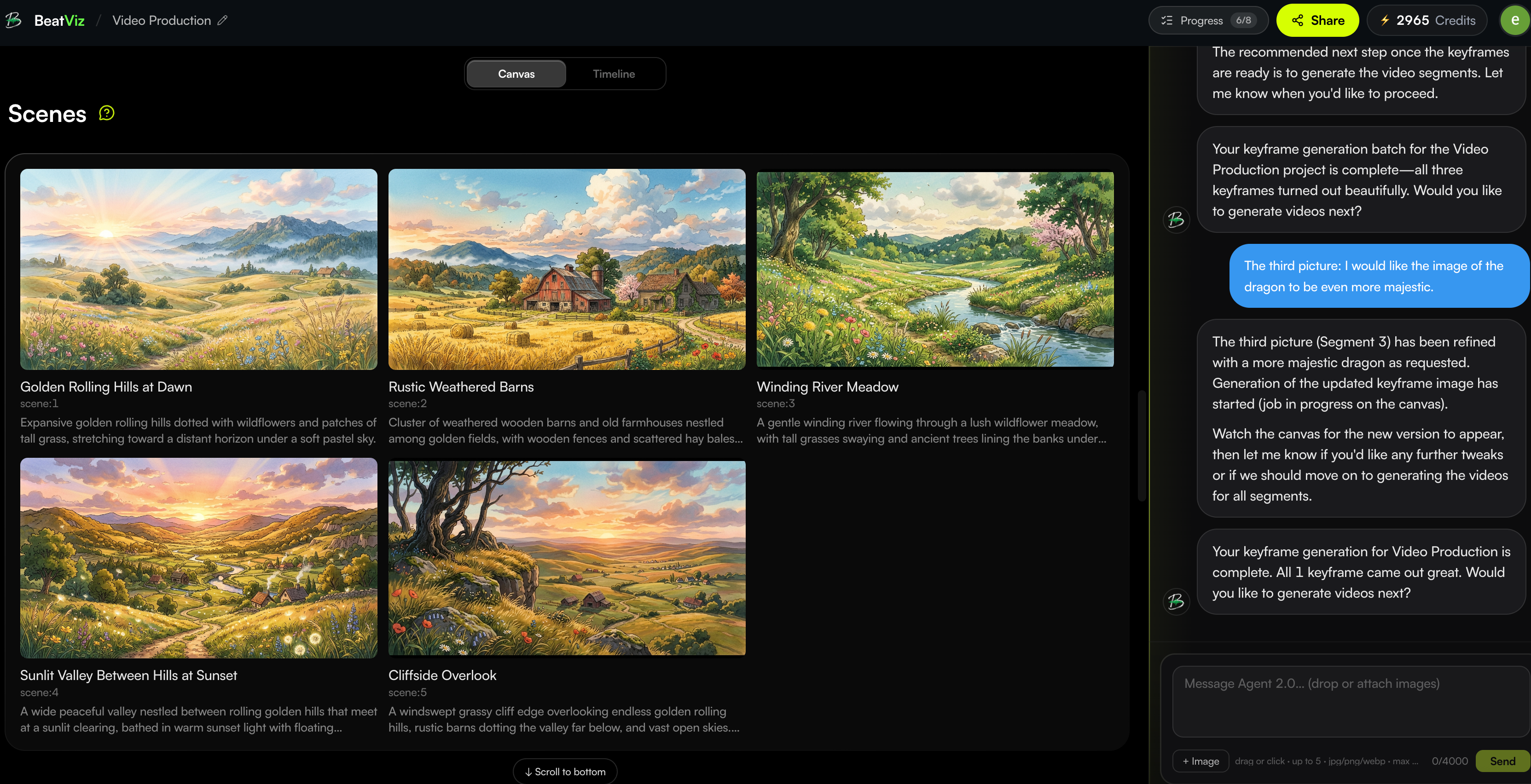
BeatViz Editor: when individual shots need more control
Automation can get you to a strong first cut.
But eventually you may want to fix one specific scene without rebuilding the entire project.
The BeatViz Editor is the more manual option.
It combines generation with a timeline-based workspace where you can work with individual scenes and clips.
That makes it useful when:
- •one first frame needs replacing
- •one performance shot needs lip sync
- •one scene needs a different video model
- •a clip should be regenerated
- •timing needs adjustment
- •you want more control over the final sequence
A useful way to think about the three modes is:
Workflow helps build the production.
AI Director helps direct the production.
Editor helps refine the production.
Prefer fewer handoffs between AI tools?
Start with your finished track in BeatViz Workflow and build the concept, scenes, first frames, and video inside one connected music-video project.
Open BeatViz Workflow →Which AI Music Video Setup Should You Use?
There is no universally correct stack.
The right setup depends on how much control you want and which part of the process matters most.
If you want maximum manual control
Use separate tools.
A workflow such as:
ChatGPT → image generator → Kling/Veo/Runway → Premiere Pro or CapCut
gives you freedom to choose the exact model for every stage.
The downside is more file management and more manual editing.
If you mainly want cinematic hero shots
Focus your budget on a strong general video model.
Generate fewer, better shots with Kling, Veo, Runway, or whichever current model best matches your visual direction, then assemble those shots manually.
This works particularly well when you already know how to edit.
If you want abstract or strongly audio-reactive visuals
A music-specific tool such as Neural Frames may make more sense than a traditional character-driven workflow.
Not every music video needs a singer or story.
Electronic, ambient, psychedelic, and experimental tracks can benefit from visuals that react directly to the music.
If your song is finished and you want a complete music video
This is where a music-first workflow becomes more useful.
Instead of thinking:
Which model should generate my next five seconds?
You can think:
What should happen during the second chorus?
That difference sounds small, but it changes the entire workflow.
Platforms such as BeatViz are built around the second question.
If the video is mostly performance
Prioritize:
- •character consistency
- •convincing lip sync
- •facial expression
- •instrument interaction
- •timeline control
A spectacular environment will not save a performance shot if the singer's face changes between cuts.
For more on structuring an entire production rather than choosing individual models, see our guide on how to make a music video step by step.
Do You Need Five Different AI Subscriptions to Make One Music Video?
Not necessarily.
But this is an important cost that beginners sometimes overlook.
A manual stack may involve paying separately for:
- •AI music generation
- •an image generator
- •one or more video models
- •lip-sync tools
- •an editor
- •extra generations when shots fail
That does not mean the multi-tool approach is bad.
For a professional creator who knows exactly which tools they want, separate subscriptions can provide enormous flexibility.
But if you primarily create full music videos, it is worth comparing the total workflow cost, not just the price of one generation.
Ask:
- •How many shots will I generate?
- •How many normally need to be regenerated?
- •Do I need lip sync?
- •Do I need 1080p?
- •Will I make one video or several every month?
- •Am I paying for tools whose features overlap?
- •How much time am I spending moving assets between platforms?
If you are considering an integrated workflow, check the current BeatViz pricing and credit options against the separate tools you would otherwise need.
Producing music videos regularly?
Compare the cost of your full tool stack — not just one video model — with the current BeatViz plans and one-time credit options before deciding which workflow makes more sense.
Compare BeatViz Pricing →Why Some AI Music Videos Still Look Like Random AI Clips
Having better models does not automatically create a better music video.
A video can contain ten beautiful shots and still feel disconnected.
Here are some of the most common reasons.
1. Character drift
The singer looks slightly different in every scene.
Hair changes.
Clothing changes.
Age changes.
Eventually the audience stops seeing one performer and starts seeing a sequence of AI generations.
Using reference images and reviewing first frames before animation can reduce this problem.
2. Every scene uses a completely different visual style
One shot is cyberpunk.
The next is vintage film.
Then anime.
Then photorealism.
Then a fantasy castle.
The individual shots may be impressive, but they do not feel like one music video.
Choose a visual language before generation.
3. The visuals ignore the song structure
A quiet verse and an explosive final chorus should not necessarily have identical pacing.
Think about visual energy the way a music producer thinks about arrangement.
Save some of your strongest shots for the parts of the song that deserve them.
4. Every shot tries to be spectacular
Music videos need quieter moments too.
Close-ups, simple walking shots, still environments, and restrained camera movement give the bigger visual moments more impact.
If every five seconds contains an explosion, transformation, drone move, dance sequence, and impossible camera orbit, nothing feels important anymore.
5. Lip sync is used where it is not needed
Not every lyric needs a close-up of the singer's mouth.
Mix performance footage with narrative shots, environmental B-roll, details, and visual storytelling.
6. The creator generates before planning
This is probably the most expensive mistake.
Twenty random clips are much harder to turn into a coherent video than twenty clips designed for specific parts of a song.
If you want a deeper walkthrough of planning the visual world before generation, read How to Turn Music Into a Video With AI.
Example: A Practical AI Music Video Workflow for a 3-Minute YouTube Song
Imagine you have finished a three-minute pop track.
Here is a practical way to approach it.
Step 1: Listen before generating
Mark:
- •intro
- •verses
- •choruses
- •bridge
- •outro
- •major musical changes
Step 2: Define one visual idea
For example:
A singer moves through an almost-empty city at night. During each chorus, the same streets become crowded, colorful, and alive.
That one sentence is already more useful than generating ten unrelated prompts.
Step 3: Build the visual world
Choose:
- •one main performer
- •two or three recurring locations
- •wardrobe
- •color language
- •camera style
Step 4: Create reference images and first frames
Review the face, composition, clothing, and background before animation.
Step 5: Generate performance and narrative shots
Do not generate every scene the same way.
You may use close-ups for vocals, medium shots for movement, wide shots for environments, and shorter dynamic clips around the chorus.
Step 6: Fix weak shots individually
If 25 clips work and two fail, fix the two.
Do not rebuild the entire music video.
Step 7: Assemble and review against the song
Watch the entire video from beginning to end.
A shot that looks amazing by itself may still be wrong for the music.
The manual-stack version
A creator could build this project with:
ChatGPT → OpenArt/Midjourney/GPT Image → Kling/Veo/Runway → CapCut/Premiere
This offers maximum flexibility.
The BeatViz version
Or you could begin with BeatViz Workflow or the AI Director, let the song guide the project structure, then move into the Editor when individual scenes need more direct control.
Neither approach is automatically right for everyone.
The difference is primarily how much of the production pipeline you want to connect yourself.
Frequently Asked Questions
What AI tools do YouTubers use for music videos?
There is no single standard tool. Many creators combine several products: Suno or Udio for music, ChatGPT for planning, image generators such as OpenArt or Midjourney for characters and first frames, video models such as Kling, Veo, Runway, or Wan for footage, and editors such as CapCut or Premiere Pro for final assembly.
Music-first platforms such as BeatViz can combine more of these production stages inside one workflow.
Is Kling enough to make a full AI music video?
Kling can generate individual video shots and can be an important part of a music video workflow, but a complete music video still requires planning, shot selection, synchronization with the track, continuity, and final assembly.
If you use Kling as a standalone generation tool, you will usually combine it with other software.
Do I still need CapCut for an AI music video?
It depends on the workflow.
If you generate independent clips using several AI tools, an editor such as CapCut, Premiere Pro, or DaVinci Resolve is extremely useful for arranging and synchronizing the final video.
If you use a music-first platform with its own timeline or assembly workflow, you may be able to complete more of the project without switching to a separate editor.
Can Suno create the music video too?
Suno is primarily part of the music-generation side of the workflow.
Creators commonly take the finished track into separate image, video, or music-video-generation tools to create the visuals.
If this is your workflow, see our guide on turning a Suno song into an AI music video.
What is the best AI tool stack for a YouTube music video?
For maximum control, a practical stack could include an AI planning tool, image generator, high-quality video model, and professional editor.
For creators who want fewer separate tools, a music-first platform may be more efficient.
The right choice depends on whether you care most about flexibility, visual quality, speed, lip sync, long-form storytelling, or cost.
You can also compare different dedicated platforms in our guide to the best AI music video generators for creators.
Should I use text-to-video or image-to-video?
For character-focused music videos, image-to-video is often easier to control because the starting frame establishes the character, clothing, environment, and composition.
Text-to-video can be useful for environments, transitions, experimental scenes, and shots where exact character consistency is less important.
Many creators use both inside the same project.
Can one AI platform make a complete music video?
Yes.
Music-first platforms are increasingly designed to handle more than individual clip generation.
For example, BeatViz connects song analysis, creative planning, scene generation, first frames, video generation, and editing through Workflow, AI Director, and Editor.
However, human review still matters.
The strongest results usually come from reviewing generated scenes, fixing weak shots, and making creative decisions instead of accepting every first result automatically.
The Best Tool Is Usually a Workflow, Not a Single Model
AI video changes quickly.
The model producing the most impressive shots today may not be the one creators prefer six months from now.
But the underlying music video workflow is much more stable:
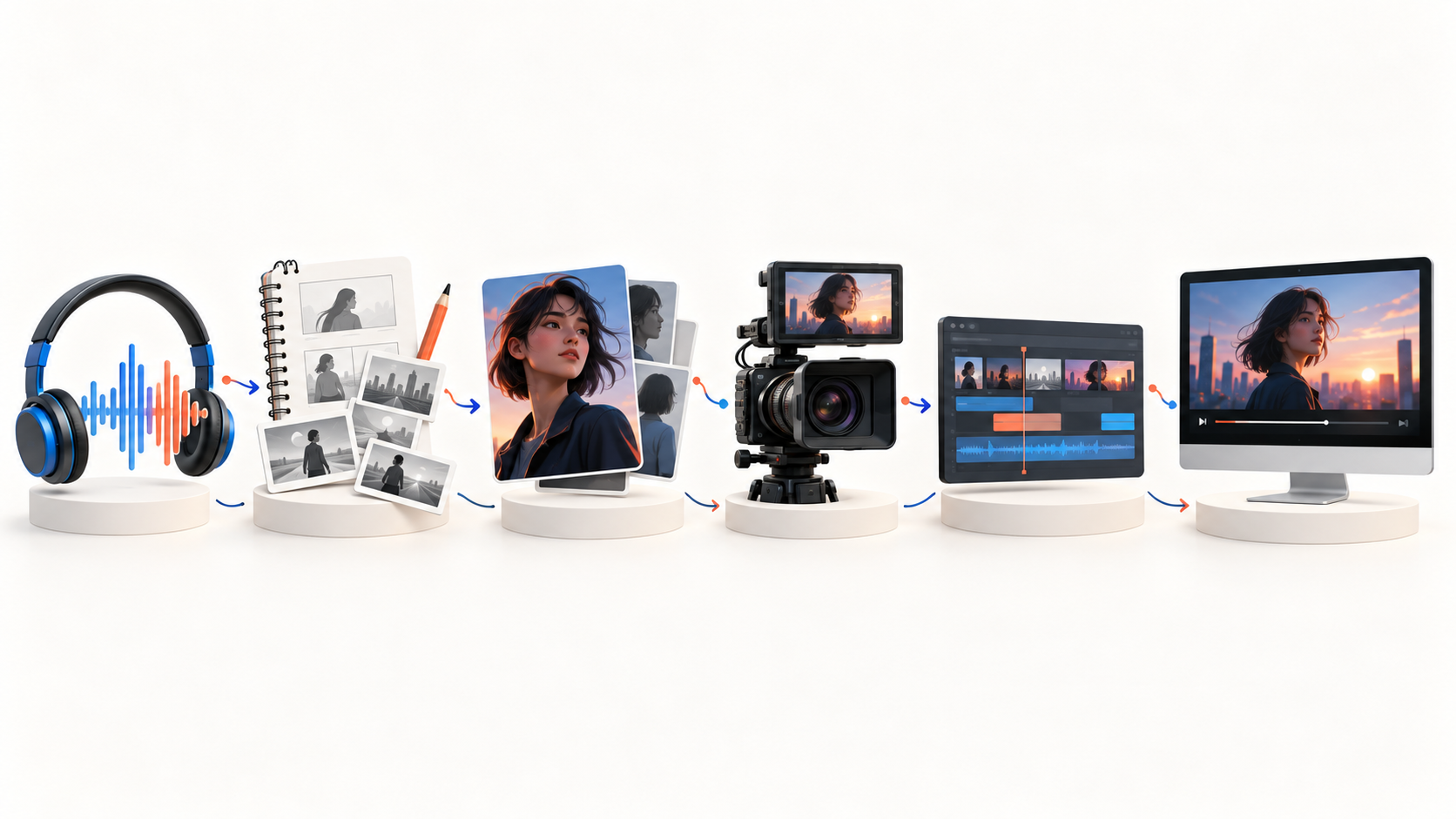
song → direction → character → scenes → shots → motion → performance → edit → final video
That is why it makes more sense to choose tools based on the role they play rather than chasing whichever AI model is currently trending.
Use Suno or Udio if you need a song.
Use an image generator if you need to establish characters and first frames.
Use Kling, Veo, Runway, Wan, or another strong video model when you need individual shots.
Use CapCut, Premiere Pro, or DaVinci Resolve when you want to manually assemble everything yourself.
And if your real goal is not “generate a clip,” but turn a finished song into a complete music video, use a workflow built around the song itself.
BeatViz gives you three ways to do that:
Workflow when you want a guided full-song creation process.
AI Director when you want to develop and revise the music video through conversation.
Editor when you want direct control over individual shots and the timeline.
Your song is already the starting point. Give it a visual world.
Explore the BeatViz AI Music Video Generator and choose the workflow that matches the way you want to create.
Try BeatViz →