Runway vs Kling vs BeatViz for Music Videos: Which Should You Use?
You have a finished song.
Now you need the video.
At first, the obvious question seems to be:
Should I use Runway, Kling, or a dedicated AI music video generator?
But there is a more useful question to ask first:
Are you trying to generate a great video shot—or produce an entire music video?
That distinction matters.
Runway and Kling have become remarkably capable AI video systems. They can generate cinematic movement, work from reference images, create multi-shot sequences, and increasingly combine generation with editing and creative planning.
But a three-minute music video is not one shot.
It may need 20, 30, or 40 scenes organized around verses, choruses, instrumental sections, vocal moments, story beats, recurring characters, locations, lip sync, and the final audio timeline.
That is where a dedicated AI music video generator approaches the problem differently.
Instead of beginning with:
What video should I generate?
It can begin with:
What does this song need visually?
This guide compares Runway, Kling, and BeatViz from that perspective—not just raw video quality, but the entire process of turning a finished song into a complete music video.
Runway vs Kling vs BeatViz for Music Videos: The Quick Answer
If your main goal is to create a handful of impressive cinematic shots, Runway or Kling may be all you need.
If you already know your storyboard, enjoy experimenting with prompts, and plan to assemble the final video yourself, both platforms give you powerful creative options.
If your starting point is instead:
“Here is my three-minute song. Help me figure out what the full music video should be.”
then a music-first workflow becomes more relevant.
A simple way to think about the difference is:
| Your Goal | A Practical Starting Point |
|---|---|
| Generate one cinematic AI video shot | Runway or Kling |
| Experiment with camera movement and visual styles | Runway or Kling |
| Create several connected AI shots | Runway or Kling |
| Build a complete visual structure around an entire song | Dedicated music video workflow |
| Let AI analyze the song before planning scenes | BeatViz Workflow |
| Direct and revise the music video through conversation | BeatViz AI Director |
| Fine-tune individual clips against the audio timeline | BeatViz Editor |
| Manually control every tool and handoff | Runway/Kling + external editing tools |
Runway and Kling are not “bad for music videos.”
Quite the opposite.
They can be extremely useful parts of a music video production stack.
The real decision is how much of that stack you want to organize yourself.
Have a finished track instead of a single shot idea?
Start from the music and see how a song-first workflow turns the track into visual direction, scenes, and shots.
Explore the BeatViz AI Music Video Generator →Runway, Kling and BeatViz Are Not Actually the Same Type of Tool
It is tempting to place all three products in one comparison table and ask which one has the best AI.
But they are solving different parts of the creative problem.
Runway: A Broad AI Video Creation Environment
Runway has evolved far beyond a basic text-to-video generator.
Its current ecosystem includes its own video models such as Gen-4.5, generative Apps, an AI Agent, Workflows, multi-shot generation, editing tools, and third-party models.
Gen-4.5 supports text-to-video and image-to-video generation with clips ranging from 2 to 10 seconds, while Runway's Agent can plan and produce larger creative projects, generate multi-shot sequences, and arrange clips inside a built-in timeline. Runway also offers a dedicated Multi-Shot Video workflow capable of planning connected shots from a prompt.
That makes Runway especially useful if you want a broad creative environment where you can:
- •Generate individual video shots
- •Build multi-shot sequences
- •Edit or transform existing footage
- •Create visual references
- •Experiment with different AI models
- •Assemble footage inside a timeline
- •Build reusable AI workflows
For a filmmaker, designer, advertiser, or creator who works across many different types of video, that flexibility is valuable.
A music video can absolutely be created inside that ecosystem.
The question is whether you want to design the production around the song yourself.
Kling 3.0: A Powerful Video Generation System
Kling has also moved well beyond simple short-form image animation.
Kling 3.0 supports video generation up to 15 seconds, multimodal references, native audio, stronger subject consistency, and multi-shot storyboard controls. In August 2026, Kuaishou also announced native 4K video output for the Kling 3.0 series.
For music video creators, Kling is particularly attractive when you need:
- •Cinematic image-to-video shots
- •Character or performance scenes
- •Dynamic motion
- •Camera movement
- •Reference-based visual consistency
- •Multi-shot visual sequences
- •High-resolution output
If you already have the singer image, storyboard, scene description, and desired camera movement, Kling can be a powerful engine for turning that idea into footage.
But there is still a distinction between generating footage and managing the structure of the complete song.
BeatViz: A Music-First Production Workflow
BeatViz begins from a different starting point.
The primary object is not an isolated generation.
It is the music video project.
BeatViz currently provides three main creation paths:
- •Workflow helps move from music analysis to creative direction, characters, scenes, shots, keyframes, and generated clips.
- •AI Director lets you develop and revise the video through conversation.
- •Editor gives you more direct control over generated assets and their placement on the audio timeline.
The underlying idea is simple:
Runway and Kling can help generate the shots. BeatViz is built around deciding what shots the song needs—and how those shots become one music video.
The Real Difference: Are You Generating a Shot or Producing a Song?
Imagine you want this shot:
A female singer stands on a rooftop at night while rain reflects neon lights across the concrete. The camera slowly pushes toward her as wind moves through her coat.
That is a video-generation problem.
Runway can handle it.
Kling can handle it.
A number of modern AI video models can handle it.
Now imagine a different request:
Make a complete 3-minute 24-second music video for this song. Keep the same singer throughout. The verses should feel intimate, the chorus should become visually larger, the bridge should introduce a new location, and the final chorus should bring the main visual ideas together.
That is no longer just a video-generation problem.
It is a production-structure problem.
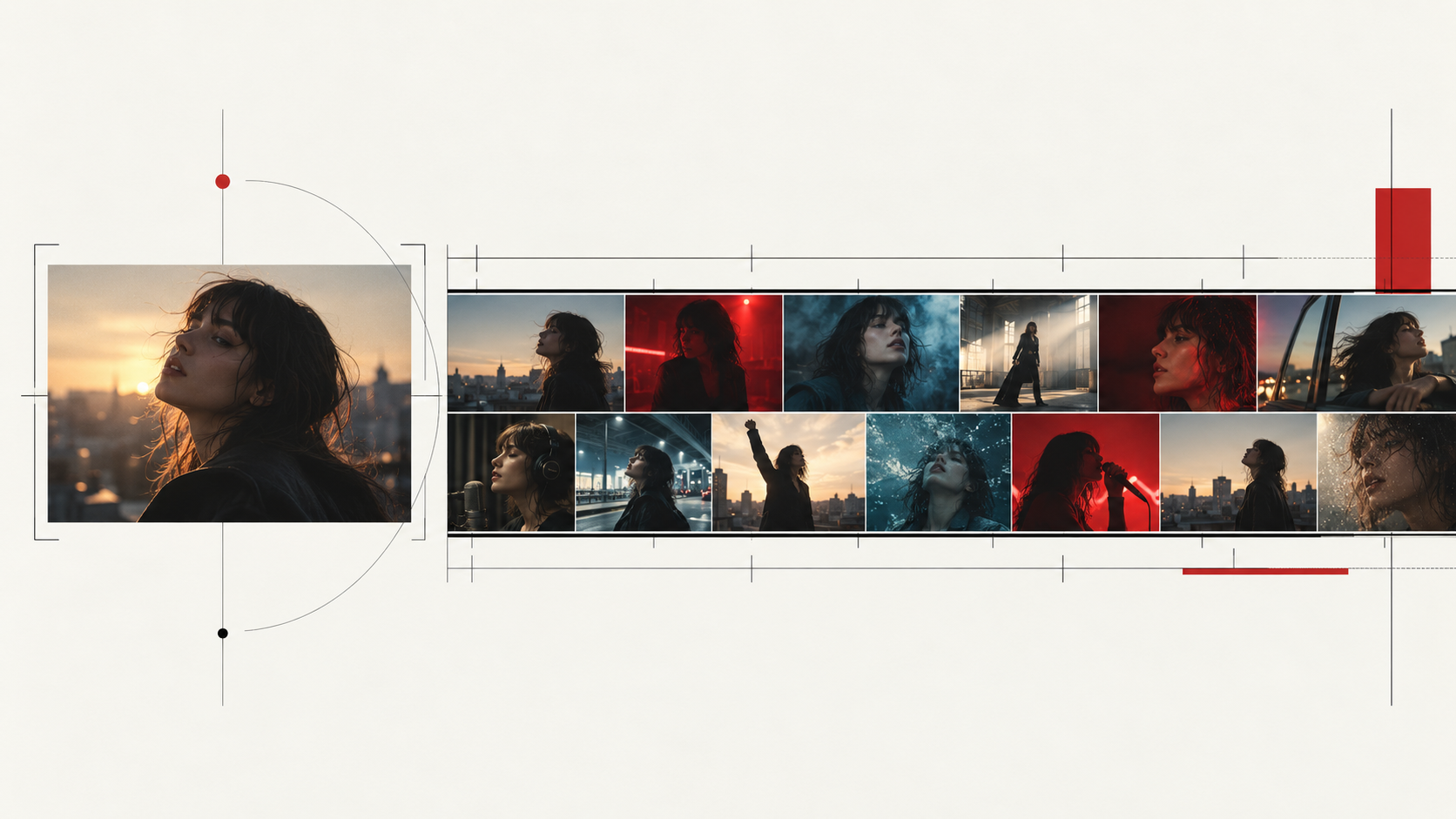
A Song Has Structure
Music changes over time.
A typical track may contain:
Intro → Verse → Pre-Chorus → Chorus → Verse → Chorus → Bridge → Final Chorus → Outro
Those sections do not necessarily deserve the same visuals.
A quiet first verse may work with restrained close-ups and slow camera movement.
The chorus may need larger performance scenes.
An instrumental break may be the right place for visual storytelling rather than lip sync.
The bridge may need a new environment to prevent the video from feeling repetitive.
That means someone—or something—has to understand the entire track before deciding what to generate.
A Full Music Video Needs Continuity
A beautiful shot can still belong to a bad music video.
Why?
Because viewers are not watching the frames independently.
They are watching them one after another.
If the singer has short black hair in one scene and long brown hair in the next, the individual clips may both look good while the complete video feels broken.
The same applies to:
- •wardrobe
- •locations
- •lighting
- •visual style
- •narrative logic
- •performance intensity
- •camera language
Once your music video reaches several minutes, continuity becomes part of the production problem.
One Weak Shot Should Not Break the Entire Project
AI generation is variable.
One scene may be excellent.
Another may contain the wrong expression.
A third may need a new first frame.
One chorus may need lip sync while an instrumental scene does not.
A practical music video system therefore needs to support the second half of AI creation:
revision.
You should be able to identify the weak shot, fix it, and continue.
You should not need to rebuild the entire music video because Scene 17 is wrong.
Using Runway for a Music Video: Where It Works Best
Runway makes sense for music videos when you value a broad AI filmmaking toolkit and are comfortable shaping the production yourself.
Its current Agent can generate reference sheets, storyboards, images, video, audio, multi-shot sequences, and timelines. Runway's Final Cut workflow also allows clips to be trimmed and arranged into an edited sequence.
That makes Runway especially useful for creators who already think like editors or directors.
For example, you may already know:
Shot 1: Wide nighttime establishing shot.
Shot 2: Medium close-up of singer.
Shot 3: Tracking shot through crowd.
Shot 4: Surreal transformation during chorus.
In that case, Runway gives you a flexible environment for executing the plan.
What You Still Need to Decide
For a full music video, you still need to make decisions such as:
- •Where does every shot belong in the song?
- •Which location should return later?
- •What should happen when the chorus repeats?
- •Which sections need performance shots?
- •How will you maintain the singer's visual identity?
- •Where should the pacing accelerate?
- •Which shots should be regenerated?
Runway can help with many of those tasks, especially through Agent.
But its creative environment serves many kinds of video production.
It is not organized exclusively around music-video structure.
If you prefer building a custom AI production stack, read our guide to the tools creators use for AI music videos on YouTube.
Using Kling for a Music Video: Where It Works Best
Kling is a strong option when the individual generated shot matters most.
For example:
A close-up of the singer walking through a crowded street while the camera moves backward in front of her.
Or:
A dramatic band performance with energetic handheld camera movement, stage haze, backlighting, and realistic instrument motion.
Kling 3.0's current capabilities—including multimodal references, extended duration, storyboard control, native audio, and improved consistency—make it well suited to sophisticated shot generation.
This is especially useful when you have already established:
- •the character
- •the first frame
- •the location
- •the visual style
- •the action
- •the camera direction
Then your job is primarily to turn those creative decisions into motion.
Why Great Clips Still Need a Music Video Plan
The important point is not that Kling “cannot make music videos.”
It can absolutely be used to make them.
The issue is coordination.
If your song requires 30 clips, you still have to answer:
- •Which 30 clips?
- •In what order?
- •At what timestamps?
- •Which character reference goes into which scene?
- •What changes between the first chorus and the final chorus?
- •Which section contains lip sync?
- •Which scene should return later?
- •Which shots are complete and which still need another generation?
That is why the strongest video model is not automatically the easiest way to produce a complete song.
How BeatViz Builds the Workflow Around the Music
BeatViz approaches the same problem from the opposite direction.
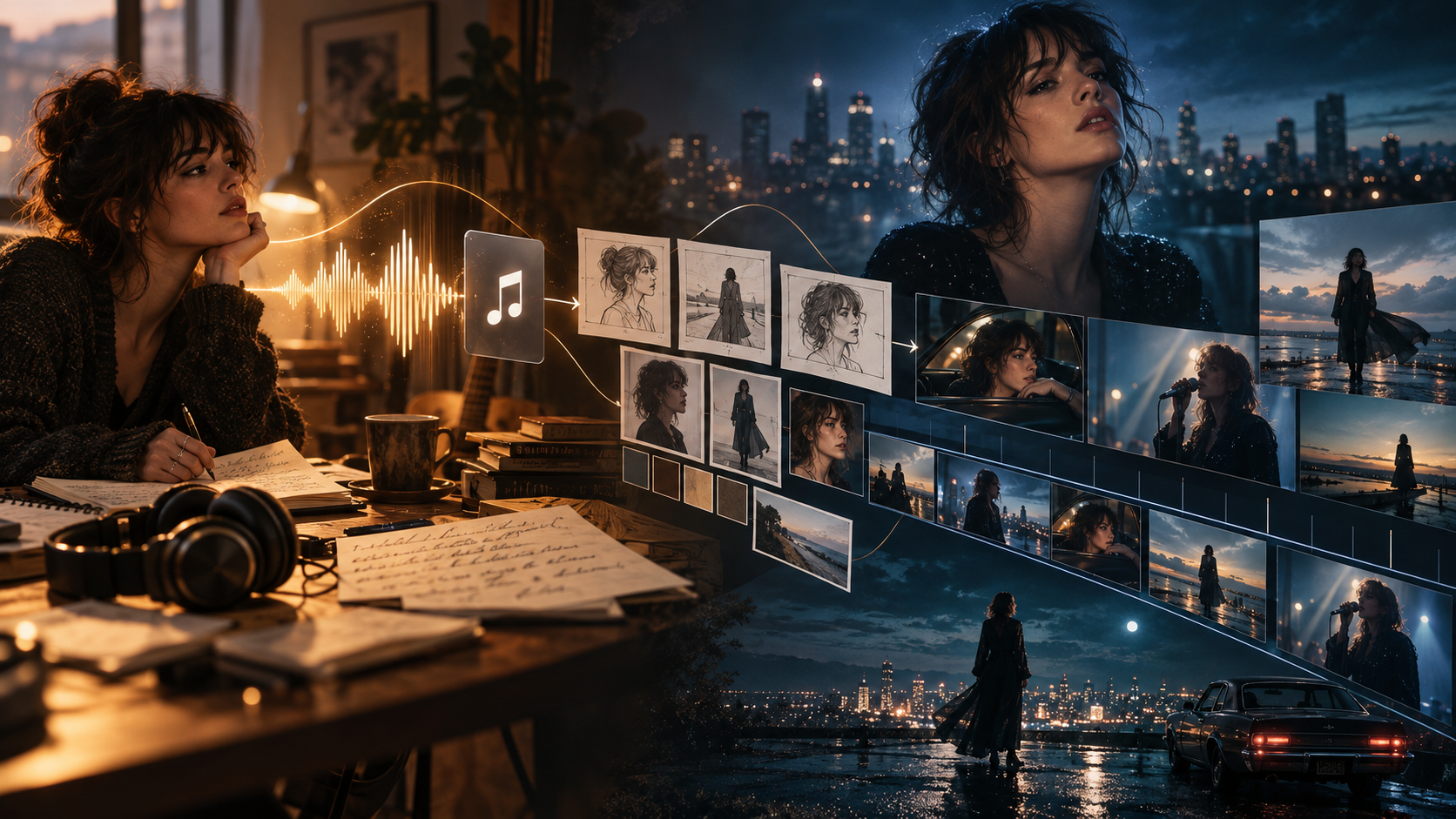
Instead of beginning with an empty video prompt, it can begin with the track.
The current BeatViz music video workflow is designed to move through music analysis, visual direction, story planning, characters, scenes, shots, first frames, generated video, and editing as parts of one project.
BeatViz Workflow: From Song Analysis to Scenes and Shots
BeatViz Workflow is the guided option.
You upload the song and define the visual direction.
Instead of generating 30 videos immediately, the workflow can first help establish what the production should be.
That may include:
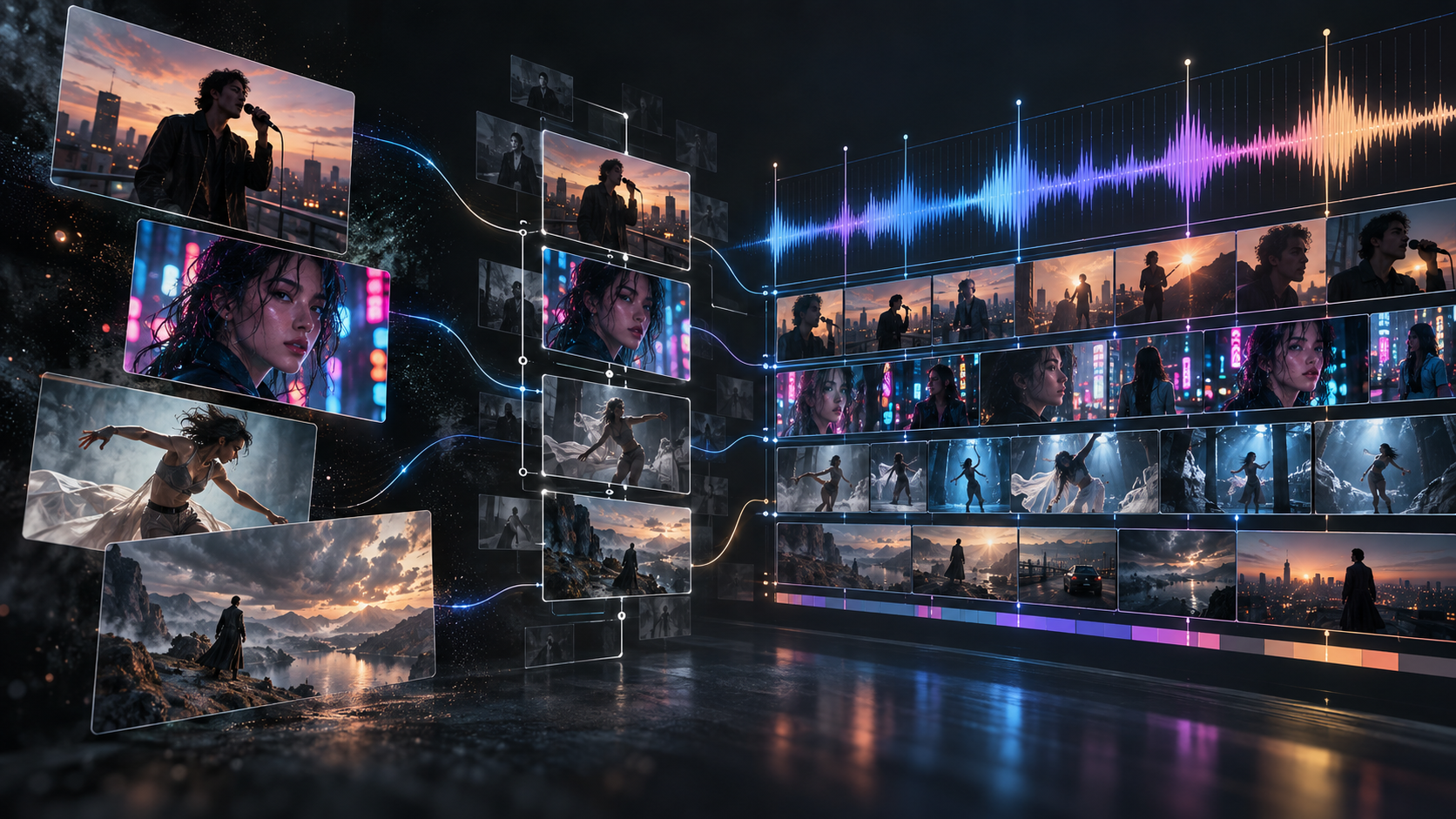
music analysis → creative direction → characters → locations → scenes → segments → shots → first frames → generated video
This is useful because video generation is one of the more expensive and variable parts of AI production.
If the character, scene, composition, or creative direction is wrong, it is better to catch the problem before turning it into motion.

For a deeper walkthrough of this process, see How to Turn Music Into a Video With AI.
Build the plan before generating dozens of clips
Upload your track, review the visual direction, and shape the scenes before committing the entire project to video generation.
Start With BeatViz Workflow →BeatViz AI Director: Direct the Music Video Through Conversation
Sometimes you do not want to move through a fixed sequence of controls.
You want to direct.
For example:
Keep the same singer, but move the second chorus to a rooftop.
Then:
Make this scene more energetic and use more medium-wide shots.
Then:
Keep the outfit, but change the lighting to warm sunset.
That is the role of the BeatViz AI Director.
Instead of treating every generation as a disconnected prompt, you can develop the project through an ongoing creative conversation.
BeatViz currently describes AI Director as a music-focused agent that can use the uploaded track to plan, generate, and revise a complete beat-synced video.
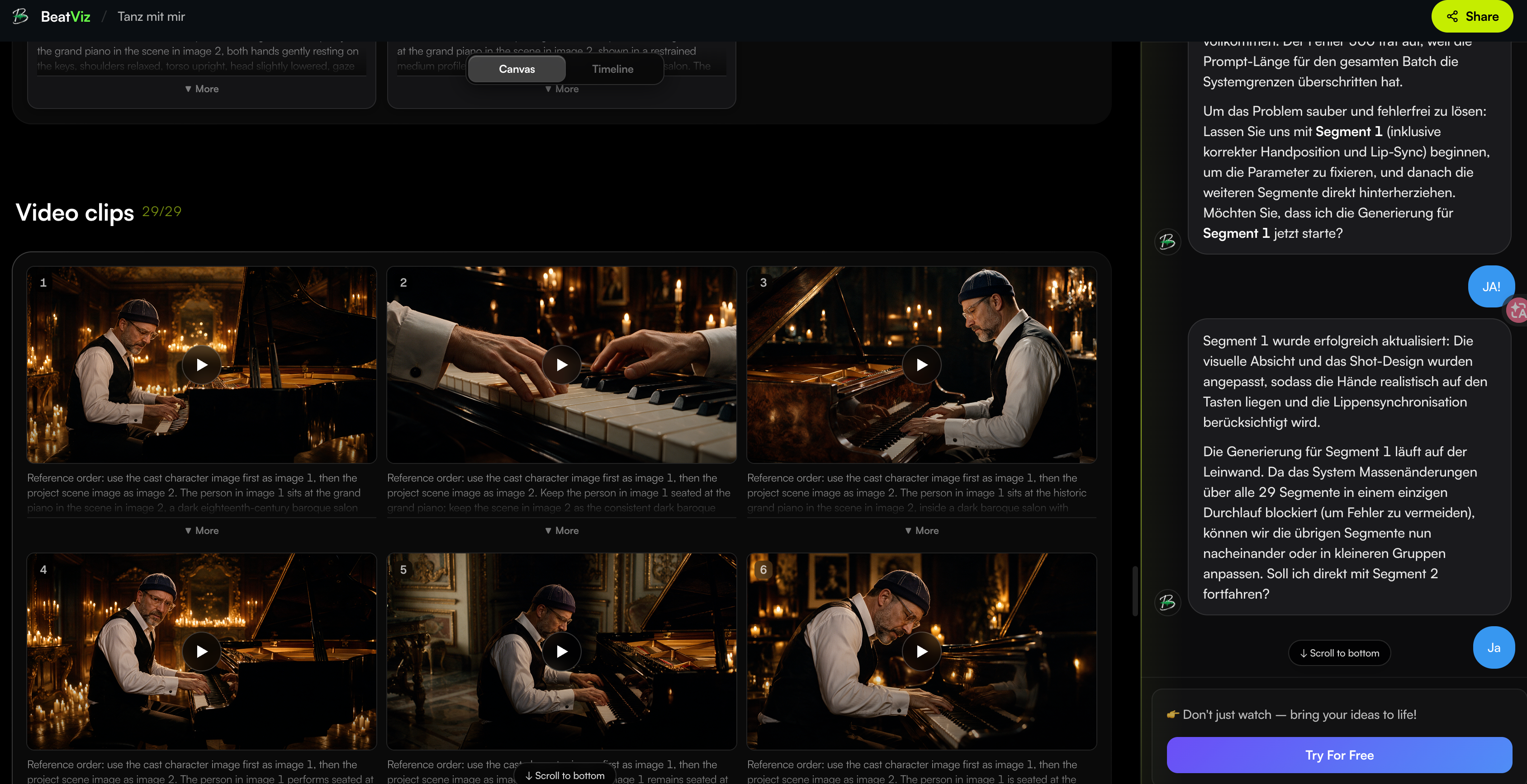
This is especially useful for creators who know what they want emotionally but do not necessarily want to translate every idea into technical AI-video syntax.
BeatViz Editor: Fix the Shots That Need More Control
Eventually, most AI music videos need manual decisions.
Maybe 27 shots are usable and three need work.
Maybe you want to replace one clip.
Maybe a vocal close-up needs lip sync.
Maybe an eight-second scene should begin slightly earlier.
Maybe the first frame needs to change before regenerating motion.
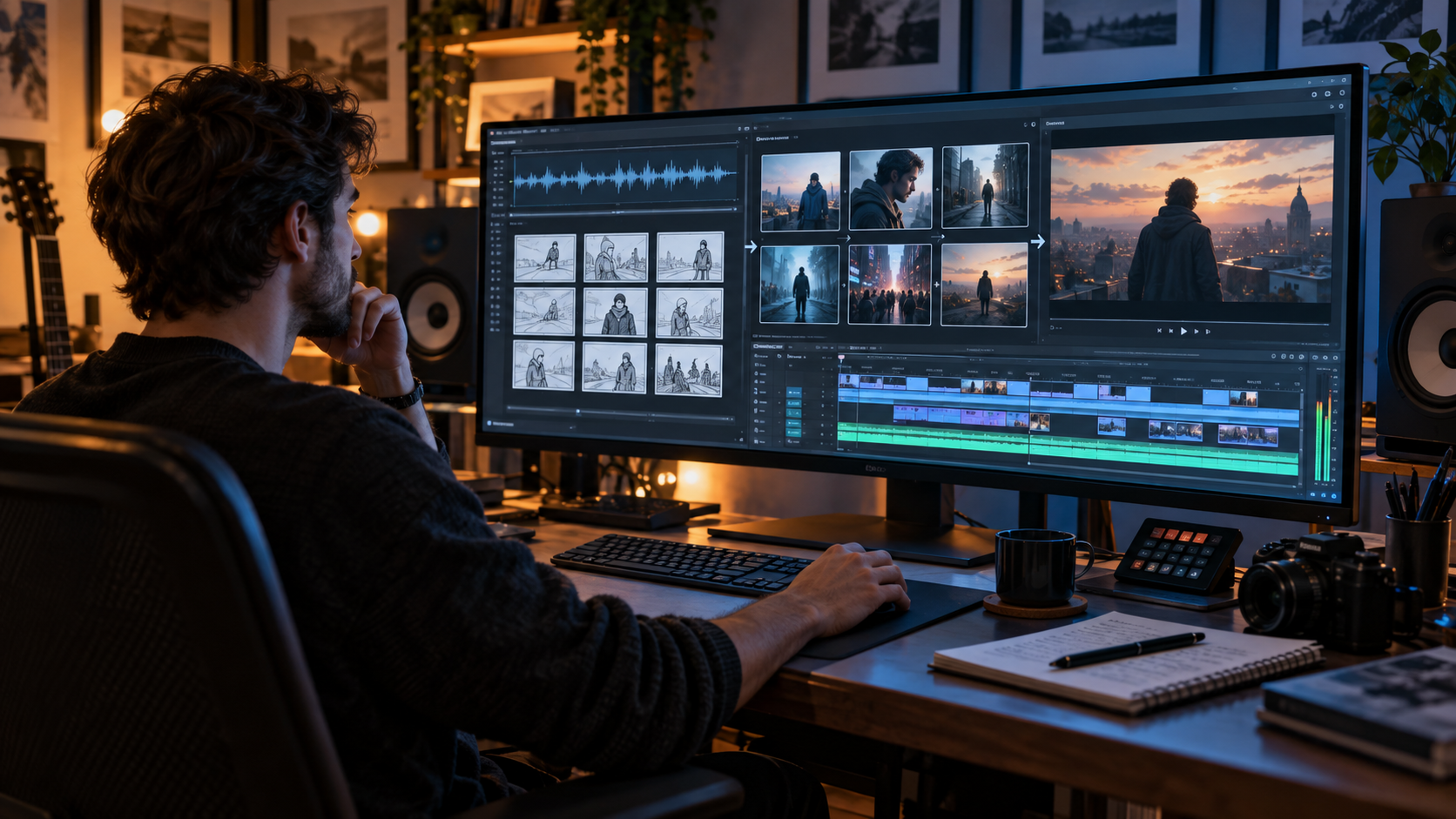
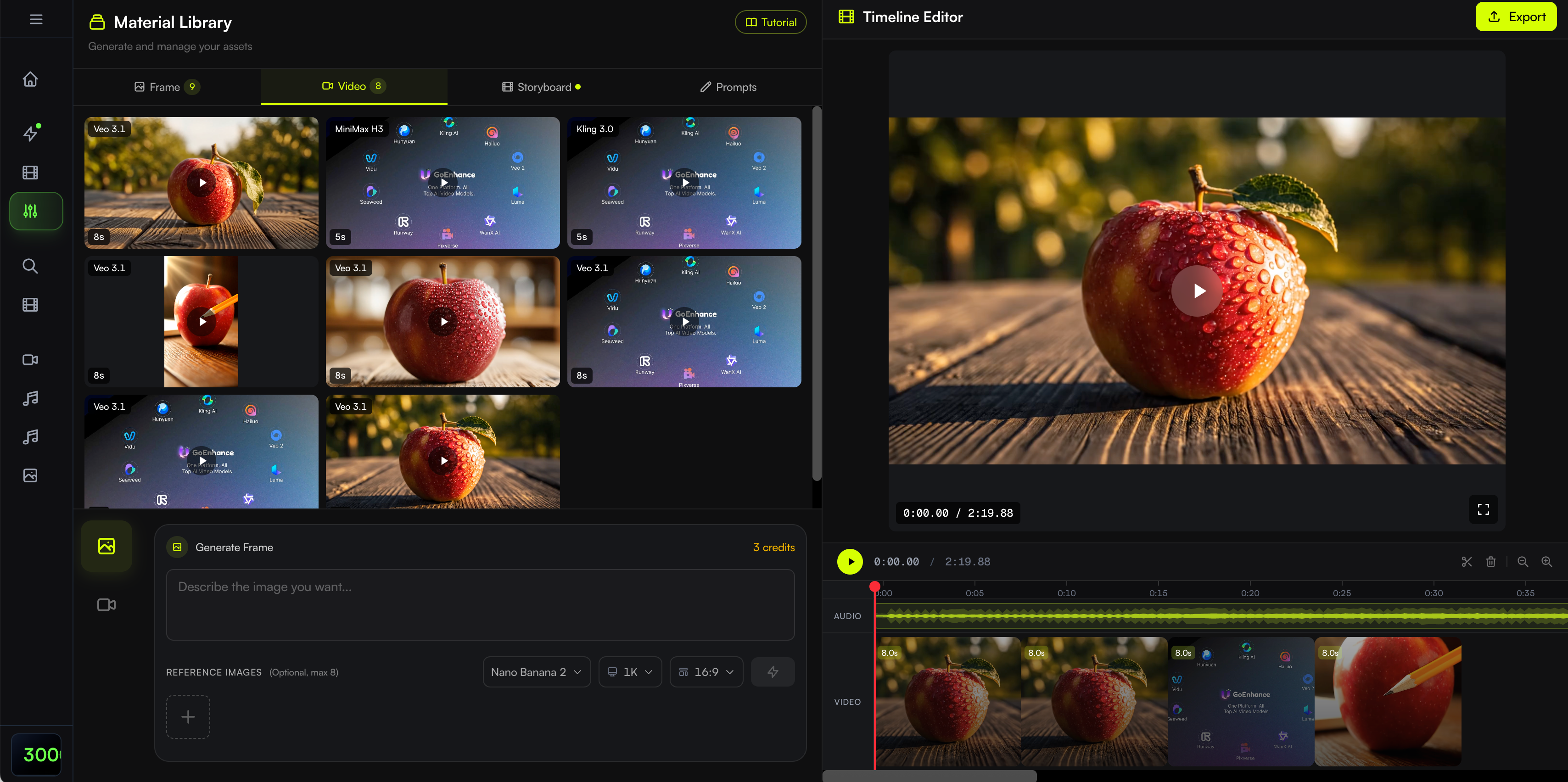
The BeatViz Editor is designed for that stage.
Its current workflow includes a generation workspace, audio timeline, starter frames, video clips, clip arrangement, replacement, and dedicated lip-sync controls.
A useful way to think about it is:
Workflow helps build the production.
AI Director helps direct the production.
Editor helps finish the production.
If you want to see the interface in more detail, read the BeatViz Editor Tutorial.
Runway vs Kling vs BeatViz: Music Video Workflow Compared
The most useful comparison is not an arbitrary 9.2/10 score.
It is asking what each product is designed to do inside the production process.
| Music Video Task | Runway | Kling | BeatViz |
|---|---|---|---|
| Primary starting point | Prompt, media or creative brief | Prompt and multimodal references | Song |
| Individual AI video generation | Yes | Yes | Yes, inside the MV workflow |
| Image-to-video | Yes | Yes | Yes |
| Multi-shot creation | Yes | Yes | Project organized across multiple scenes and segments |
| General-purpose video creation | Core use case | Core use case | Secondary |
| Song analysis before visual planning | Not the primary workflow | Not the primary workflow | Core Workflow function |
| Full-song visual planning | Possible through creator/Agent workflow | Creator-directed | Built around the music project |
| Conversational creative direction | Runway Agent | Model/product controls | BeatViz AI Director |
| Timeline editing | Available in Agent/Final Cut | Not the main music-production layer | Dedicated audio timeline in Editor |
| Music-specific lip-sync workflow | Available through Runway's broader toolset/models | Native audiovisual capabilities vary by workflow | Integrated Editor lip sync |
| Scene-level revision | Yes | Yes | Yes |
| Best fit | Broad AI video production | High-control AI shot generation | Full-song music video workflow |
The takeaway is not that one platform is universally better.
The products simply begin from different assumptions.
Which Should You Use for Your Music Video?
Use Kling or Runway If You Need a Few Hero Shots
Maybe your music video is mostly live-action footage and you only need three AI scenes.
Or perhaps you want a surreal transformation for the bridge.
You may not need a dedicated music video system at all.
Generate the shots you need and bring them into your existing editing workflow.
Use Kling or Runway If You Already Know the Entire Shot List
Some creators enjoy doing everything manually.
You might already have:
- •the finished storyboard
- •timestamps
- •character references
- •prompts
- •locations
- •camera directions
- •editing software
In that case, direct access to strong video tools gives you maximum flexibility.
Use a Dedicated AI Music Video Generator If You Have the Song but Not the Shot Plan
This is a different type of creator.
You know:
“I want a cinematic music video.”
But you have not decided:
- •what happens during Verse 2
- •where the singer appears
- •how many locations you need
- •what the chorus looks like
- •where narrative scenes should happen
- •which sections should use lip sync
A music-first workflow can help bridge that gap.
Use BeatViz If You Want Automation Without Giving Up Scene-Level Control
Fully automatic generation sounds convenient.
But eventually you usually want to change something.
That is why BeatViz combines automated planning with progressively more direct control.
You can start with Workflow.
Move into AI Director when the concept needs creative revisions.
Then use Editor when one specific clip needs attention.
Already dealing with 20, 30, or 40 different shots?
At that point, the challenge is usually not generating one more beautiful clip.
It is keeping the whole production organized around the song.
Example: What Happens With a 3-Minute Song?
Consider a fictional 3:12 pop song.
It contains:
an eight-second intro, two verses, two major choruses, a bridge, an instrumental moment, a final chorus, and an outro.
You want one recurring singer and three main locations:
an apartment, a neon city street, and a rooftop.
A Model-First Workflow
Using a general video-generation workflow, the process could look like:
Song
Listen and mark the song structure
Develop the concept
Create character references
Create the shot list
Decide timestamps
Generate first frames
Generate each video shot
Track successful and failed generations
Download or organize assets
Arrange everything on the timeline
Add or fix lip sync
Regenerate weak scenes
Finish the edit
That approach gives you enormous flexibility.
It also means you are the production system.
A Music-First BeatViz Workflow
Inside a dedicated BeatViz project, the flow is closer to:
Song
Music analysis
Creative direction
Characters and locations
Scene structure
Segments and shot design
Keyframes
Video generation
Scene-level revision
Editor
Final sequence
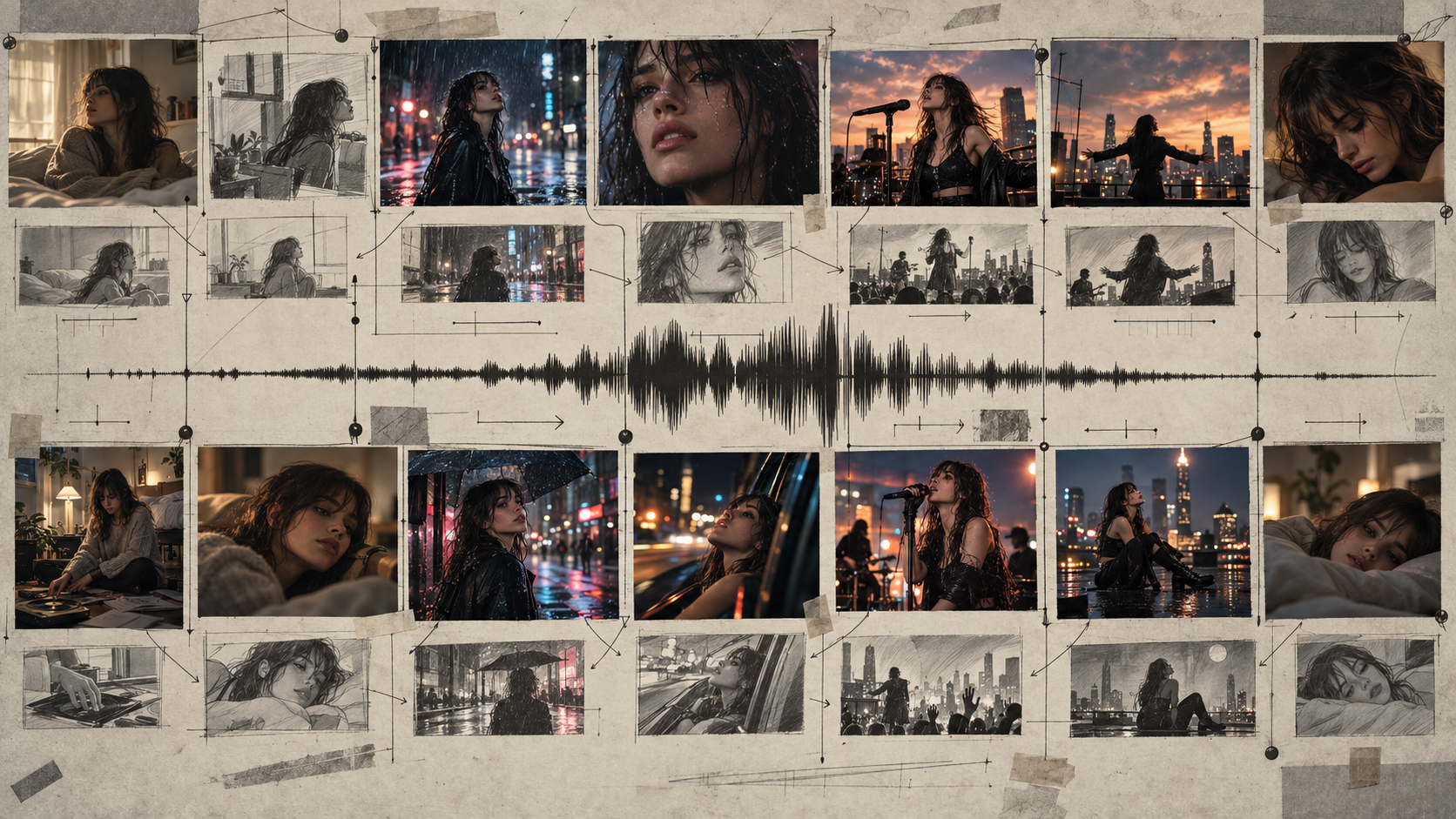
The AI video models still matter.
But now they operate inside a larger production structure.
That is the core difference.
A video model answers:
“Can you generate this shot?”
A music-video workflow also has to answer:
“Why is this shot here?”
Don't Compare Cost Per Clip. Compare Cost Per Finished Music Video.
AI video pricing is often presented as a cost per generation, per second, or per credit.
That is useful.
But it can also hide the real production cost.
Suppose Model A generates a cheaper 10-second clip.
That does not automatically make it cheaper for a three-minute music video.
You may need:
- •five attempts to get the singer right.
- •three variations of the chorus.
- •separate reference images.
- •lip-sync processing.
- •an external editor.
- •additional image-generation tools.
- •regenerations when continuity breaks.
The cost that matters is not:
How much did one clip cost?
It is:
How much did it cost to reach a finished video you are actually willing to publish?
The same applies to time.
A workflow with more structure before generation can sometimes save more than simply choosing the cheapest video model.
BeatViz pricing varies by plan, video model, resolution, duration, lip sync, and the amount of regeneration required, so it is better to estimate the complete project rather than treating every music video as a fixed price.
If you already know your song length and production needs, you can review the current BeatViz pricing and generation options before starting.
Can You Combine General AI Video Models With a Dedicated Music Video Workflow?
Yes.
And in many cases, that is the more useful way to think about the future of AI video.
This does not have to be:
BeatViz vs Kling
or:
BeatViz vs Runway
The stronger question is:
Which model should generate this shot, and what system should organize the complete project?
Runway itself increasingly follows this multi-model philosophy. Its current platform offers selected third-party models alongside proprietary Runway models, while Agent can choose among models depending on the task.
BeatViz takes a similar idea into a music-specific production context.
The model is an engine.
The workflow decides when and why to use it.
That distinction matters because AI video models will continue changing rapidly.
The best-looking model this month may not be the model you prefer six months from now.
But the underlying music-video problem remains surprisingly stable:
song → concept → character → scenes → shots → performance → editing → finished video
A good production workflow should survive changes in the underlying model.
FAQ: Runway vs Kling vs Dedicated AI Music Video Generators
Is Kling or Runway better for music videos?
Both can be strong choices for music video footage.
Kling is especially useful when you are focused on generating controlled cinematic shots with reference inputs, motion, storyboard controls, and longer sequences.
Runway offers a broader creative environment with video generation, Agent, Workflows, editing tools, timelines, and access to multiple models.
The more important question is whether you want to organize the entire song-level production yourself or use a dedicated music-video workflow to help manage it.
Can Runway make a full music video?
Yes.
Runway's current tools go beyond single-shot generation. Agent can plan and create multi-shot projects, work with music and video assets, and assemble clips in its timeline.
For music videos, however, you still need to decide how the song structure maps to the visual structure of the project.
Can Kling make a full music video?
Kling can generate the video footage needed for a full music video and now supports advanced capabilities such as multi-shot storyboarding and native audio.
For a multi-minute song, the remaining question is how you organize those generations around the music, track continuity, revise weak shots, and assemble the final piece.
Should I use a dedicated AI music video generator?
Use one when your main input is a finished song and you want AI to help with more than individual clip generation.
A dedicated workflow becomes particularly useful when you need:
- •song analysis
- •scene planning
- •recurring characters
- •multiple locations
- •performance shots
- •revision
- •lip sync
- •final sequencing inside one project
What is the difference between an AI video generator and an AI music video generator?
An AI video generator primarily creates or transforms video.
An AI music video generator adds another layer:
it organizes visual generation around music.
That can include analyzing the track, planning scenes, mapping shots to song sections, managing recurring characters, adding performance or lip sync, and assembling the complete visual sequence.
For a deeper explanation, read What Is an AI Music Video Generator?.
What is the best AI video generator for a full song?
There is no single answer for every project.
If you want to manually build the production, strong general-purpose video systems such as Kling or Runway can provide the footage.
If you want the song itself to drive the workflow, a dedicated platform such as BeatViz may reduce the amount of planning and asset coordination required.
If you want to compare more purpose-built tools, see our guide to the best-rated AI music video generators in 2026.
Do I still need an editor when using AI for music videos?
Usually, some form of editing remains useful.
AI can generate scenes, performance footage, transitions, and visual concepts.
But creators still need to decide what stays, what gets replaced, when cuts happen, and how the finished sequence feels against the song.
That editor may be Premiere Pro, DaVinci Resolve, CapCut, Runway's timeline, BeatViz Editor, or another editing environment.
AI reduces the amount of production work.
It does not eliminate creative judgment.
Final Take: Choose the Workflow, Not Just the Model
Runway and Kling are becoming extraordinarily capable.
The idea that they are simply “short AI clip generators” is already outdated.
They can plan shots, work with references, create multi-shot sequences, generate richer audiovisual content, and fit into increasingly sophisticated creative workflows.
But music videos introduce an additional problem.
You are not only creating footage.
You are creating a visual structure that has to survive for the duration of a song.
A beautiful eight-second clip is valuable.
A beautiful eight-second clip that appears at the right moment, uses the right character, continues the visual story, matches the energy of the chorus, and fits naturally into the next shot is more valuable.
That is why the choice between Runway, Kling, and BeatViz is not simply a choice between three AI models.
It is a choice about how you want to work.
Use Runway or Kling when you want powerful video creation and prefer to design the production around those tools.
Use a music-first workflow when you want the song itself to become the structure of the project.
And use BeatViz when you want to move between both approaches:
automation when it helps,
direction when you need it,
and scene-level control when the details matter.
Your song is already the timeline. Build the video around it.
Upload your track, develop the visual concept, create the scenes, and refine the shots inside one connected music-video project.
Start a Music Video With BeatViz →