Best AI Music Video Generators With Lip Sync for Singing & Performance Videos
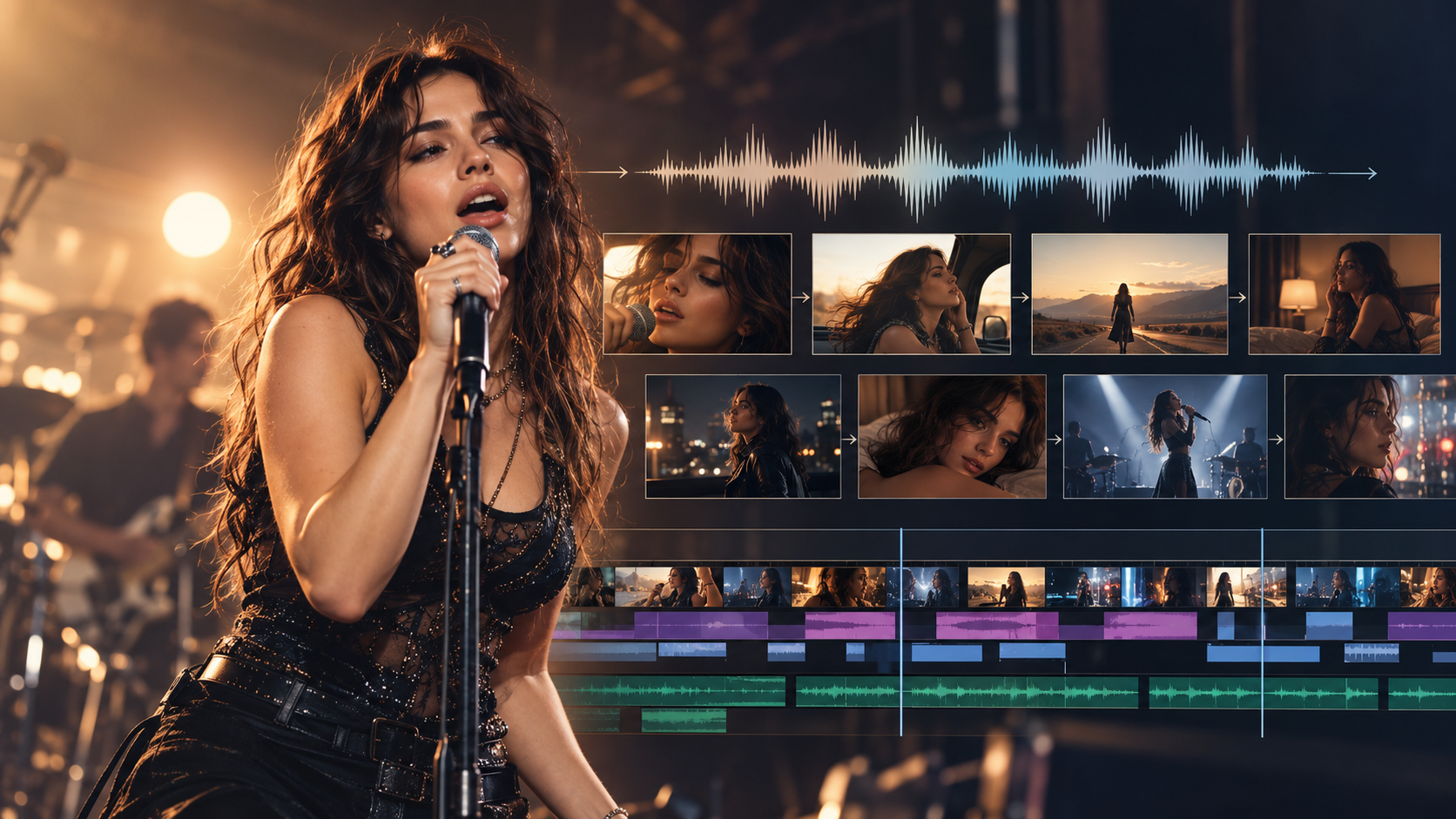
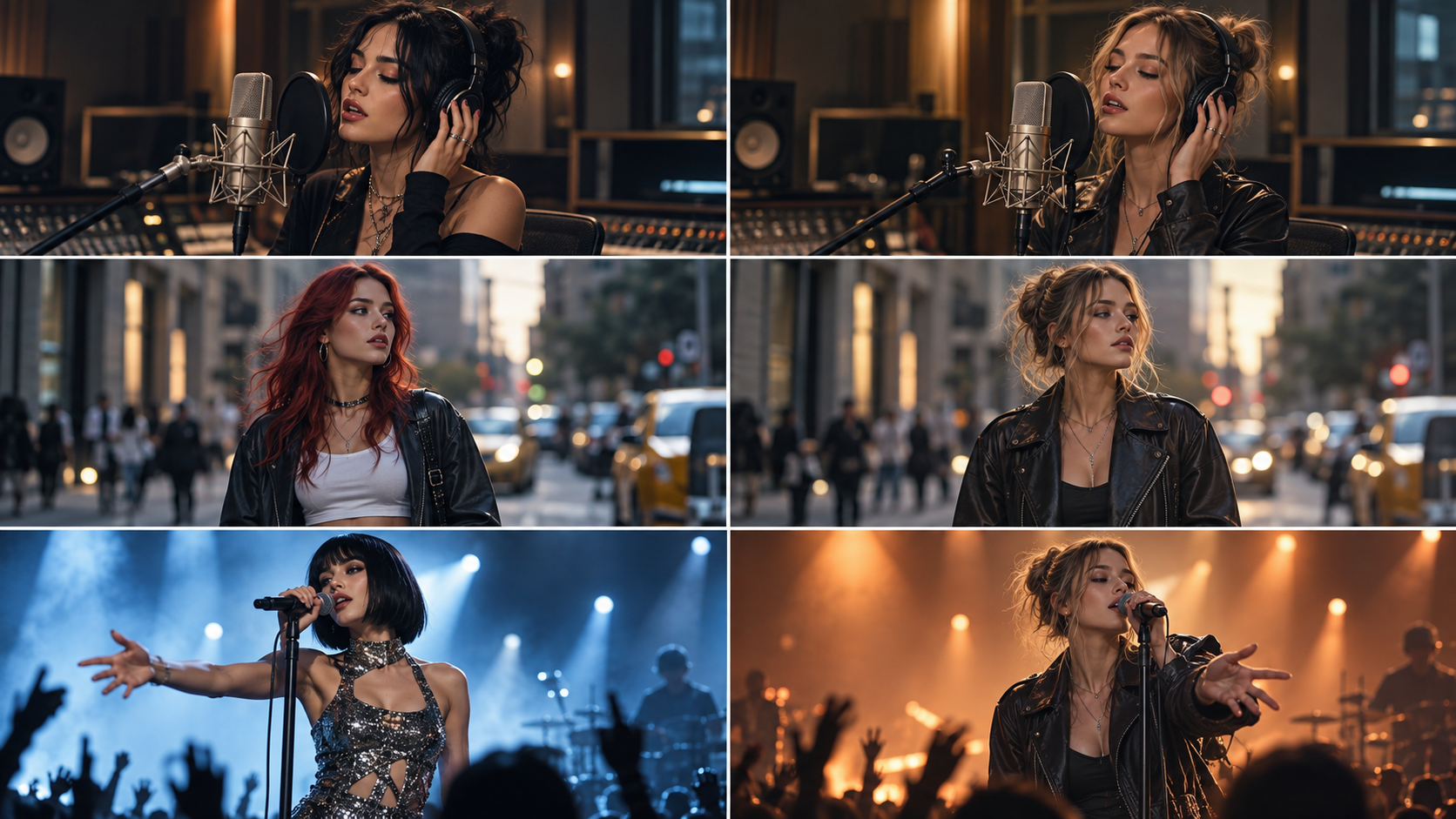
A singer standing on stage is not what makes a performance music video convincing.
The difficult part is making that performer actually feel connected to the song.
Their mouth needs to follow the vocals. Their expressions need to fit the delivery. The same artist needs to remain recognizable when the camera changes angle. And, just as importantly, the video needs to know when not to show them singing.
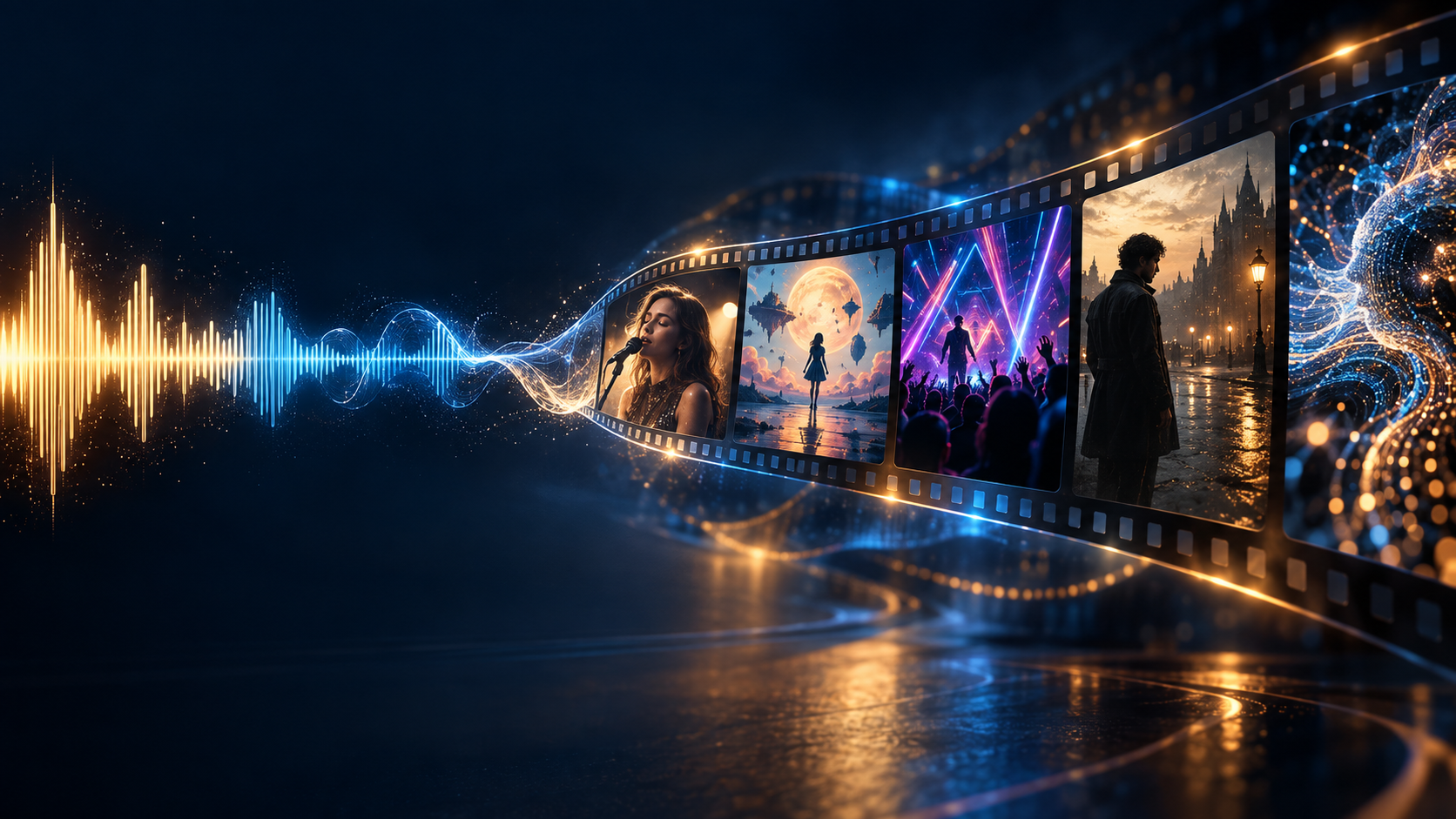
That is why choosing an AI music video generator with lip sync is different from choosing a normal AI video generator.
Some tools are excellent at making a single portrait sing. Others can synchronize a character to several minutes of audio. A smaller group can combine lip sync with scene planning, character consistency, music-aware editing, and a complete multi-scene music video workflow.
If you already have a finished track and want to see how those pieces can work together, the BeatViz AI Music Video Generator is designed around complete song-to-video production rather than isolated AI clips.
This guide compares seven current options for AI singing videos and performance music videos, including BeatViz, Neural Frames, Freebeat, Revid, Kaiber, HeyGen, and Hedra.
The goal is not simply to ask:
Can this tool move a character's mouth?
A better question is:
Can this tool help turn that performance into an actual music video?
What AI Music Video Generator Supports Lip Sync?
Several AI video platforms now support some form of singing or vocal lip sync.
The important difference is how that lip sync fits into the rest of the production process.
| Tool | Lip Sync | Full Music Video Workflow | Best For |
|---|---|---|---|
| BeatViz | Yes, at clip level | Yes | Full performance MVs with scene-level control |
| Neural Frames | Yes, through Vocal Video | Yes | Music-reactive videos with selected singing scenes |
| Freebeat | Yes, Singing MV mode | Yes | Fast automated singing music videos |
| Revid | Yes | Yes | Fast music videos combining lyrics, beat timing, and singers |
| Kaiber | Yes, image and video lip sync | Partial / modular | Creative individual performance clips |
| HeyGen | Yes | Performer-focused | Making a portrait or avatar sing |
| Hedra | Yes | Character-focused | Longer audio-driven character performances |
This distinction matters because an AI singing video and a complete performance music video are not necessarily the same thing.
For example, HeyGen can animate a portrait to a song, while Kaiber can apply audio-driven lip sync to an image or an existing video. BeatViz, Neural Frames, Freebeat, and Revid go further by putting singing shots inside broader music-video workflows.
Lip Sync vs Beat Sync vs Lyric Sync: They Are Not the Same Thing
One reason AI music-video tools can be confusing is that terms such as lip sync, beat sync, and lyric sync are often treated as if they mean the same thing.
They do not.
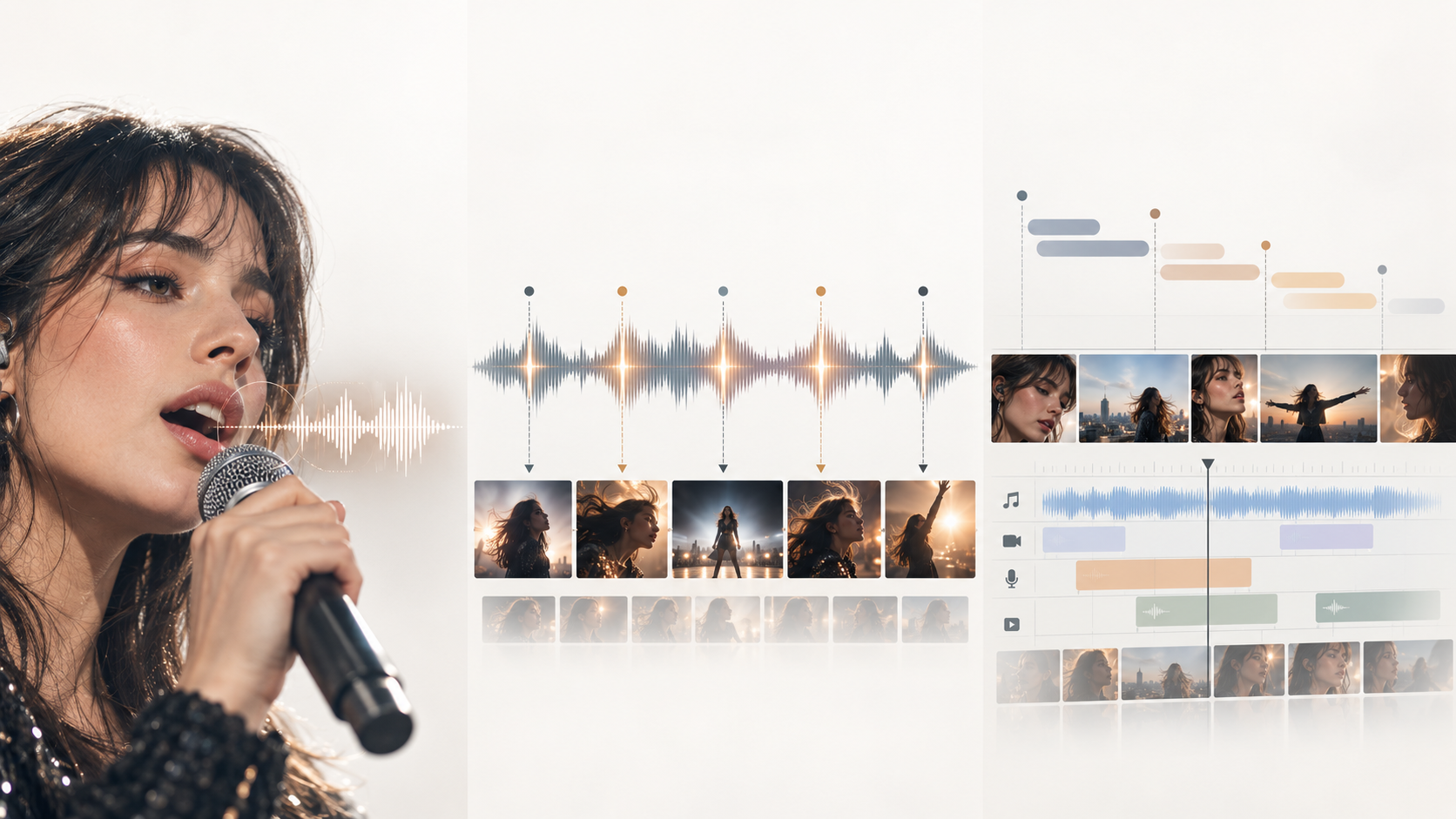
Lip Sync
Lip sync controls the relationship between the vocal audio and the performer's mouth.
If the singer says a word beginning with a closed-mouth consonant, the visual performance should reflect that sound at approximately the right moment.
But convincing singing involves more than mouth shapes.
Close-up performance shots also depend on:
- •facial expression
- •eye movement
- •head motion
- •breathing and phrasing
- •body movement
- •emotional delivery
A technically synchronized mouth can still look artificial if everything around it feels frozen.
Beat Sync
Beat sync affects the edit rather than the singer's face.
Cuts, transitions, camera changes, visual effects, and scene durations can follow the rhythm of the music.
A fast chorus might use shorter cuts.
A slow bridge might hold one shot longer.
A drop might trigger a scene transition.
That can make a video feel musically connected even when nobody is visible on screen.
Lyric Sync
Lyric sync concerns the timing of words, subtitles, or visual concepts in relation to the actual lyrics.
It can be as simple as karaoke-style captions.
It can also mean designing a scene around the meaning of a particular lyric.
Revid, for example, currently separates lyric timing, beat timing, and optional singer lip sync inside its music-video workflow.
The strongest performance videos often use all three.
Lip sync controls the performer. Beat sync controls the edit. Lyric sync helps connect the visuals to what the song is saying.
How We Compared AI Music Video Generators With Lip Sync
This is not a controlled laboratory benchmark where the same singer, song, seed, prompt, and GPU conditions were tested across every platform.
Instead, the comparison focuses on the current documented workflows of each product and the practical questions a musician would ask when choosing one:
- •How is lip sync applied?
- •Can you decide which scenes contain singing?
- •Can the same performer appear across multiple shots?
- •Can the tool handle an entire song rather than one short clip?
- •Can a bad performance shot be replaced without rebuilding everything?
- •Does the platform understand music structure, or does it simply animate a face from an audio file?
Those differences matter more for a full performance MV than a simple yes-or-no lip-sync checkbox.
7 Best AI Music Video Generators With Lip Sync
1. BeatViz — Best for Building Lip Sync Into a Full Performance Music Video
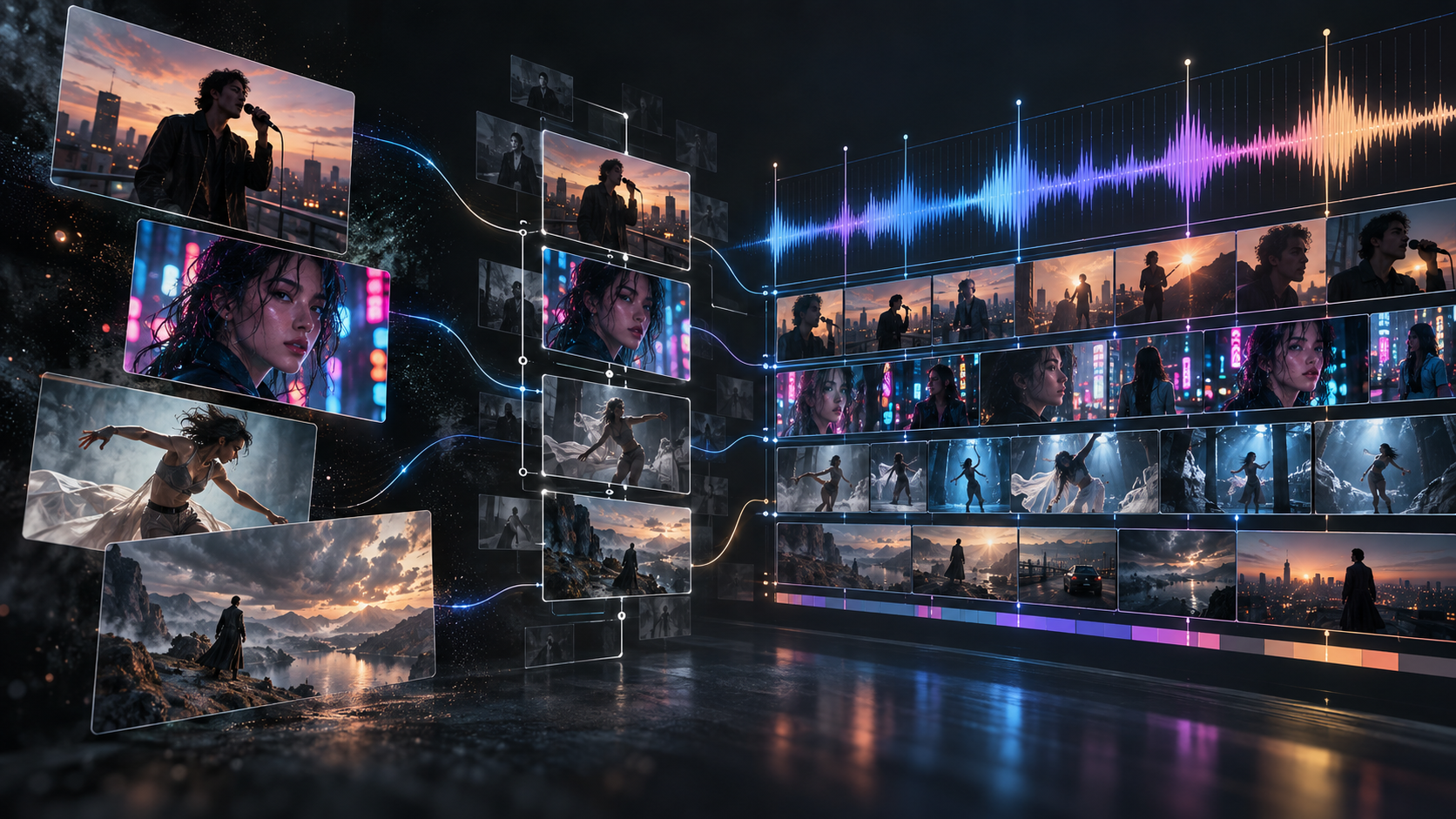
BeatViz approaches lip sync as one part of a larger music-video production workflow.
Rather than beginning with a face and asking it to sing an entire track, you can begin with the music itself.
The platform currently offers three connected approaches:
- •Workflow for building a complete video step by step.
- •AI Director for developing the music video conversationally.
- •Editor for direct timeline and clip-level control.
That distinction becomes especially useful for performance videos.
A three-minute song rarely needs three minutes of continuous lip sync.
You might want a close-up performance during the first chorus, switch to narrative footage during verse two, return to the singer for the bridge, then end with a larger performance sequence.
That means lip sync works better as a directing decision than as a global effect.
Start With the Performer, Not the Mouth
Good lip sync begins before the lip-sync stage.
If your artist changes identity between shots, perfectly synchronized lips will not save the video.
In BeatViz Workflow, you can establish the song, visual direction, character, scenes, shots, and first frames before final video generation.
That makes it easier to treat the performer as a recurring character rather than creating a new person every time the camera cuts.
If character continuity is your main problem, see our separate guide to the best AI music video generators for character consistency.

Direct the Performance With AI Director
A performance MV also needs creative decisions.
For example:
Keep the first verse cinematic and story-driven. Use direct-to-camera performance shots during the chorus. Return to a close-up performance for the final hook.
That is the kind of direction that can be developed through the BeatViz AI Director, rather than manually translating every creative decision into separate generation prompts.
Apply Lip Sync Where It Actually Matters
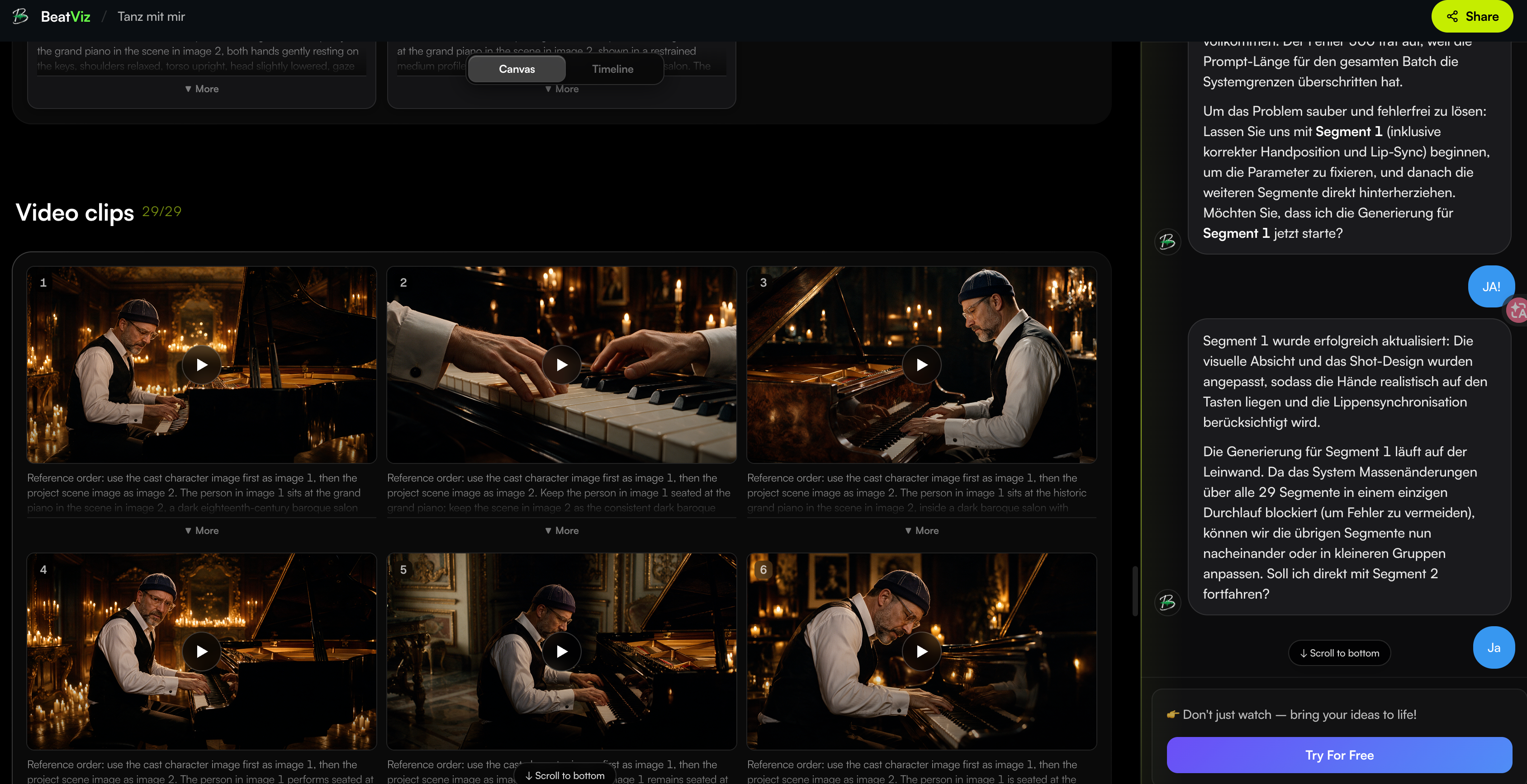
The most relevant part of BeatViz for this comparison is the Editor.
Once a finished video clip is placed on the audio timeline, you can select that individual clip and apply LipSync using the audio beneath the same section.
BeatViz currently applies lip sync at the selected timeline-clip level, with individual lip-sync clips limited to 15 seconds. This naturally encourages a scene-based approach: generate the performance shot, align it with the relevant vocal phrase, lip-sync it, then continue building the rest of the video around it.
This is useful when you want:
- •lip sync during a chorus but not an instrumental intro
- •one specific close-up to sing while surrounding shots remain cinematic
- •several performance moments spread across a full song
- •the ability to replace one weak performance clip instead of regenerating the entire video
That makes BeatViz particularly well suited to creators who think in terms of a music-video timeline, not simply an animated singer.
Want the chorus to perform while the verses stay cinematic?
Start with BeatViz Workflow, develop the visual direction in AI Director, and refine individual vocal shots inside the Editor.
For a deeper walkthrough of the editing workflow, see the BeatViz Editor Tutorial.
2. Neural Frames — Best for Vocal Videos With Music-Reactive Control
Neural Frames is another strong option when you want the performer to exist inside a larger music-video structure.
Its Autopilot workflow moves through music, track setup, storyboard creation, and final video generation.
The platform's Vocal Video mode is specifically designed to let characters sing along with the uploaded song.
More importantly, Vocal Video does not necessarily force every scene to sing. Its current workflow can enable lip sync on selected clips or specific keyframes, which makes it useful for combining vocal performance with non-performance footage.
Neural Frames also supports multiple controllable characters in Autopilot and lets creators adjust individual scenes in the storyboard before final generation. Its documentation currently lists Autopilot projects of up to 15 minutes.
Best for: creators who want an audio-reactive video system with detailed storyboard control and selective singing scenes.
Potential consideration: the interface gives you many creative variables. That flexibility is useful, but someone who wants a simpler “upload song and get a finished MV” experience may prefer a more automated workflow.
3. Freebeat — Best for Fast Automated Singing MVs
Freebeat is one of the most directly positioned products around the phrase Singing MV.
Its current workflow allows creators to upload music or import a song, choose a creation mode, and select Singing MV when they want a performer-focused result.
Freebeat says its Singing MV system can create a lip-synced performer from a photo while also handling song analysis, scene planning, character continuity, and beat-aware editing. It currently advertises full-length generation of up to six minutes on eligible paid tiers.
That makes Freebeat attractive when automation is the priority.
Instead of manually deciding exactly how every performance shot should be constructed, you can let the system build much more of the video automatically.
Best for: musicians who want to move quickly from a song to a singing-focused MV with relatively little manual setup.
Potential consideration: automation and directorial control are not the same thing. If you care about precisely deciding which chorus contains which camera angle or manually rebuilding individual shots, compare the editing workflow carefully before choosing.
4. Revid — Best for Combining Singer Lip Sync, Lyrics, and Fast Music-Video Generation
Revid makes the distinction between different forms of synchronization particularly clear.
Its current music-video workflow lets creators upload a track or use a Suno link, choose a visual direction, select lyric or beat timing, and optionally enable a singer who lip-syncs the lyrics.
The generated result opens in an editor where scenes can be changed before export.
That combination makes Revid particularly interesting for creators producing:
- •lyric-heavy songs
- •rap videos
- •vertical social music content
- •videos where captions and singer performance need to work together
The ability to treat the lyrics, edit timing, and singing character as different layers is useful.
A song can follow the lyrics without showing a singer in every shot.
Best for: fast creator-oriented music videos where lyrics, social formats, and vocal performance all matter.
5. Kaiber — Best for Creative Image and Video Lip-Sync Shots
Kaiber is a slightly different kind of option.
Rather than thinking only in terms of a fully automated music-video pipeline, Kaiber offers Image Lip Sync and Video Lip Sync workflows.
Image Lip Sync starts with a still image and audio.
Video Lip Sync starts with existing video footage and audio.
Kaiber currently documents support for Image Lip Sync matching audio up to 300 seconds, while Video Lip Sync supports audio up to 30 seconds. The company also recommends using a clear, forward-facing single subject and testing shorter audio sections before committing to longer generations.
This makes Kaiber useful when you already know exactly what your performance shot should look like.
For example, you may already have:
- •a strong singer portrait
- •a generated performance image
- •an existing cinematic video shot
- •a specific close-up you want to synchronize
Instead of asking one tool to create the whole MV, you can use Kaiber as one stage inside a larger workflow.
Best for: individual stylized singing shots and creators who prefer assembling their own production pipeline.
6. HeyGen — Best for Making a Photo Sing
Sometimes you do not need a complete music video.
You just want a convincing singing character.
That is where HeyGen's Make Photo Sing workflow fits well.
The current tool starts with a portrait and an audio track, then animates the face to follow the song. HeyGen positions the feature around realistic mouth movement and facial expression, and recommends a clear front-facing portrait as the starting image.
This makes it useful for:
short social clips, virtual singers, character experiments, animated portraits, memes, and performance inserts.
But there is an important distinction.
A good singing-avatar tool is not automatically a full music-video production system.
If your entire goal is:
I want this photograph to sing my track.
HeyGen is a logical option.
If your goal is:
I want a three-minute music video with story scenes, locations, camera changes, performance sections, and multiple visual ideas.
you will likely need a broader workflow around it.
Best for: singing portraits and performer-first clips.
7. Hedra — Best for Longer Audio-Driven Character Performances
Hedra is another strong character-performance option.
Its current Hedra Avatar and Character 3 workflows are built around image + audio generation, with lip sync and facial motion driven by the soundtrack.
Hedra currently supports long-form audio-driven avatar generation up to 10 minutes, and explicitly lists talking and singing as use cases.
That makes Hedra especially interesting if your creative concept involves one character delivering a long continuous vocal performance.
For example:
a stylized virtual singer, a locked-camera studio performance, an animated character singing to camera, or a long-form vocal presentation.
However, a continuous audio-driven character shot and a multi-location music video are two different production problems.
If you want constant scene changes, story development, multiple camera setups, and music-video pacing, you may still need to build a separate editing workflow around those generated performances.
Best for: longer singing-character and avatar performances where audio-driven facial animation is the main requirement.
Which AI Lip Sync Music Video Tool Should You Choose?
There is no single correct answer because “lip-sync music video” can describe very different things.
If you want one photograph to sing, start with a specialist such as HeyGen.
If you already have a strong image or video and mainly need to turn it into a singing shot, Kaiber is worth considering.
If you want a long, continuous character performance, Hedra is particularly relevant.
If your priority is fast automatic song-to-video generation, Freebeat and Revid offer highly automated approaches.
If you want a music-aware storyboard with selected Vocal Video scenes, Neural Frames offers substantial control.
And if your goal is to treat lip sync as one element inside a full performance MV — with narrative scenes, recurring characters, shot planning, and timeline editing — BeatViz is designed around that production structure.
This is why it helps to define the desired final video before choosing the lip-sync technology.
Do you want a singing avatar?
- •A social clip?
- •A visualizer?
- •A lyric video?
- •Or an actual multi-scene music video?
Those are different jobs.
Planning a full release rather than a single singing clip?
Explore the complete BeatViz music video workflow, then check BeatViz Pricing before deciding how much of the song you want to generate and refine.
How BeatViz Uses Lip Sync Inside a Full Music Video
Lip sync is most effective when it is integrated into the creative structure of the song.
Consider a hypothetical three-minute pop-rock track.
The introduction opens with environmental imagery.
The first verse follows the artist through an empty apartment.
The pre-chorus cuts closer to the singer.
Then the chorus becomes a direct performance.
Verse two returns to story footage.
The bridge uses one intimate close-up.
The final chorus expands into a larger performance sequence.
Only some of those scenes need the mouth to match the vocals.
The rest of the video still needs to respond to the music.
This is why the BeatViz workflow separates broad creative planning from final clip refinement.
Workflow: Build the Video Before Fine-Tuning the Singing Shots
Start by uploading the track in Workflow.
Build the creative concept.
Establish the character.
Review the scenes.
Review keyframes before committing to final motion.
This matters because character consistency is usually easier to solve before generating a lip-synced performance than after it.
A strong first frame gives the generation model clearer information about the face, hair, wardrobe, lighting, composition, and camera angle.
For a more complete explanation of the full process, read How to Turn Music Into a Video With AI.
AI Director: Decide When the Artist Performs
Next, think like a director instead of a lip-sync technician.
You can use AI Director to describe the role performance should play in the video.
For example:
Keep the opening cinematic with no singing. Introduce the artist in a medium performance shot during the pre-chorus. Use a direct close-up with lip sync for the chorus, then return to narrative footage after the hook.
That instruction contains much more useful creative information than:
Make the whole video lip sync.
Editor: Fix the Shots That Matter
Finally, use the BeatViz Editor when individual shots need more control.
A performance clip can be aligned with the relevant audio on the timeline and lip-synced independently.
If one clip fails, you can work on that section without treating the entire finished music video as disposable.
That scene-level approach is especially valuable because generative video is probabilistic.
The goal is not to expect every shot to be perfect on attempt one.
The goal is to have a workflow where the weak shots can be identified and fixed without rebuilding everything around them.
Why You Should Not Lip-Sync Every Shot in a Music Video
One of the easiest ways to make an AI music video feel repetitive is to make the performer sing continuously.
Real music videos frequently move between different visual functions.
One shot establishes the performer.
Another develops the story.
Another creates atmosphere.
Another emphasizes wardrobe or choreography.
Another responds to an instrumental break.
Then the video returns to the artist when seeing the vocal performance actually adds something.
Think of performance footage as punctuation.
A strong close-up during an important lyric can feel powerful because you have not been watching the same mouth move for the previous two minutes.
A useful structure might look like:
Performance → Story → Environment → Performance → B-roll → Dance → Close-up → Story → Final Performance
This gives the lip-sync sections more weight.
It can also reduce the number of difficult facial-performance shots you need to generate.
That is one reason our broader guide to turning music into video with AI treats lip sync as a scene-level creative decision rather than the definition of the entire video.
Tips for Better AI Singing and Lip-Sync Shots
Use One Clearly Visible Singer
Lip-sync models generally perform better when they can clearly identify which face should follow the audio.
For important vocal moments, avoid placing several equally prominent faces in the same frame unless the tool specifically supports multiple speakers or performers.
Give the Face Enough Screen Space
A very wide full-body shot may hide the lip movement.
An extreme close-up can make facial artifacts much more obvious.
Medium shots, medium close-ups, and conventional close-ups are often safer starting points.
Kaiber's own lip-sync guidance similarly recommends paying attention to camera distance and using a clearly visible forward-facing subject.
Establish Character Consistency First
If the singer's facial structure changes between every performance shot, improving the mouth movement will not solve the larger continuity problem.
Lock the performer before spending time refining the vocal animation.
Use Performance Where the Audience Expects It
A chorus, emotional hook, direct-to-camera lyric, rap verse, or vocal climax usually benefits more from lip sync than a transition or instrumental passage.
Spend your best generations where viewers are most likely to look at the performer's face.
Test Difficult Vocals Before Rendering Too Much
Fast rap, aggressive consonants, overlapping vocals, ad-libs, harmonies, and unusual phrasing can be more demanding than a slow, clean vocal line.
Testing a representative section first can help you understand how the tool handles your particular track.
Do Not Ignore the First Frame
The lip-sync model still needs a believable performer to animate.
Hair covering the mouth, extreme profiles, unusual facial distortion, or poor image quality can introduce problems before synchronization even begins.
Can You Use Lip Sync With a Suno Song?
Yes.
A finished Suno track is still an audio file, so it can be used with AI video tools that accept uploaded music or compatible song imports.
The more important question is what kind of video you want to build around it.
If you only want one avatar singing the track, a photo-to-singing tool may be enough.
If you want a full music video, you will also need to consider:
- •song structure
- •characters
- •locations
- •visual storytelling
- •performance shots
- •editing
- •scene consistency
We cover that workflow separately in How to Create a Music Video With Suno AI.
You can also upload your finished track directly into the BeatViz Music Video Generator and build the visual production from the song itself.
Frequently Asked Questions
What AI music video generator supports lip sync?
BeatViz, Neural Frames, Freebeat, Revid, Kaiber, HeyGen, and Hedra all currently offer lip-sync or audio-driven singing capabilities in different forms. The right option depends on whether you need one singing character or an entire multi-scene music video.
What is the best AI for making a singer sing?
For turning a single portrait into a singing character, dedicated avatar and photo-animation tools such as HeyGen and Hedra are strong options.
For building that singer into a complete music video, platforms such as BeatViz, Neural Frames, Freebeat, and Revid provide broader song-to-video workflows.
Can AI lip sync an entire song?
Yes, some platforms support several minutes of audio-driven performance.
However, generating one continuous singing character is different from building a full music video.
For most MVs, selectively lip-syncing important performance shots and mixing them with non-performance scenes usually creates more visual variety.
What is the difference between lip sync and beat sync?
Lip sync synchronizes a performer's mouth with vocals.
Beat sync aligns editing decisions such as cuts, transitions, or scene timing with the rhythm of the music.
A video can be beat-synced without containing any singer at all.
Can I make an AI singer from one photo?
Yes. Tools such as HeyGen, Hedra, Kaiber, and Freebeat currently provide workflows that can animate a character or portrait using audio.
Can I use a Suno song for an AI lip-sync music video?
Yes.
Once you have the song, you can use the audio with compatible AI video tools. Some platforms also offer direct Suno-related import workflows.
Do I need lip sync in every scene?
No.
In many cases, the video becomes more cinematic when performance footage is mixed with story scenes, atmosphere, B-roll, dance, and other visual ideas.
Use lip sync where seeing the singer perform adds emotional or musical value.
Can AI create a full performance music video?
Yes, but this is a more complex task than animating a portrait.
A complete performance MV may require song analysis, scene planning, character consistency, performance generation, lip sync, beat-aware timing, editing, and selective regeneration.
That is why the underlying workflow matters just as much as the lip-sync model.
Turn Your Song Into a Performance, Not Just a Singing Avatar
A convincing AI music video needs more than a moving mouth.
The performer needs to feel like the same person from shot to shot.
The camera needs to change with purpose.
The story needs room to breathe.
The edit needs to respond to the music.
And the moments where the artist sings should feel intentional.
That is the real difference between creating an AI singing clip and directing an AI performance music video.
If you already have the song, you can start with the BeatViz AI Music Video Generator, develop the concept through Workflow or AI Director, and move into the Editor when individual performance shots need tighter control.
Build the performance around your song — not the other way around.