5 Best AI Music Video Generators for Full Songs in 2026
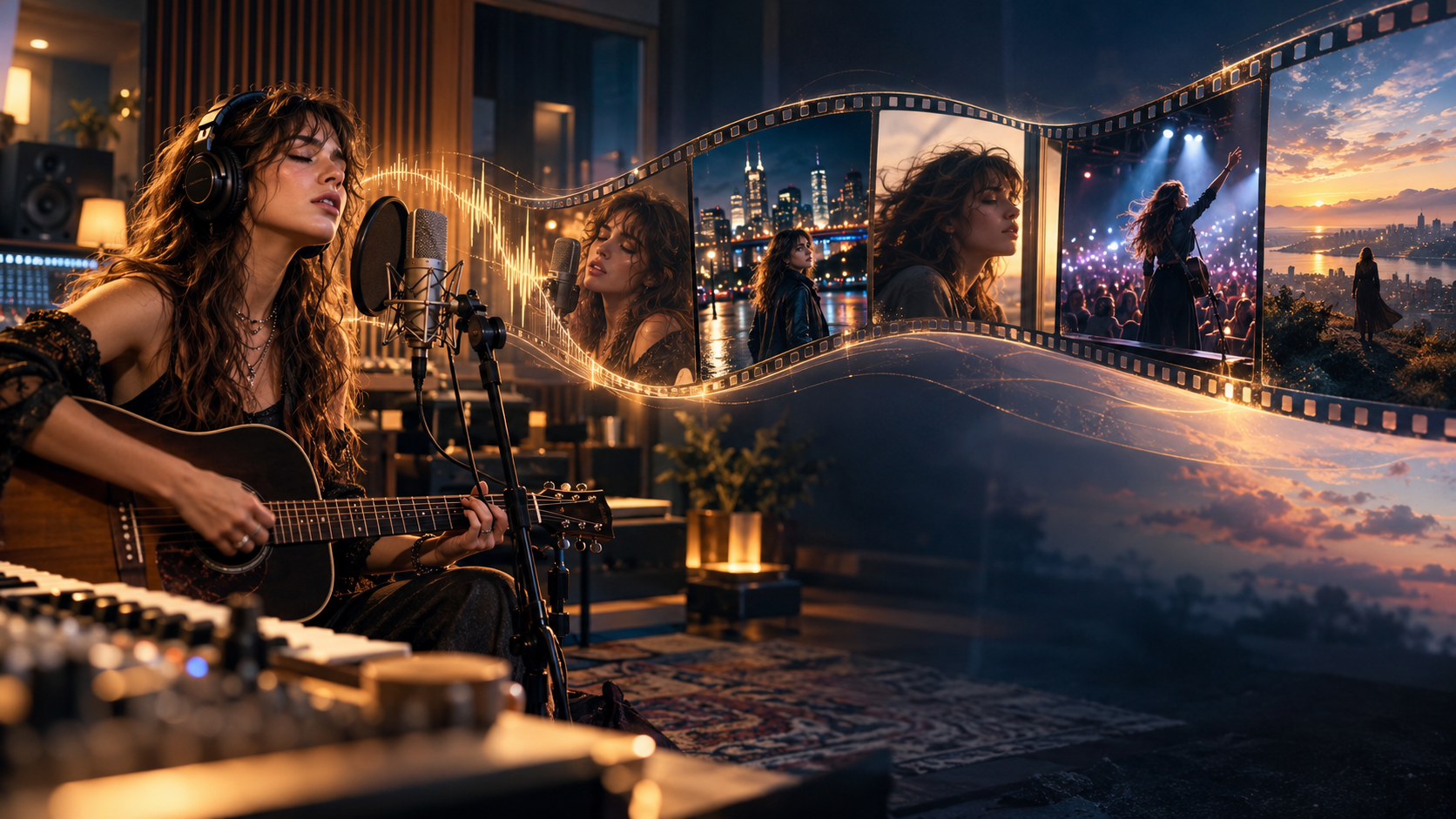
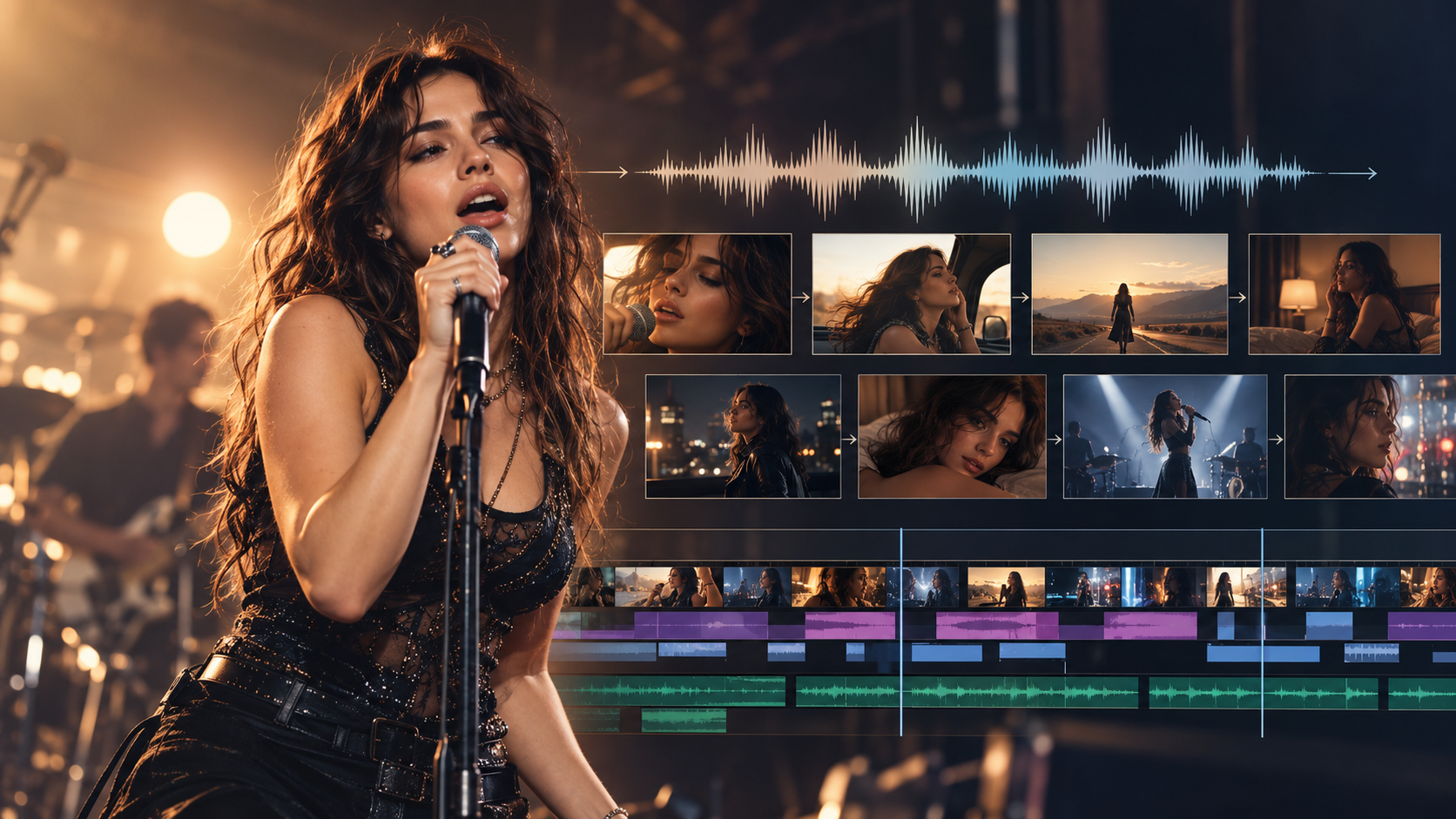
BeatViz is a strong choice for turning a finished song into a complete AI music video because it combines music analysis, scene planning, AI generation, and timeline editing. Runway is better suited to cinematic individual shots, Adobe Firefly offers a flexible generation-and-editing workspace, CapCut helps with beat-synced assembly, and Canva is a practical option for lyric videos and simpler music visuals.
But there is an important difference between generating a beautiful 10-second AI clip and producing a coherent music video for an entire three-minute song.
A full-length music video needs multiple scenes, consistent characters, intentional transitions, and visuals that develop alongside the music. It also needs a practical way to replace weak shots without rebuilding everything.
So, which is the best AI music video generator for full songs in 2026?
We compared five tools based on how they support the complete production process, from a finished audio track to an exportable video.
Editorial disclosure: This comparison is published by BeatViz, which is included among the tools reviewed. Recommendations are based on documented product features and intended workflows, not a controlled hands-on benchmark of all five products.
Quick Answer: Which AI Music Video Generator Is Best for Full Songs?
If you already have a finished track and want to create a complete music video, BeatViz offers one of the most directly relevant workflows. It starts with the song itself and helps organize the production into connected scenes rather than leaving you to manage every short video clip independently.
However, the best choice depends on how much manual editing you want to do.
| Tool | Best For | Approach to Full Songs | Main Trade-Off |
|---|---|---|---|
| BeatViz | Complete, music-first AI music video production | Analyze the song, plan scenes, generate footage, refine, and assemble | Credit usage increases with video generation and revisions |
| Runway | Cinematic AI-generated shots | Generate short shots and assemble them into a longer edit | Full-song planning and assembly require additional work |
| Adobe Firefly | AI video generation and timeline editing | Generate and import footage, then build the video on a timeline | More hands-on production |
| CapCut | Beat-synced music video editing | Combine visuals, AI tools, music, and rhythm-based cuts | Advanced narrative consistency still needs planning |
| Canva | Lyric videos and simple music visuals | Combine music, text, animation, templates, and footage | Less suited to complex AI-generated performances |
Our recommendation: Choose BeatViz if you want the song to guide the production from the beginning. Choose Runway or Adobe Firefly if your priority is designing individual shots. Consider CapCut or Canva if your project relies more on editing, lyrics, existing footage, or animated graphics.
Already have a finished track?
Explore how the BeatViz AI music video generator helps turn a song into a structured visual production.
What Makes an AI Music Video Generator Suitable for Full-Length Songs?
Not every tool advertised as an AI video generator is designed to create an entire music video.
Some tools generate individual clips. Others edit existing footage, synchronize visual effects with audio, or create animated lyric videos.
All of these approaches can be useful. But they solve different problems.
Full-Song Planning vs. Short AI Video Clips
A full-length AI music video generator should help you work with the structure of the entire song rather than treating every shot as a separate creative task.
Imagine a three-minute track with an atmospheric introduction, two verses, a repeated chorus, a bridge, and a final emotional performance.
A short-clip generator can create footage for each section. However, the creator still needs to decide how those clips relate to one another.
A music-first production workflow can help establish that structure before generation begins.
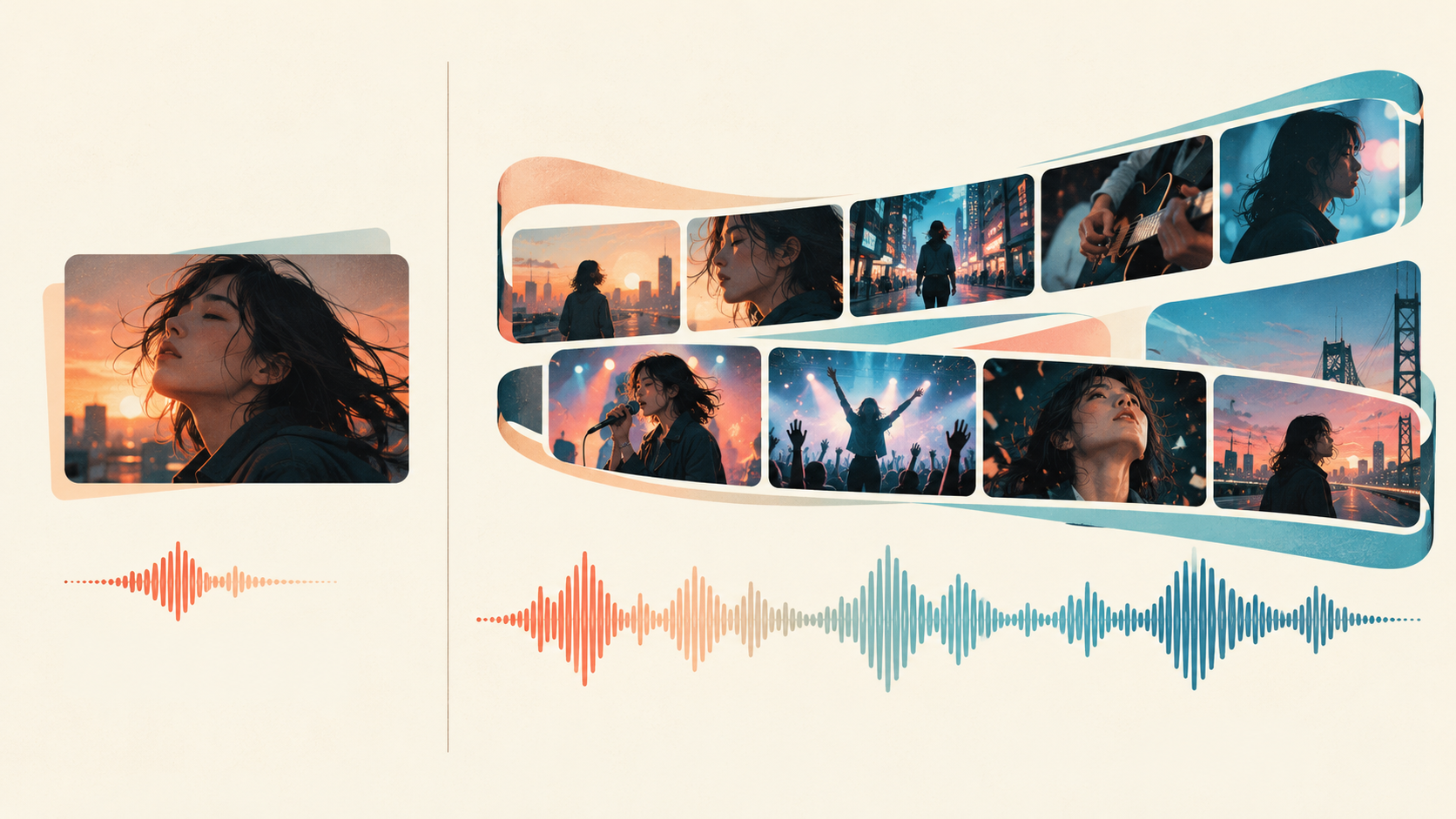
Music Synchronization and Visual Continuity
Music videos depend on more than cutting to every beat.
Strong synchronization involves matching visual intensity, movement, and transitions to the changing energy of a song.
A quiet verse might use slow camera movement and intimate close-ups. A chorus might introduce faster cuts, brighter lighting, and larger performance scenes.
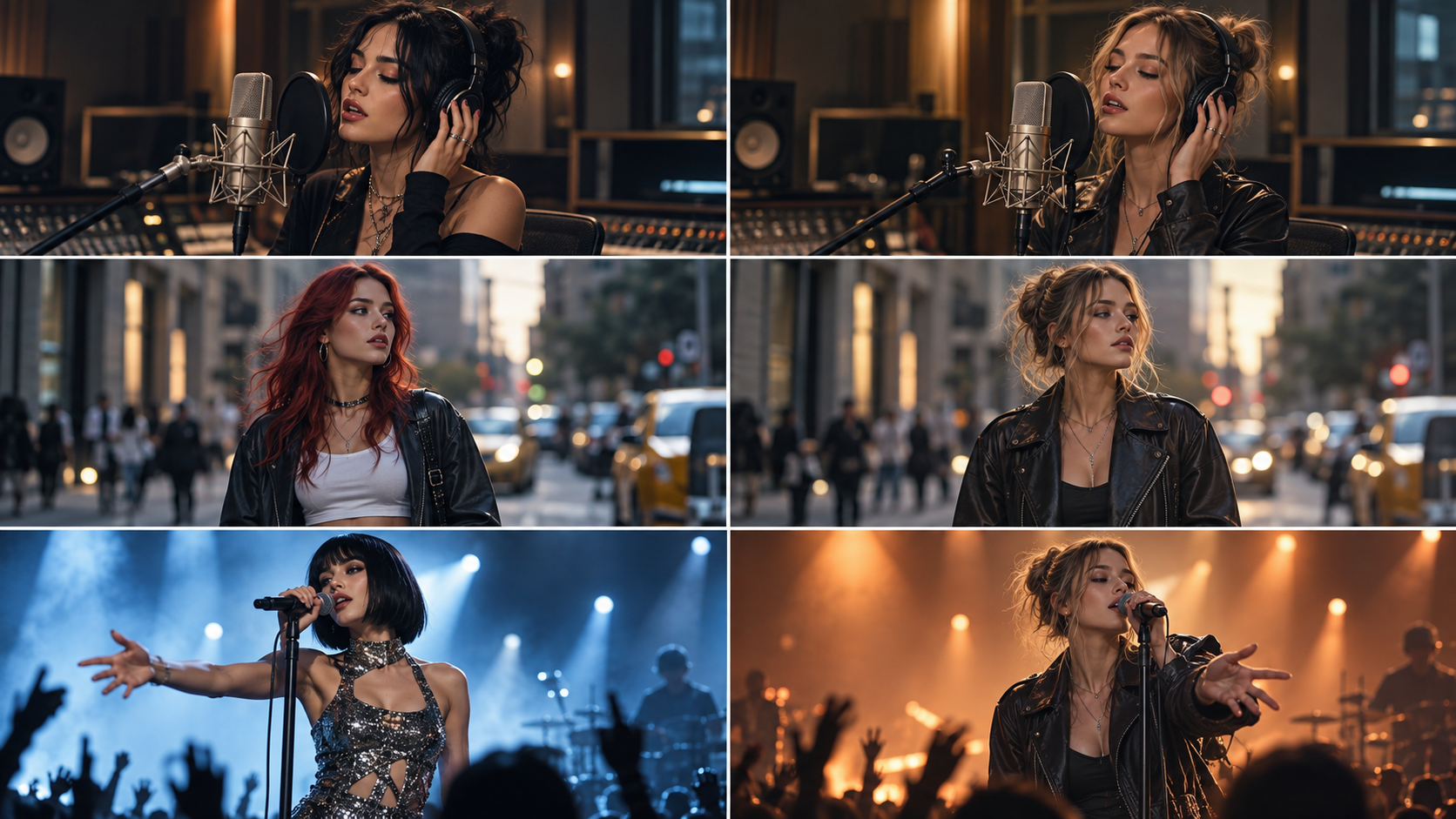
For character-driven videos, visual continuity matters just as much. The same singer should remain recognizable as the camera angle, background, and setting change.
This is why reference images, storyboards, and scene-level editing are valuable features in longer projects.
Editing Individual Scenes Without Restarting
One weak shot should not require regenerating an entire three-minute music video.
Before choosing a tool, check whether you can replace clips, adjust scene order, control timing, and refine specific moments.
Also check how the final video is exported. A generated preview is not necessarily the same as a finished, properly synchronized MP4.
For a full-song project, the entire workflow matters more than the quality of a single demonstration clip.
5 Best AI Music Video Generators for Full Songs in 2026
The following tools offer five different ways to approach full-song video production.
1. BeatViz — Best for Complete AI Music Video Production
Best for: Independent musicians, AI music creators, and artists who want to transform a complete song into a multi-scene music video.
BeatViz is designed around music-first video production. Instead of beginning with an isolated video prompt, creators can upload a song and develop its visual direction across connected stages.
Its main advantage for longer songs is the combination of three creation approaches: Workflow, AI Director, and Editor.
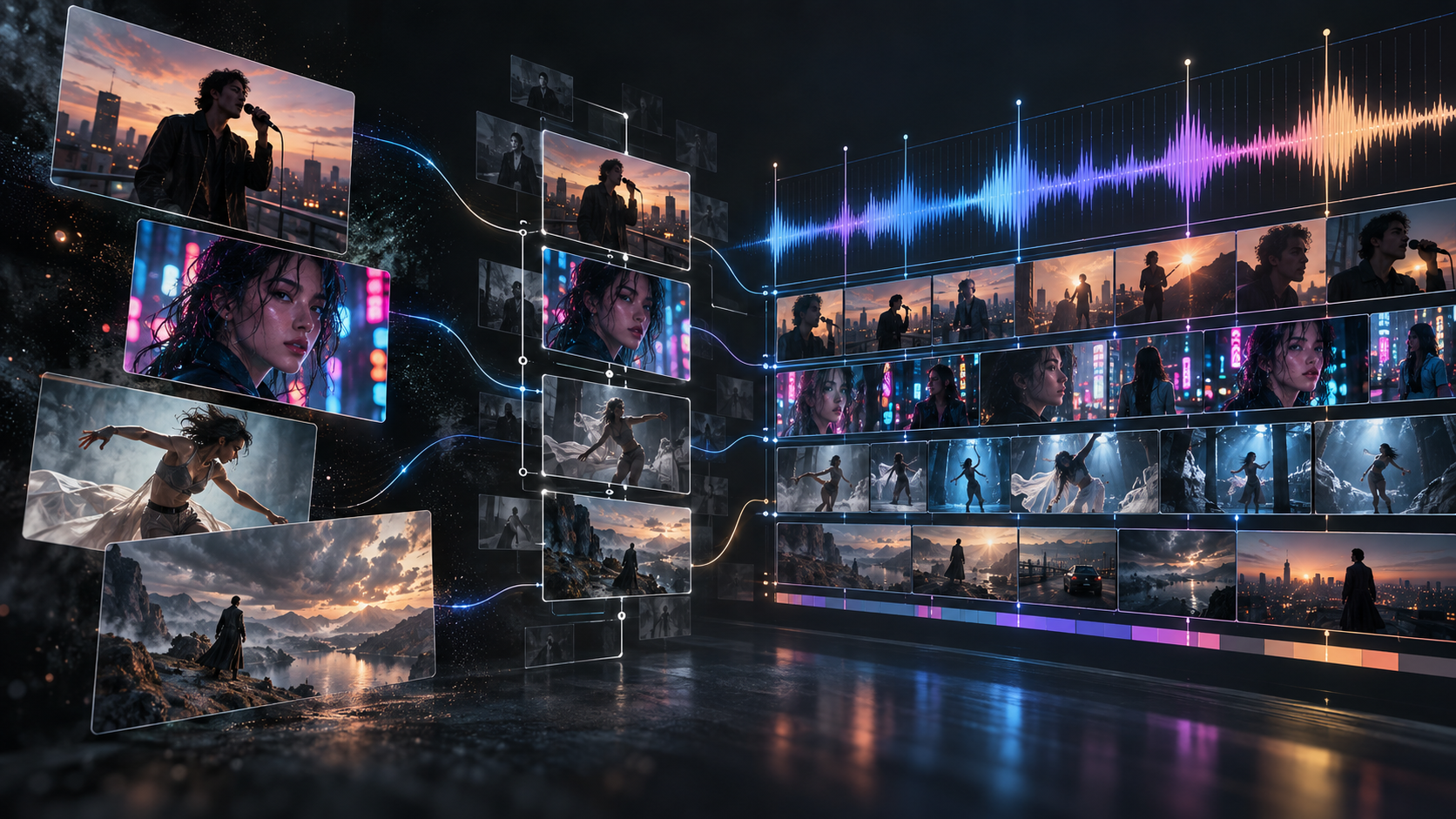
With Workflow, users can move through music analysis, creative planning, character and scene development, storyboarding, first-frame generation, and video production.
The AI Director provides a more conversational way to plan and revise a video. The Editor offers manual control over generated clips and their placement on the audio timeline.
These features are especially relevant when making a three-minute music video with recurring characters, several locations, and different visual moods.
What BeatViz does well
- •Starts with an uploaded song rather than an isolated visual prompt.
- •Organizes the project into stages before committing to final video generation.
- •Supports character references and scene planning for more consistent visuals.
- •Provides conversational direction and timeline-based editing.
- •Allows individual scenes to be revised instead of treating the entire result as one unchangeable video.
Limitations
- •BeatViz uses credits for generation, and a longer project with many regenerated shots can consume more credits than expected.
- •Character consistency and lip sync are also not automatic guarantees. Reference images, clear scene direction, and visual review remain important.
Full-song verdict: BeatViz is one of the most practical choices in this comparison for creators who want to manage the complete music video production process inside a music-focused platform.

2. Runway — Best for Cinematic AI Video Shots
Best for: Filmmakers and artists who want to direct individual AI-generated scenes with detailed visual and camera instructions.
Runway is a general-purpose generative video platform with tools for text-to-video and image-to-video production.
Its strength is the ability to create visually ambitious short shots. A musician might use Runway to generate a dramatic concert opening, a surreal performance sequence, or a cinematic environment that would be expensive to film traditionally.
According to Runway's published Gen-4.5 documentation, that model supports generated video durations of 2–10 seconds.
For a three-minute music video, the creator therefore needs to produce a series of shots and connect them into a longer sequence.
This is not necessarily a disadvantage. Some artists prefer having complete control over the design and timing of individual shots.
However, it means full-song structure, continuity, and final assembly remain important production tasks.
What Runway does well
- •Offers detailed control through visual prompts and reference images.
- •Supports cinematic camera movement and stylized visual concepts.
- •Works well for distinctive, individually directed AI shots.
- •Can supply high-impact footage for a larger music video project.
Limitations
- •Runway's short-form generation workflow is not equivalent to automatically organizing an entire uploaded song into a complete, synchronized music video.
- •Creators should account for shot planning, repeated generations, editing, and audio synchronization.
Full-song verdict: Runway is a strong choice when individual shot quality and creative direction matter more than a guided song-to-video workflow.
3. Adobe Firefly — Best for AI Video Generation and Timeline Editing
Best for: Creators who want to combine generated footage, existing visual assets, and manual editing.
Adobe Firefly offers AI-powered creative tools, including video generation.
Its Firefly Video Editor, available in beta at the time of writing, supports projects with video, image, and audio assets arranged on a timeline.
Adobe's official documentation describes how clips can be arranged, trimmed, and edited to build a longer sequence.
For musicians, this creates a useful hybrid workflow.
You can produce several AI-generated scenes, import additional footage, add the finished song, and manually organize the visual timeline.
For example, an artist might generate atmospheric background footage with Firefly, combine it with recordings of a real performance, and edit the complete sequence around the chorus and verses.
What Adobe Firefly does well
- •Combines AI-generated content with existing visual assets.
- •Provides an editing timeline for arranging longer video sequences.
- •Offers flexibility for mixed-media music video production.
- •Fits creators who want direct control over the final edit.
Limitations
- •Firefly is not primarily a dedicated song-to-video director. The creator remains responsible for determining the overall story, planning the song's visual structure, and ensuring consistency.
- •The Video Editor is also a beta feature, so capabilities and availability may evolve.
Full-song verdict: Adobe Firefly is attractive for musicians who enjoy hands-on editing and want to combine AI generation with an organized production timeline.
4. CapCut — Best for Beat-Synced Music Video Assembly
Best for: Social media creators, musicians, and editors who already have visuals and want to make them move naturally with a song.
CapCut combines accessible video editing with AI-assisted creative features.
Its music video tools can help creators assemble footage, work with lyrics, apply transitions, and synchronize editing decisions with music.
One particularly relevant feature is Auto Cut, which can analyze music and footage to produce rhythm-based edits.
According to CapCut's documentation, Auto Cut is supported on desktop and mobile, while the web version does not offer the same functionality. Some features may also depend on region or application version.
For a complete song, CapCut is useful when you already have performance footage, stock video, or a collection of AI-generated clips.
Instead of producing every scene manually on a professional editing timeline, you can use its tools to accelerate parts of the assembly process.
What CapCut does well
- •Makes editing and synchronization accessible to beginners.
- •Provides AI-assisted tools for music-focused video creation.
- •Supports lyrics, transitions, filters, and visual effects.
- •Works well for combining existing footage into a finished sequence.
Limitations
- •Beat-aware cutting does not automatically create a coherent narrative. A complete music video may still require separately generated footage, character planning, and manual scene selection.
Full-song verdict: CapCut is a practical option for turning prepared visuals into a rhythmically edited song video, particularly when speed and editing simplicity matter.
5. Canva — Best for Lyric Videos and Simple Music Visuals
Best for: Musicians who need an attractive full-song video without generating dozens of cinematic performance scenes.
Canva offers a different approach to music video creation.
Instead of focusing on AI-generated characters and cinematic shot production, Canva makes it easy to combine music, images, footage, text, animation, and design templates.
Its music video maker also offers AI-powered media features. Canva's Beat Sync feature can help match footage to music, with availability dependent on the plan.
This makes Canva particularly appealing for projects such as lyric videos, visualizers, ambient music uploads, and promotional videos built around album artwork.
For example, an independent singer could build a three-minute lyric video using animated typography, photographs, abstract backgrounds, and subtle transitions.
That might be exactly what the song needs.
What Canva does well
- •Makes video creation approachable for non-editors.
- •Provides templates, animated text, stock footage, and graphics.
- •Works well for lyric-focused and design-led content.
- •Helps creators reuse visual branding across releases.
Limitations
- •Canva is less suitable when the goal is a complex cinematic video with recurring AI-generated performers, detailed lip sync, and an evolving story across many scenes.
Full-song verdict: Canva is a sensible choice for full-song lyric videos and simpler visual content, rather than an automated cinematic music video production workflow.
How Many AI Video Clips Do You Need for a 3-Minute Song?
One of the most important questions when choosing an AI music video generator for 3-minute songs is how many video clips the project actually requires.
A three-minute song contains 180 seconds of audio.
If every generated clip has the same duration and you use enough clips to cover the entire track, the theoretical minimum looks like this:
| Average Generated Clip Length | Minimum Clips for a 180-Second Song |
|---|---|
| 5 seconds | 36 |
| 8 seconds | 23 |
| 10 seconds | 18 |
These figures are calculated by dividing the song duration by the clip length and rounding up. They represent minimum coverage, not guaranteed final shot counts. The last clip may need trimming.
A Practical Three-Minute Music Video Example
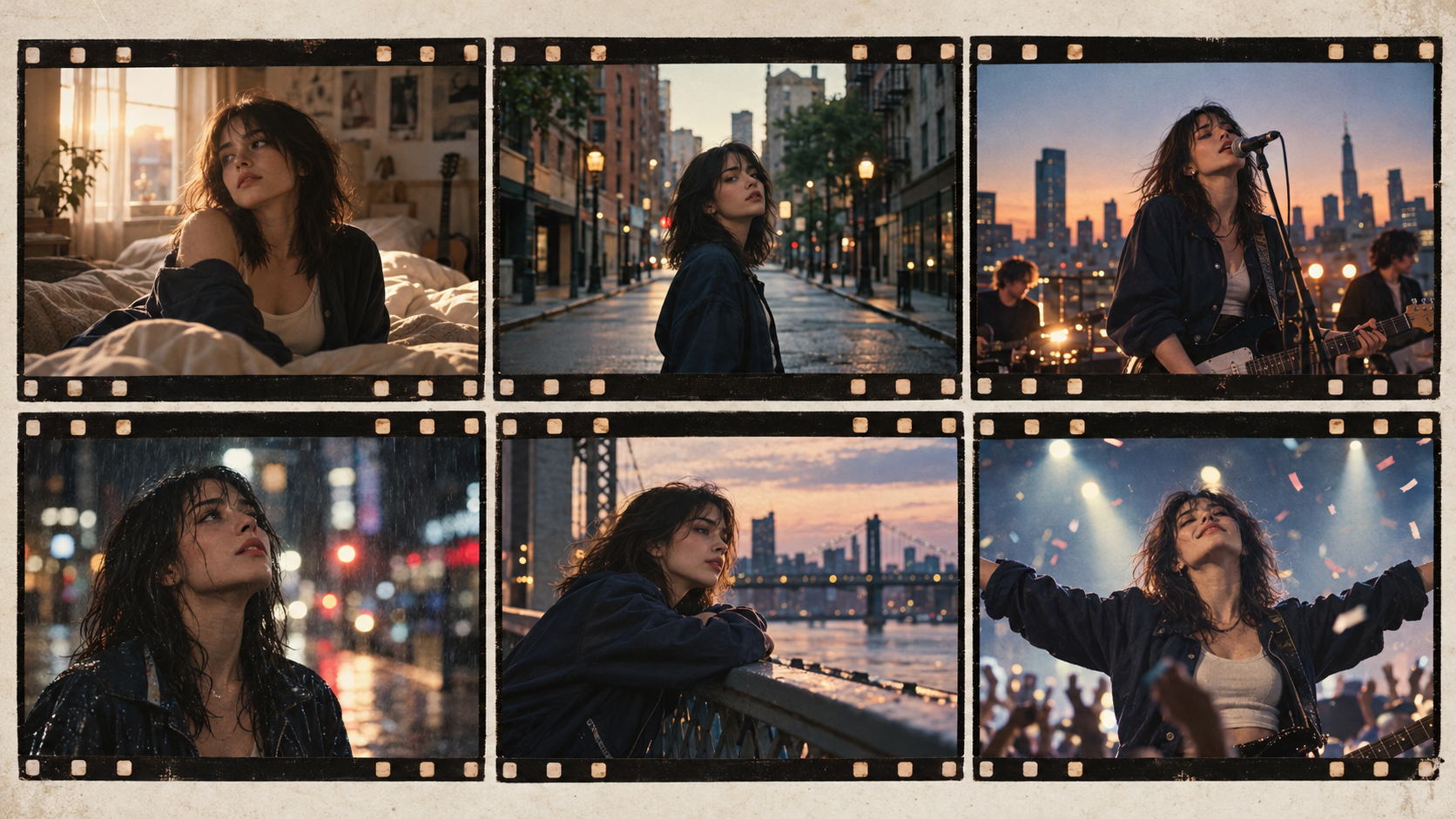
Consider a fictional indie pop song with the following arrangement:
| Song Section | Timeline | Visual Direction |
|---|---|---|
| Intro | 0:00–0:15 | Establish the world with slow cinematic shots |
| Verse 1 | 0:15–0:45 | Introduce the main character and story |
| Chorus 1 | 0:45–1:15 | Switch to energetic performance scenes |
| Verse 2 | 1:15–1:45 | Develop the narrative and change locations |
| Chorus 2 | 1:45–2:15 | Return to the main performance with visual variation |
| Bridge | 2:15–2:40 | Slow the pacing and emphasize emotion |
| Final Chorus / Outro | 2:40–3:00 | Build to the final performance and closing image |
This structure covers the entire 180-second track.
Instead of generating unrelated visuals, the creator now knows what each part of the video needs to communicate.
Why Clip Count Affects Production Cost
Suppose a video generation setting costs 40 credits for an eight-second clip.
A minimum of 23 generated clips would require 920 credits before considering failed attempts, alternative versions, or other features.
If six clips need to be generated again, that example increases to 1,160 credits.
These numbers are illustrative, not a fixed price for any tool in this comparison.
The important point is that a full-length AI music video is a multi-shot production. Costs depend on the generation model, clip duration, resolution, retries, and editing requirements.
How to Reduce Unnecessary Regeneration
Three decisions can make a noticeable difference.
- •First, establish the main character and visual style before generating the entire video.
- •Second, review your scene plan and reference frames before creating motion. Fixing a weak concept is easier when it is still an image or storyboard.
- •Third, choose a workflow that lets you repair individual sections.
For a more detailed walkthrough of this process, see How to Turn Music Into a Video With AI.
How BeatViz Helps You Create and Refine Full-Length Music Videos
A complete music video becomes easier to manage when planning, generation, and editing are connected.
BeatViz provides three approaches that address different stages of this process.
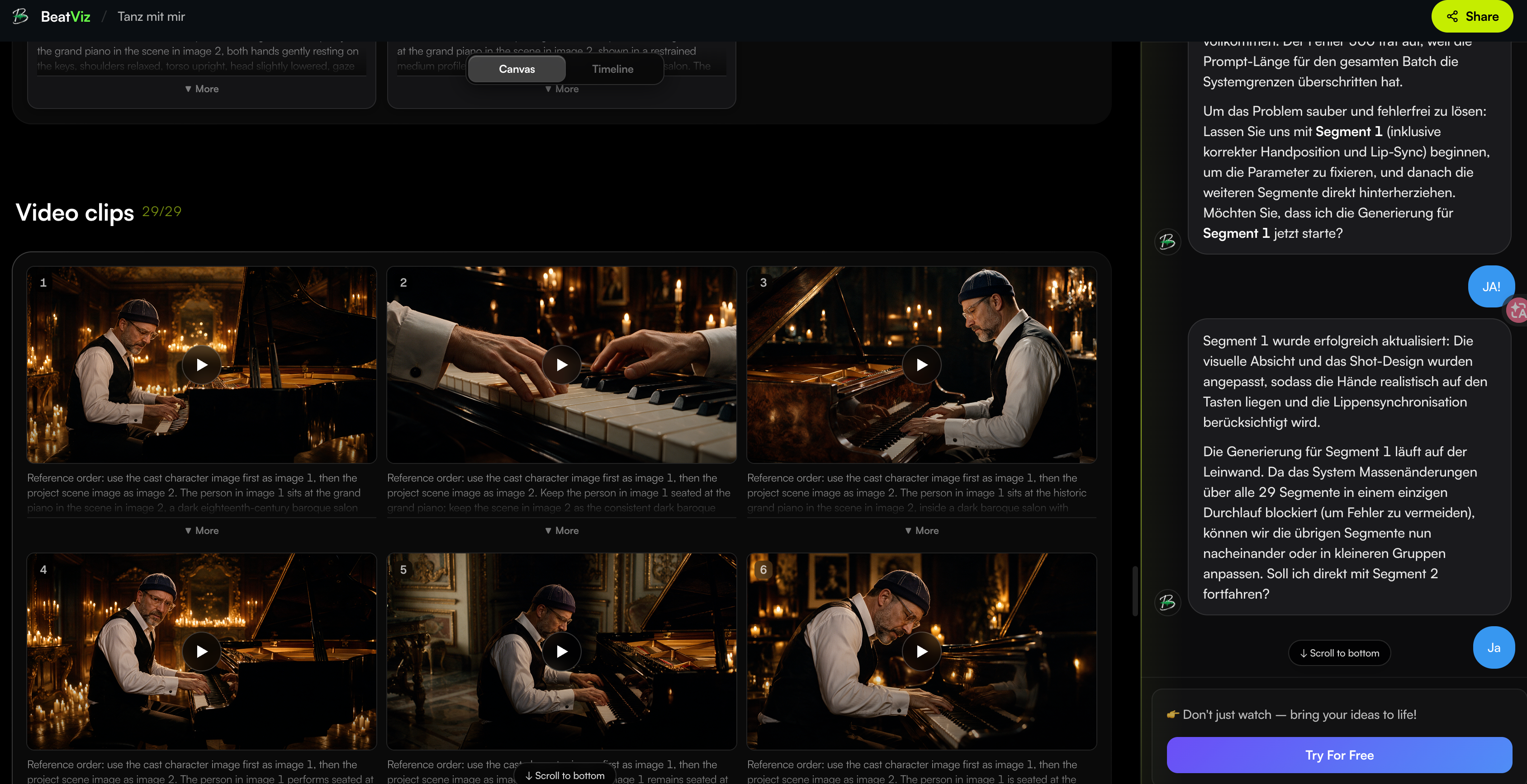
Workflow: Organize the Entire Song Before Generating Video
In BeatViz Workflow, the project begins with the audio track.
The AI can help analyze the song, develop a visual concept, plan scenes and characters, establish storyboard frames, and prepare the generated video segments.
For a three-minute song, this is useful because a successful visual plan should account for the complete musical structure.
The intro should not feel like an unrelated clip. The chorus should have an identifiable visual identity. Recurring characters should look and feel connected.
Creators can also provide character reference images to guide appearance across scenes.
Reference images do not eliminate inconsistencies, but they give the generation process a clearer visual starting point.
Want to plan your music video before spending credits on every shot?
Start with BeatViz Workflow to build the visual structure of your song.
AI Director: Refine Your Music Video Through Conversation
BeatViz AI Director offers a conversational approach to music video creation.
Rather than controlling the project entirely through separate settings and prompts, creators can describe the visual direction they want.
For example:
Keep the verses intimate and cinematic. Make the chorus feel like a large live performance, but keep the singer's hairstyle and outfit consistent throughout the video.
The AI Director can use those instructions to help plan, generate, and revise the project.
This is useful for musicians who can describe the feeling of a music video but do not want to manually specify every technical detail.
However, complex changes should still be reviewed scene by scene. AI-generated interpretations can differ from the creator's expectations.
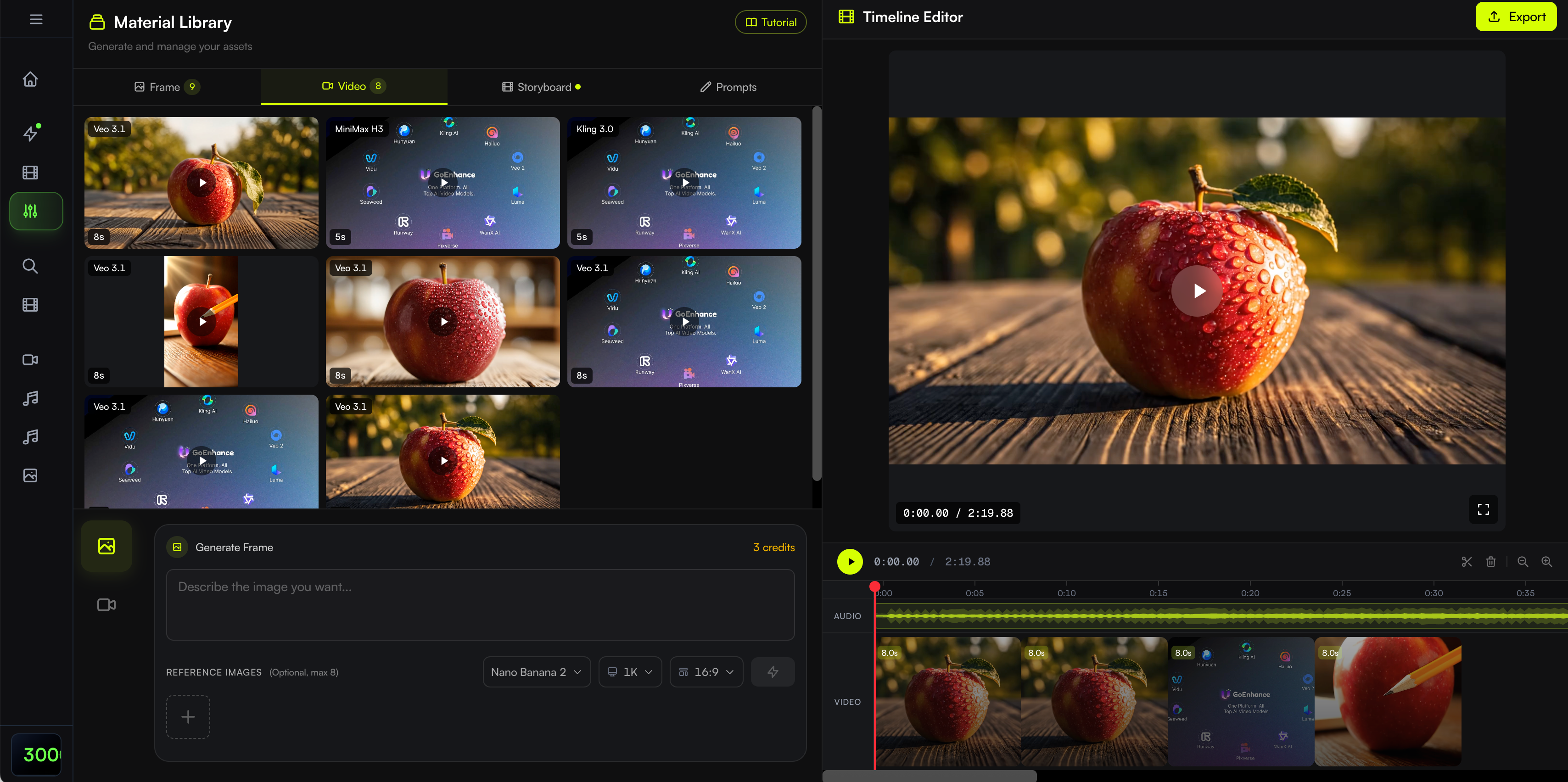
Editor: Fix Individual Shots on the Timeline
Even with a well-planned production, some scenes may need improvement.
A singer's facial expression might be wrong. A character's clothes might change unexpectedly. A performance clip might not match the vocal timing.
BeatViz Editor provides a timeline-based workspace for generating assets, arranging clips, aligning them with the soundtrack, and refining selected scenes.
Creators can work with generated images and video clips, replace footage, change the sequence, and use lip-sync tools where needed.
For performance-heavy videos, lip sync works best when applied deliberately to appropriate vocal shots rather than indiscriminately to every scene.
If character identity is a priority, our guide to AI music video generators for character consistency explores why reference frames, wardrobe planning, and scene control matter.
For singing-focused videos, see our comparison of AI music video generators with lip sync.
The advantage of this approach is not that every generated shot will be perfect.
It is that the creator has a way to identify weak moments and improve them without abandoning the rest of the project.
How Much Does It Cost to Generate a Full-Length AI Music Video?
The cost of an AI-generated music video depends on more than the subscription price.
Two tools might have similar monthly fees but require very different amounts of manual work, generation credits, or additional software.
Calculate Costs Based on the Entire Song
When estimating a three-minute project, start with the number of shots required.
Then consider the cost of generating those shots in the resolution and model you intend to use.
If your project includes 25–35 generated shots, pricing each generation separately provides a more useful budget estimate than comparing monthly plan prices alone.
Different approaches have different cost structures.
| Production Approach | Main Cost Considerations |
|---|---|
| Music-first generation platform | Credits, generated duration, resolution, retries, and lip sync |
| Short AI clip generation | Per-clip generation, alternative shots, and external assembly |
| AI generation with timeline editing | Generation usage plus editing workflow costs |
| General video editor | Subscription or feature access, existing footage, and any AI generation |
| Template-based music video maker | Paid templates, premium assets, and export features |
Account for Regeneration and Lip Sync
For character-driven videos, the first generated version may not always be usable.
It is sensible to reserve part of the budget for replacing weak scenes.
Lip sync may also have a separate cost from basic video generation. Not every shot needs it: performance close-ups typically benefit more than landscapes, abstract visuals, or narrative cutaways.
A cost-conscious workflow uses the strongest model or most expensive features where they make the biggest difference.
Compare Automation With Manual Production Time
Price is only one part of the decision.
A tool requiring you to create, download, name, sort, and edit dozens of individual clips may offer excellent visual quality but demand significantly more manual work.
A structured music-first workflow can reduce some of that organizational burden.
Before starting a full song, check the current BeatViz pricing and credit options and compare them with the settings required for your project.
Planning a full three-minute video?
Review the BeatViz plans and credit costs before choosing your video quality and generation settings.
Which AI Music Video Tool Should You Choose?
The right software depends on what the finished video is supposed to achieve.
For a Full-Length Narrative Music Video
Choose BeatViz when you have a finished song and want to develop a coherent visual production with scenes, characters, music-driven structure, and editing.
This approach is especially relevant to independent artists creating official music videos, narrative releases, or performance-focused projects.
For Cinematic Shots and Creative Control
Choose Runway if you want to design striking individual shots and are comfortable assembling them into a complete video.
Choose Adobe Firefly if you prefer a more hands-on combination of generative footage and timeline editing.
Both can be useful when you already have a detailed storyboard or a clear post-production process.
For Beat-Synced Edits and Simple Visuals
Choose CapCut when your priority is arranging existing footage, synchronizing edits with music, and preparing a social-media-friendly music video.
Choose Canva for lyric videos, animated album art, simple music visuals, or design-led content that does not require complex cinematic scenes.
There is no reason to use the most complicated workflow if your song only needs elegant typography and animated artwork.
Frequently Asked Questions
What Is the Best AI Music Video Generator for Full Songs?
BeatViz is a strong option for complete song-to-video production because it combines music analysis, scene planning, AI generation, and timeline editing. Runway and Adobe Firefly suit more hands-on cinematic production, while CapCut and Canva are useful for editing, lyrics, and simpler visuals.
Can AI Generate a Full 3-Minute Music Video?
Yes. A full three-minute music video can be created by generating and assembling multiple scenes to cover the 180-second soundtrack. Some music-first platforms organize much of this workflow, while short-clip generators require more manual planning and editing. The result should still be reviewed before publication.
Is There an AI Music Video Generator for 3-Minute Songs?
Yes. When looking for an AI music video generator for 3-minute songs, prioritize tools that support full-song audio, multi-scene planning, timeline assembly, and individual clip revisions.
A platform's ability to generate a ten-second shot does not by itself mean it can automatically produce a synchronized three-minute video.
Can I Upload My Own MP3 Song to Make an AI Music Video?
Yes. BeatViz supports audio upload, including MP3 and other common formats, so creators can use finished music instead of generating a new song.
For music created with Suno, you can export your track and use it as the starting point for a separate music video project. See How to Create a Music Video With Suno AI for a related workflow.
Make sure you have the necessary rights to use and publish the music and any visual references.
Can AI Create a Full-Length Music Video for a 4-Minute Song?
Yes, but the longer track generally requires more video material.
A four-minute song contains 240 seconds of audio. At an average clip length of eight seconds, at least 30 clips are required to cover it, before accounting for retries or additional edits.
The best workflow is to divide the song into sections and develop a consistent visual plan before generating every shot.
Do I Need Video Editing Experience to Make a Full AI Music Video?
Not necessarily.
Music-first platforms can help with scene planning and generation, making the process more approachable for beginners.
However, knowing how to review transitions, replace weak footage, and adjust timing will improve the final result.
Can an AI Music Video Generator Maintain the Same Singer Across a Full Song?
AI tools can use character references, first frames, and consistent prompts to improve continuity, but no tool should be assumed to guarantee identical facial features, wardrobe, or body proportions across every shot.
A reliable process involves establishing the character early, reusing suitable references, and reviewing scenes before final assembly.
Final Verdict: The Best AI Music Video Generator Depends on Your Song
Making a complete AI music video is not simply about producing more AI-generated footage.
It is about connecting visuals into a finished piece that follows the music from beginning to end.
Runway excels as a creative tool for individual cinematic shots. Adobe Firefly offers a flexible generation-and-editing environment. CapCut makes music-focused editing accessible, while Canva is useful for lyric and design-driven videos.
BeatViz is particularly well suited to creators who want the entire song to guide the video production process. Its combination of Workflow, AI Director, and Editor provides a structured way to move from creative direction to scene generation and final editing.
Ultimately, the best tool is the one that helps you finish the music video you actually want to release—not simply the one that creates the most impressive short clip.
Your Song Is Finished. Now Give It a Visual Story.
Whether your track is three minutes long or part of a longer release, you can start by turning the music into a visual plan and refining the scenes that matter most. Upload your song and start creating a full-length music video with BeatViz. Try it free at beatviz.ai.