How to Turn a Suno Song Into an AI Music Video
You have finished generating a song in Suno. The vocals work, the chorus is memorable, and the track finally sounds ready to share. However, there is still one major problem: you have music, but no video.
The good news is that you do not need a film crew or weeks of editing to turn a Suno song into an AI music video. With the right workflow, you can export your song, define a visual concept, generate scenes around the music, improve weak sections, and prepare versions for YouTube, TikTok, Reels, or Shorts. This guide walks through the complete process.
Why Suno Songs Need Strong Visuals
Suno makes it possible to move from a musical idea to a finished track quickly. But an audio file alone is often difficult to promote on visual platforms.
A static cover image may be enough for archiving a song or sharing a basic preview. It does not always give viewers a reason to continue watching, especially when the artist or song is still unfamiliar.
A music video gives the track a visual identity. It can help you:
- •Introduce a recurring artist or character
- •Turn lyrics into memorable scenes
- •Communicate the genre and mood immediately
- •Create an official YouTube upload
- •Produce shorter clips for social promotion
- •Build a recognizable visual world around future releases
The goal is not simply to add random AI footage behind the audio. A stronger result connects the visuals to the rhythm, lyrics, emotion, and structure of the song.
That is the difference between creating generic AI clips and using a music-first AI music video generator.
What to Prepare Before Starting
You do not need a complete screenplay, but preparing a few assets will make the process faster and more consistent.
| Asset | Why You Need It |
|---|---|
| Finished Suno song | Provides the audio and timing for the video |
| Lyrics | Helps turn specific lines into scenes or text moments |
| Visual direction | Defines the mood, setting, colors, and camera style |
| Character reference | Helps maintain the appearance of a singer or protagonist |
| Cover artwork | Can guide the visual identity of the video |
| Target platform | Determines the aspect ratio and final format |
Before generating anything, listen to the full song and identify its major sections:
- •Intro
- •First verse
- •Pre-chorus
- •Chorus
- •Second verse
- •Bridge or instrumental break
- •Final chorus
- •Outro
Mark any important beat drops, emotional changes, memorable lyrics, or instrumental moments. These points can become natural scene transitions.
Step 1: Download Your Song from Suno
Start by downloading the final version of your song rather than an early generation.
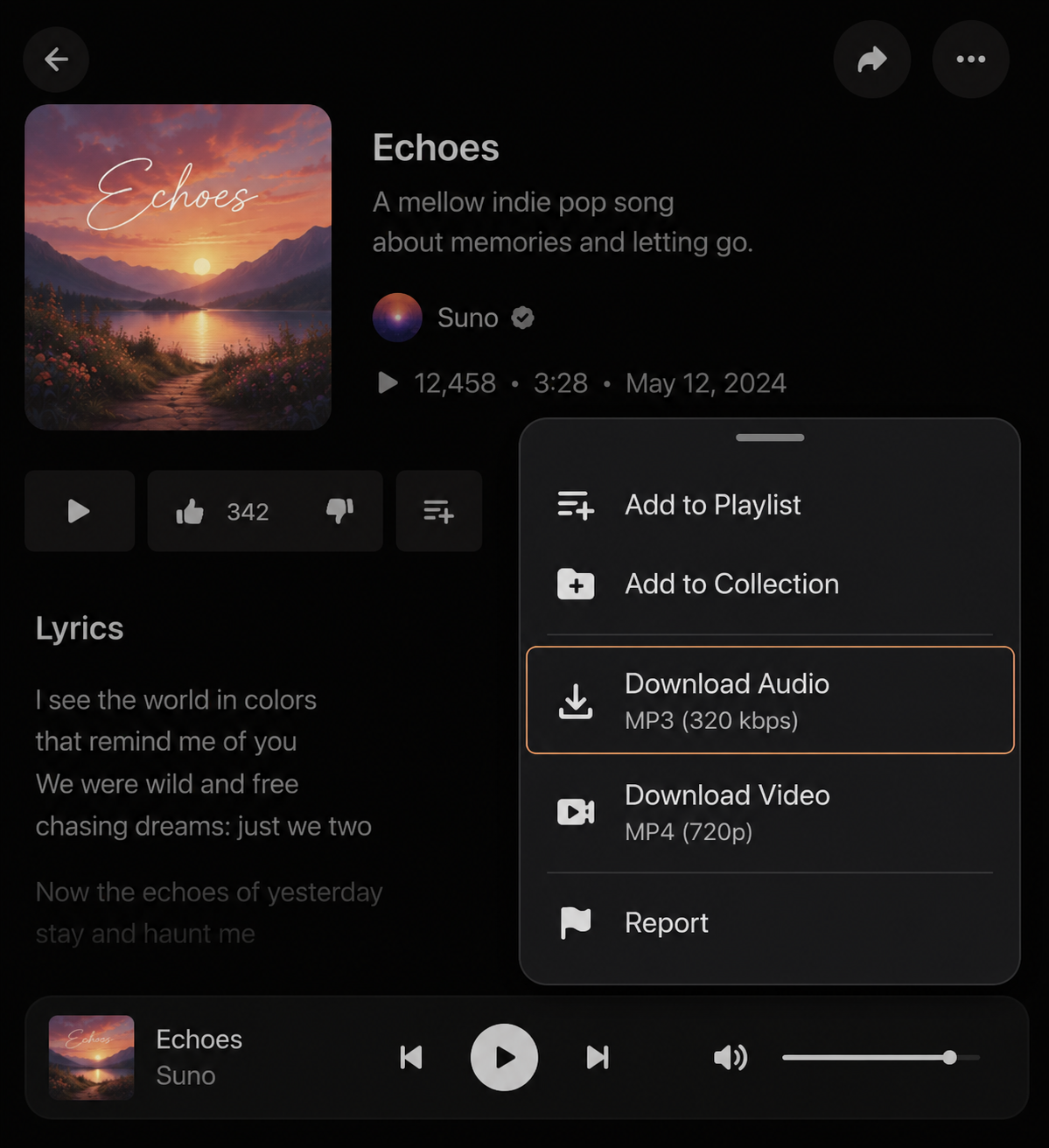
On Suno's current web interface, you can locate the track in your Library or Workspace, open the three-dot menu, hover over Download, and select the available format. Suno also supports downloading multiple selected songs together from the web interface.
For most AI music video workflows, an MP3 file is sufficient. A WAV file may offer higher audio quality, but Suno currently limits WAV downloads to Pro and Premier subscribers, while free-plan downloads use MP3.
Before continuing, check the following:
- Make sure you downloaded the correct version.
- Listen for incomplete endings or unwanted silence.
- Confirm that the volume is consistent.
- Save the lyrics in a separate document.
- Rename the file clearly, such as song-title-final.mp3.
Avoid uploading several nearly identical versions without clear names. It becomes easy to build the entire video around the wrong mix.
Check Your Usage Rights
Your ability to monetize a Suno song depends on the plan under which it was created.
According to Suno's current guidance, songs created while subscribed to Pro or Premier receive commercial-use rights. Songs created through the free Basic tier are intended for non-commercial use under Suno's terms.
Review the latest terms before distributing, monetizing, or using the track in a commercial campaign. You should also confirm that you have permission to use any lyrics, samples, voices, or other material included in the song.
Step 2: Decide the Visual Story
The most common mistake is beginning generation with a description such as: "Make a cool cinematic music video." That instruction is too broad. It does not establish who appears in the video, where the story happens, or how the visuals should change with the song.
A better creative direction answers five questions:
- Who is the main subject?
- Where does the video take place?
- What is the visual style?
- What changes during the song?
- What should the audience feel?
A lonely female singer travels through a rain-covered futuristic city at night. Neon signs reflect on the streets as she searches for someone she lost. The verses feel quiet and intimate, while the choruses become energetic with faster camera movement and brighter city lights. Cinematic realism, blue and purple lighting, emotional close-ups.
Choose One Main Visual Approach
Most Suno songs work well with one of these approaches:
Narrative music video
The character moves through a story with a beginning, conflict, and conclusion. This works well for emotional pop, rock, country, folk, and cinematic tracks.
Performance-inspired video
The singer, rapper, band, or fictional artist performs in a studio, concert venue, street, club, or surreal environment. This is useful when the performer's identity is central to the song.
Lyric-driven visual story
Important lyrics inspire the scenes. The video may include occasional on-screen text, but the visuals still carry most of the emotional meaning.
Abstract rhythm video
Colors, environments, motion, particles, and surreal objects respond to the energy of the track. This can work well for EDM, ambient music, instrumentals, and experimental songs.
Try not to combine every visual style in one project. A realistic character, anime city, watercolor forest, 3D cartoon band, and abstract galaxy may all look interesting separately, but together they can make the final video feel disconnected.
Step 3: Generate Scenes with an AI Music Video Generator
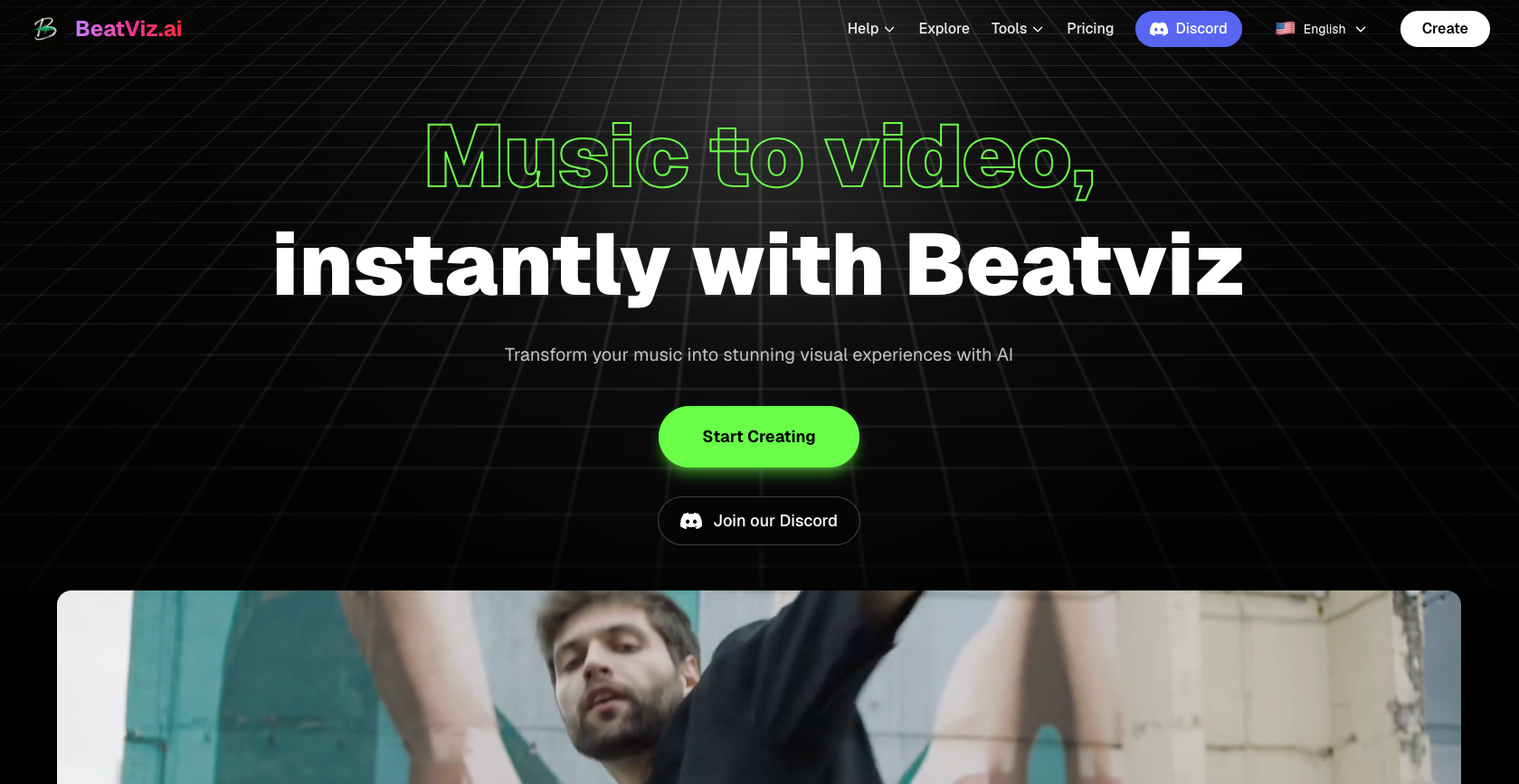
Once the audio and visual concept are ready, upload the song to a music-first AI video tool such as BeatViz.
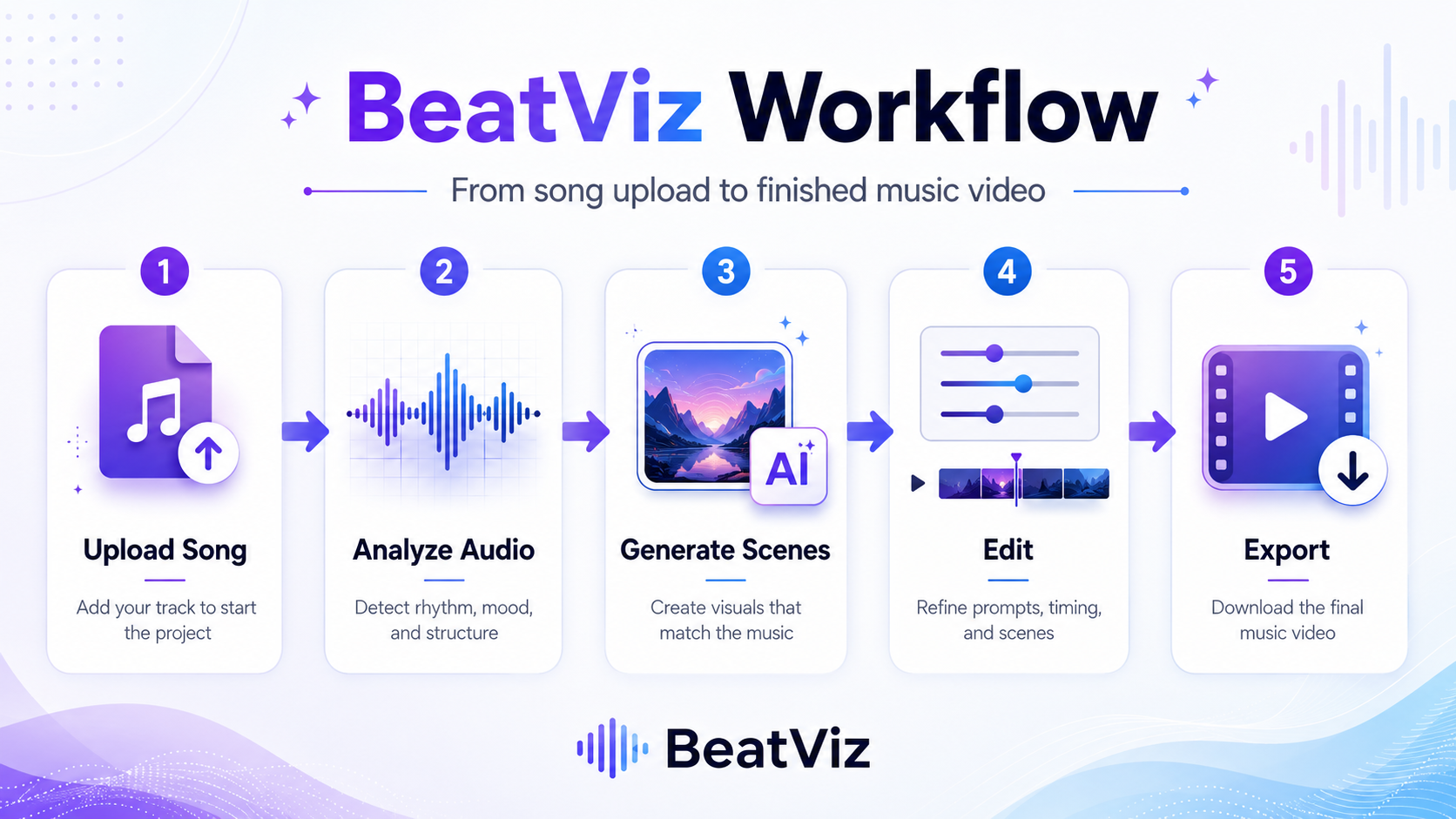
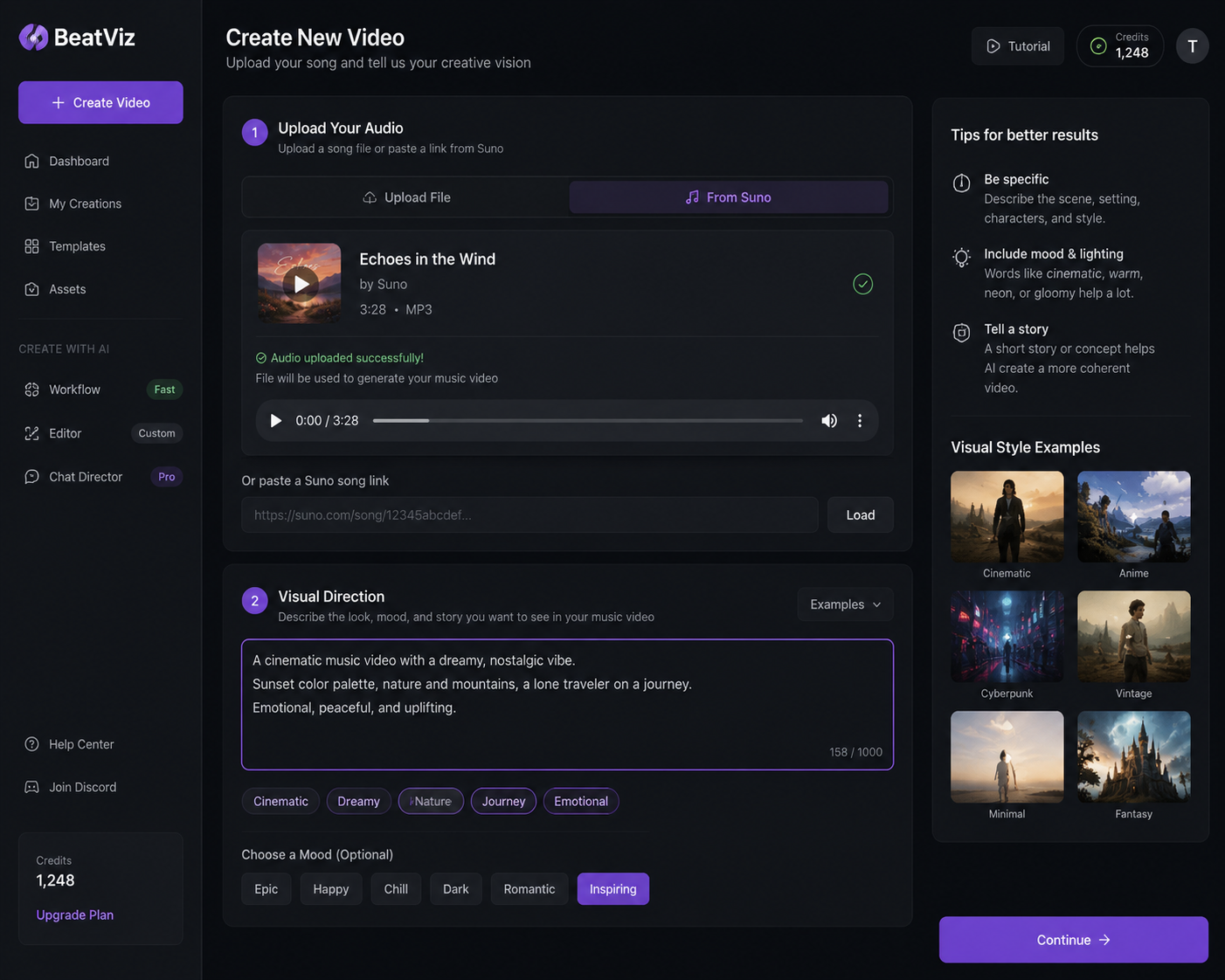
BeatViz starts the workflow with music and allows creators to develop scenes around the song rather than generating unrelated clips individually. Its current workflow includes adding music, selecting a content direction, choosing generation settings, and building the video through controlled segments.
A practical workflow looks like this:
- Create a new music video project.
- Upload the downloaded Suno audio file.
- Add your main creative direction.
- Upload a character or artist reference when needed.
- Let the system analyze and divide the song.
- Review the proposed visual direction.
- Generate the keyframes or scenes.
- Approve strong sections and revise weak ones.
- Generate the final video clips.
- Preview the complete video before export.
Ready to Turn Your Suno Track Into a Music Video?
Upload your song, build the visual world, and export for YouTube, TikTok, and Reels — all in one place with BeatViz.
Start Creating →Match Visual Energy to the Song Structure
Not every part of the video should move at the same speed.
During a quiet verse, use:
- •Close-up shots
- •Slower camera movement
- •Smaller environments
- •Softer lighting
- •More intimate character expressions
During a chorus or drop, use:
- •Wider shots
- •Stronger motion
- •Faster transitions
- •Brighter lighting
- •More dramatic environments
- •Crowd, dance, action, or performance moments
The video does not need to cut on every beat. Too many cuts can feel exhausting. Instead, use major rhythmic and emotional changes to guide transitions.
Step 4: Add Lyrics and Character Direction
Lyrics can help the AI understand what each section means, but they should not always be converted literally.
For example, the lyric "I am drowning in your memory" does not require a scene of someone physically drowning. It could become:
- •A character surrounded by floating photographs
- •A flooded bedroom filled with fading memories
- •A person walking through rain while past scenes appear in reflections
- •A surreal ocean made from fragments of old letters
Focus on the emotional meaning behind the words.
Use Text Selectively
You can display:
- •The song title during the intro
- •One memorable line before the chorus
- •A short lyric during the strongest hook
- •The artist name during the opening or ending
- •A call to listen or follow in a promotional version
Avoid filling every scene with text. Too many lyrics can compete with the visuals and become difficult to read on mobile devices.
Upload the Main Character Early
When the video needs a consistent singer, rapper, couple, or protagonist, establish that character at the beginning of the project.
Use a clear reference image with:
- •One visible subject
- •An unobstructed face
- •Good lighting
- •A simple background
- •Clothing that fits the video concept
Also describe the character consistently in prompts. Do not call the same person "a young singer," "a mysterious woman," "a cyberpunk performer," and "a female warrior" in different sections unless the story intentionally changes her appearance.
AI video generation still includes variation. The goal is not perfect frame-by-frame identity, but enough consistency that viewers understand they are following the same character.
Step 5: Review and Regenerate Weak Scenes
The first generation should be treated as a draft.
Watch each section and look for:
- •Character appearance changing unexpectedly
- •Wrong clothing or location
- •Unnatural facial movement
- •Visuals that do not match the lyric
- •A slow scene during an energetic chorus
- •Unwanted text or objects
- •Sudden changes in visual style
- •Old video clips remaining after a keyframe was changed
Do not regenerate the entire project because one or two scenes are weak. Identify the exact sections that need improvement and revise those prompts first.
Keep the same male singer, black leather jacket, shoulder-length dark hair, performing under red stage lights. Medium close-up, realistic concert photography, no audience visible.
This is more useful than: "Make it better and keep him consistent."
Step 6: Export Versions for Each Platform
One finished video can become several promotional assets.
| Platform or Use | Recommended Direction |
|---|---|
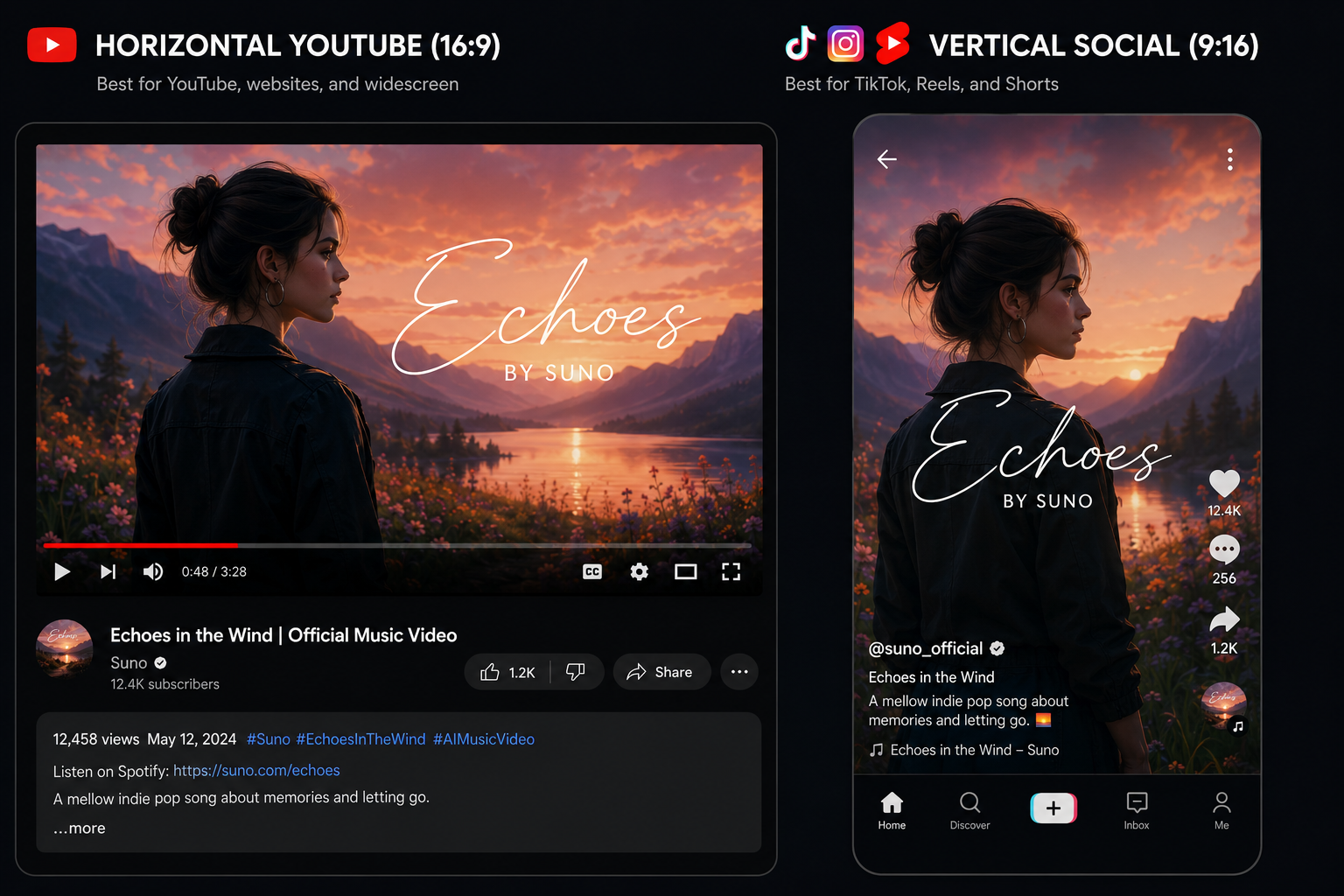
| YouTube music video | Horizontal 16:9 full-song version |
| TikTok | Vertical 9:16 hook or chorus clip |
| Instagram Reels | Vertical 9:16 short promotional edit |
| YouTube Shorts | Vertical 9:16 highlight |
| Social feed post | Square 1:1 or vertical version |
| Release teaser | 10–30 second strongest visual moment |
BeatViz currently lists support for common horizontal, vertical, and square formats, making it possible to prepare videos for different publishing contexts.
Do not simply crop the center of a horizontal video and assume it will work vertically. Important faces, lyrics, and actions may disappear outside the frame. Plan the target format before generating whenever possible.
Three Prompt Examples for Suno Music Videos
Pop Music Video Prompt
A cinematic pop music video following a young female singer through a glowing city at night. Emotional close-ups during the verses, confident performance shots during the chorus, reflective streets, purple and blue neon lighting, realistic fashion photography, smooth camera movement, consistent character and clothing.
Rap Music Video Prompt
A gritty performance-driven rap video set in an industrial warehouse and surrounding city streets. The same male rapper wears a black jacket and silver chain in every scene. Low-angle camera shots, handheld movement, dramatic shadows, red practical lighting, energetic chorus scenes, realistic urban cinematography, no cartoon style.
Cinematic or Orchestral Prompt
An epic cinematic story about a lone traveler crossing a ruined kingdom to reach a glowing mountain temple. Wide landscapes during instrumental sections, emotional character close-ups during vocals, stronger wind and environmental movement during crescendos, golden sunrise finale, realistic fantasy film style, consistent costume and character design.
Common Mistakes to Avoid
Generating Without a Defined Character
When a person is central to the story, establish their appearance before generating scenes. Otherwise, the video may introduce a different protagonist in every section.
Changing Styles Too Often
Choose one visual language and maintain it. Variation should come from locations, camera angles, lighting, and action — not from switching the entire art style repeatedly.
Using Prompts That Are Too Abstract
Words such as "powerful," "amazing," and "emotional" do not tell the AI what to show. Describe the subject, location, lighting, camera, action, and atmosphere.
Treating Every Lyric Literally
Translate the feeling behind the lyrics rather than illustrating every word exactly.
Accepting Every First Result
AI generation is iterative. Regenerate the weakest sections and preserve the scenes that already work.
Forgetting the Target Platform
A full horizontal video and a vertical social clip need different framing. Choose your publishing format before final generation.
Frequently Asked Questions
Can I turn a Suno song into a music video?
Yes. Download your Suno song as an audio file, upload it to an AI music video generator, define a visual direction, generate scenes, review the results, and export a finished video.
What audio format should I use?
MP3 is suitable for most music video generation workflows. WAV may provide higher source quality when available, but it is not required for every project.
Do I need the lyrics?
Lyrics are not always required, especially for instrumental tracks. However, they can help you plan scenes, identify emotional changes, and create lyric-focused moments.
Can I use the same character throughout the video?
Yes, but character consistency requires preparation. Upload a clear reference image, establish the character early, and repeat important appearance details in scene prompts.
Should I make a full video or a short social clip first?
Create a full video when you need an official release asset for YouTube. Start with a short hook when your immediate goal is testing the song on TikTok, Reels, or Shorts.
Can I monetize a music video made from a Suno song?
It depends on the rights attached to the song, the Suno plan under which it was created, and any third-party material used. Review Suno's current terms and confirm that you have permission to use all lyrics, samples, voices, images, and other assets.
How long does it take to create an AI music video?
The time depends on the song length, number of scenes, generation model, and number of revisions. A clear concept and consistent character reference can reduce unnecessary regeneration.
What should I do when one scene looks wrong?
Revise and regenerate that specific section instead of restarting the entire project. Add concrete instructions about the character, setting, camera angle, movement, and visual style.
Turn Your Suno Track Into a Complete Visual Release
A Suno song does not need to remain an audio file with a static cover.
By preparing the track, defining one clear visual world, building scenes around the song structure, and reviewing each section, you can turn AI-generated music into a video that feels intentional and ready to publish.
For detailed instructions on choosing a BeatViz creation mode, uploading characters, reviewing keyframes, editing segments, and exporting your result, follow the BeatViz music video tutorial.
Upload your Suno track, describe the world you want the song to live in, and start building your AI music video.
Ready to Turn Your Suno Track Into a Music Video?
Upload your song, build the visual world, and export for YouTube, TikTok, and Reels — all in one place with BeatViz.
Start Creating →