AI Music Video Generator vs Music Visualizer: Which One Should You Use?
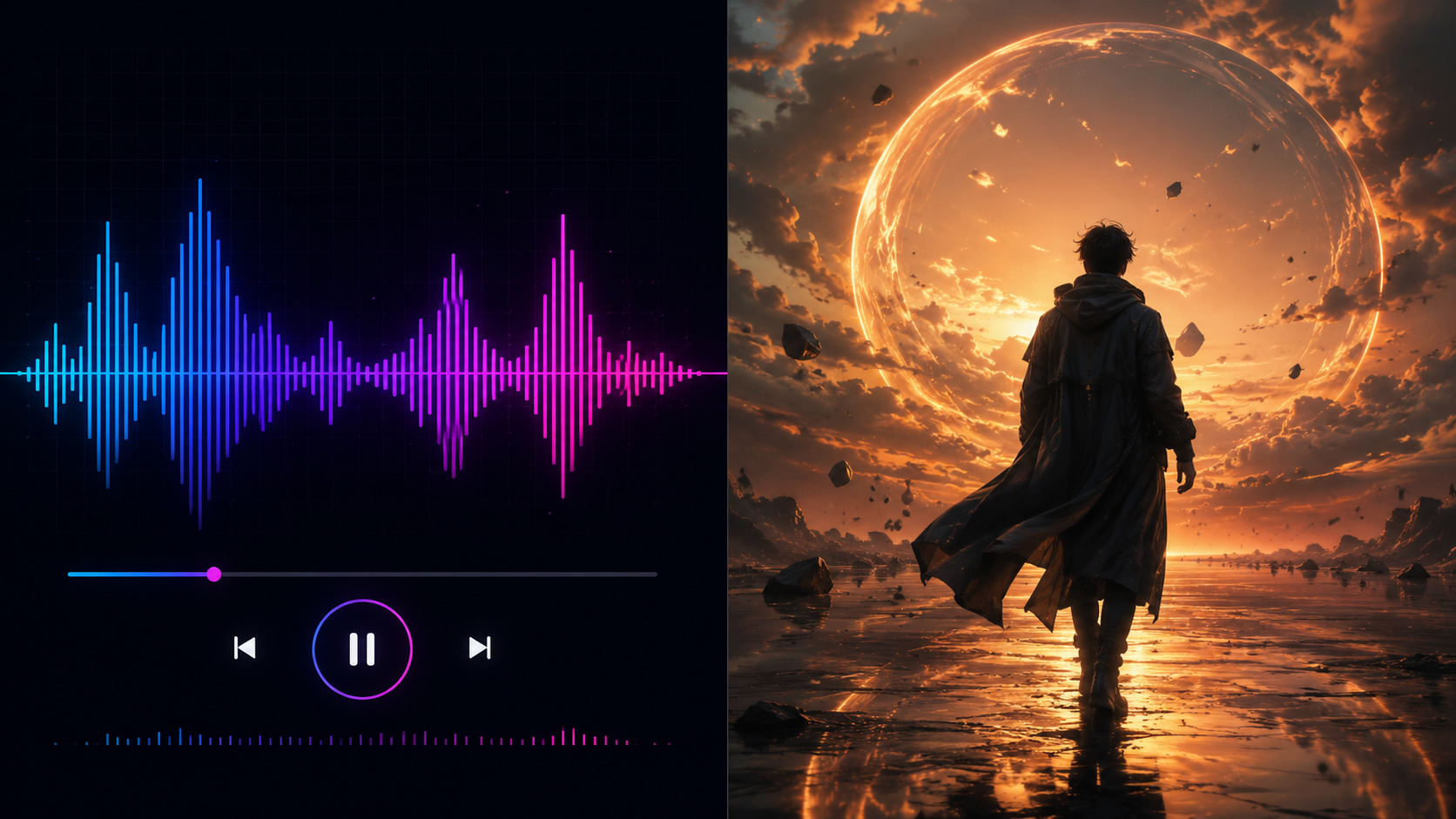
If you are trying to turn a song into a video, you will probably see two common terms: AI music video generator and music visualizer. They sound similar, but they are not the same thing. A music visualizer usually creates audio-reactive graphics, such as waveforms, spectrum animations, pulsing lights, or looping backgrounds. An AI music video generator goes further by creating scenes, characters, story moments, lyric-friendly visuals, and platform-ready videos based on the mood and structure of a song.
The right choice depends on your goal. If you only need a simple moving background for your track, a visualizer may be enough. If you want a video that feels like a real music video, supports your lyrics, builds a visual world, or helps promote a release, you should use an AI music video generator.
Quick Verdict: Music Visualizer or AI Music Video Generator?
Use a music visualizer when you need a fast, simple, audio-reactive video. It is useful for YouTube uploads, DJ mixes, background loops, beat videos, and tracks where the main goal is to avoid a static cover image.
Use an AI music video generator when you want more than motion. If your song needs scenes, storytelling, characters, lyrics, mood changes, cinematic style, or short-form social versions, a music-first AI music video generator is the better workflow.
In simple terms: a visualizer reacts to the sound; an AI music video generator interprets the song.
What Is a Music Visualizer?
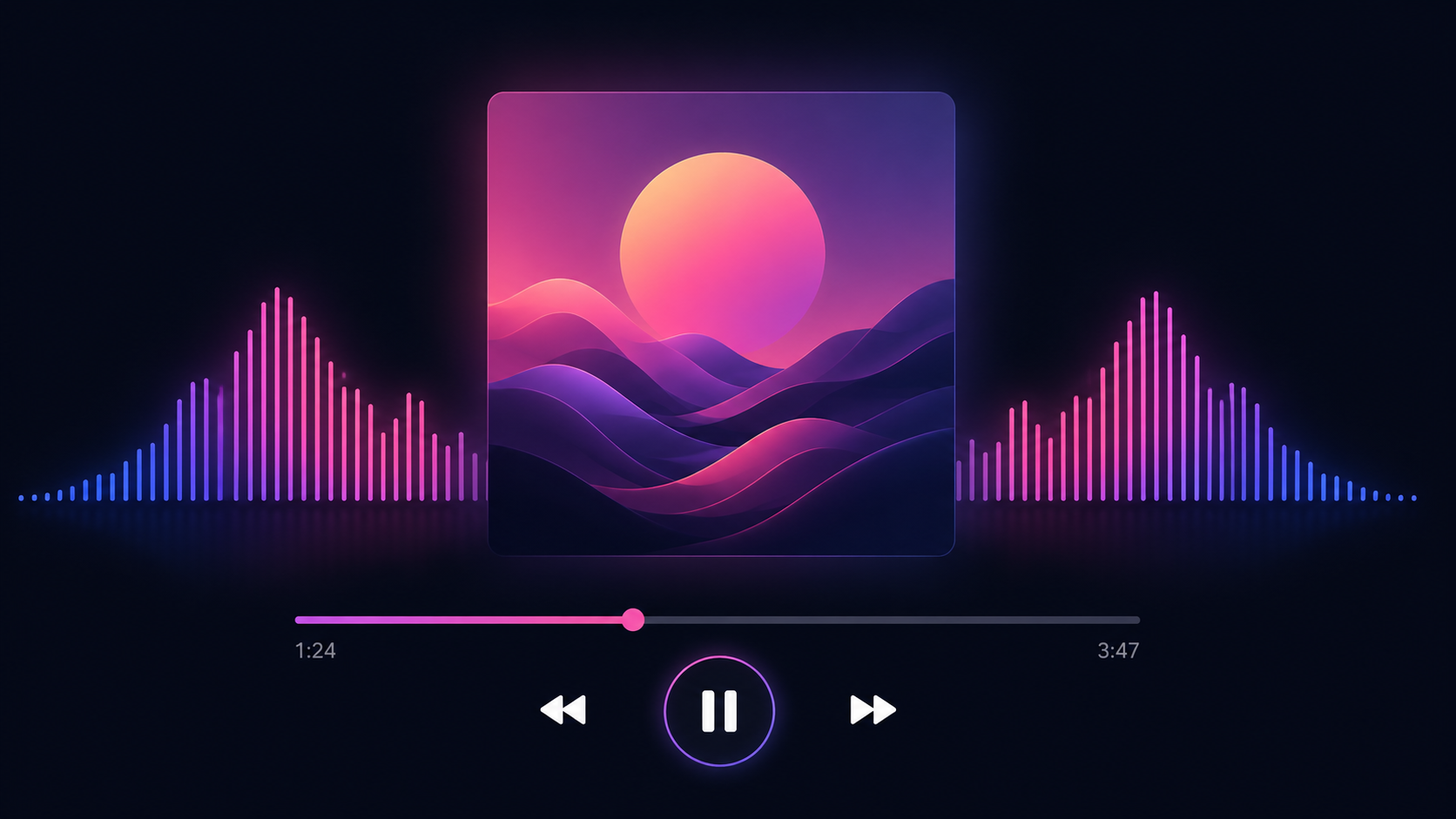
A music visualizer is a tool that turns audio into moving graphics. The most common examples include waveforms, frequency bars, circular spectrum animations, pulsing particles, abstract shapes, equalizer effects, and background loops that move with the beat.
Music visualizers are popular because they are quick and easy. You upload a song, choose a template, add cover art or a background image, and export a video. For many simple use cases, that is enough. A producer uploading an instrumental beat to YouTube may only need a clean waveform. A DJ posting a one-hour mix may prefer a subtle animated background. A label sharing a preview track may want a simple branded loop.
The main strength of a visualizer is efficiency. It does not require a story, character, shot list, or visual concept. It simply gives your audio something to look at.
However, that is also its limitation. Most visualizers do not create real scenes. They do not understand the meaning of lyrics. They usually do not show characters, locations, emotional changes, or visual storytelling. If your goal is to make a song feel like a complete release, a visualizer can look too basic.
What Is an AI Music Video Generator?
An AI music video generator is a tool that uses artificial intelligence to create video visuals around a song. Instead of only reacting to volume or frequency, it can help generate visual scenes based on the audio, lyrics, prompt, mood, genre, and creative direction.
For example, a sad pop song could become a cinematic story about a singer walking through a rainy city. A cyberpunk trap song could become a neon street performance video. A fantasy metal track could become a dark visual journey through castles, storms, and battle scenes. A lyric-driven song could become a video where important lines are supported by emotional scenes, not just text on a background.
A good AI music video generator usually supports a broader workflow:
- →Upload or prepare your song.
- →Describe the visual direction.
- →Generate scenes that match the mood.
- →Review weak sections.
- →Regenerate or edit parts that do not work.
- →Export for YouTube, TikTok, Reels, or Shorts.
This is why AI music video generators are especially useful for musicians, AI music creators, producers, and marketing teams. They help turn a finished song into a publishable visual asset, not just an audio file with decoration.
For a broader beginner explanation, you can read What Is an AI Music Video Generator?.
AI Music Video Generator vs Music Visualizer: Side-by-Side Comparison
| Feature | Music Visualizer | AI Music Video Generator |
|---|---|---|
| Main purpose | Turn audio into reactive graphics | Turn a song into a complete visual video |
| Common visuals | Waveforms, spectrum bars, particles, loops | Scenes, characters, locations, lyrics, story, cinematic shots |
| Best for | Simple uploads, beat videos, background loops | Music videos, lyric videos, release campaigns, social clips |
| Audio connection | Reacts to rhythm, volume, or frequency | Can follow mood, structure, lyrics, and creative direction |
| Storytelling | Very limited | Stronger potential for narrative and emotional pacing |
| Lyrics support | Usually basic or template-based | Can support lyric-friendly scenes and visual interpretation |
| Style control | Template-based | Prompt-based, scene-based, or workflow-based |
| Editing needs | Low | Medium — review and regeneration matter |
| Output value | Good for quick visual content | Better for brand, release, and promotional use |
| Main limitation | Can feel repetitive or generic | Needs clearer creative direction from the user |
The biggest difference is creative depth. A visualizer is usually a surface-level layer on top of the audio. An AI music video generator can become part of the song's identity.
When a Music Visualizer Is Enough
A music visualizer is still useful. You do not always need a full AI-generated music video. In many cases, a simple visual format is more practical.
1. You Need a Fast YouTube Upload
If you only want to upload a track to YouTube with a moving background, a visualizer is often enough. This is common for instrumentals, beat tapes, remixes, DJ sets, meditation music, lo-fi tracks, and long-form mixes. A waveform or spectrum animation gives the listener a visual anchor without distracting from the audio.
2. The Song Does Not Need a Story
Not every track needs characters, locations, or narrative. Some music is meant to be atmospheric. Ambient, techno, lo-fi, drone, and background music may work better with abstract motion than with a literal story. In this case, a music visualizer can create a clean, consistent mood.
3. You Want a Branded Loop
If your main goal is branding, a visualizer can work well. You can use your cover art, logo, color palette, and simple motion to create a recognizable video style. This is useful for labels, producers, podcasts, and music channels that publish often.
4. You Are Publishing Many Tracks Quickly
If you publish several beats, loops, or mixes every week, a visualizer may be more efficient than making a full video for each track. The goal is volume and consistency, not a unique visual story every time.
When You Need a Full AI Music Video Generator
A music visualizer becomes limited when the song needs emotion, story, identity, or promotional impact. That is where an AI music video generator becomes more useful.
1. You Want the Video to Feel Like a Real Music Video
If the final video should look like more than an animated background, you need a generator that can create scenes. This matters for official music videos, release campaigns, artist branding, and songs where the visual world is part of the experience. A full AI music video can show a singer, a city, a fantasy world, a performance scene, a dance sequence, a road trip, or an emotional story. These elements give the song a stronger visual identity.
2. Your Lyrics Matter
For lyric-driven songs, a visualizer usually does not do enough. Lyrics often need emotional context. A breakup line may need an empty room, a rainy street, or a close-up character moment. A rebellious chorus may need fast movement, strong lighting, or dramatic camera energy. An AI music video generator can help translate lyrics into visual scenes. The goal is not always to show every lyric on screen. Sometimes the stronger choice is to let the visuals support the meaning of the line.
3. You Need Social Media Assets
TikTok, Reels, and Shorts are visual-first platforms. A simple waveform may not stop someone from scrolling. If you want to promote a hook, chorus, or drop, you need a visual moment that catches attention in the first few seconds. An AI music video generator can help create multiple assets from one song: a full YouTube video, a vertical teaser, a lyric hook, a chorus clip, and a short visual loop. This is more useful for music promotion than exporting one static visualizer.
For the full workflow, see How to Make an AI Music Video from Any Song Online.
4. You Want Better Creative Control
A visualizer is often controlled by templates. You can change colors, shapes, fonts, and backgrounds, but the core format stays similar. With an AI music video generator, the creative direction can be much richer. You can define the genre, mood, setting, character, camera style, visual references, and story arc. That gives musicians more room to create a video that matches their sound.
5. You Are Building a Release Campaign
A serious release usually needs more than one asset. You may need:
- •A full music video for YouTube.
- •A vertical teaser for TikTok.
- •A lyric clip for the chorus.
- •A short hook video for Reels.
- •A visual loop for pre-release promotion.
- •A countdown or announcement clip.
A music visualizer can support part of this, but an AI music video generator is better for building a complete visual content pack.
How BeatViz Fits the AI Music Video Generator Workflow
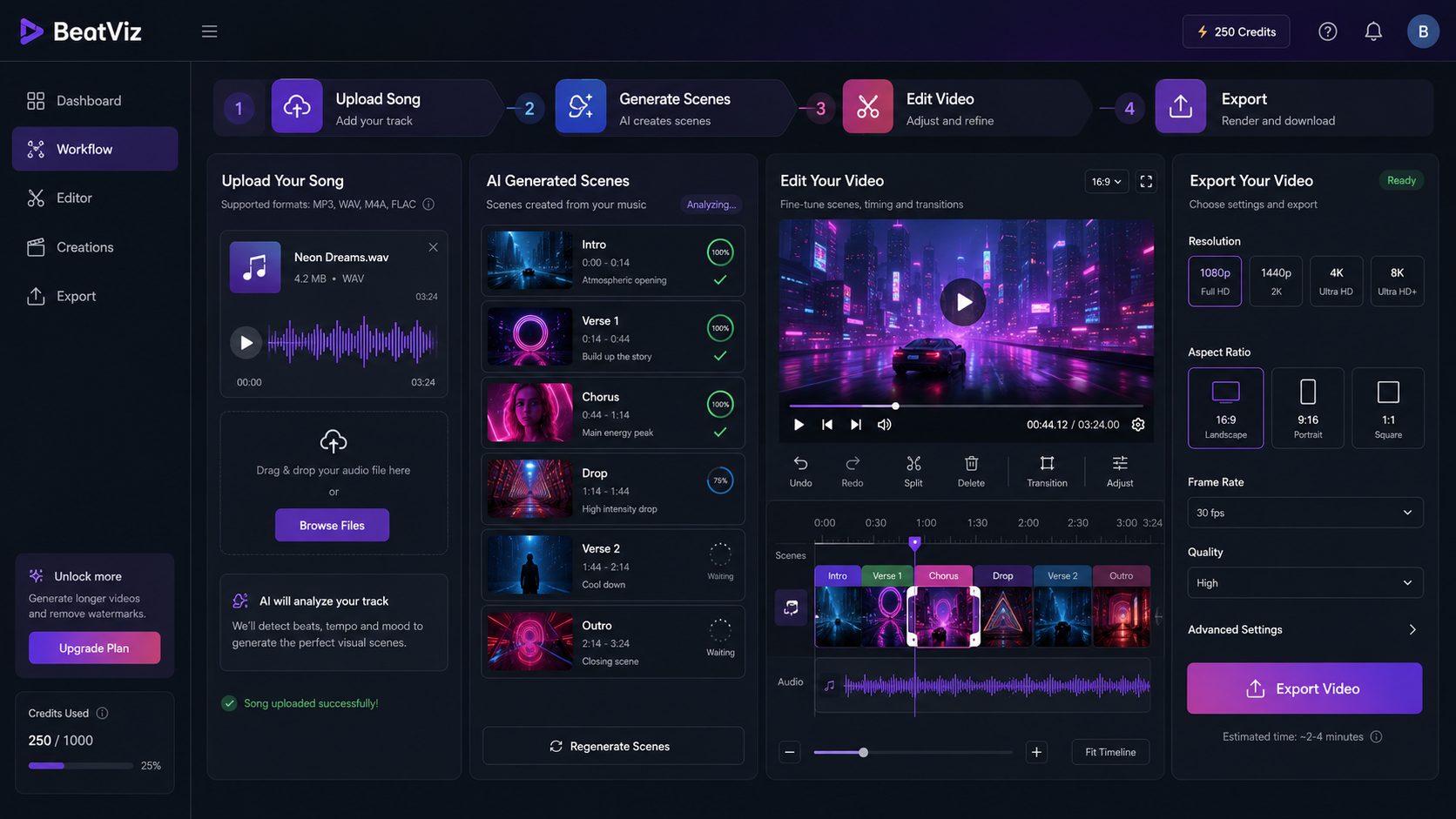
BeatViz fits the AI music video generator side of this comparison because it is built around songs, not just generic video prompts. The workflow starts from music: upload a track, describe the idea, generate scenes, review the result, refine weak sections, and export a video that can be used for release or promotion.
This matters because songs have structure. A verse may need a different feeling from a chorus. A drop may need stronger movement. A bridge may need a visual shift. A lyric line may need a specific emotional scene. A music-first workflow helps creators think in sections instead of treating the whole song as one flat background.
BeatViz is especially useful when you want to:
- •Turn a song into a full AI music video.
- •Create short visual clips for TikTok, Reels, or Shorts.
- •Build lyric-friendly scenes.
- •Explore cinematic, anime, realistic, abstract, or story-based styles.
- •Regenerate or improve weak parts instead of accepting the first draft.
- •Move from audio to publish-ready visuals without traditional editing complexity.
A visualizer is still useful for simple audio-reactive videos. But if your goal is more than a pulsing waveform, BeatViz gives you a stronger music-first path.
How to Choose the Right Tool
The easiest way to choose is to ask what role the video needs to play.
If the video is only there so your song is not static, choose a music visualizer. It is fast, simple, and good for background motion.
If the video needs to help people understand, remember, or share the song, choose an AI music video generator. It gives you more creative space and more promotional value.
Here is a simple decision guide:
Choose a music visualizer if:
- ✓You only need waveforms or spectrum graphics.
- ✓You are uploading a beat, mix, or background track.
- ✓You want a fast branded loop.
- ✓You do not need story, lyrics, or scene changes.
- ✓You are publishing many tracks quickly.
Choose an AI music video generator if:
- ✓You want a complete music video.
- ✓You need scenes, characters, or story.
- ✓Your lyrics or song meaning matter.
- ✓You want short-form social clips.
- ✓You are promoting a release.
- ✓You want the visuals to match the song's mood and structure.
Common Mistakes to Avoid
Mistake 1: Using a Visualizer When the Song Needs a Story
Some songs need more emotional context than a waveform can provide. If the track has a strong message, character, or cinematic feeling, a basic visualizer may make it feel less powerful.
Mistake 2: Using an AI Music Video Generator Without Direction
AI works better when you guide it. Do not just write "make a cool video." Give the tool a genre, mood, visual world, color direction, and story idea.
Better prompt:
"Create a cinematic AI music video for a dark pop song about leaving a city at night. Use rainy streets, neon reflections, slow camera movement in the verse, and brighter emotional scenes in the chorus."
Mistake 3: Ignoring Platform Format
A full YouTube music video usually works best in 16:9. TikTok, Reels, and Shorts usually need vertical 9:16. Decide where the video will be published before creating the final version.
Mistake 4: Making Every Section Look the Same
A good music video should move with the song. The intro, verse, chorus, bridge, and outro should not feel identical. Even subtle changes in energy, lighting, location, or camera movement can make the video feel more musical.
Mistake 5: Accepting the First Result Too Quickly
AI-generated video should be reviewed like a first draft. Watch the full result, mark weak sections, and improve the parts that feel off. The best results usually come from iteration.
Final Recommendation
A music visualizer is best for simple, audio-reactive motion. It is fast, clean, and useful when you only need a waveform, spectrum, loop, or branded background.
An AI music video generator is best when your song needs visual storytelling, emotional scenes, lyrics, characters, or platform-ready promotional clips. It is the better choice for musicians who want the video to become part of the release, not just a container for the audio.
If your goal is only to make the track look active, use a visualizer. If your goal is to turn the song into a complete visual experience, use an AI music video generator like BeatViz.
FAQ
Is an AI music video generator the same as a music visualizer?
No. A music visualizer usually creates audio-reactive graphics such as waveforms, spectrum bars, or pulsing loops. An AI music video generator can create scenes, characters, lyrics-based visuals, story moments, and social-ready videos around a song.
Is a music visualizer still useful?
Yes. A music visualizer is useful when you need a simple video quickly. It works well for beats, mixes, background tracks, lo-fi music, DJ sets, and YouTube uploads where the main goal is to give the audio a moving visual.
When should I use an AI music video generator instead?
Use an AI music video generator when you want the video to feel like a real music video. It is better for songs with lyrics, emotional meaning, artist branding, release campaigns, short-form promotion, or cinematic visual ideas.
Can I use both a visualizer and an AI music video generator?
Yes. You can use a visualizer for simple uploads or background content, and use an AI music video generator for your most important releases. Many artists need both: quick visual assets for regular posting and stronger videos for major songs.
Do I need editing experience to use an AI music video generator?
Not necessarily. The tool can help generate scenes and structure the video, but you should still review the result. Creative judgment matters. Regenerating weak scenes, simplifying the concept, and choosing the right export format can make the final video much stronger.
Which is better for TikTok, Reels, and Shorts?
An AI music video generator is usually better for short-form platforms because it can create more attention-grabbing visual hooks. A waveform visualizer may work for some audiences, but social platforms often reward stronger opening images, movement, lyrics, and story moments.
What should I prepare before using an AI music video generator?
Prepare your final song file, lyrics if available, a short description of the song's mood, and any visual references such as cover art, artist photos, or style ideas. You should also decide whether you want a horizontal YouTube video, a vertical short, or both.