5 Best AI Music Video Generators for Rap & Hip-Hop in 2026
BeatViz is our pick for rappers who want to turn a finished track into a complete music video with control over characters, scenes, and creative direction. Freebeat is a strong option for faster, more automated hip-hop videos. Runway works well for cinematic performance shots, Neural Frames stands out for audio-reactive visuals, and CapCut is a practical choice for rap lyric videos and social media edits.
But choosing the best AI rap music video generator is about more than generating impressive visuals.
Rap videos have specific creative demands. Fast lyrics need convincing mouth movements. Heavy 808s and sharp snares call for intentional editing. An artist's face, clothing, and visual identity should remain recognizable throughout the video.
And a gritty drill performance needs a different visual approach from a nostalgic boom bap track or a melodic trap song.
This guide compares five AI music video tools for rappers in 2026, explains what each does best, and shows how to create a hip-hop music video from an existing song.
Editorial disclosure: This guide is published by BeatViz, one of the platforms included in the comparison. Tool recommendations reflect publicly documented features and production use cases as of October 2026. They should not be interpreted as independently benchmarked rankings. Product capabilities, pricing, and availability may change.
Quick Answer: What Is the Best AI Rap Music Video Generator?
The best AI music video generator for rappers depends on whether you want a complete performance video, automated visuals, cinematic shots, or promotional content.
Here is how our five picks compare.
| AI Music Video Generator | Best For | Main Strength | Main Trade-Off |
|---|---|---|---|
| BeatViz | Complete rap music videos | Music-driven creative planning, character references, scenes, and editing options | More involved projects require reviewing shots and managing credits |
| Freebeat | Fast automated hip-hop videos | Song-based automated video generation | Less suitable when you want to make every creative decision manually |
| Runway | Cinematic rap performance shots | Reference-guided character and scene generation | Full-song assembly requires additional planning and editing |
| Neural Frames | Audio-reactive trap and hip-hop visuals | Visual reactions driven by musical elements | Advanced audio-reactive control takes experimentation |
| CapCut | Rap lyric videos and social clips | Accessible timeline editing, captions, and short-form workflows | Complex full-song visual storytelling may require more manual work |
For independent rappers who already have a finished song, the most useful question is not simply which platform generates the best-looking individual clip.
It is which platform gives you a practical way to complete the music video you actually want to release.
Already have a finished rap track?
If your goal is to build multiple connected scenes around a song, the BeatViz AI Music Video Generator offers several creation approaches, from guided music analysis to more detailed scene and timeline control.
What Should Rappers Look for in an AI Hip-Hop Video Maker?
Not every AI video generator is designed around music.
Some excel at creating short cinematic clips. Others produce abstract visuals, animated lyrics, or social media edits.
A useful AI hip hop video maker should address the following challenges.
Fast Rap Flow and Lip Sync Accuracy
Lip sync is particularly challenging in rap music.
A melodic vocal line may hold a syllable for several beats, while a rapper can deliver multiple words, sharp consonants, and rapid changes in expression within the same second.
Double-time flows, overlapping vocals, and ad-libs add further complexity.
A convincing rap performance needs more than a character opening and closing their mouth.
The timing, facial expressions, and camera framing all matter.
For example, a fast close-up of a rapper delivering a dense sixteen-bar verse may expose synchronization errors more clearly than a wider performance shot.
Practical tip: Test a short section of your fastest verse before committing to lip sync across the entire song.
Use direct-to-camera performance shots for the lines where visible mouth movements matter most. Mix these with reaction shots, environmental details, and narrative footage elsewhere.
If vocal synchronization is your main priority, our comparison of AI music video generators with lip sync covers the available approaches in more detail.
Beat-Synced Cuts, 808s, and Camera Movement
Hip-hop rhythm often depends on a combination of kick drums, snares, hi-hats, bass movement, and vocal phrasing.
Good editing should respond to those elements without becoming mechanically repetitive.
Consider a trap track with deep 808s and rapid hi-hat rolls.
You might use:
- •A slow camera push during the opening.
- •A hard cut on the first major bass drop.
- •Faster performance angles during an energetic hook.
- •A sustained close-up when the rapper delivers an important line.
- •A sudden visual change when the beat switches.
These decisions create rhythm without requiring a cut on every drum hit.
It is also important to distinguish between two different types of synchronization.
Audio-reactive visuals respond to sound through motion, brightness, effects, or other visual parameters.
Beat-aware editing places cuts and transitions at musically meaningful moments.
A tool that supports one does not automatically guarantee the other.
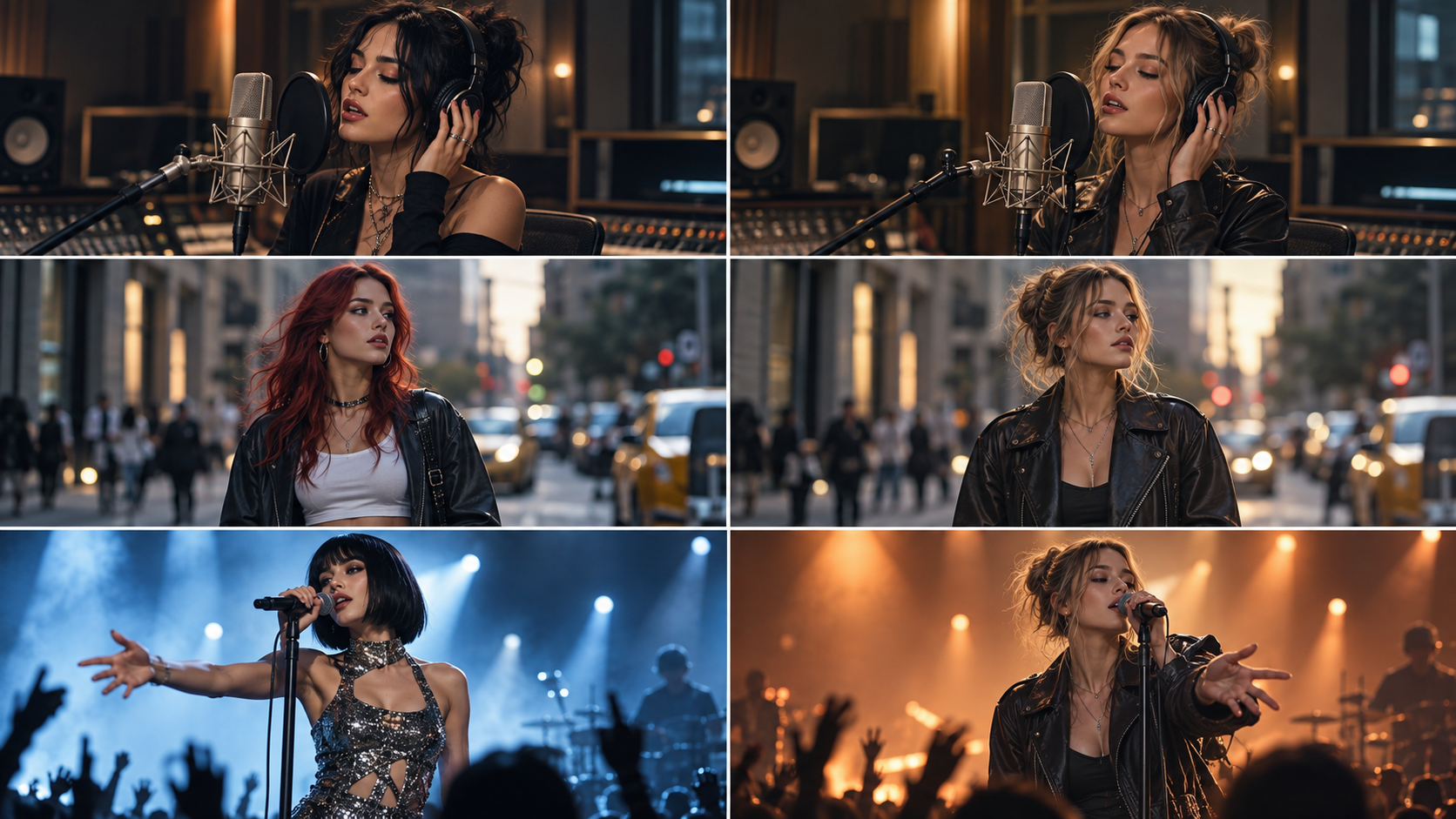
Consistent Rapper Identity Across Multiple Scenes
For many independent artists, the rapper is the visual identity of the music video.
An AI-generated scene may look excellent on its own but become unusable if the artist's face changes in the next shot.
Watch for differences in:
- •Facial structure and hairstyle.
- •Clothing and accessories.
- •Tattoos or other distinctive features.
- •Skin texture and lighting.
- •The number and appearance of people in group shots.
Character reference images can help, but they do not guarantee perfect consistency.
A more reliable production approach is to establish the artist's appearance before generating a complete sequence and inspect each important shot.
For a deeper explanation, see Best AI Music Video Generators for Character Consistency.
Full-Song Production, Editing Control, and Cost
A ten-second performance clip and a three-minute rap music video are different production challenges.
A complete music video needs an organized sequence of visuals that develops alongside the track.
The intro, first verse, hook, second verse, bridge, and outro may each need different visual treatments.
It is also worth checking whether the software lets you replace a weak shot without rebuilding the entire project.
Finally, understand the pricing model before rendering.
Some platforms use subscriptions, others charge credits, and certain features—such as lip sync, higher resolution, or regeneration—may affect the final cost.
The 5 Best AI Music Video Generators for Rap & Hip-Hop in 2026
The following recommendations are based on the tools' publicly documented capabilities, production workflows, and suitability for different rap music video needs.
They are editorial recommendations, not the results of a controlled, same-song performance benchmark.
Each platform has strengths, and the right choice depends on how you intend to make your video.
1. BeatViz — Best AI Rap Music Video Generator for Full-Song Creative Control
Best for: Independent rappers who want to build a complete music video around an existing song, with control over visual direction, characters, and individual scenes.
BeatViz is a music-focused AI video creation platform with three main approaches: Workflow, AI Director, and Editor.
Rather than relying entirely on isolated text-to-video prompts, BeatViz gives artists ways to organize a music video around the underlying track.
That distinction is useful for rap projects, where the visual treatment should evolve between verses, hooks, and instrumental sections.
Why BeatViz Works for Rap and Hip-Hop
Imagine a rapper releasing a three-minute track with a restrained opening, an aggressive first verse, a melodic hook, and a more personal second verse.
A single repeating scene would struggle to represent those changes.
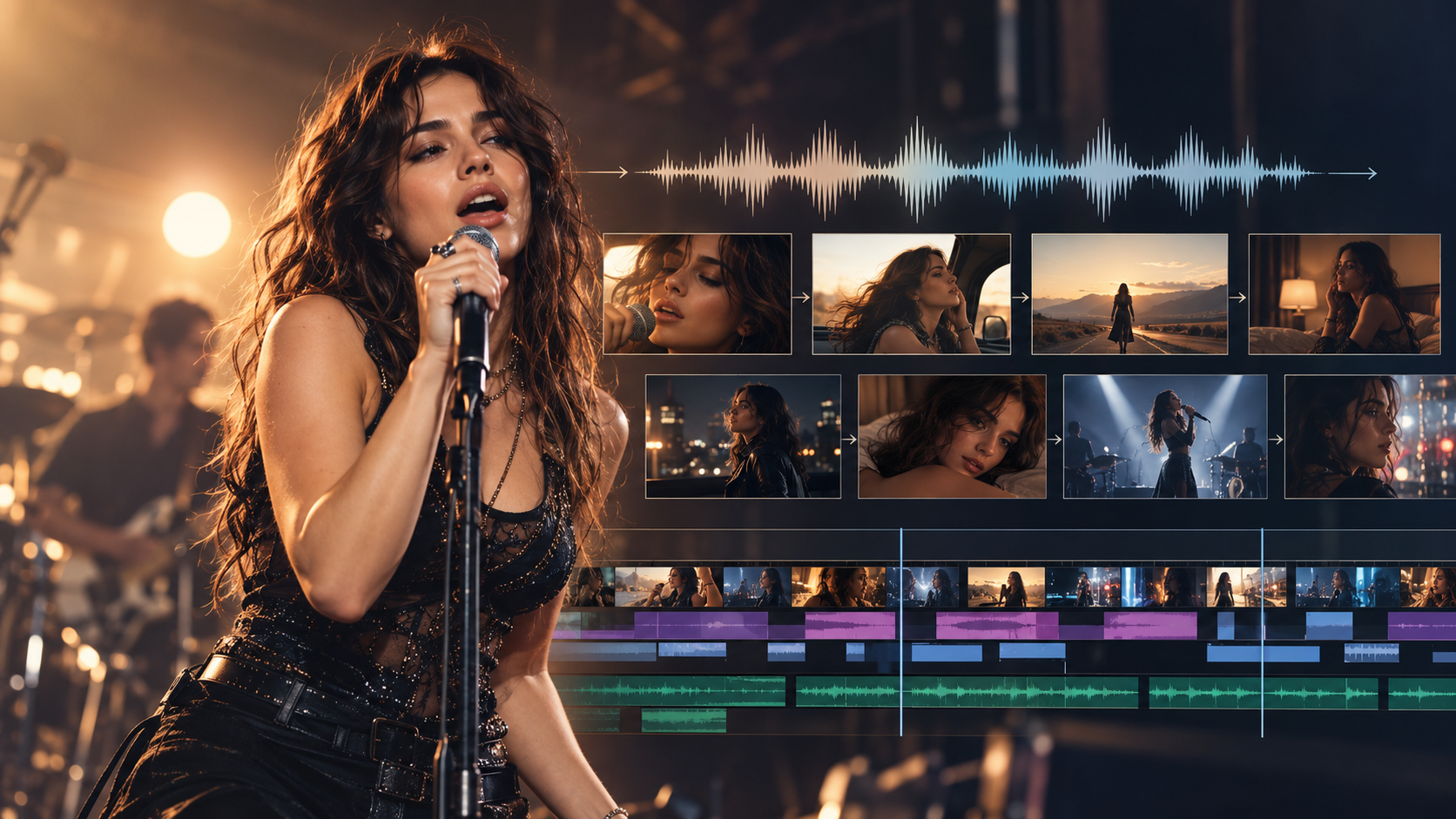
BeatViz Workflow analyzes the uploaded music and helps develop a creative direction, storyline, scene descriptions, first frames, and video clips.
An artist can then review the planned scenes and refine important visual details before rendering the complete sequence.
For character-driven rap videos, a reference image helps guide the rapper's appearance across scenes.
The reference should ideally show one person clearly, with an identifiable face and consistent visual styling.
A reference image is not a perfect identity lock, so checking the generated first frames remains important.
BeatViz Workflow, AI Director, and Editor
BeatViz offers three different routes for music video creation.
Workflow is suitable for artists who want guided production. Upload a song, choose the visual direction, review the storyline, inspect first frames, and generate the scenes.
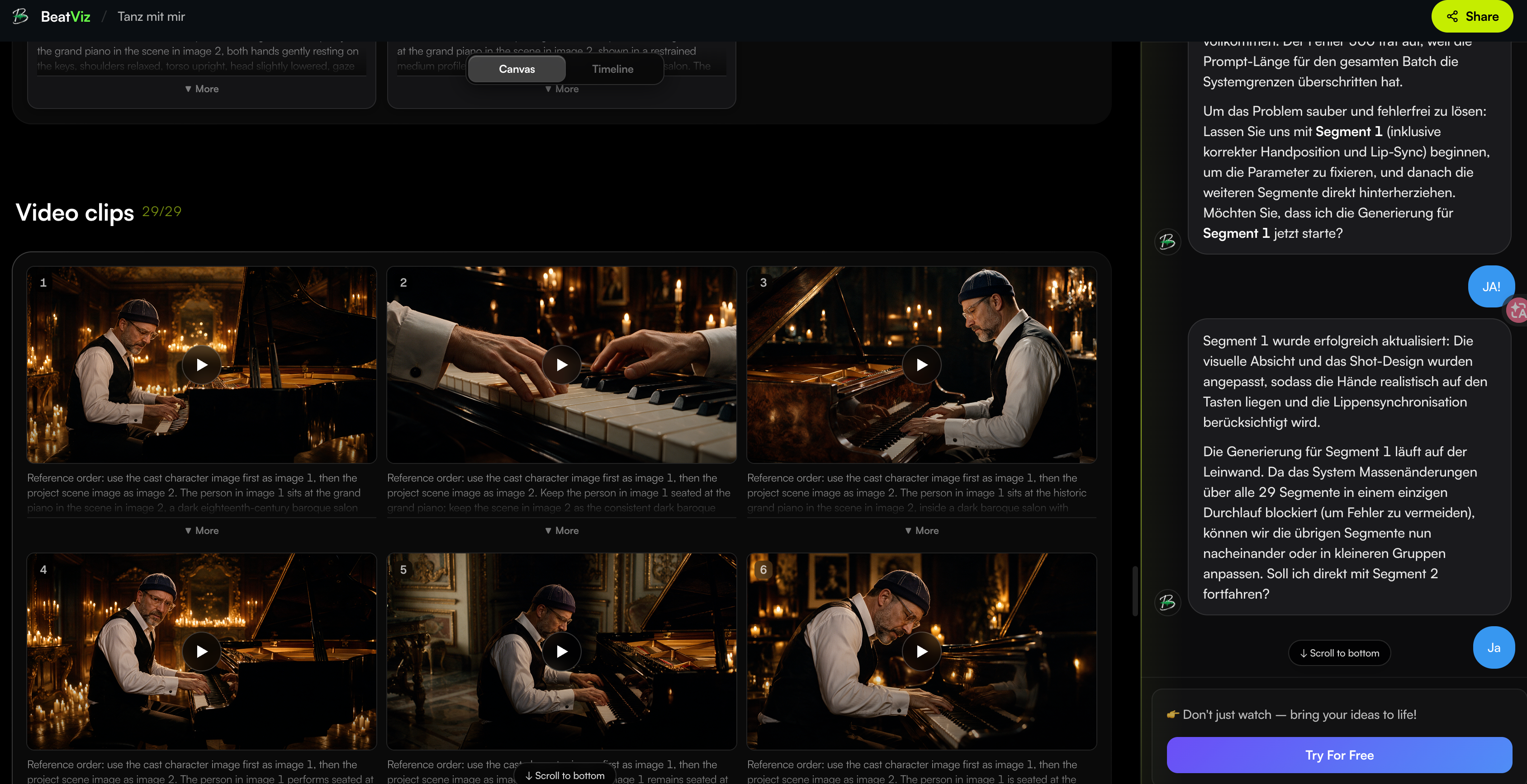
AI Director is designed around conversation. An artist can describe the desired mood, story, character, or performance style and guide the creative plan through chat.
For example:
Make the first verse feel intimate and documentary-like. During the hook, switch to energetic performance shots with strong camera movement. Keep the same rapper and wardrobe across the video.
Editor is useful when the artist wants more direct control over individual clips. It provides a timeline for arranging generated footage, modifying shots, and applying lip sync to eligible clips.
These are different creation paths, not three automatic steps inside one shared project. Workflow and Editor projects are separate, while the Editor's Classic and Chat interfaces share their own project timeline and assets.
Where BeatViz Has Limitations
BeatViz is not a guarantee that every generated shot will look exactly as intended.
Fast rap lip sync can still require testing, particularly with dense lyrics and complicated facial movement.
Character appearance may drift between scenes, even with references.
Rendering longer videos also requires planning for video generation, retries, and any additional synchronization work.
For artists who only need a simple waveform visualizer, a full multi-scene workflow may be more involved than necessary.
Our verdict: BeatViz is a strong choice when the goal is a structured, character-led rap music video rather than a collection of unrelated short clips.
2. Freebeat — Best for Fast and Automated Hip-Hop Music Videos
Best for: Rappers who want to get from a finished song to an AI-generated video with relatively little manual direction.
Freebeat provides a music-focused generation workflow, including dedicated hip-hop and rapper-oriented experiences.
Its approach emphasizes analyzing the song and automatically developing visuals that correspond to the music.
For independent artists without experience in editing or filmmaking, this can reduce the amount of work needed to get started.
Strengths for Independent Rappers
Freebeat is worth considering if your priorities are speed and convenience.
Instead of building every camera angle manually, you can start with a song and let the platform handle more of the creative planning.
That can be useful for:
- •Independent single releases.
- •Quick visual concepts for new tracks.
- •Artists experimenting with different music video aesthetics.
- •Promotional content when production time is limited.
Freebeat also presents music video creation as a genre-specific process, which can help users who already know they want hip-hop-inspired visuals.
Main Trade-Offs
Automation can reduce production effort, but it does not necessarily produce the exact artistic choices a rapper has in mind.
An AI-generated visual concept might match the general energy of a trap track without reflecting the meaning of a specific verse.
Artists with detailed storyboards, recurring symbolic imagery, or strict performance requirements should check how much direct control they have over the resulting scenes.
Our verdict: Freebeat is a practical option when generating a music video quickly matters more than personally directing every shot.
3. Runway — Best for Cinematic Rap Performance Shots
Best for: Rappers, filmmakers, and music video directors who want to create distinctive individual scenes with strong visual direction.
Runway is a broader creative AI platform rather than a dedicated full-song rap music video workflow.
Its image and video generation tools are useful for building cinematic performance scenes, stylized environments, and character-based visuals.
Performance, Character References, and Visual Direction
Runway's reference-based image workflow can help creators develop consistent characters and environments before generating motion.
For example, a rapper could establish a recognizable appearance and then create scenes featuring the same character in different locations.
Possible concepts include:
- •A performance in an empty theater.
- •A surreal nighttime scene with a distinctive color palette.
- •A minimalist studio performance built around dramatic lighting.
- •A cinematic narrative that accompanies a storytelling rap track.
This level of visual experimentation can be valuable when the music video needs an unusual concept rather than standard performance footage.
Why Short AI Clips Are Not the Same as Full Music Videos
Creating several impressive clips is only part of the work.
You still need to determine which moments of the song each clip represents, maintain visual continuity, align the footage to the music, and assemble the final edit.
That additional production work may be worthwhile for artists with a strong visual concept and editing experience.
However, it makes Runway a different type of solution from a dedicated song-to-video platform.
Our verdict: Runway is particularly attractive when cinematic shot quality, concept development, and creative experimentation matter more than an automated full-song workflow.
4. Neural Frames — Best for Audio-Reactive Trap and Hip-Hop Visuals
Best for: Producers and rappers who want music-driven animation, reactive visual effects, and detailed control over how visuals respond to a track.
Neural Frames focuses on AI music visuals, audio-reactive animation, and music video production.
Its audio analysis and music-reactive tools make it especially relevant for instrumental hip-hop, electronic trap, experimental rap, and visually driven releases.
Visuals Driven by Bass, Drums, and Vocals
A major strength of Neural Frames is its ability to work with different musical elements rather than treating the song as a single undifferentiated sound.
That opens up creative possibilities.
A deep bass line could influence the movement of an abstract environment.
Sharp snare hits could trigger changes in visual intensity.
A vocal passage might correspond to a slower, more restrained animation.
Instead of illustrating every lyric literally, the video can become a visual interpretation of the music's rhythm and structure.
When a Visualizer Is Better Than a Performance MV
Not every rap release needs a realistic performer on screen.
For a beat tape, instrumental project, underground release, or experimental single, abstract visuals may be more appropriate.
Neural Frames is also capable of broader music video workflows, including timeline-based editing and character-led visuals. Its distinctive advantage in this comparison is the level of music-reactive visual control.
The main consideration is creative complexity.
If you want precise control over audio-reactive effects, you may need to experiment with settings to achieve the right balance between visual activity and musical expression.
Our verdict: Neural Frames is a strong choice when the music itself—not necessarily a visible rapper—is the primary driver of the video.
5. CapCut — Best for Rap Lyric Videos and Social Media Clips
Best for: Independent rappers creating lyric videos, performance edits, teaser clips, and short-form promotional content.
CapCut combines video editing tools with AI-assisted content creation.
Its rap video workflow can involve generating visual clips, importing a track, arranging footage, and refining the edit around the music.
Lyric Captions, Timing, and Short-Form Editing
CapCut becomes particularly useful when the artist already has visual material and wants to turn it into engaging promotional content.
For example, a rapper might have:
- •Several AI-generated performance scenes.
- •A finished song with a memorable hook.
- •Album artwork or still images.
- •A short section of lyrics to highlight.
These can be developed into a vertical teaser, animated lyric clip, or short performance edit.
For rap content, caption readability deserves special attention.
Fast lyrics can overwhelm the screen when too many words appear at once.
It is often better to highlight a memorable phrase or punchline than to force an entire dense verse into a few seconds of on-screen text.
Best Use Cases and Limitations
CapCut is an accessible choice for hands-on editing and distribution-focused content.
It is especially practical when the goal is to publish frequent clips across TikTok, Instagram Reels, and YouTube Shorts.
However, a complex cinematic music video with a recurring rapper, multiple locations, and planned story development may require additional AI scene generation and more manual creative coordination.
Our verdict: CapCut is a good fit for editing, lyrics, and short-form rap content, particularly when you already have footage or AI-generated visual assets.
How to Make an AI Rap Music Video With BeatViz
Once you have chosen a tool, the next challenge is developing a music video that feels connected to the song.
Here is a practical way to approach a rap project using BeatViz's different creation options.
Step 1 — Upload Your Rap Track and Establish the Artist
Start with a completed version of your song.
You should know the track's structure before planning the visuals.
For example, a rap song might follow this arrangement:
| Song Section | Example Timing | Suggested Visual Approach |
|---|---|---|
| Intro | 0:00–0:15 | Establish the world, artist, and mood |
| Verse 1 | 0:15–0:55 | Character-driven storytelling and performance |
| Hook | 0:55–1:20 | More energetic framing and recognizable visual motifs |
| Verse 2 | 1:20–2:00 | New locations or narrative development |
| Final Hook | 2:00–2:25 | Return to the strongest performance imagery |
| Outro | 2:25–2:40 | Visual resolution or final memorable shot |
These timestamps are illustrative. Your actual scene plan should follow your own song.
Open BeatViz Workflow and upload the audio file.
Choose the intended aspect ratio, generation settings, and any character or style references before starting the workflow.
For a realistic performance music video, upload a clear reference photograph of the rapper.
A single-person image with a recognizable face is more useful than a group photograph with several competing subjects.
You can also describe the creative direction.
For example:
A cinematic underground hip-hop music video featuring a confident independent rapper. Natural urban locations, documentary-inspired camera work, expressive performance shots, and subtle visual storytelling. Maintain the same artist appearance throughout.
The objective is not to force every section of the song into the same visual treatment.
Instead, establish a consistent artistic identity that can develop alongside the music.
Workflow analyzes the track and helps prepare creative directions and a scene-based storyline.
Review the storyline before moving forward. Then inspect the first-frame images and video prompts before rendering the scenes.
If a frame shows the wrong person or location, correct it at this stage rather than hoping that motion generation will fix the problem.

For a broader introduction to the production process, read How to Turn Music Into a Video With AI.
Step 2 — Use BeatViz AI Director for Conversational Creative Direction
If you prefer to develop the music video through conversation, BeatViz AI Director is an alternative starting point.
Rather than manually describing every visual element through separate settings, you can explain what the song should feel like and guide the creative plan through chat.
A useful rap music video instruction might be:
Create a cinematic music video for a melodic trap song. The first verse should feel lonely and introspective, using restrained camera movement and intimate shots. When the hook begins, shift toward wider performance scenes, stronger lighting, and more energetic motion. Keep the same rapper's face, hairstyle, and wardrobe consistent.
Good direction is specific without overwhelming each scene with too many actions.
Another useful approach is to separate performance direction from story direction.
For example:
Performance direction: A medium close-up of the rapper delivering the verse directly to the camera, with controlled hand gestures.
Story direction: The artist moves through a familiar neighborhood in the early morning, reflecting on the experiences described in the lyrics.
Both can support the same song, but they serve different purposes.
Use AI Director to develop or revise the visual plan when you prefer conversational control.
Step 3 — Refine Individual Shots and Rap Lip Sync in the Editor
For artists who need hands-on timeline editing, BeatViz Editor provides a separate project-based creation workflow.
You can upload the song, generate visual assets, organize video clips on the timeline, and refine individual sections.
The Editor is especially useful when your project requires close attention to performance timing.
Consider a verse where the rapper delivers a particularly fast sequence of lyrics.
Instead of applying lip sync indiscriminately across the entire song, identify a short section where the performer is clearly visible.
Then:
- Place the completed performance clip on the timeline.
- Check that its position matches the intended section of the song.
- Select the eligible clip and apply lip sync.
- Review the result for visible timing errors, facial distortions, and unnatural mouth movement.
- Replace or adjust the clip if the performance does not look convincing.
BeatViz Editor's lip-sync workflow currently works with eligible completed clips of up to 15 seconds, using the corresponding audio beneath the clip on the timeline.
Short, carefully selected performance sections are often more practical to evaluate than trying to synchronize every visible vocal moment in a long video.
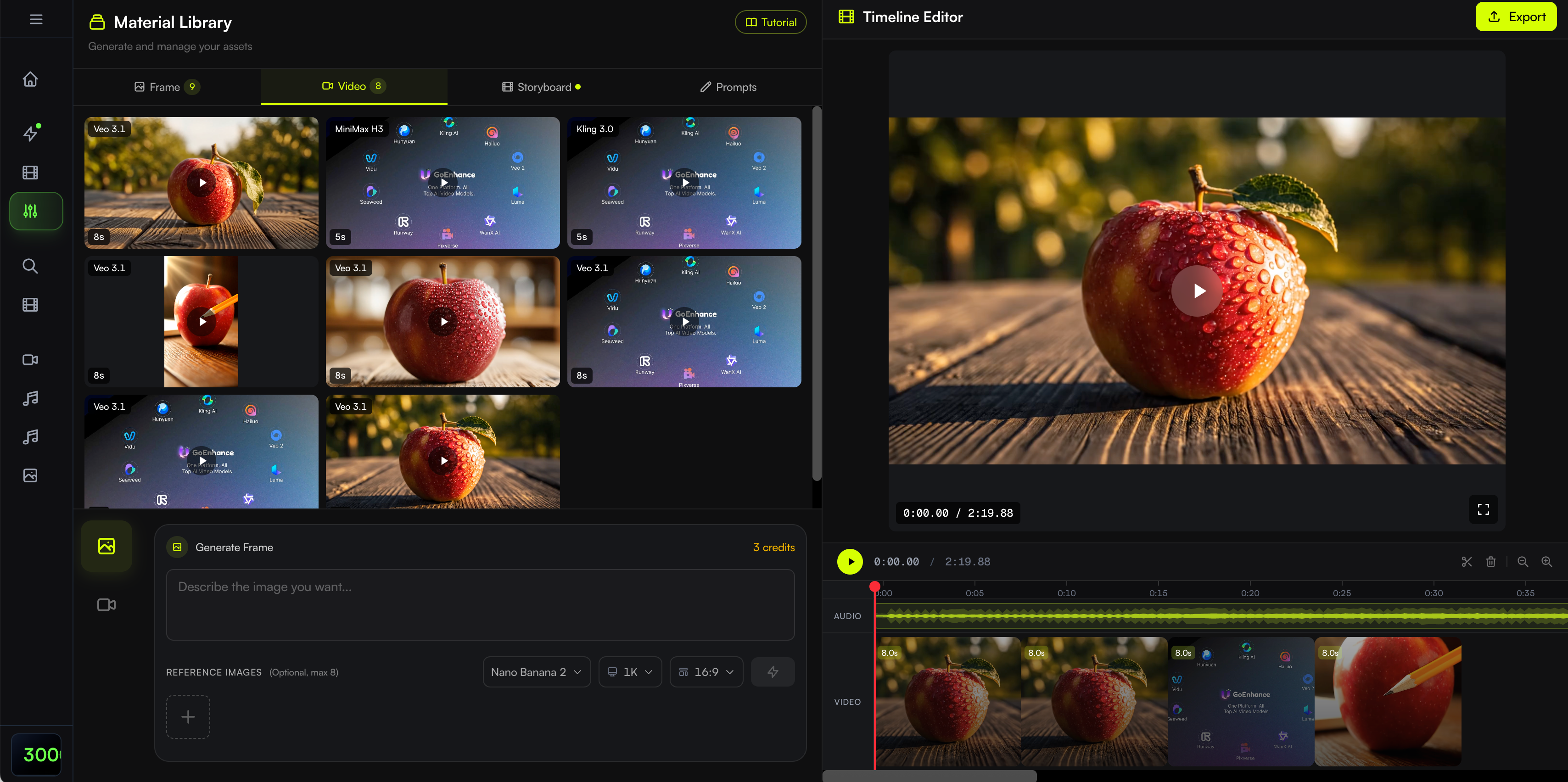
Choosing your BeatViz workflow: Start with Workflow for guided scene creation, use AI Director for conversational direction, or create an Editor project when manual timeline control is your priority.
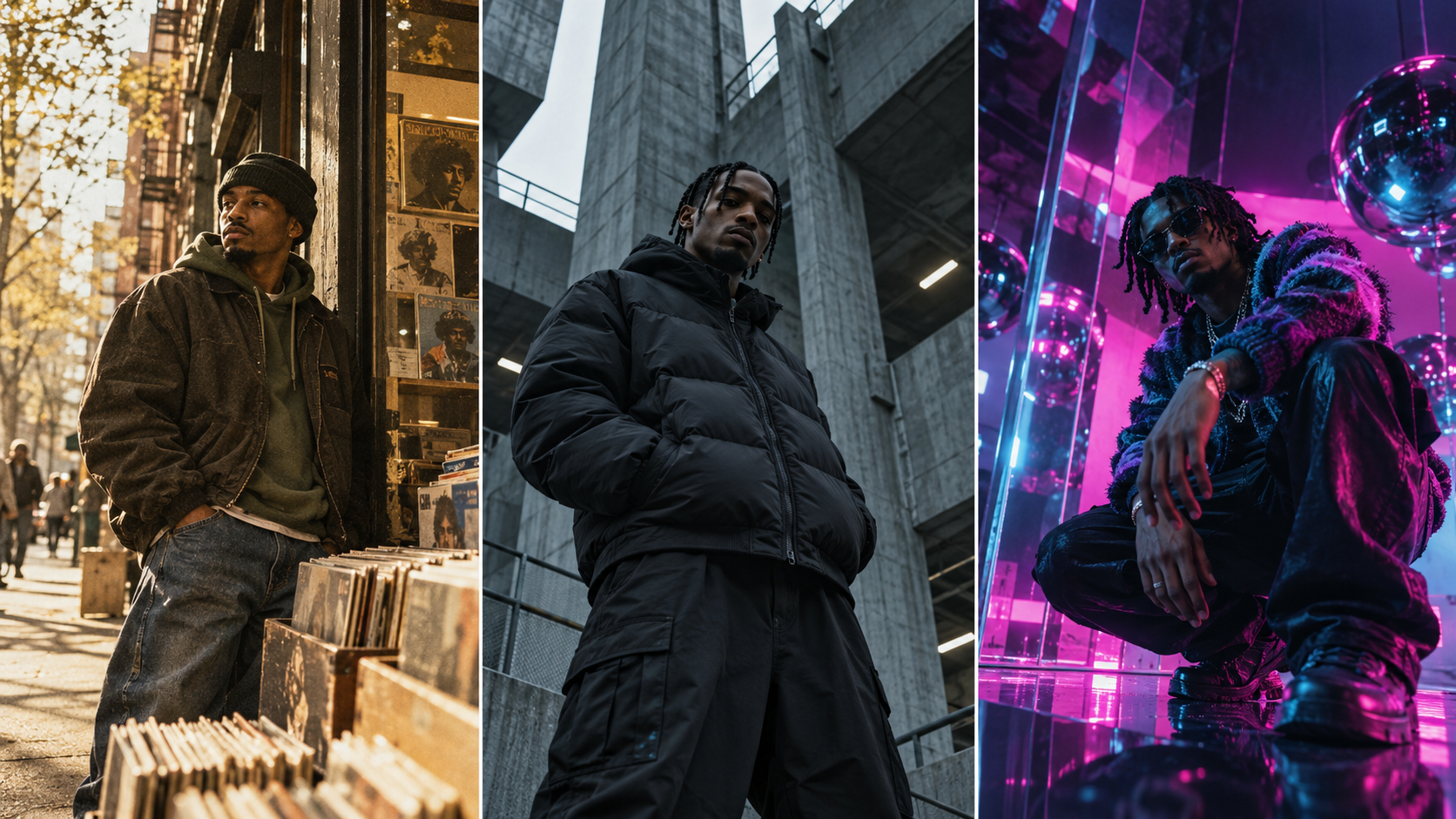
Rap Music Video Styles: Drill vs. Trap vs. Boom Bap
One of the easiest ways to make an AI-generated rap video look generic is to use the same visual prompts for every type of hip-hop track.
Not every rap song needs expensive cars, flashing neon lights, dark alleys, or aggressive camera movement.
The best visual language comes from the song's subject, production, and performance style.
Drill — Controlled Tension and Precise Cuts
Drill music often works well with a restrained but intense visual approach.
Think realistic architecture, controlled camera motion, strong composition, and deliberate editing.
Instead of adding constant action, use tension.
A slow tracking shot can be more effective than chaotic movement when the instrumental already contains rapid percussion.
Example visual direction:
A realistic drill performance video with restrained cinematic lighting, concrete architecture, confident direct-to-camera delivery, deliberate camera movement, and sharp edits at major musical transitions.
The atmosphere should support the music without relying on exaggerated or stereotypical imagery.
Trap — High-Energy Movement and Bold Visuals
Trap offers room for a wider range of creative interpretations.
An aggressive trap track might benefit from dynamic movement, unusual camera angles, and expressive lighting.
A melodic trap song may be better served by atmospheric locations and slower emotional storytelling.
Use the vocal style and instrumental arrangement to decide.
Example visual direction:
A contemporary trap music video featuring expressive performance shots, dramatic lighting contrasts, stylized reflections, energetic camera movement during the hook, and more intimate framing for melodic verses.
Avoid cutting so quickly that the viewer cannot recognize the artist or understand the scene.
Boom Bap — Documentary Texture and Storytelling
Boom bap can be especially effective with grounded visual storytelling.
Natural locations, analog textures, old record shops, rehearsal rooms, and documentary-inspired photography can complement its musical character.
The editing does not need to be overly elaborate.
Sometimes a steady shot that allows the rapper's lyrics to carry the scene is more powerful than constant effects.
Example visual direction:
A grounded boom bap music video with warm analog film texture, natural city daylight, documentary-style framing, intimate rap performance, and visual storytelling inspired by everyday experiences.
How to Avoid Generic AI Hip-Hop Visuals
Before generating scenes, write down three things:
- What is the song about? Ambition, loss, identity, conflict, celebration, or reflection?
- What should the audience feel? Tension, confidence, nostalgia, vulnerability, or excitement?
- What images are unique to this artist? Their neighborhood, clothing, recurring symbols, or personal story?
These details will usually create a more recognizable music video than adding the word "cinematic" to every prompt.
How Much Does It Cost to Make an AI Rap Music Video?
The total cost of an AI rap music video depends on how much footage you generate, the models you use, the resolution, and how many scenes require additional work.
A complete music video is rarely just one generation.
Short Clips vs. Full-Length Songs
Consider a hypothetical three-minute track.
If you plan the video around an average of eight seconds per shot, you may need roughly 23 shots to cover the song.
That is a planning estimate, not a fixed generation requirement. Actual clip lengths and available model settings vary.
Some shots may need additional attempts.
Others might be reused creatively, while certain performance sections may require more detailed editing.
The total production budget should therefore account for more than the first generation pass.
How to Reduce Regeneration and Lip-Sync Costs
A practical way to manage costs is to make creative decisions before generating the most expensive assets.
Start by confirming the character reference and visual style.
Next, review the scene descriptions and first frames.
Then prioritize the most demanding shots, such as an important direct-to-camera verse or the main hook.
In BeatViz Editor, the documented lip-sync rate is currently 20 credits per second. For example, synchronizing a five-second eligible clip would cost 100 credits, excluding the original video generation cost.
That makes it useful to select lip-sync shots intentionally rather than applying synchronization to every clip without a clear visual need.
You can find the current requirements in the BeatViz Lip Sync Guide.
Commercial Use and Release Rights
Before releasing an AI-generated music video commercially, check three separate rights questions.
First, make sure you own or have permission to use the song, recording, samples, and other underlying materials.
Second, confirm that your video generation service's plan permits your intended commercial use.
Third, make sure any uploaded character images, brand elements, or third-party likenesses are used with the appropriate rights or consent.
BeatViz lists commercial-use rights with its paid plans, but artists should review the current terms and plan details before release.
Planning a full-length rap MV?
Check BeatViz pricing and credits before rendering. A short test of your most important performance scene can help you evaluate the visual quality and likely production workflow before committing to the entire song.
YouTube Music Videos vs. TikTok and Reels: Which Format Should Rappers Create?
A finished rap music video can support more than one release format.
However, it is worth planning those formats before generating the footage.
A wide cinematic composition that looks excellent on YouTube may not translate naturally into a vertical frame.
YouTube: Build the Full Music Video
For a conventional YouTube music video, 16:9 landscape framing provides room for wider performance shots, environmental storytelling, multiple performers, and cinematic composition.
This format is a natural choice when the goal is to release the complete song as a music video.
Think about visual development across the whole track rather than making every section equally energetic.
The opening should establish the world, the verses should develop the song's meaning, and the hooks should provide memorable visual moments.
TikTok, Instagram Reels, and YouTube Shorts: Focus on the Hook
Vertical formats reward different framing choices.
Close-ups, clear movement, and immediately recognizable visual ideas often work better than wide scenes containing several small subjects.
For a short teaser, consider using:
- •The most memorable line or hook.
- •A recognizable performance moment.
- •One strong visual transition.
- •A short sequence that ends at a satisfying musical point.
Do not simply shrink the entire music video into a vertical frame.
Recompose the content so that the main performer and essential action remain visible.
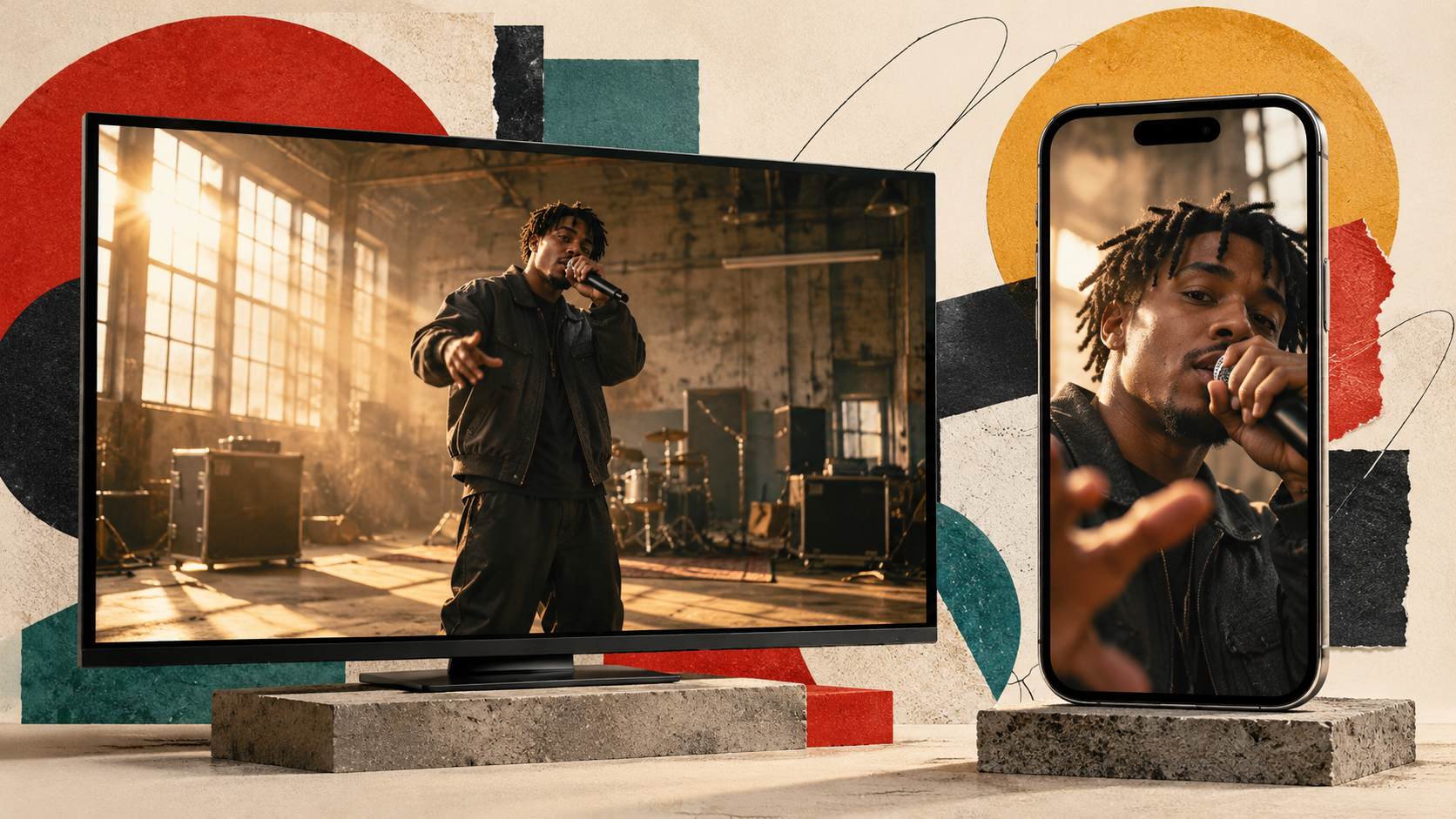
For artists planning to publish both formats, selecting the desired aspect ratio early can prevent unnecessary regeneration.
Frequently Asked Questions About AI Rap Music Video Generators
What is the best AI music video generator for rappers?
BeatViz is a strong option for rappers who want a complete, scene-based music video with guided creative planning and editing options. Freebeat is well suited to more automated generation, Runway to cinematic individual shots, Neural Frames to audio-reactive visuals, and CapCut to lyric videos and social edits.
The best tool ultimately depends on your production priorities.
Can AI lip sync fast rap lyrics accurately?
AI can create synchronized rap performance shots, but fast delivery remains challenging.
Dense syllables, overlapping vocals, ad-libs, and complex facial movement can produce visible errors.
For better results, start with a short, clearly framed performance section, check the timing, and use other types of shots where visible lip sync is not essential.
Can I create a full hip-hop music video from an MP3?
Yes. Music-focused AI video platforms can use an uploaded audio file as the foundation for generating a multi-scene video.
A finished rap song can be analyzed, divided into visual sections, and represented through generated clips that are assembled into a complete music video.
For a detailed explanation of the general process, see our guide on turning music into a video with AI.
Is there a free AI rap music video generator?
Several AI video platforms offer free trials, limited credits, or free creation options.
However, free access may restrict output length, resolution, available models, export options, or commercial usage.
For example, BeatViz offers limited free creation for testing, while longer projects and certain advanced features require paid access.
Always verify the current plan restrictions before choosing a tool for a commercial music release.
Can I use my own face in an AI rap video?
Yes. Some AI music video tools support character references or uploaded images that help guide the appearance of a performer.
A clear, single-person reference is usually more useful than an image containing multiple people.
AI-generated character consistency is not guaranteed, so review each important shot and correct obvious appearance changes.
You should also use images that you own or are authorized to upload.
Can AI create drill or trap music videos?
Yes. AI-generated videos can follow visual directions associated with drill, trap, boom bap, melodic rap, and other hip-hop styles.
The most convincing results come from specific creative direction rather than relying on a genre label alone.
Describe the performance, setting, camera movement, lighting, and emotional tone that suit your particular song.
Final Verdict: Choose the Right AI Music Video Generator for Your Rap Track
AI music video generation gives independent rappers more ways to build visuals around their music without requiring a traditional production crew for every release.
But different tools solve different problems.
Choose BeatViz when you want to develop a full rap music video with structured scenes, character references, and creative control.
Choose Freebeat when fast, automated generation is the priority.
Choose Runway when your project depends on individual cinematic shots and original visual concepts.
Choose Neural Frames when you want music-reactive effects and visuals that respond to the track's rhythmic elements.
Choose CapCut when you need lyric videos, edited performance clips, and short-form promotional content.
Whichever tool you use, the strongest rap music videos begin with a clear understanding of the song.
Know which lines need a visible performance. Know when the beat should drive the editing. Decide what the rapper's visual identity should look like from the first shot to the last.
Your next rap music video can start with the song you already have.
Upload your track, establish your artist's visual identity, and turn your lyrics into a connected visual experience with the BeatViz AI Music Video Generator.