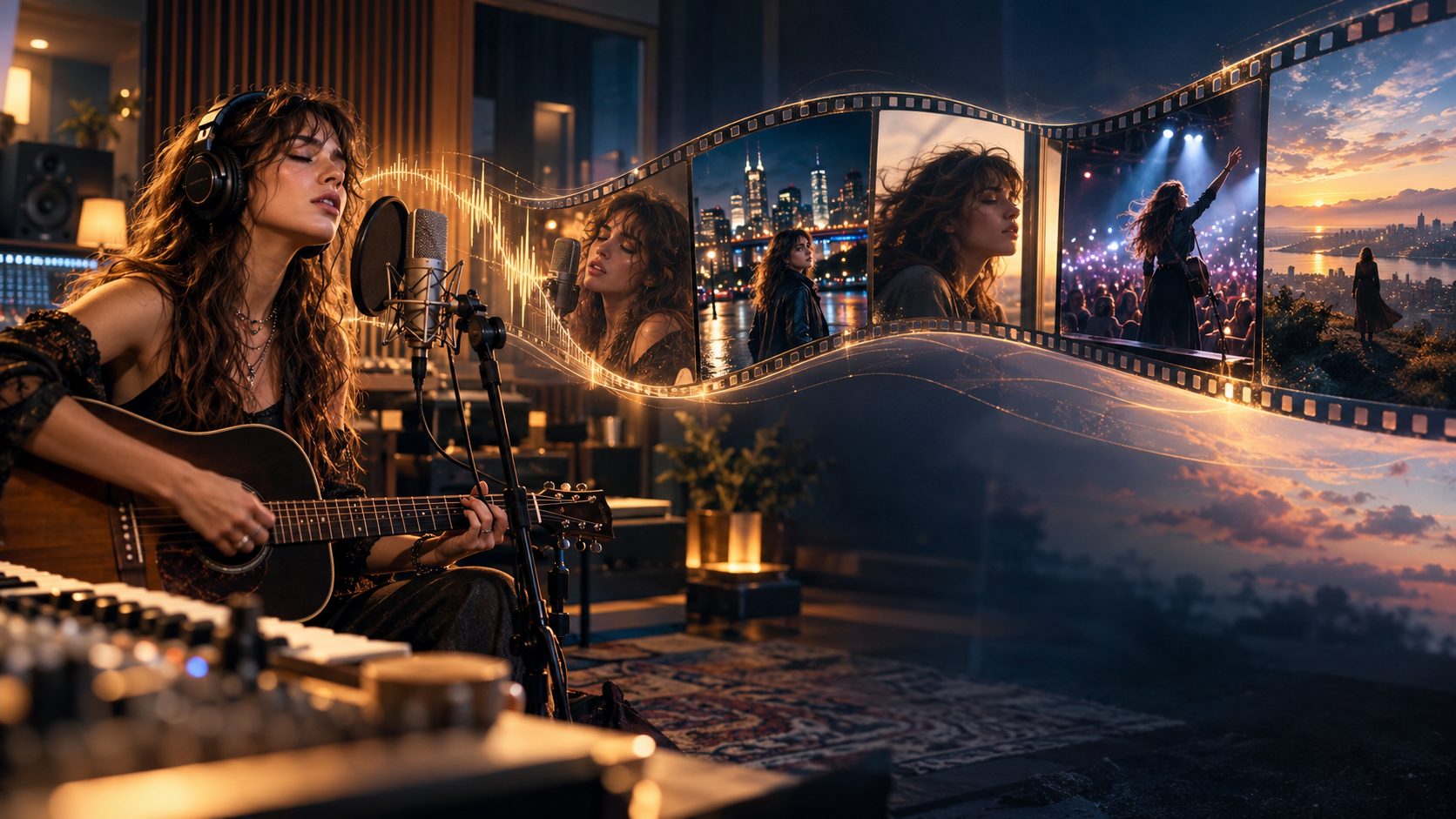
5 Best Freebeat Alternatives for AI Music Videos in 2026
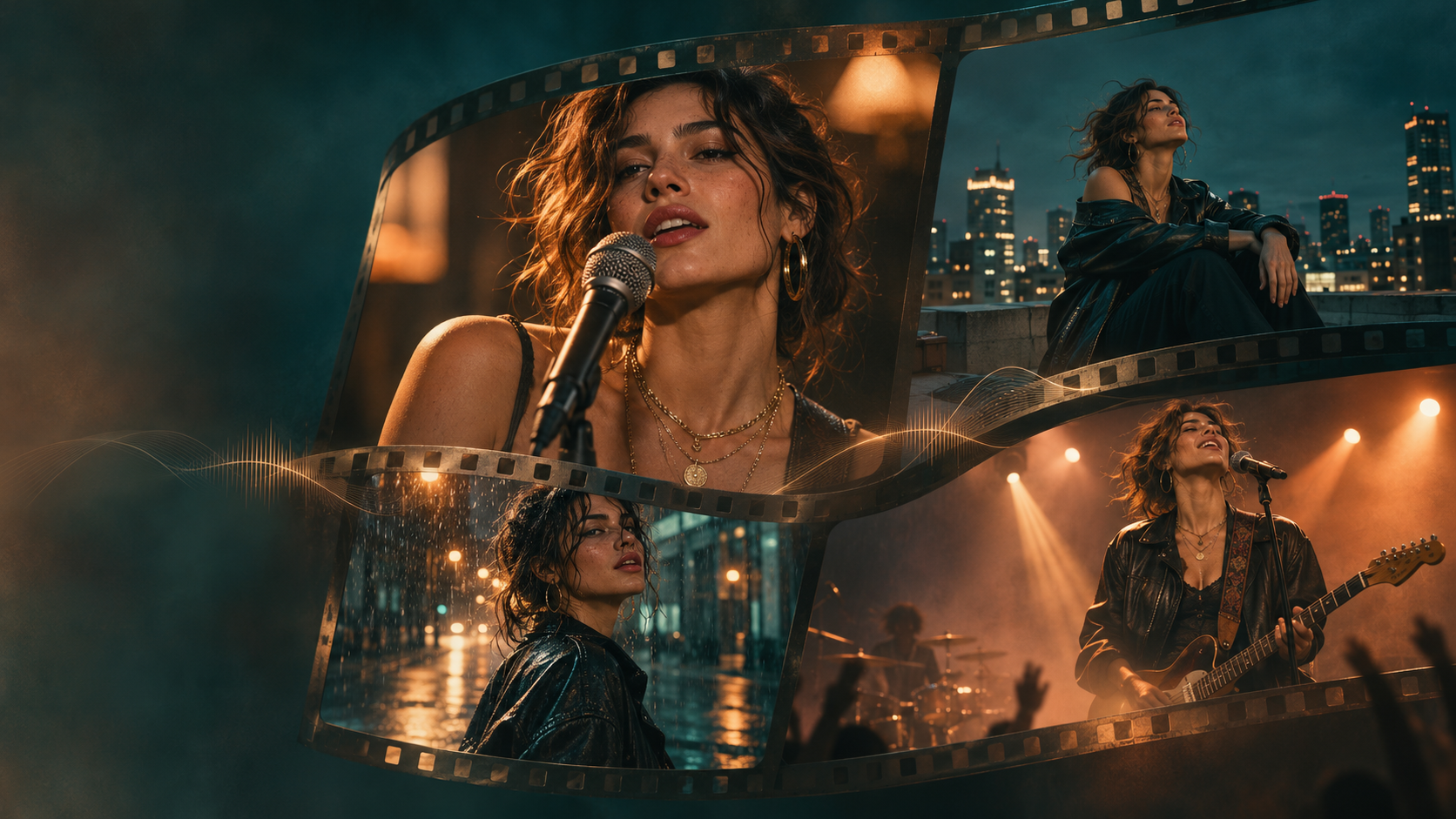
BeatViz is a strong Freebeat alternative for musicians who want to create full-length AI music videos with editable storyboards, consistent characters, and scene-level control. Atlabs is worth considering for guided video production and character consistency, while One More Shot AI focuses on automated music video direction. Neural Frames specializes in audio-reactive visuals, and Kaiber is a creative choice for stylized, beat-synced videos.
Freebeat AI already offers music-driven video generation, AI-assisted editing, and beat-synchronized cuts. But different creators need different levels of automation, visual control, and editing flexibility.
If you are searching for Freebeat alternatives, the most important question isn't simply which AI video generator produces the most impressive demo. It's which platform can turn your finished song into a music video you can actually complete, revise, and publish.
This guide compares five sites like Freebeat AI based on their music video workflows, editing features, lip sync capabilities, pricing approaches, and ideal use cases.
Editorial disclosure: This comparison is published by BeatViz, which is one of the products featured. The recommendations are based on publicly documented features and intended workflows, not a controlled hands-on benchmark of all five platforms.
Already have a finished song? Explore how the BeatViz AI Music Video Generator helps transform your track into a structured visual production.
Quick Answer: The 5 Best Freebeat Alternatives in 2026
If you want a Freebeat AI alternative without comparing dozens of platforms, here are five options worth considering.
| AI Music Video Tool | Best For | Main Advantage |
|---|---|---|
| BeatViz | Full-length AI music videos with creative control | Music analysis, editable storyboards, keyframes, lip sync controls, and scene-by-scene revisions |
| Atlabs | Guided production with recurring characters | AI-assisted video planning, character consistency, and music-focused workflows |
| One More Shot AI | Automated music video direction | Auto Mode for full-song generation and Project Mode for more detailed editing |
| Neural Frames | Audio-reactive music visuals | Stem-based audio analysis, visual animation, and music-responsive effects |
| Kaiber | Stylized music videos and beat-synced edits | Creative visual generation, Beat Sync, and montage editing |
Our recommendation: Choose BeatViz if you want to review a music video's visual structure before generating every shot and retain the ability to refine individual scenes. Choose One More Shot AI if automated direction is your priority, Neural Frames for music-reactive visuals, or Kaiber for experimental visual styles.
For character-driven projects, Atlabs is another option worth comparing.
The best choice ultimately depends on what you want your music video to look like—and how much control you want over the result.
What Freebeat Does Well—and Why Look for an Alternative?
Before comparing competing tools, it's worth understanding what Freebeat AI already provides.
Freebeat is designed around music-first video creation. Rather than starting with a silent video prompt, creators can use a song to guide scene selection, pacing, and visual changes.
Its AI video editor can identify musical sections such as verses, choruses, and drops, build beat-synchronized edits, and respond to natural-language editing requests.
Freebeat also supports AI-generated visuals and editing workflows, so it would be inaccurate to describe it as a platform that cannot create complete music videos or modify generated footage.
Freebeat's Music-to-Video Workflow
Freebeat offers several practical features for music creators:
- •Music-driven video creation using uploaded audio or supported music sources.
- •AI-assisted video generation and visual editing.
- •Beat-synchronized cuts based on musical structure.
- •AI-generated scenes, lyric visuals, and related creative assets.
- •Browser-based editing, alongside a Mac desktop editing option.
For artists who want to produce visual content quickly, these features make Freebeat a relevant option.
You can explore its current capabilities on the Freebeat AI Editor page.
When Another AI Music Video Tool Might Fit Better
The reason to explore sites like Freebeat AI isn't necessarily that Freebeat lacks a particular feature.
Sometimes the difference is how a platform organizes the creative process.
Consider a musician producing a three-minute music video with:
- •An instrumental introduction featuring atmospheric shots.
- •A lead singer performing during the verses.
- •A recurring storyline between performance scenes.
- •Several locations featuring the same character.
- •A final chorus that returns to the opening setting.
This project requires more than matching cuts to music.
The creator may want to review the complete storyline, approve the character's appearance before rendering footage, decide which clips need singing, and change individual shots that don't match the original concept.
Other creators might prefer abstract motion graphics that react to individual instruments rather than a story involving characters.
Different AI music video platforms are designed around these different priorities.
That's why the following comparison focuses on the entire music video production workflow, not just the quality of an isolated AI-generated clip.
Freebeat Alternatives Compared at a Glance
The five platforms below offer different approaches to transforming music into visuals.
| Platform | Full-Song Workflow | Editing Approach | Vocal/Lip Sync Features | Main Trade-Off |
|---|---|---|---|---|
| BeatViz | Yes | Guided workflow, AI Director, or manual Editor | Yes, with options varying by creation mode | Generation and revisions use credits; advanced workflow requires more review |
| Atlabs | Yes, on applicable plans | Guided scenes and AI-assisted editing | AI motion and lip sync tools | Music-to-video capabilities depend on plan |
| One More Shot AI | Yes | Auto Mode and Project Mode | Performance-oriented AI video features | Automated generation can consume substantial tokens |
| Neural Frames | Yes | Autopilot and audio-reactive controls | Lyric and vocal video tools | Advanced audio-reactive controls take practice |
| Kaiber | Music-focused montage workflows | Canvas, Beat Sync, and Editor | Not the main focus of Beat Sync | Beat Sync requires eligible plans and credits |
These categories describe documented workflows, not guarantees of perfect output.
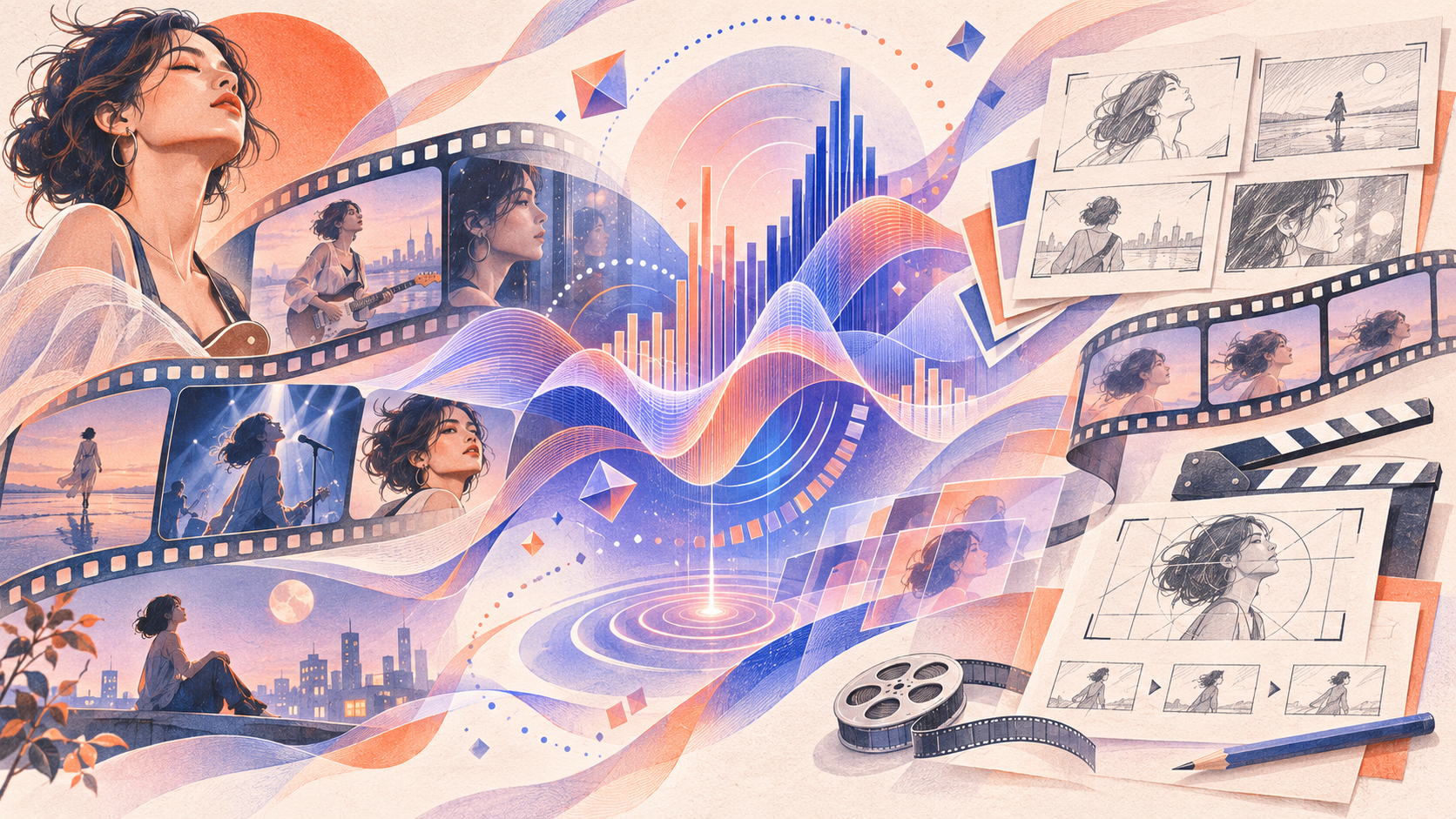
The comparison becomes more useful when we look at how each tool fits a real music video project.
1. BeatViz — Best for Full-Length AI Music Videos With Scene-Level Control
Best for: Independent musicians, AI music creators, singers, and filmmakers who want to produce complete music videos with a clear storyline, recurring characters, and the ability to revise individual shots.
BeatViz approaches AI music video generation as a production process rather than simply a collection of short video prompts.
The platform offers three creation paths: Workflow, AI Director, and Editor.
Each addresses a different creative need.
Workflow helps organize a song into planned scenes and generated clips. AI Director supports conversational creative direction. Editor provides more direct control over shots, timing, and final assembly.
For creators making narrative or performance-based music videos, that flexibility is particularly useful.
What Makes BeatViz Different?
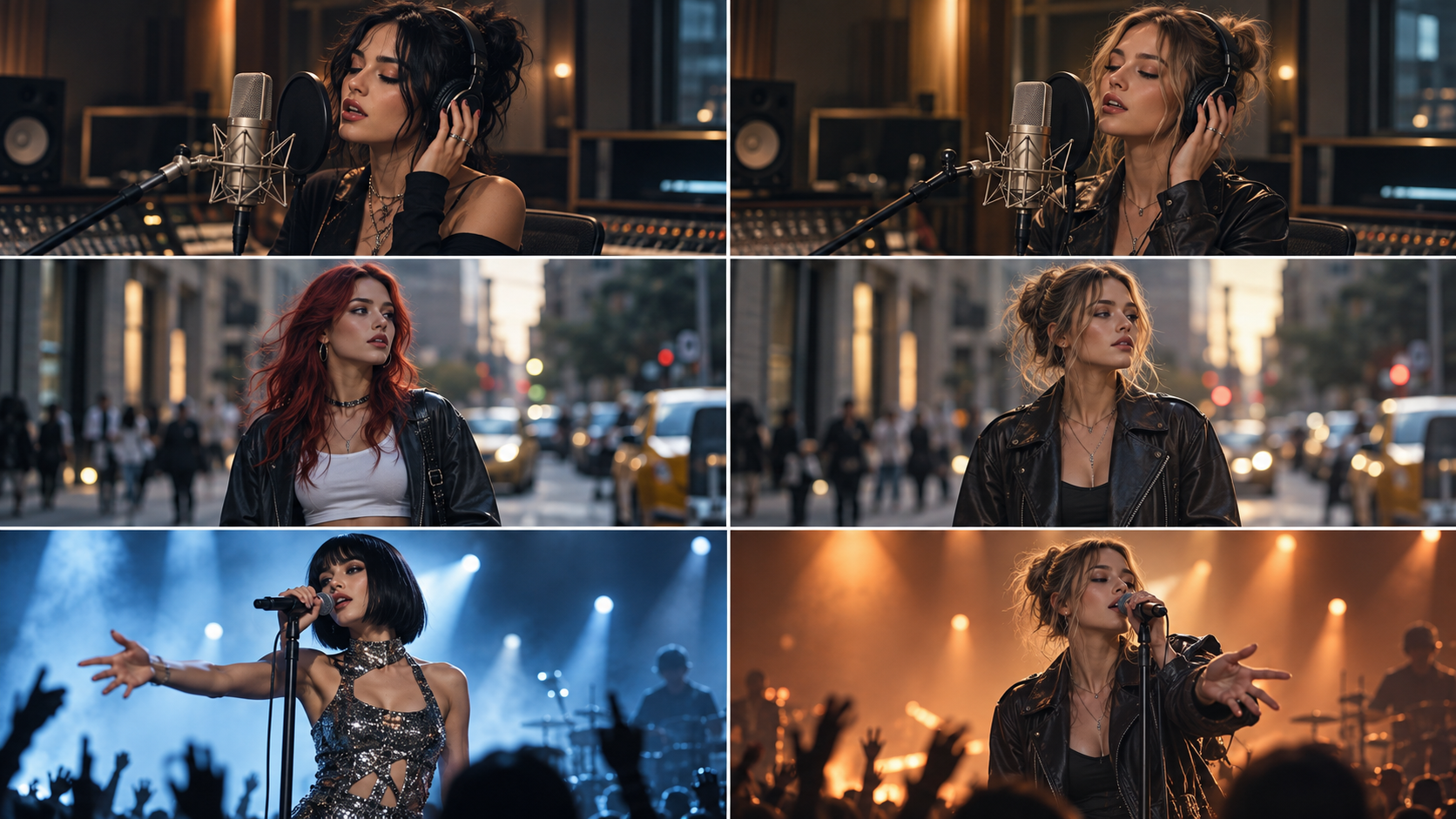
One of the challenges of AI music video production is maintaining continuity across a full song.
A five-second AI clip might look convincing, but a complete music video may require dozens of shots involving the same singer, outfit, and visual setting.
Without a production plan, those clips can feel disconnected.
BeatViz provides tools to organize that process before committing to the final video generation.
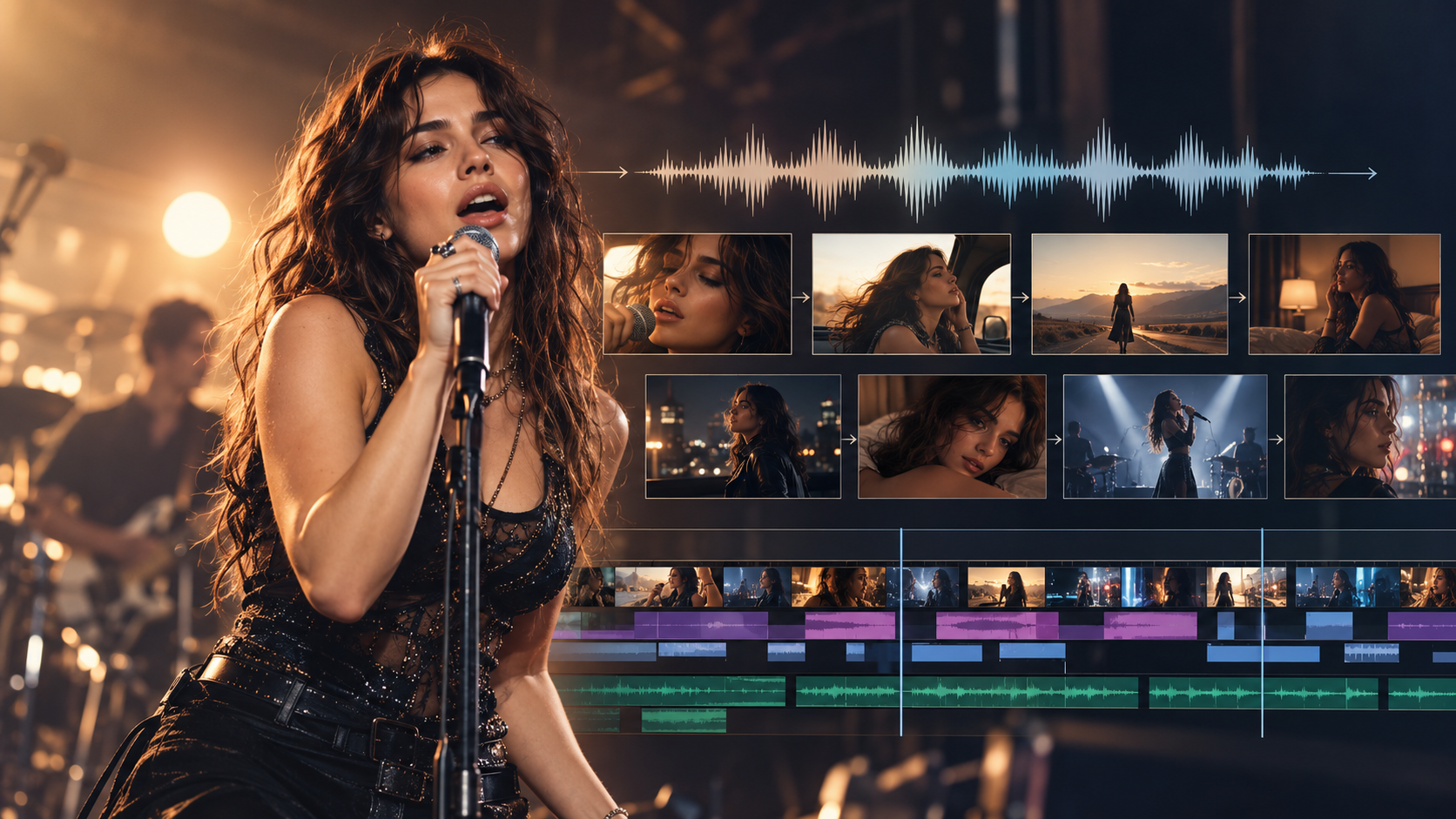
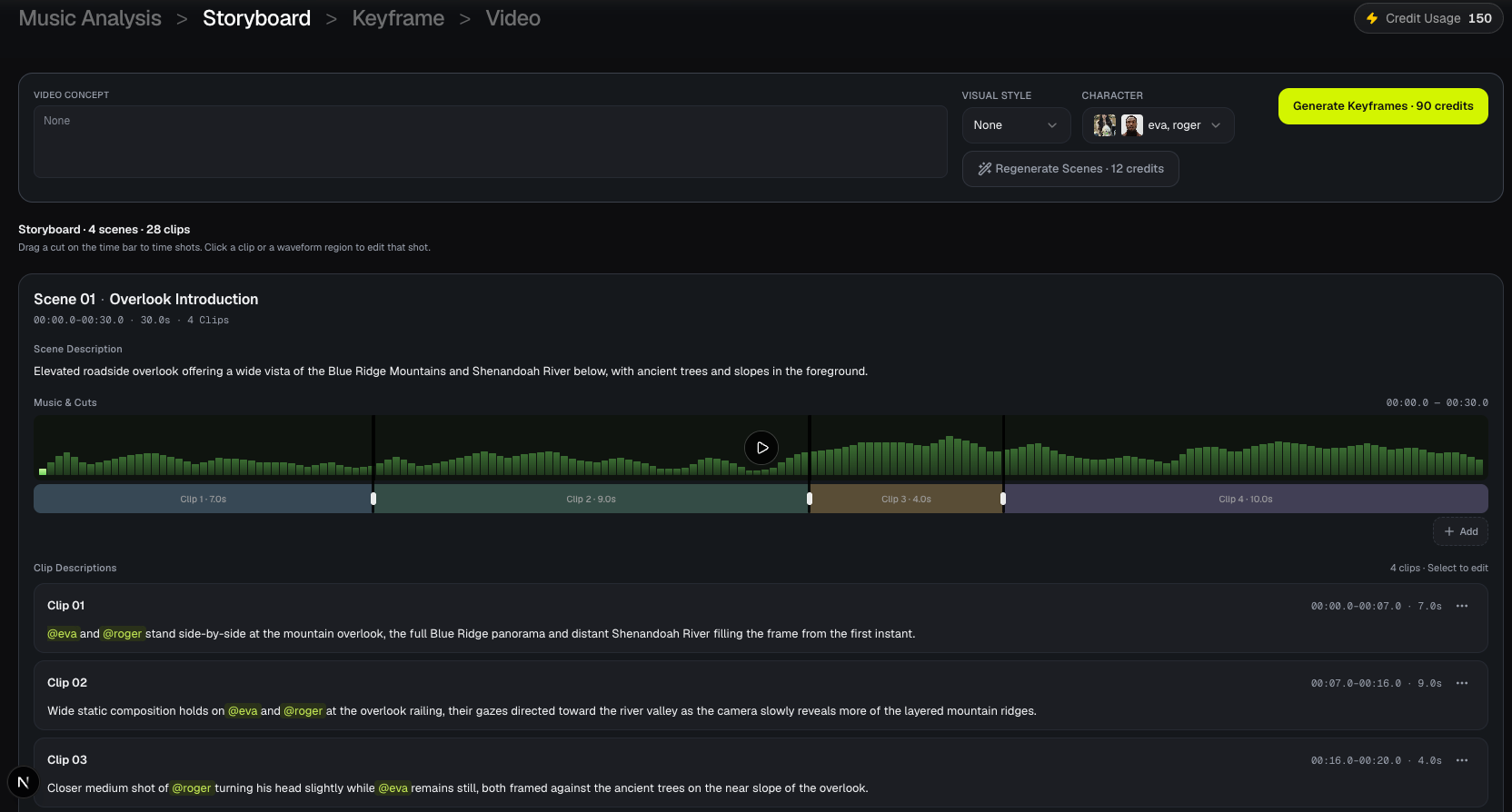
In Workflow 2.0, the production follows several stages:
- Music Analysis: Upload a finished song and review audio and lyric timing information.
- Storyboard: Plan scenes and individual clips, including their actions, timing, and visual descriptions.
- Keyframes: Generate and review an opening image for each clip before producing moving footage.
- Video Generation: Turn approved keyframes and prompts into video clips.
- Export: Assemble the completed clips with the selected soundtrack into a music video.
The storyboard is editable, so creators can adjust shot descriptions, split clips, and change cut timing before generation.
This matters when the first AI-generated interpretation doesn't match the intended story.
For example, if the lyrics describe a character walking through a rainy city, the creator can correct a storyboard that incorrectly places the character on a sunny beach before generating the corresponding footage.
BeatViz Workflow, AI Director, and Editor
The three BeatViz creation paths suit different working styles.
Workflow: For structured music video production
Use BeatViz Workflow when you want to upload a song, review the creative plan, inspect keyframes, and generate a series of connected music video clips.
Workflow 2.0 is especially relevant for creators who want to correct scene descriptions and approve the visual direction before spending credits on video generation.
AI Director: For conversational creative direction
The BeatViz AI Director is designed for creators who prefer explaining their ideas in natural language.
Instead of manually configuring every detail, you can describe a visual concept such as a dark, cinematic R&B performance alternating between a recording studio and a rainy city.
You can then develop the creative direction through conversation and review the resulting material.
Editor: For hands-on editing
The BeatViz Editor provides a timeline-based workspace for generating assets, arranging video clips, adjusting their placement, and refining individual shots.
It's particularly useful when you want to control the final sequence rather than depend entirely on automatic assembly.
These are separate creation paths, not interchangeable views of a single project. Choose the approach that best matches how you want to work.
BeatViz Pros, Limitations, and Ideal Users
Strengths
- •Designed around complete music video production.
- •Music analysis and structured scene planning.
- •Editable storyboards and per-clip keyframes in Workflow 2.0.
- •Character references for recurring performers.
- •Different lip sync workflows for singing and performance videos.
- •Individual clip regeneration and prompt editing.
- •Conversational direction and timeline-based editing options.
Limitations
- •Generative video can still produce inconsistent faces, movements, or lip sync.
- •Longer videos and repeated generations can increase credit consumption.
- •Workflow 2.0 is a paid feature and has a different pricing structure from Workflow 1.0.
- •The most detailed workflows require creators to review and approve multiple production stages.
Verdict: BeatViz is a particularly relevant Freebeat alternative when the goal is not merely to generate a first draft, but to develop and refine a complete music video with multiple scenes.
Have a song ready?
Start with BeatViz Workflow to plan your scenes before generating the final footage.
2. Atlabs — Best for Guided Music Videos With Consistent Characters
Best for: Creators who want AI-assisted production, recurring characters, and a guided way to develop music videos.
Atlabs is an AI video creation platform with music-to-video features aimed at creators producing more structured visual content.
Its music workflows can combine AI-assisted planning, character references, video generation, and lip sync capabilities.
That makes it worth considering for music videos involving a recurring singer, animated character, or narrative.
Key Features and Music Video Workflow
Atlabs includes features such as:
- •AI-assisted music video creation.
- •Music analysis and guided production tools.
- •Character consistency features.
- •AI motion and lip sync generation.
- •Support for longer videos on applicable plans.
- •Access to multiple AI generation capabilities.
A key attraction is the ability to plan videos with repeated characters rather than treating each shot as an unrelated image or video request.
For example, an indie artist might want to feature the same animated singer in a studio, a city street, and a concert venue.
Atlabs provides character-oriented production tools for that type of project.
Atlabs Pricing, Strengths, and Limitations
Atlabs uses subscription plans with credit allowances.
Its official plan comparison places the full music-to-video workflows, music analysis features, and advanced character capabilities in higher-tier subscriptions rather than treating every feature as part of the entry-level plan.
Check the Atlabs subscription page for current plan availability and credits.
Strengths: Guided creation, character-oriented workflows, music analysis, and performance-related tools.
Limitations: Advanced music video features require eligible subscriptions. Generating several minutes of video may also involve additional credit planning and reviewing outputs.
Verdict: Atlabs is a reasonable option for creators who value guided AI production and recurring character design, especially when developing stylized or animated music videos.
3. One More Shot AI — Best for Automated Music Video Direction
Best for: Musicians who want to turn a finished song into a complete music video with relatively little manual scene planning.
One More Shot AI focuses on AI-assisted music video creation, with different modes for automated generation and more detailed project editing.
Its two main approaches are Auto Mode and Project Mode.
Auto Mode vs. Project Mode
Auto Mode is designed for creators who want to upload a song and have AI generate a complete music video.
This approach is appealing when the priority is getting a visual interpretation of the track without directing every individual shot.
Project Mode offers greater control over the production.
Creators can develop videos scene by scene and work more deliberately with clips, effects, and the final structure.
The difference matters because not every musician wants the same level of involvement.
An electronic music producer releasing frequent tracks might prefer an automated first draft.
An artist producing a flagship music video for a major single may want to refine the visual direction more carefully.
One More Shot AI Pricing, Strengths, and Limitations
One More Shot AI uses a token-based system.
Its published pricing describes Auto Mode at 33 tokens per second, while Project Mode has a variable cost depending on the selected generation model and clip duration.
The platform lists paid subscription options, including a Basic tier with a monthly token allowance.
For a three-minute song, Auto Mode's published rate implies approximately 5,940 tokens before any additional work or changes. That makes it important to compare the required tokens with a subscription's allowance rather than looking only at the monthly price.
Strengths: Full-song automation, music-focused creation, and an additional editing-oriented mode.
Limitations: Automatic output may still require creative revisions. Token consumption for longer tracks can be substantial, and manual controls differ from those in other production platforms.
Verdict: One More Shot AI is well suited to musicians who prioritize automated direction and want an initial complete music video without manually planning every shot.
4. Neural Frames — Best for Audio-Reactive Visuals
Best for: Electronic musicians, DJs, experimental artists, and producers who want visuals that respond directly to the music.
Neural Frames takes a different approach from platforms centered mainly on character-driven stories.
Its strength is the relationship between sound and visual movement.
The platform offers music video generation, Autopilot workflows, audio-reactive effects, and music stem analysis.
Autopilot and Stem-Based Animation
A music stem is an isolated component of a song, such as drums, bass, vocals, or another instrumental layer.
By working with different musical components, creators can develop visuals that respond to particular parts of an arrangement.
Imagine a techno track where geometric structures pulse with the kick drum, light patterns respond to the bass, and atmospheric elements change with the melody.
That type of visual composition doesn't necessarily need a singer, actors, or a traditional storyline.
Neural Frames also offers Autopilot for more automated music video creation, alongside lyric and vocal-video capabilities.
This makes it relevant for both abstract music visuals and selected performance-related scenes.
Neural Frames Pricing, Strengths, and Limitations
Neural Frames uses subscriptions and generation credits. Its pricing page provides model- and duration-dependent estimates for music video production.
The final cost depends on the chosen generation method, subscription, video length, and model.
Strengths: Audio-reactive controls, music stem analysis, abstract visuals, and automated video options.
Limitations: Detailed audio-reactive customization can involve more creative experimentation than a straightforward upload-and-generate workflow. Costs also vary across models and generation methods.
Verdict: Neural Frames is one of the more interesting Freebeat alternatives for creators who want the music itself—not a singer or storyline—to drive the visual experience.
5. Kaiber — Best for Stylized and Beat-Synced Music Videos
Best for: Artists, producers, and social content creators who enjoy experimental visuals, image animation, and rhythm-driven montages.
Kaiber is a creative AI video platform with tools for generating visuals, editing videos, and synchronizing content with music.
Its workflow includes Canvas, Editor, and Beat Sync.
Beat Sync, Canvas, and Music Video Montage
Kaiber's Beat Sync can organize visual material around an uploaded audio track.
Creators can work with images or video clips, generate variations, and develop rhythmic visual sequences.
This makes it useful for music videos built around stylized animation, experimental imagery, album artwork, or short promotional content.
For example, a producer might create a series of surreal images featuring futuristic architecture, abstract sculptures, and vibrant landscapes.
Kaiber can help transform that visual collection into a music-oriented sequence.
Its creative workspace also makes it possible to develop visuals before editing them into a final project.
Kaiber Pricing, Strengths, and Limitations
Kaiber's published plan guide lists:
- •Starter: $10 per month, for Canvas and Editor access, without Beat Sync.
- •Creator: $29 per month, including Beat Sync access.
- •Pro: $99 per month, with higher allowances and larger Beat Sync batches.
A paid trial option has also been offered. Plans, credits, and trial terms should be checked before purchase.
Strengths: Flexible artistic creation, beat synchronization, montage workflows, and support for user-provided imagery and footage.
Limitations: Beat Sync requires an eligible plan. Projects emphasizing realistic recurring performers or detailed narrative scenes may need more manual planning and iteration.
Verdict: Kaiber is worth considering when visual style and rhythmic editing matter more than constructing a traditional performance-based music video.
How BeatViz Handles Storyboards, Lip Sync, and Scene-Level Revisions
Once you've compared the five Freebeat alternatives, the next question is what happens when you actually start producing a music video.
Consider a three-minute pop song.
The artist wants a cinematic introduction, a performance-driven verse, a short narrative sequence, and a final chorus that returns to the main singer.
The creative requirements might look like this:
| Song Section | Visual Direction | Singing on Camera? |
|---|---|---|
| Intro | Atmospheric city shots | No |
| Verse 1 | Singer performing in a studio | Yes |
| Chorus 1 | Stage performance and close-ups | Yes |
| Instrumental Break | Narrative shots and environmental details | No |
| Verse 2 | Singer walking through a city | Depends on the intended scene |
| Final Chorus | Return to a dramatic performance | Yes |
The important challenge is making these sections work together instead of generating a series of unrelated clips.
Review the Storyboard Before Generating Video
In BeatViz Workflow 2.0, the storyboard provides an opportunity to check the proposed visual direction before generating the finished video clips.
Creators can inspect scene descriptions, adjust shot timing, and change the actions or locations associated with particular parts of the song.
Suppose the original concept calls for the singer to appear only in the chorus.
If the generated storyboard places the performer in every scene, that can be corrected before continuing.
This is also where precise camera instructions become useful.
A verse might benefit from intimate close-ups, while a chorus might need wider performance shots and more dynamic camera movement.
For a more detailed production tutorial, see How to Turn Music Into a Video With AI.
The objective isn't to write the longest possible prompts.
It's to make sure the scenes support the song's emotional progression.
Control Singing and Non-Singing Sections
Lip sync is one of the most important features to evaluate when producing a performance-based AI music video.
A character moving their mouth during an instrumental break can distract from an otherwise convincing scene.
At the same time, a close-up performance may feel unnatural if the singer's mouth movements don't follow the vocals.
BeatViz Workflow 2.0 provides a per-clip lip sync switch.
On the Keyframe screen, each clip includes a microphone control.
When enabled, the clip's relevant audio is sent to the video generation model for vocal-aware generation.
When disabled, the video is generated without that clip-audio input.
This allows creators to make different decisions for performance shots and non-performance footage.
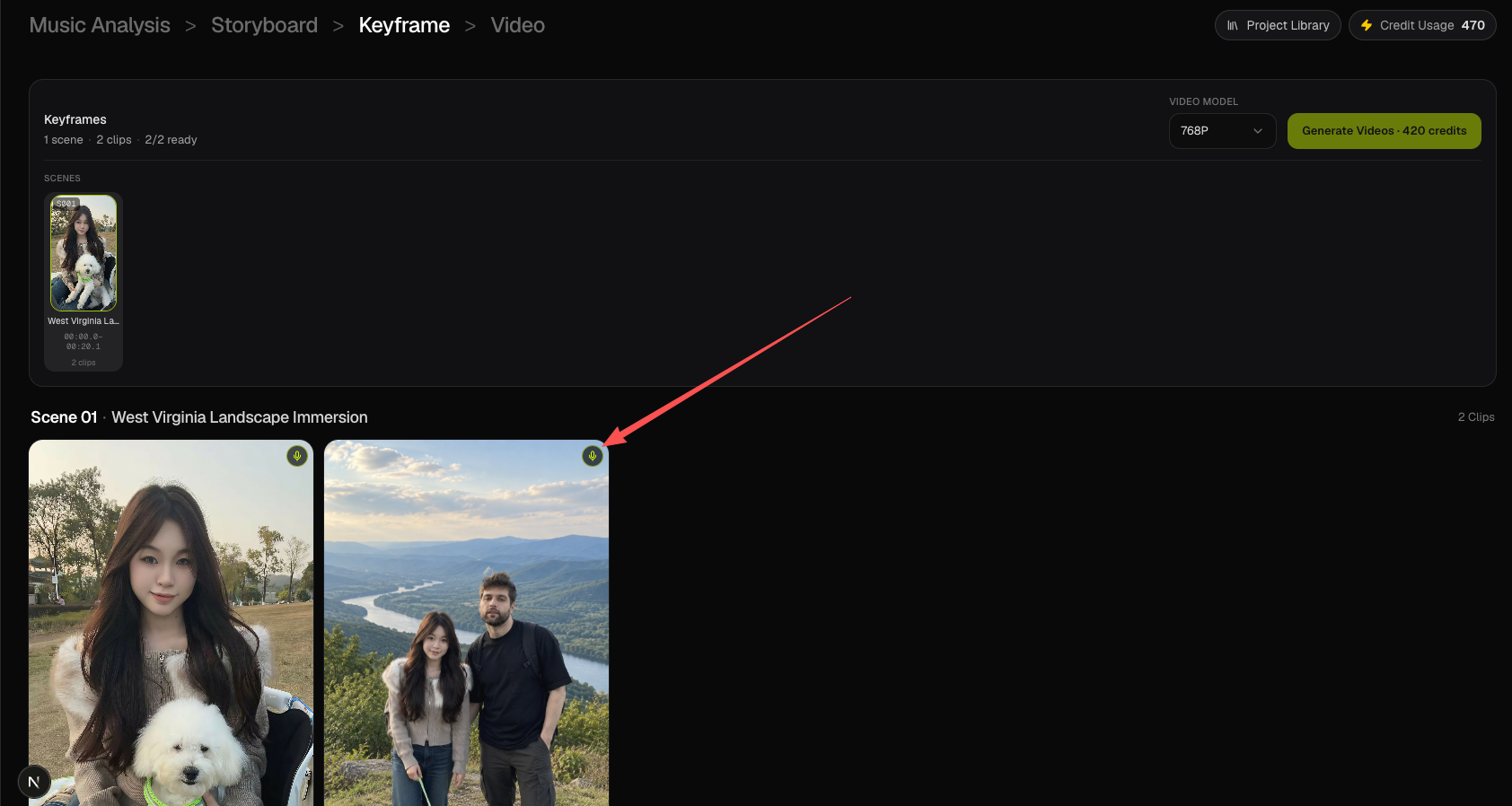
The setting is not a guarantee that the model will produce perfect mouth movement or keep every mouth completely still. Visual prompts, reference images, and the generated result still need review.
It is also important to distinguish the creation modes. Workflow 2.0 uses an audio-aware generation switch, while Workflow 1.0 and Editor offer different lip sync processes.
If singing performance is central to your video, our guide to the Best AI Music Video Generators With Lip Sync explores the features worth checking.
Replace Weak Shots Without Rebuilding the Project
Even a carefully planned music video will occasionally produce an unsatisfactory shot.
Perhaps the character's appearance changes between scenes.
Maybe the lighting doesn't match the previous clip.
Or a performance sequence shows the wrong expression.
This is where scene-level editing becomes valuable.
In Workflow 2.0, creators can revise and regenerate individual keyframes or video clips rather than starting the entire task again.
Prompts can also be edited across multiple clips, making it easier to correct a recurring visual instruction.
For more hands-on control, BeatViz Editor provides a timeline-based workspace where creators can arrange, trim, replace, and refine completed video footage.
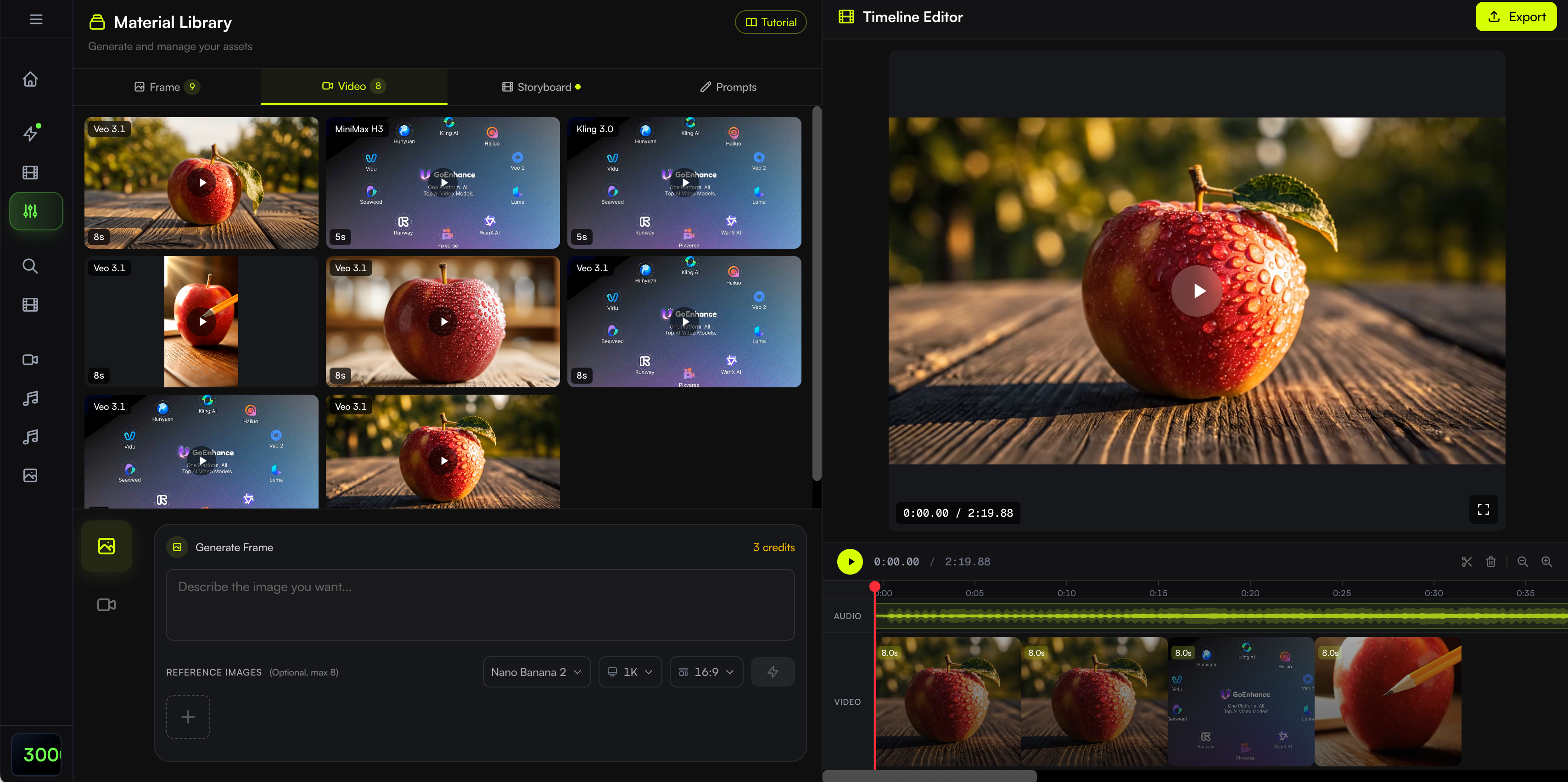
It's important to note that Workflow 2.0 and Editor are separate project environments. Creators should choose the appropriate production path at the beginning rather than assuming a Studio project automatically becomes an Editor project.
If you want to direct and arrange shots manually, explore BeatViz Editor.
And if maintaining the same performer across multiple locations is your main concern, read our guide to AI Music Video Generators for Character Consistency.
A useful production workflow doesn't eliminate every AI generation problem. It gives the creator more opportunities to identify those problems and improve the result.
Freebeat Alternative Pricing: What Will a Full Music Video Really Cost?
Finding a free Freebeat AI alternative is a common reason to compare platforms.
But there is an important distinction:
Freebeat is a brand name. A Freebeat alternative doesn't necessarily mean a free AI music video generator.
Many platforms offer free accounts, trials, or introductory credits. These may be useful for testing an interface or generating a short sample, but they don't necessarily cover an entire three-minute music video.
Free Credits, Trials, and Watermarks
Here is a summary of the pricing approaches published by the platforms discussed above.
| Platform | Pricing Approach | What to Check |
|---|---|---|
| BeatViz | Free entry options and paid credit-based subscriptions | Creation mode, generation credits, resolution, and access to Workflow 2.0 |
| Atlabs | Subscription tiers with credit allowances | Whether the plan includes the full music-to-video workflow |
| One More Shot AI | Subscription tokens, with generation costs based on mode and duration | Tokens required for the full song |
| Neural Frames | Subscriptions and model-dependent generation credits | Autopilot cost for your song length and selected model |
| Kaiber | Paid subscriptions and generation credits, with trial options | Beat Sync eligibility, credits, and export conditions |
For current BeatViz subscription options, see the BeatViz Pricing page.
The headline subscription price is only one factor.
Before purchasing, check whether your plan includes the features you intend to use, how many seconds of video it can generate, whether failed attempts are charged, and whether additional credits are required for revisions.
Why the Cheapest Subscription Isn't Always the Cheapest Video
Suppose two AI music video platforms both offer affordable monthly subscriptions.
One generates a complete first draft automatically.
The other lets you approve keyframes before rendering the corresponding video clips.
Which is cheaper?
That depends on how many shots need to be regenerated.
For example, imagine a project containing 30 clips.
After reviewing the first version, you discover that five clips have inconsistent characters or unwanted movement.
If the platform allows individual clip regeneration, you can focus your next attempts on those five shots.
But that doesn't automatically make one service cheaper. Model pricing, clip duration, minimum billable duration, image generation, and lip sync costs can all affect the final amount.
BeatViz is a good example of why creation modes must be compared separately.
Workflow 1.0 offers Standard, Pro, and Premium generation options.
Workflow 2.0 uses a different generation workflow and credit schedule, with video pricing based on clip duration and resolution.
Its current published documentation specifies 20 credits per second at 768P and 40 credits per second at 1080P, with a minimum billable clip duration. Storyboard and keyframe generation have their own charges.
Therefore, cost estimates for a low-cost Standard video should not be used as estimates for a Workflow 2.0 project.
For a complete song, checking the actual generation estimate in your chosen mode is more useful than comparing subscription prices alone.
How to Reduce AI Music Video Generation Costs
A practical approach is to:
- Test a short section first. Use a 20–30-second excerpt to evaluate visual style and motion before committing to the full song.
- Review the storyboard carefully. Correct the visual concept before generating expensive footage.
- Approve character images. A poor opening frame can influence the resulting video.
- Use lip sync selectively. Prioritize performance shots where the singer's mouth is clearly visible.
- Regenerate only what needs improvement. Preserve successful scenes instead of discarding an entire project.
- Compare output requirements. A music video for a vertical social post may not need the same generation settings as a major widescreen release.
The right platform is the one that matches both your creative expectations and your production budget.
How to Choose the Right Freebeat AI Alternative
The best Freebeat alternative depends less on the popularity of a platform and more on the kind of music video you want to make.
For Complete Songs With a Storyline
Choose a music-first production tool that can handle the entire song, organize multiple scenes, and support individual revisions.
Consider BeatViz if you want a structured storyboard, recurring characters, keyframe review, and clip-level refinement.
Atlabs and One More Shot AI are also worth evaluating for guided or automated music video creation.
For more options focused specifically on longer tracks, see our comparison of AI Music Video Generators for Full Songs.
For Music Videos Featuring a Singer
Look for character reference capabilities, vocal-aware generation, and lip sync controls.
The quality of a singing scene depends on more than a character opening and closing their mouth.
Facial identity, camera angle, timing, and emotional expression also matter.
Prioritize tools that let you review the output and make corrections.
For Abstract Electronic Music Visuals
A traditional storyline may not be necessary.
If you want evolving shapes, rhythmic patterns, and animation influenced by drums, bass, or other musical elements, Neural Frames is a relevant choice.
Kaiber is also worth considering for visually experimental, beat-driven edits.
For Fast Automated Generation
If your priority is obtaining a complete visual draft with minimal initial direction, compare Freebeat itself with One More Shot AI and other automated music video tools.
Review how much creative control is available after the first result.
For Detailed Editing and Custom Shot Direction
If you already have specific ideas for camera angles, character movement, or scene transitions, prioritize a tool that supports prompt-level and clip-level adjustments.
BeatViz Editor is designed for hands-on timeline creation, while BeatViz AI Director offers a conversational approach to developing a video's visual direction.
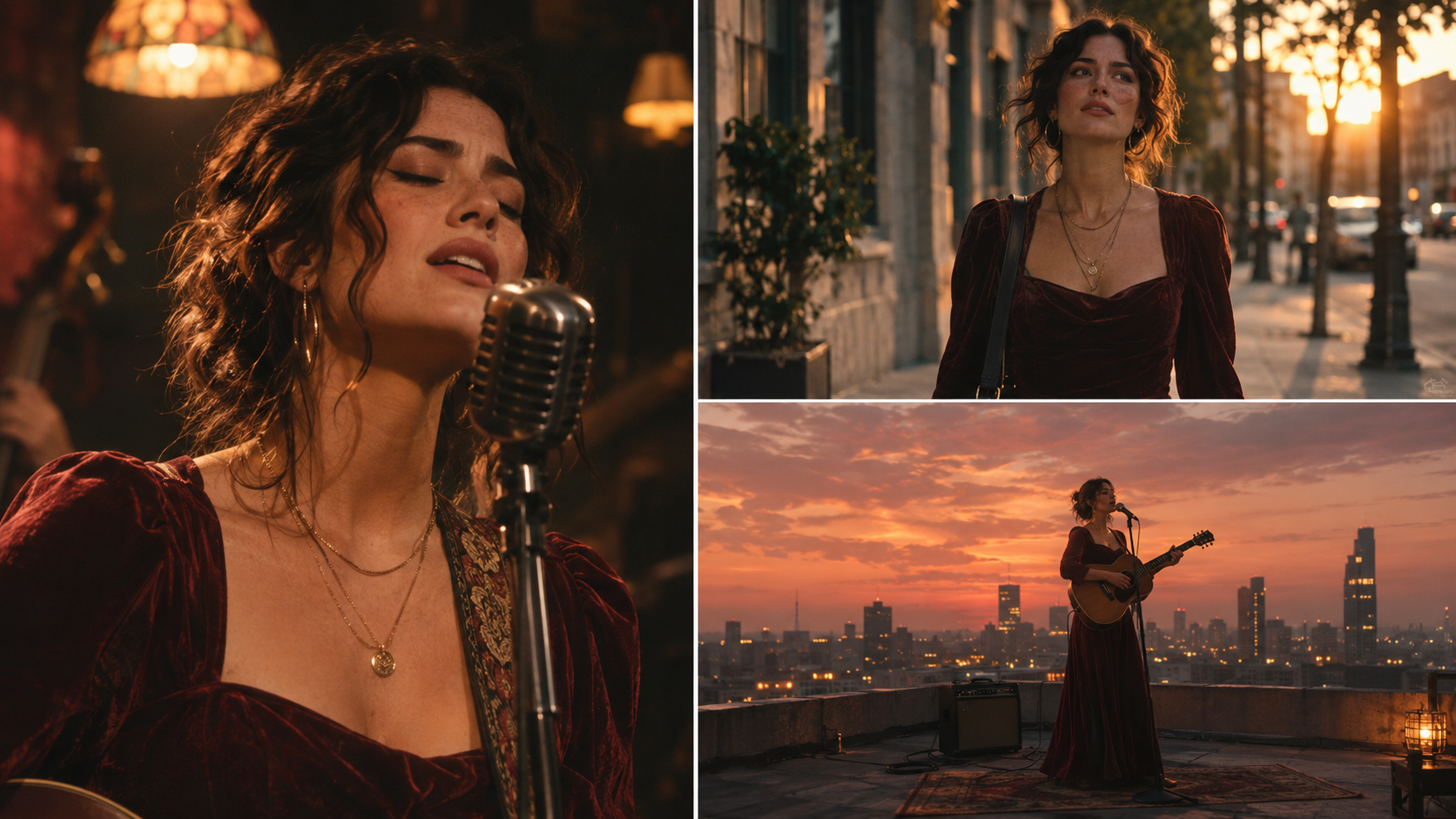
A good music video doesn't need every shot to look the same.
It needs enough visual continuity to make different locations, camera angles, and emotional moments feel like parts of one creative vision.
Frequently Asked Questions About Freebeat Alternatives
What Is the Best Freebeat AI Alternative in 2026?
BeatViz is a strong option for full-length, character-driven music videos that require editable storyboards, keyframe review, and scene-level revisions. One More Shot AI is worth considering for automated direction, Neural Frames for audio-reactive visuals, Atlabs for guided character-based production, and Kaiber for stylized beat-synced editing.
The best option depends on your music, preferred visual style, budget, and editing requirements.
Are There Any Free Alternatives to Freebeat AI?
Some AI music video platforms offer free accounts, trials, or limited introductory credits.
However, free access does not always include full-length generation, high-resolution exports, watermark-free downloads, or advanced creative controls.
Before choosing a free Freebeat alternative, check the actual export and generation limits rather than assuming that a free account can produce an entire finished music video.
Which Sites Like Freebeat AI Can Make Full-Length Music Videos?
BeatViz, Atlabs, One More Shot AI, and Neural Frames offer workflows relevant to complete music video creation.
Kaiber can also be used for longer music-driven visual projects through its creative and editing tools.
The amount of manual assembly, generation credits, and scene-level control varies by platform.
Which Freebeat Alternatives Support Lip Sync?
BeatViz, Atlabs, and Neural Frames offer documented vocal or lip sync capabilities in relevant workflows.
When comparing tools, check whether lip sync is part of the initial video generation or a separate editing step.
For a music video with both singing and instrumental scenes, having control over which clips receive vocal synchronization can be especially useful.
Can AI Make a Complete Three-Minute Music Video?
Yes. AI tools can create a three-minute music video by generating and assembling multiple visual clips around a finished soundtrack.
The exact workflow depends on the platform.
Some tools organize the song into scenes automatically, while others require more manual shot generation and editing.
Creating a complete three-minute video does not mean every scene will be correct on the first attempt. Review and revisions remain important.
Can I Edit Individual Scenes After Generating a Music Video?
Several AI music video platforms support some form of scene or clip editing, including Freebeat itself.
BeatViz Workflow 2.0 allows creators to edit scene descriptions, review opening keyframes, and regenerate selected video clips.
BeatViz Editor provides a separate timeline-based environment for more manual adjustments.
Before choosing a platform, check whether a particular edit requires regenerating the clip and whether additional credits apply.
Can I Make an AI Music Video From a Suno Song?
Yes, provided you have the necessary rights to use the music.
Export your finished song as a supported audio file, then upload it to an AI music video platform.
For example, BeatViz supports common audio file formats, including MP3 and WAV.
You can then develop a visual concept, choose the appropriate creation workflow, and generate scenes based on the song.
Is BeatViz Better Than Freebeat for Music Videos?
It depends on the type of production.
Freebeat provides music-first generation and AI-assisted beat-synchronized editing.
BeatViz is particularly relevant when you want a structured production path with editable storyboards, opening keyframes, individual clip revisions, or a dedicated timeline-based Editor.
Neither platform guarantees perfect character consistency or lip sync.
The more useful comparison is which workflow gives you the control you need for your particular music video.
Final Verdict: Which Freebeat Alternative Should You Choose?
The best Freebeat alternatives in 2026 aren't necessarily the tools with the longest feature lists.
They're the platforms that best match how you want to turn music into visuals.
Choose BeatViz if you want to produce a complete music video with planned scenes, recurring characters, keyframe review, and the ability to refine individual clips.
Choose Atlabs if you prefer guided AI production with character-oriented features.
Choose One More Shot AI if automated music video direction is your main priority.
Choose Neural Frames if you want audio-reactive visuals that respond to the structure and instrumentation of your music.
Choose Kaiber if your creative direction centers on stylized imagery, animation, and beat-synchronized montage editing.
Freebeat remains a relevant option, especially for creators who want music-driven generation and conversational video editing.
But if you have a finished song and a specific visual story in mind, it can be worth exploring a more deliberate production workflow.
You don't need every shot to come out perfectly on the first attempt.
You need a way to shape the result into a music video that actually represents your song.
Your song already has a sound. Give it a visual story you can shape, review, and refine.
Ready to turn your track into a music video?
Explore the BeatViz AI Music Video Generator and choose the workflow that fits your creative process.