Så använder du läppsynk på Workflow 2.0-klipp
Workflow 2.0 lip sync is a per-clip switch at video generation. It is on by default. On: MiniMax receives that clip's song audio. Off: images and prompt only.
This is not Workflow 1.0 post-process Lip Sync and not Editor LipSync.
Slå på eller av läppsynk per klipp
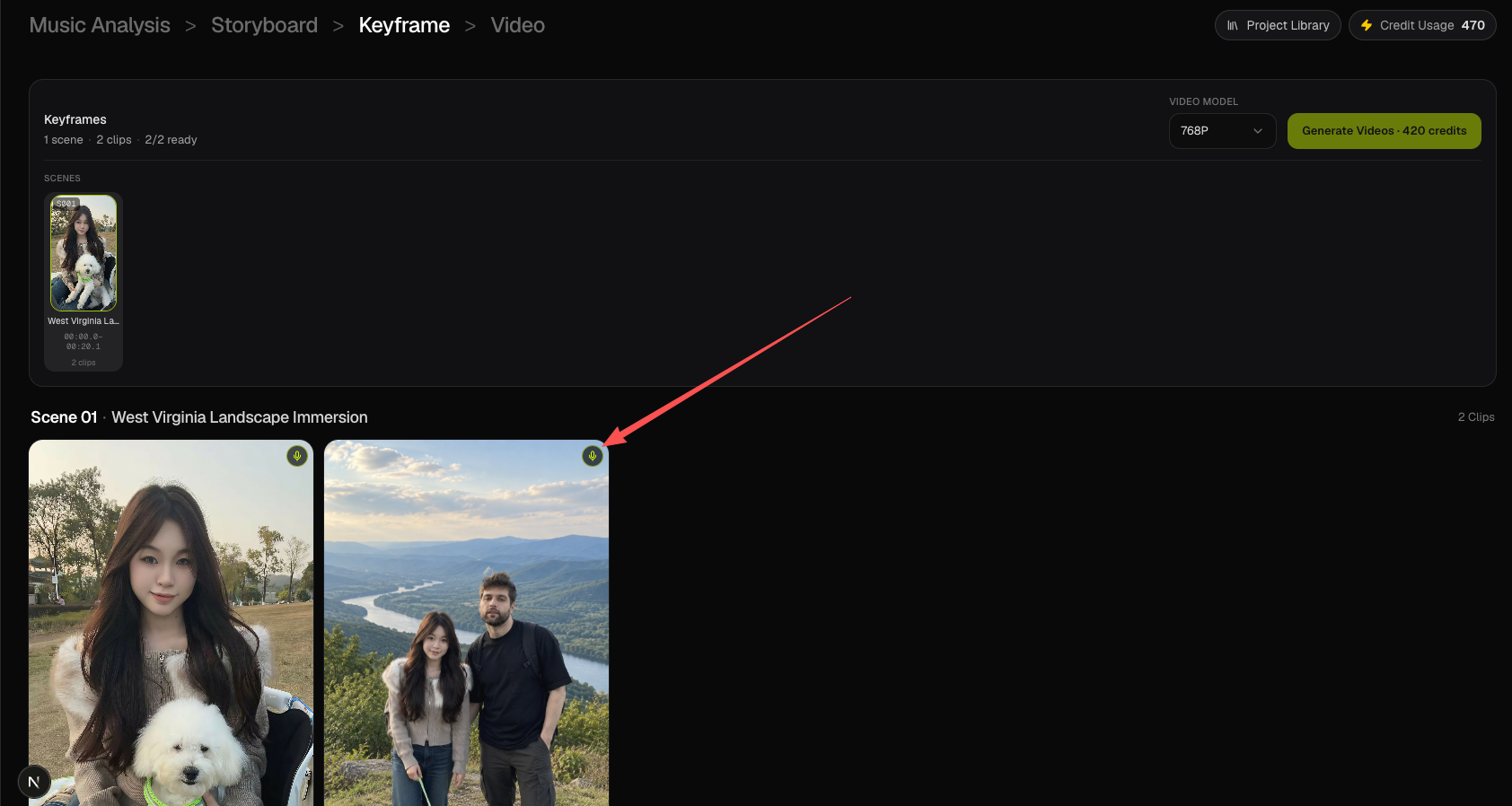
On Keyframe, every clip tile has a microphone in the top-right corner.
- Bright mic — lip sync on.
- Dim mic — lip sync off.
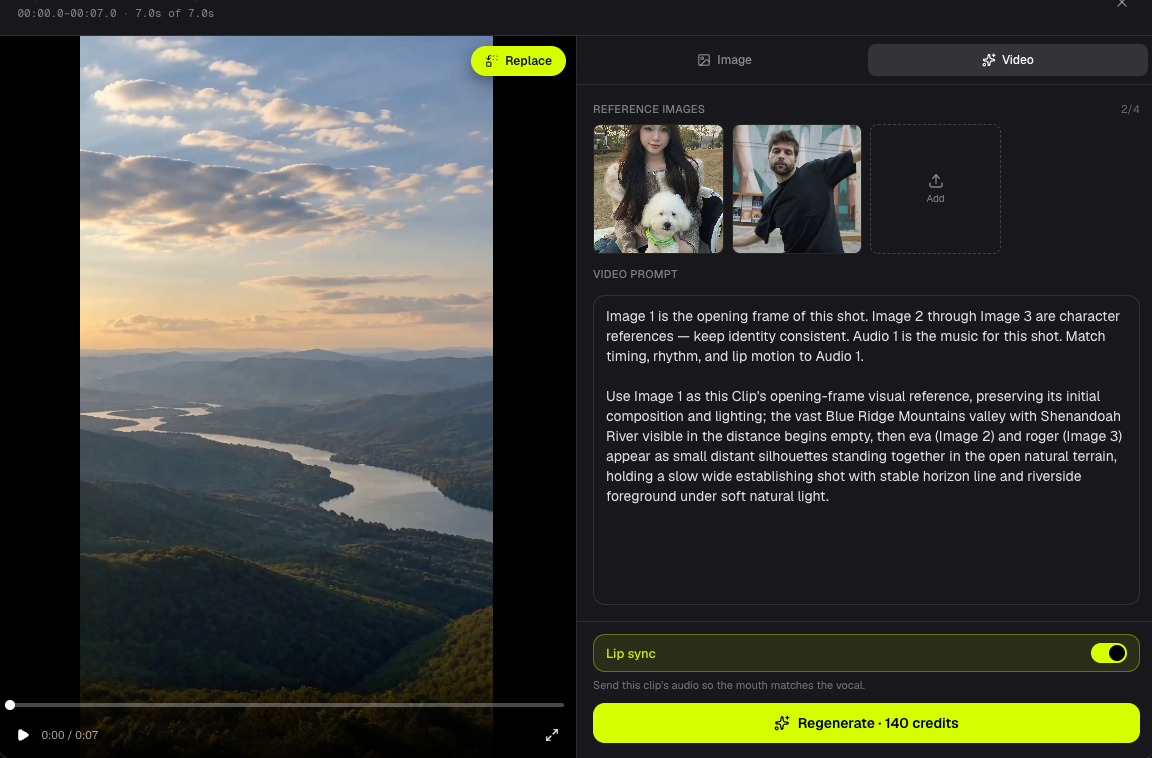
Click to toggle. The same switch is in the inspector above Generate Clip, and on the Video clip editor Video tab above Generate / Regenerate.
Vad som händer när läppsynk är på
- Studio trims the task song to this clip window (Cloud Run).
- The MiniMax prompt includes the Audio 1 lip-sync block.
- Trimmed clip audio is sent as
reference_audio_urlsto Fal MiniMax H3 Max.
Vad som händer när läppsynk är av
- The Audio 1 / lip-sync prompt block is not added.
- Cloud Run does not trim clip audio.
- The Fal request has no
reference_audio_urls.
Video credits do not change.
Workflow 2.0 jämfört med Workflow 1.0 och Editor
| Path | How lip sync works |
|---|---|
| Workflow 2.0 | Per-clip switch at MiniMax generation. No extra credits. |
| Workflow 1.0 | Singing / scene-card Lip Sync after the base clip. |
| Editor | Timeline LipSync on a finished clip. |
Export still uses the original selected song. See Export.
Vanliga frågor
Credits?
MiniMax is still billed on the integer clip duration at 768P or 1080P. The switch only controls clip audio.
After a clip is generated?
Toggle, then Generate / Regenerate that clip.
Same as Workflow 1.0 Singing?
No. Use Workflow 1.0 Singing or Editor LipSync for that path.
Fortsätt lära: ← Föregående: Generera videoklipp · Nästa: Generera om en bildruta eller ett klipp →
Relaterade guider
Prova BeatViz Workflow 2.0
Ladda upp en låt, välj Studio Create · 2.0 och gå vidare via Music Analysis, Storyboard, Keyframes och MiniMax-klipp.